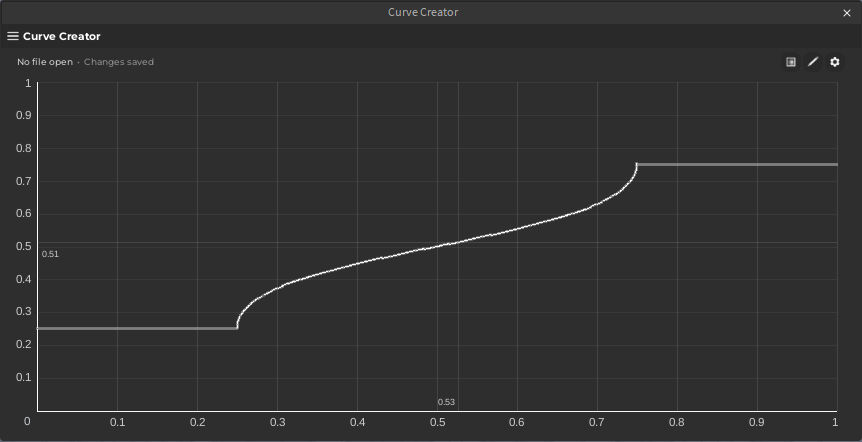
Curve Creator is a powerful Roblox Studio plugin and open-source library for designing and using smooth Bézier curves to replace simple linear mappings. It provides a highly intuitive interface for curve creation, file management, and in-game integration—perfect for Roblox developers building rich experiences with custom animations, dynamic transitions, recoil patterns, and more.
- Drag-and-drop point plotting on a timeline-style canvas
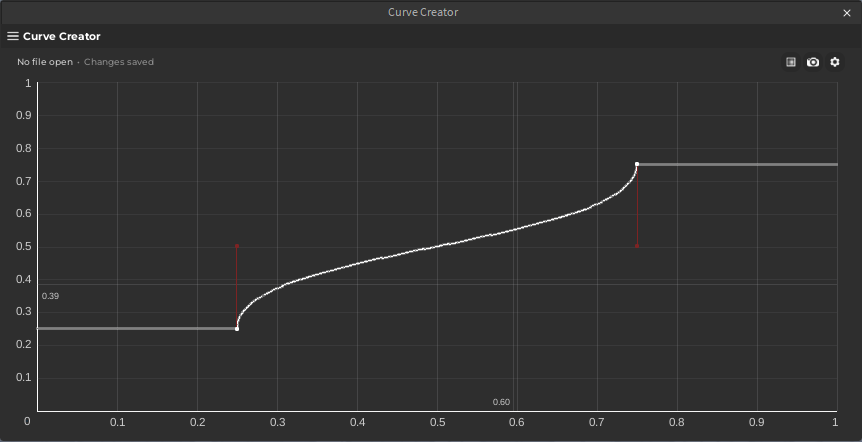
- Adjustable Bézier handles for precise curvature
- Real-time curve visualization with optional guide overlays
- Click to move, numerically adjust, or delete points
- Visualize mode: toggle readonly display without handles
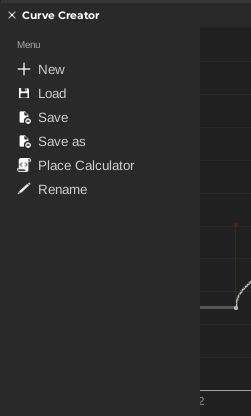
- Create, save, load, and rename curve files within the plugin
- “Save As” and overwrite support for efficient workflow
- Automatically embeds the Lua-based runtime library (ModuleScript) for game use
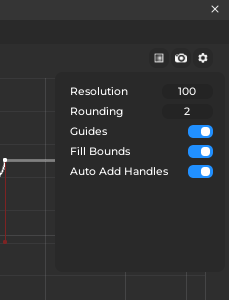
- Tweak curve resolution and rounding precision
- Toggle display elements like grid lines, point values, or guides
- Fully reactive UI powered by Reflex (minimal, reactive state management for Roblox)
- Smooth transitions with Ripple for UI feedback and animation
Curve Creator auto-generates a ModuleScript that interprets curve data in-game using cubic and quadratic Bézier math. Here's a simplified usage:
local Curve = require(path.To.Curve)
local y = Curve.calculate(data, x)
Supports non-linear mappings between any [0,1] x input and corresponding y output, with seamless fallbacks when handles are missing or linear segments are used.
Internally, the library solves cubic roots for parameterized Bézier segments and uses adaptive logic to fall back to quadratic or linear interpolation.
- Custom animations – Smooth easing or tweens tailored for character movement, UI, or particles.
- Weapon recoil patterns – Define precise trajectories using points for each shot.
- Camera smoothing – Map camera position or FOV to curved input paths.
- Custom XP/level curves – Non-linear experience gain mappings.
- Dynamic audio fades – Fine-tuned volume curves with visual precision.
- Written entirely in RobloxTS (TypeScript for Roblox), compiled via
roblox-ts. - Built with React using a custom UI kit.
- State is managed by Reflex, a lightweight reactive state library.
- Animations powered by Ripple for minimal performance cost.
- Code formatted with Prettier, linted via ESLint, and developed in VSCode.
Curve editor with plotted points and Bézier handles
Settings menu with toggles and numeric fields
File menu showing save/load operations
Readonly visualization mode toggle