Defense of the Widgets - card roguelike cross platform game for Android/Ios/Web. The main task - using two types of cards: attacking and defensive, win battles against Widgets opponents.
When you enter the game, you get to the main page:
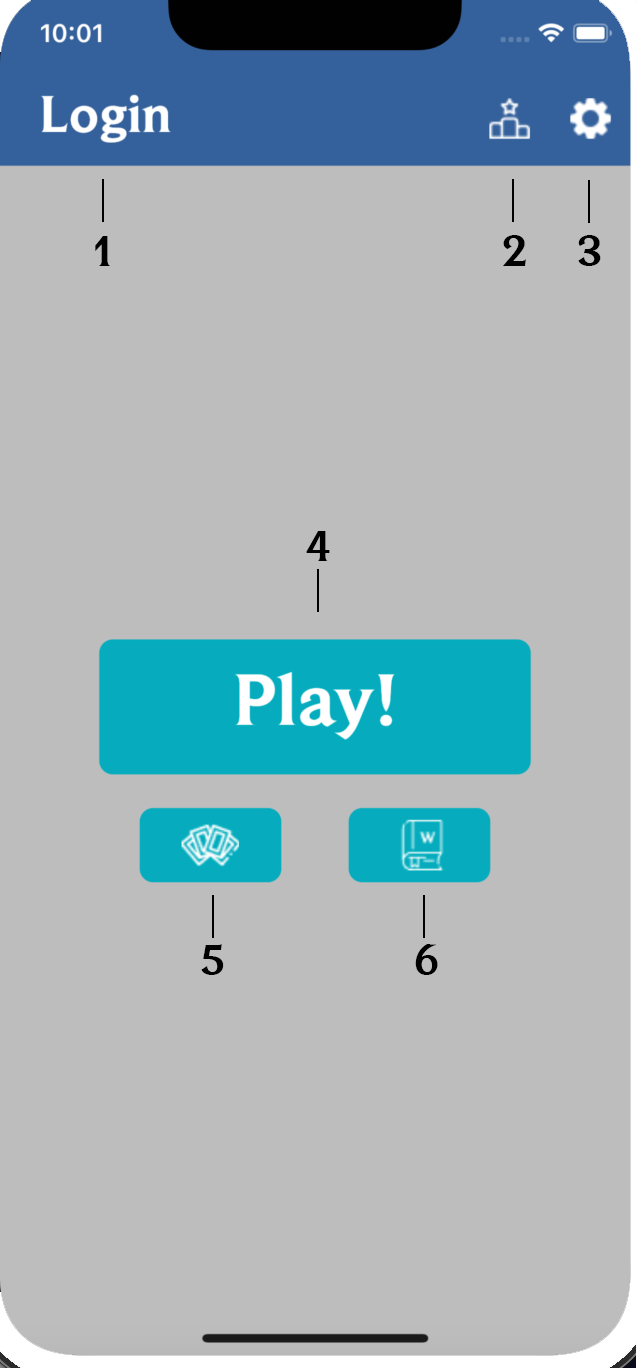
(1) This button allow you to login to your account or register one. All accounts are stored in firebase.
(2) Leaderboard shows the best players in the game based on their maximum in game score.
(3) Settings allow you to change the language from English to Russian and vice versa.
(4) Play button will send you to Game Screen and allow to play the game itself.
(5) Show all possible card list.
(6) Show information about all enemies widgets.
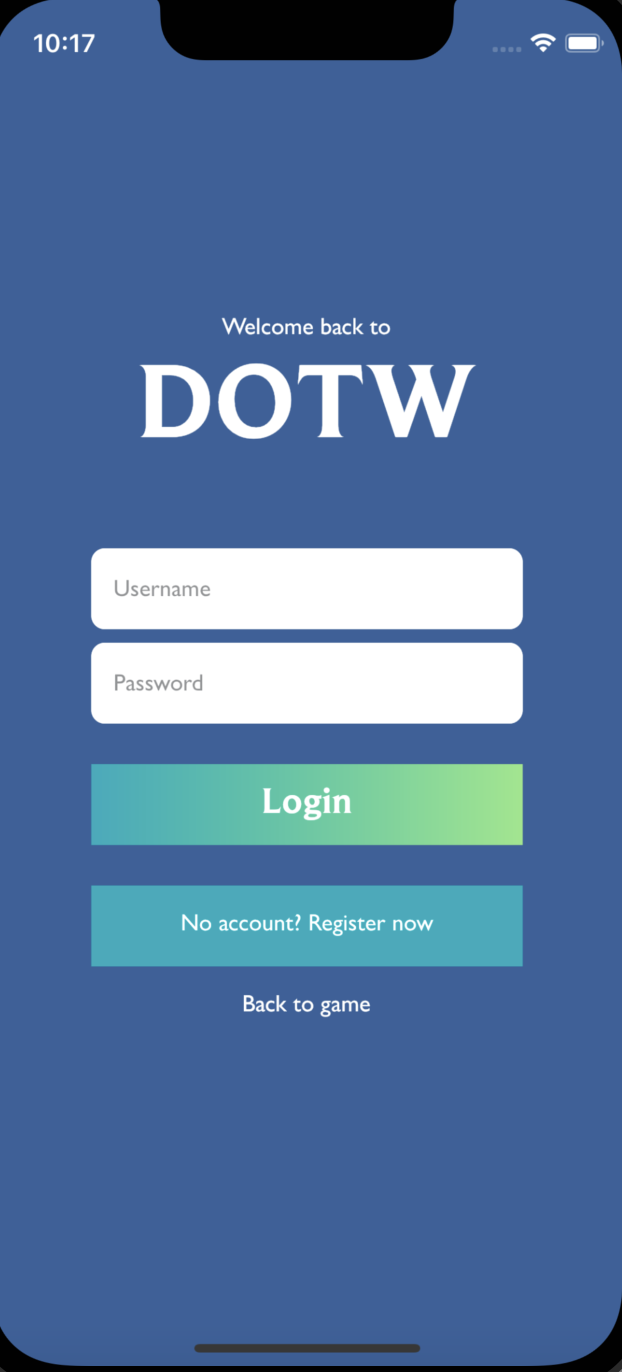
On this page you can enter your username, password and click on the Login button. This will log into your account, which allows you to save your maximum record during your games.
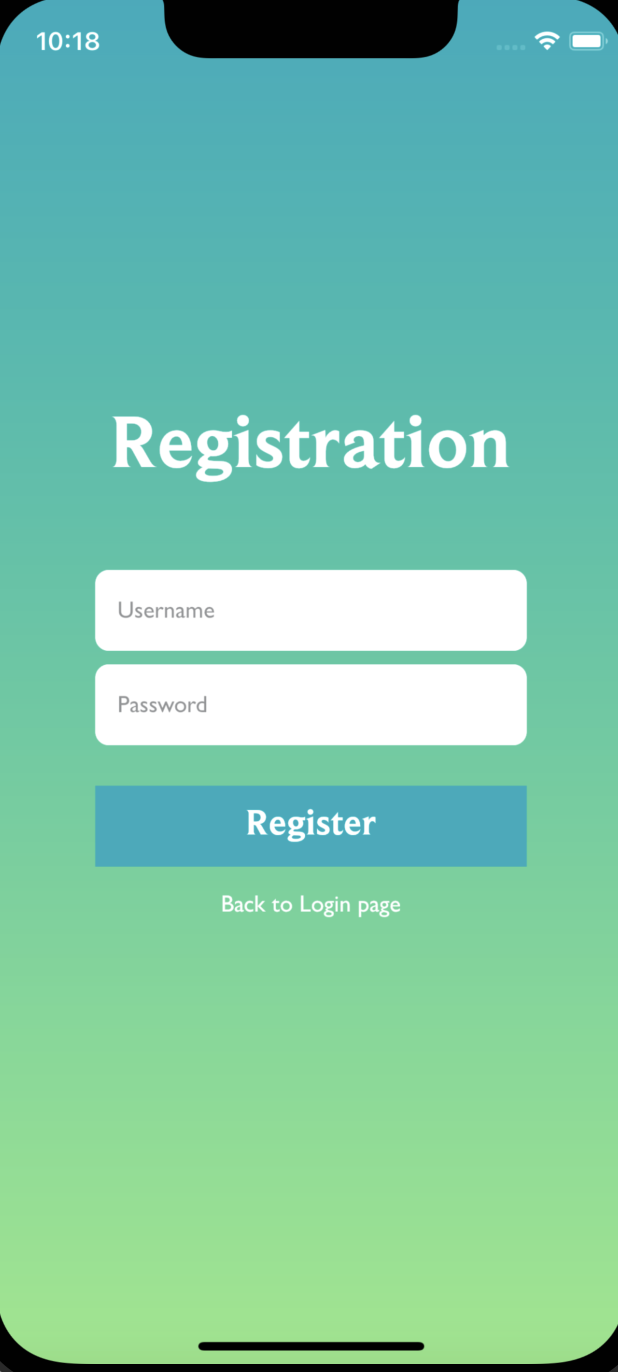
If this is your first time in the game, then using the register button you can create an account by entering your username and password.
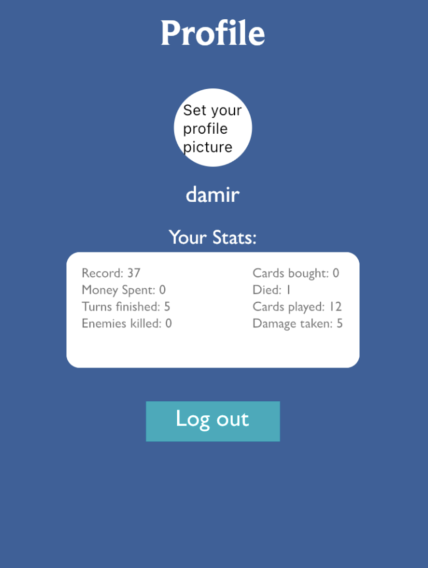
As soon as you log into your account, your profile will appear instead of the Login button. By clicking on it you will see the username and statistics of the game for all time. You can also set a profile avatar for yourself or log out of your profile.
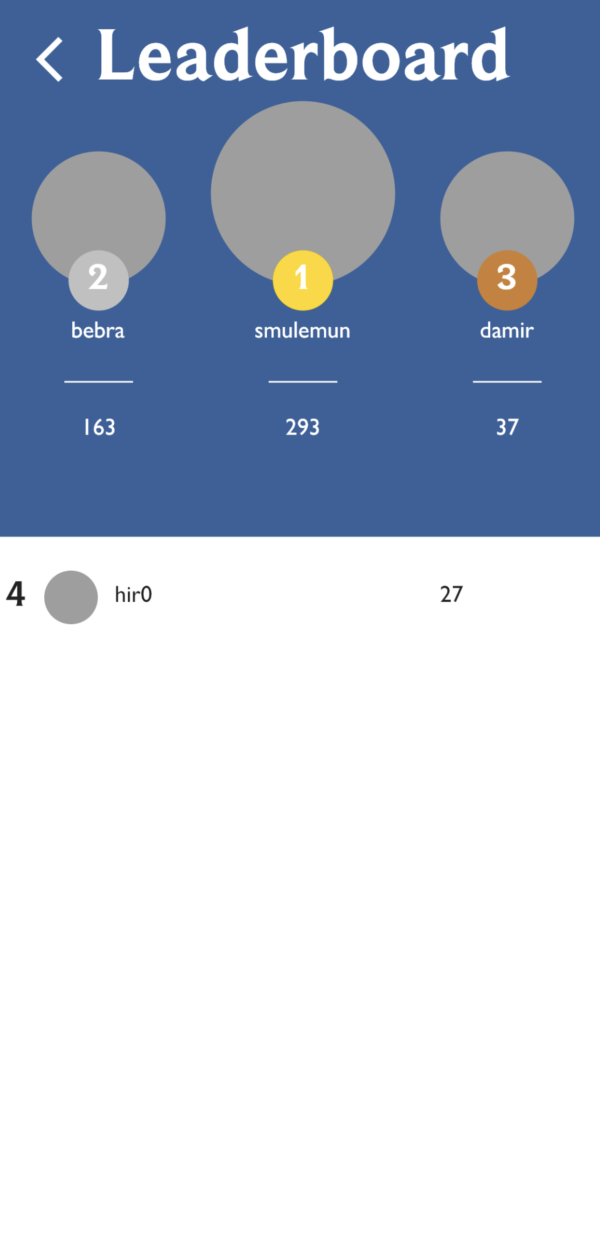
The leaderboard shows the best players of all time. Each time you finish a run, you get a certain number of points, depending on how many useful actions you have performed. All scores goes to Firebase.

In the settings you can choose Russian or English. Every page in the application is translated into both languages (not counting proper names, which are always displayed in English. For example, the names of enemies).
The Play button will take you to the game itself. The game page consists of 9 main elements:
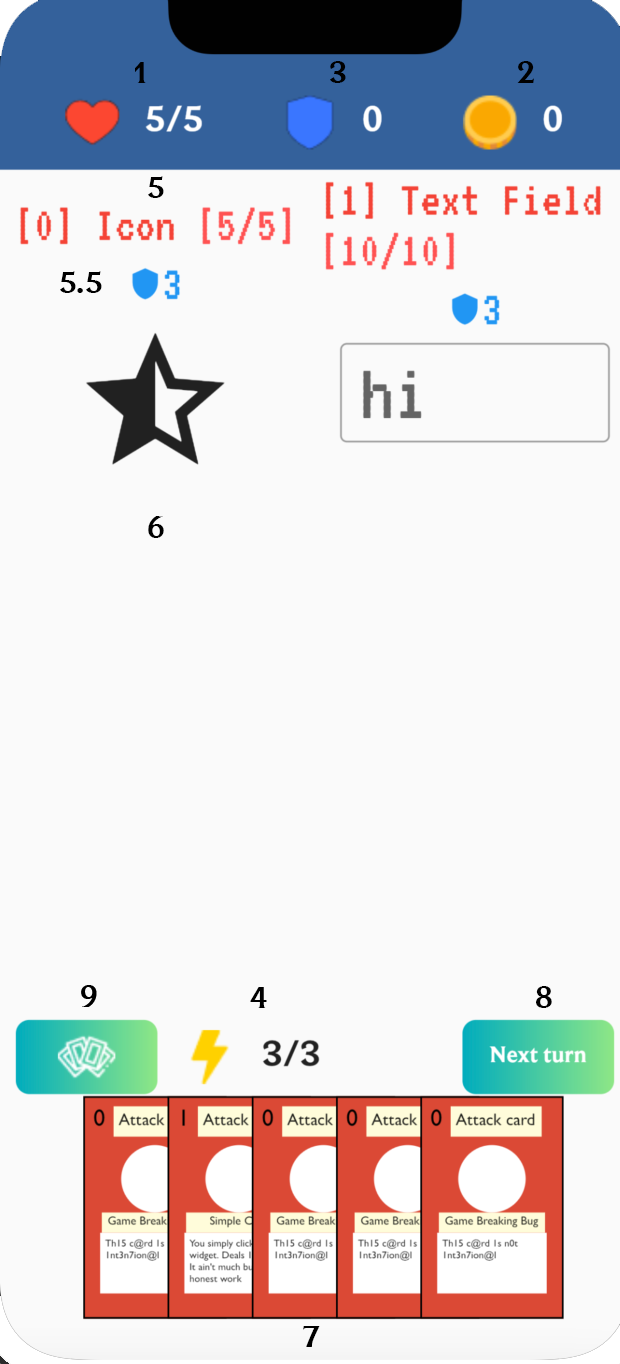
(1) Health - current/max. Each turn, the enemy has the opportunity to strike and if your shields do not absorb the damage, then your health will decrease. If health become zero, then you lose.
(2) Money - a certain amount of currency falls from each enemy. (In the future, you can use it to buy new cards, replenish health or increase maximum energy.)
(3)Shields - with the help of special cards you can increase your shields by one turn. They will be able to absorb an equal amount of damage before your health starts to decrease. Shields are reset every new turn.
(4)Energy - current / maximum. To play any card, you need to spend the corresponding amount of energy. Each new move, the current energy is replenished to the maximum.
(5)Enemy name, health (current/max) and shields (current/max).
(5.5)The current behavior of the enemy. Red icon - he will attack with the corresponding damage, blue - he will increase his shields to the maximum value.
(6)So far we have implemented two enemies: Elevated Button Widget and Text Field Widget but we have not yet implemented their appearance after the end of the turn. In the current version of the game, you will always be attacked by the Text Field widget. You can write something into it and it will change the text on top. You can also drag game cards to it and they will be used.
(7)Your current cards. There are two types of them - attacking and defensive. Attacking deals 1 damage to the enemy, Defensive adds 1 armor to you. These indicators are written on the card itself. You can drag them to the enemy and he will be played.
(8)Next move button. It will replenish your energy, complete the enemy's turn, and nullify your shields. She will also give you cards again up to 5 maximum.
(9) The button shows your current deck with all cards you can randomly get next turn
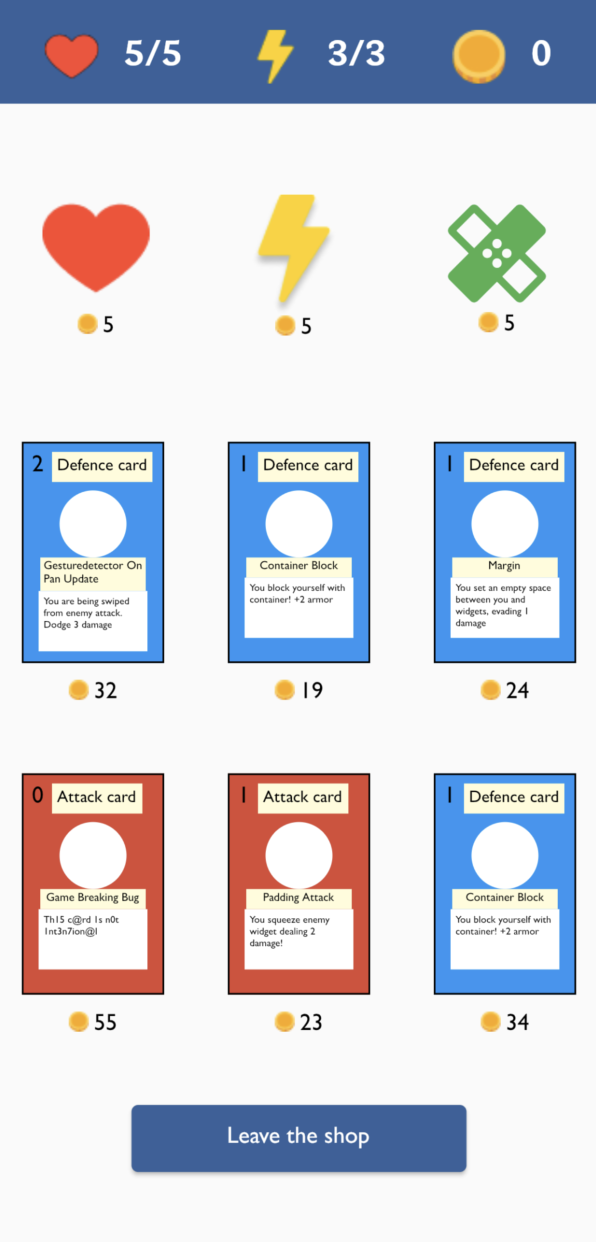
Every fifth level completed will allow you to go to the store, where you will have the opportunity to heal or increase the maximum amount of energy and health. You will also be offered 6 random cards that you can buy into your deck. Each purchase of permanent improvements, as well as each subsequent store will increase the price of all purchases.
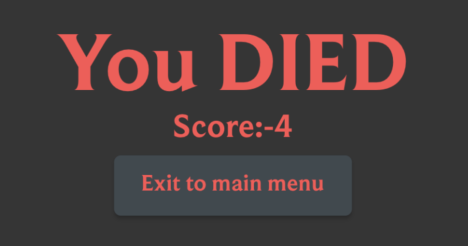
Every time you die, you will see the death screen. Your points will be written on it and the ability to exit to the main menu.
- Splash Screen for both IOS and Android
- An entire project follows GetX architecture and state managment
- Reasonable unit-tests for all game logic
- Handles missing network errors
- GitHub action is setup with formatting, lint and Android APK build/IOS build
- Game successfully build for IOS
- Game successfully build for Web
- Unhandled exceptions is handled with Crashlytics
- Localization is implemented for English and Russian languages
- Some fancy animations
- Custom App Icon
- Code is neat and clear
- Unit and Widget tests
For Android: download APK and open it
For iOS: download Runner and run through the xcode workspace