This is the Micro-Instagram-Backend for ChefKart, a platform for managing users and posts. It allows for CRUD (Create, Read, Update, Delete) operations on users and posts, allowing users to create posts, view posts, and manage them.
Before you can use the API, you need the following:
Node.js (v14 or higher)
MySQL (for the database)
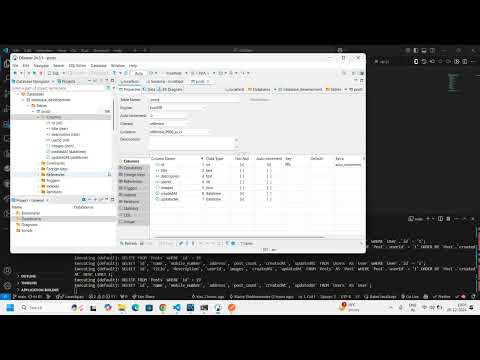
Dbeaver(for GUI of Database)
PostMan(To Check the API)
Clone this repository to your local machine:
Copy code
git clone https://github.com/Shubhamindev/Micro-Instagram)
cd chefkart
Copy code
npm install
Update config/config.json with your MySQL connection details.
Run database migrations:
Copy code
npx sequelize-cli db:migrate
Seed the database (optional for initial data):
Copy code
npx sequelize-cli db:seed:all
API Endpoints
The API is built with Express.js and Sequelize ORM and has the following routes:
Method: GET
Endpoint: /api/users
Description: Fetch all users from the database.
Example Response:
json
[
{
"id": 1,
"name": "John Doe",
"email": "john@example.com",
"post_count": 0
}
]
Method: GET
Endpoint: /api/posts
Description: Fetch all posts, including associated user data.
Example Response:
json
[
{
"id": 1,
"title": "Post Title",
"description": "Post description",
"userId": 1,
"user": {
"id": 1,
"name": "John Doe"
}
}
]
Method: POST
Endpoint: /api/users/:userId/posts
Replace :userId with an actual userId from your database.
Body (JSON):
json
{
"title": "New Post Title",
"description": "New Post Description",
"images": ["image1.jpg", "image2.jpg"]
}
Description: Creates a new post for a specific user. The userId is passed in the URL.
Example Response:
json
{
"id": 2,
"title": "New Post Title",
"description": "New Post Description",
"images": ["image1.jpg", "image2.jpg"],
"userId": 1
}
Method: PUT
Endpoint: /api/posts/:id
Replace :id with the post ID you want to update.
Body (JSON):
json
{
"title": "Updated Post Title",
"description": "Updated Post Description",
"images": ["updated_image.jpg"]
}
Description: Updates the details of an existing post.
Example Response:
json
{
"id": 2,
"title": "Updated Post Title",
"description": "Updated Post Description",
"images": ["updated_image.jpg"]
}
Endpoint: GET /api/users/:userId/posts
Description: Fetch all posts for a specific user by their userId.
Response:
json
[
{
"id": 1,
"title": "Post 1 by User",
"description": "Description of the first post",
"images": ["image1.jpg", "image2.jpg"],
"userId": 1,
"user": {
"id": 1,
"username": "JohnDoe",
"email": "john@example.com"
}
},
{
"id": 2,
"title": "Post 2 by User",
"description": "Description of the second post",
"images": ["image3.jpg"],
"userId": 1,
"user": {
"id": 1,
"username": "JohnDoe",
"email": "john@example.com"
}
}
]
Description: Fetch all posts for a given user. You need to provide the userId of the user whose posts you want to fetch.
Method: DELETE
Endpoint: /api/posts/:id
Replace :id with the post ID you want to delete.
Description: Deletes a post from the database.
Example Response:
Status: 204 No Content
Running the Application
bash
Copy code
npm start or node server.js
The server will start on http://localhost:3000.
You can test the API using tools like Postman or cURL.
Here are the endpoints you can test:
Get All Users: GET http://localhost:3000/api/users
Get All Posts: GET http://localhost:3000/api/posts
Create a Post: POST http://localhost:3000/api/users/1/posts
Edit a Post: PUT http://localhost:3000/api/users/1/posts
Delete a Post: DELETEhttp://localhost:3000/api/users/1/posts
Get Post of Specific User: GET http://localhost:3000/api/users/1/posts
The API returns appropriate HTTP status codes and error messages for failed requests.
404 Not Found: When a user or post is not found.
500 Internal Server Error: When something goes wrong on the server side.
This project is licensed under the GPL License