Beautiful & free dashboard to use with Healthchecks.io or your self-hosted Healthchecks instance. An easy way to see all your checks at a glance in real time, works great on desktop and mobile.
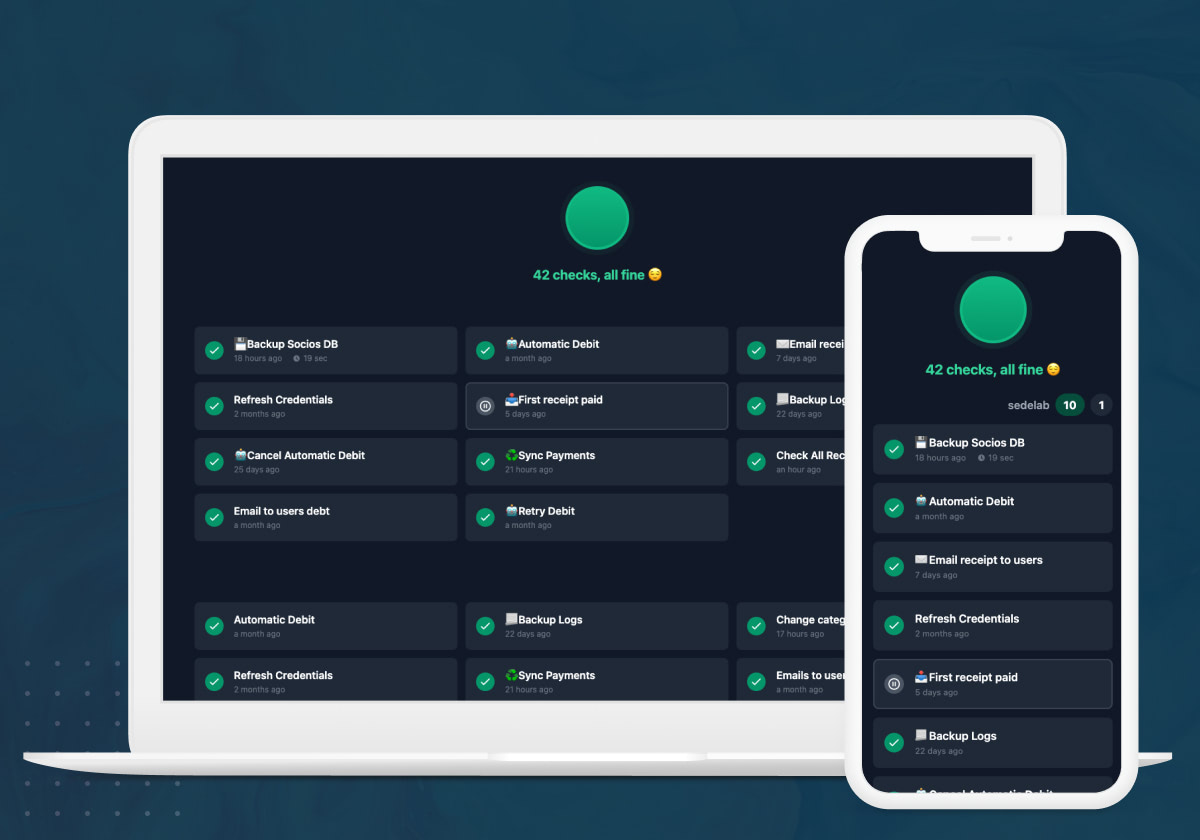
- 🔍 Search - Quickly find checks by name or tag
- 🔤 Sort A-Z / Z-A - Alphabetical sorting
- 👁️ Filter - Hide healthy checks to focus on issues
- 🔄 Running Status - Visual indicator for currently running checks
- 📅 Schedule Display - Shows cron schedule for each check
- 📱 Responsive - Works great on desktop and mobile
- 🔄 Auto-refresh - Updates every 30 seconds
The easiest way to run the dashboard is using the pre-built Docker image:
-
Create a
docker-compose.ymlfile:services: healthchecks-front: image: shlomip/healthchecks-front:latest ports: - 3000:3000 environment: - NEXT_PUBLIC_API_URL=https://healthchecks.io/api - NEXT_PUBLIC_APIKEY=your-api-key-here - NEXT_PUBLIC_NAME=My Dashboard
-
Run it:
docker compose up -d
Alternatively, you can run it directly:
docker run -d -p 3000:3000 \
  -e NEXT_PUBLIC_API_URL=https://healthchecks.io/api \
  -e NEXT_PUBLIC_APIKEY=your-api-key-here \
  -e NEXT_PUBLIC_NAME="My Dashboard" \
shlomip/healthchecks-front:latest| Variable | Required | Description |
|---|---|---|
NEXT_PUBLIC_API_URL |
✅ | Your Healthchecks API URL (e.g., https://healthchecks.io/api or your self-hosted URL) |
NEXT_PUBLIC_APIKEY |
✅ | Your read-only API key from Healthchecks |
NEXT_PUBLIC_NAME |
❌ | Custom name for your dashboard |
Log in on Healthchecks.io, go to the project you want to use, click on Settings and there you will find the API Access section:
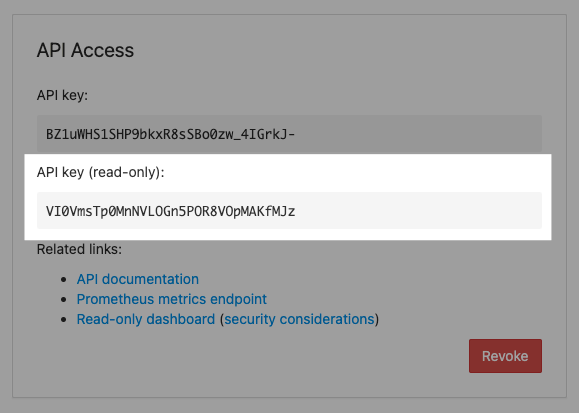
Always use the read-only API key.
If you decide to make your dashboard public, your read-only API key will become public as well. Using the read-only API key, anybody can fetch basic information about checks in your project. This includes, for each check:
- name, tags and description
- check's schedule (period, grace time, cron expression + timezone)
- current status (new / up / down / paused / running)
- precise time of the last ping
- precise time of when the next ping is expected
- total number of pings the check has received
Here are the things that the read-only API keys cannot do:
- the ping URLs are not exposed. You are not risking unexpected pings from random visitors
- no write access: cannot update or delete the existing checks, cannot create new checks in your project
This project is a fork of healthchecks-front