
a simple 3d software renderer in < 1000 lines of C.
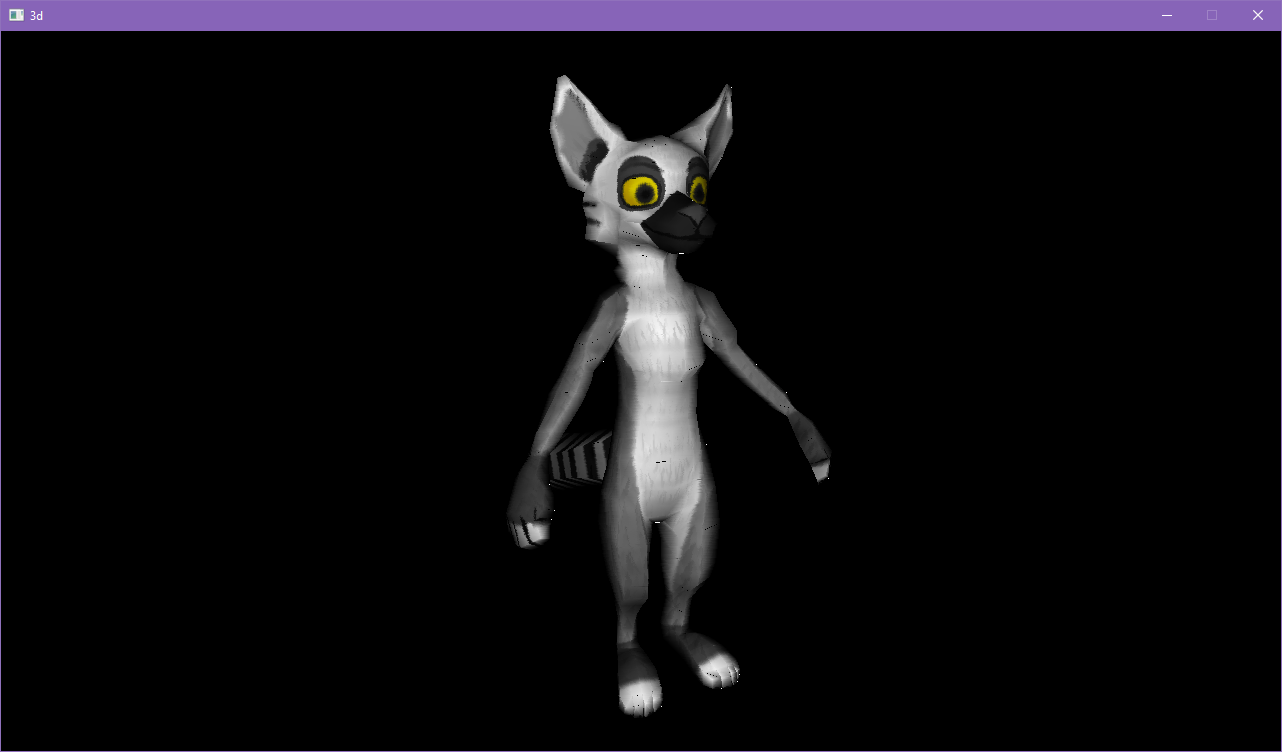
The goal of this project was to demonstrate a basic 3d software renderer in a minimal amount of code while still maintaining good code style and legibility.
It may not be particularly well-optimized or bug-free, but it gets the idea across, and hopefully could be a resource or inspiration for someone else's project.
- 6 DOF (degrees of freedom) camera
- Perspective projection
- Affine texture mapping
- .obj + .mtl importer
- Seams and other visible artifacts on triangles (use a different algorithm to find edges, eg bresenham's line algorithm)
- Entire triangles are culled when one point falls behind the camera (a better method would be to clip triangles against the planes of the view frustum)
- Affine texture mapping causes issues on near triangles (use perspective texture mapping instead)
- .obj + .mtl importer is imperfect (many material properties are unused, certain mesh data is unused)
You will need SDL2 to build the project. (https://www.libsdl.org/download-2.0.php)
If you want to, you can also easily port to a different window/input library.
Nearly all of the SDL2-specific code is in crap.c / crap.h.
You will need SDL_image to compile the app with support for textures -DTEXTURES (https://www.libsdl.org/projects/SDL_image/)
Place the headers/libs for SDL2 under a folder named external, then run build.bat from the Visual Studio command prompt.
Install the latest version of xcode and the SDL2 Framework, then run build.sh.
Install dev packages for SDL2 (and optionally SDL2_image) from your favorite repository, then simply run the following command:
gcc src/*.c -w -lSDL2 -lm
With textures:
gcc -DTEXTURES src/*.c -w -lSDL2_image -lm
Drag a wavefront .obj file (3D model) onto the executable from your file manager, or specify a path to it as an argument.
By default, the program tries to load the file from mesh/cube.obj
You can fly around and inspect the model with WASDQE and the numpad keys (or IJKLUO keys if the numpad is unavailable).
Reach out to sheridan.rathbun@gmail.com with comments, suggestions, etc.