This Python package allows to communicate with a Votschtechnik (or Weiss Technik?) climate chamber like this one
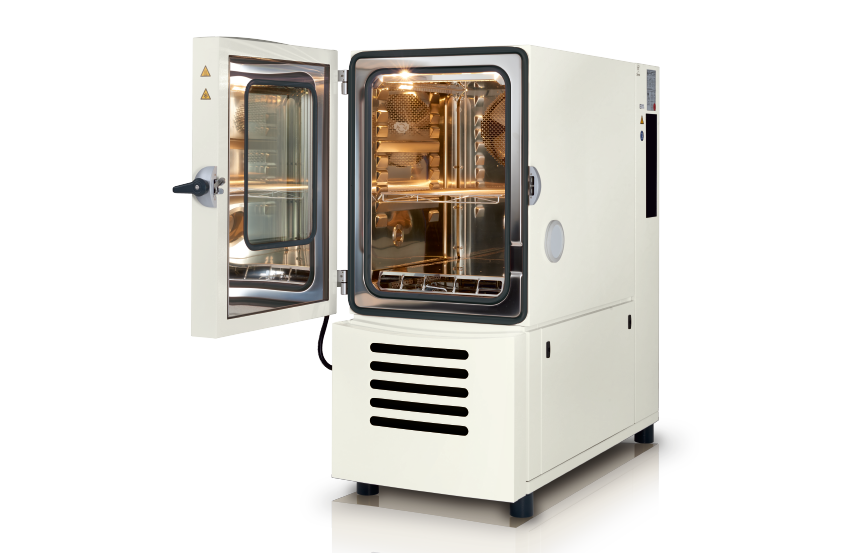
Option 1 (easy, black box, you just want to use this):
pip3 install git+https://github.com/SengerM/VotschTechnik-climate-chamber-Python
Option 2 (still easy, allows you to change the code):
Clone the repo wherever you want and then
pip3 install -e /wherever/you/wanted/to/clone/this/repo
To uninstall this package just run
pip3 uninstall VotschTechnikClimateChamber
Just import and start using:
from VotschTechnikClimateChamber.ClimateChamber import ClimateChamber

chamber = ClimateChamber(
	ip = '130.60.165.218', # Use the IP address shown in the display of the climate chamber.
	temperature_min = -20, # Minimum limit, will rise an error if try to set temperature lower than this.
	temperature_max = 20, # Maximum limit, will rise an error if try to set temperature higher than this.
)
print(chamber.idn) # Prints 'Climate chamber vötschtechnik, LabEvent T/110/70/3, serial N° bla_bla_bla, manufactured in 2020'
chamber.temperature_set_point = 20 # °C.
print(f'The set temperature of the chamber is {chamber.temperature_set_point} °C.')
print(f'The actual temperature in the chamber is {chamber.temperature_measured} °C.')Check the source code, specifically in this file. If there is a specific method in the ClimateChamber class to do what you want, use it. Otherwise you will have to send the commands using the method ClimateChamber.query. The available commands are those in the COMMANDS_DICT which is defined in the same file. If your command is not in COMMANDS_DICT you will have to use the method ClimateChamber.query_command_low_level and enter the command numbers manually, as stated in the user manual, which is a pain.