
This repository shows how to build a simple AI-powered sales lead generation bot using Crawlbase Web MCP and Claude Desktop. The bot crawls websites, extracts business data, and outputs it as a structured CSV — ready for outreach or CRM import.
Follow these steps to set it up from scratch.
Start by setting up Crawlbase Web MCP Server so Claude can access the web:
- Open Claude Desktop and go to
File → Settings → Developer → Edit Config. - Save the short script for Claude in
claude_desktop_config.json. - Replace
your_token_hereandyour_js_token_herewith the tokens from your Crawlbase account dashboard. - Save your settings and restart Claude Desktop.
Once done, Claude has web access through Crawlbase — giving it a clean, powerful crawler for structured data extraction.
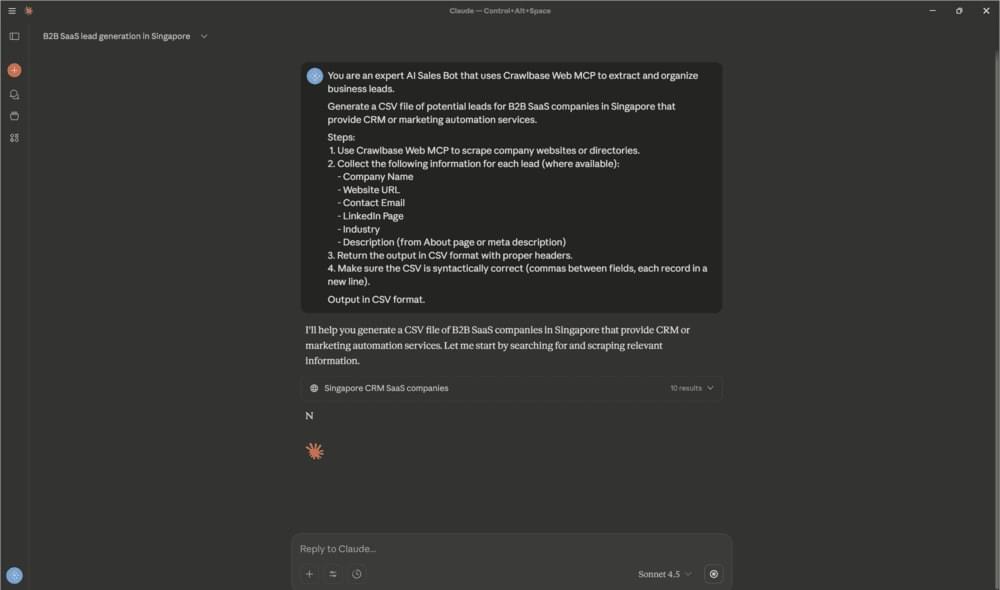
Now that everything’s connected, teach Claude what to do. Paste this prompt into Claude Desktop:
You are an expert AI Sales Bot that uses Crawlbase Web MCP to extract and organize business leads.
Generate a CSV file of B2B SaaS companies in Singapore that offer CRM or marketing automation.
Steps:

1. Use Crawlbase Web MCP to crawl company websites.
2. Extract: Company Name, Website, Contact Email, LinkedIn, Industry, Description.
3. Return results in CSV format.
   Output headers:
   Company Name, Website, Contact Email, LinkedIn,Industry, Description
Hit enter to begin.
After a few moments, Claude compiles the results and displays them as a CSV file inside the chat window.
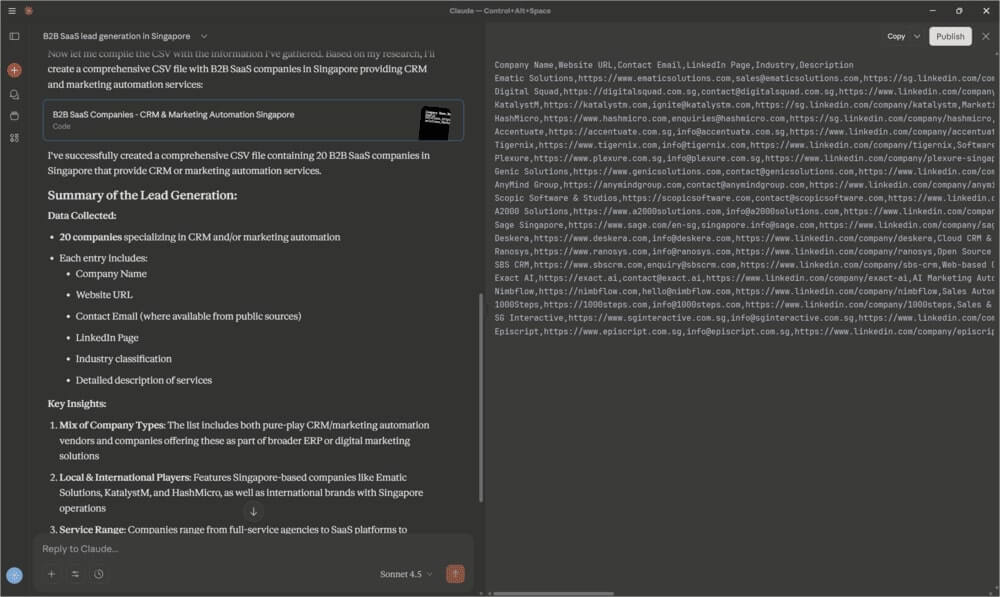
You can copy the table directly into Google Sheets or Excel. It’s already structured and ready for filtering, sorting, or importing into your CRM.
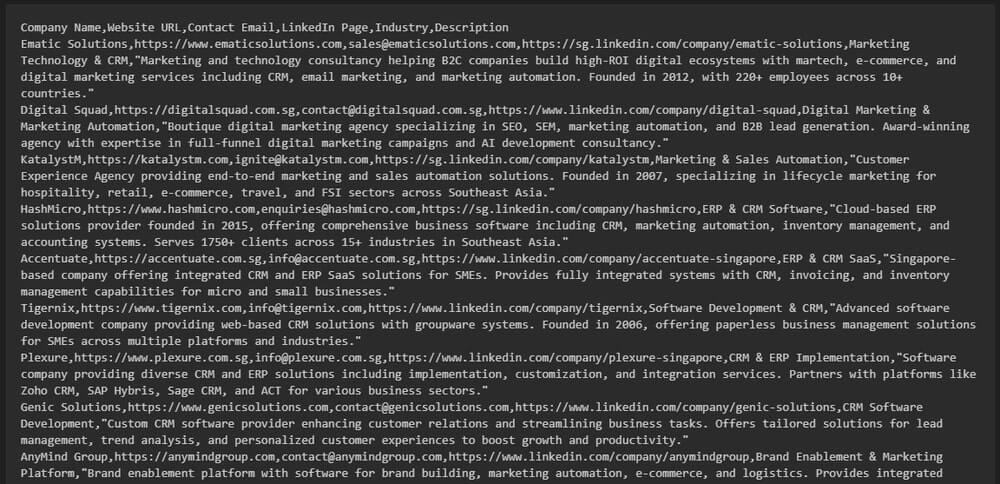
Now you have a fully working AI Sales Bot that scrapes, cleans, and exports leads automatically. Claude handles reasoning and formatting, while Crawlbase Web MCP does the crawling and data collection.
Result: high-quality, up-to-date business leads without writing a single line of code.
---