Map Explore is an Android application that allows users to explore nearby locations and view place details. This README file provides instructions on how to build and run the app, as well as an overview of its features and design decisions made during development.
- 100% Kotlin based
- Coroutines
- Dagger-Hilt - Standard library to incorporate Dagger dependency injection into an Android application.
- ViewModel - Stores UI-related data that is lifecycle aware (didn't destroyed on UI changes).
- Android Architecture Components - Collection of libraries that help you design robust, testable, and maintainable apps.
- MVVM Architecture (Declarative View - ViewModel - Model)
- Repository pattern
- Retrofit2 & OkHttp3 - construct the REST APIs and paging network data.
- Google Maps API - Get location data for over 200 million places, and add place details, search, and autocomplete to your apps.
- Display a map with the user's current location.
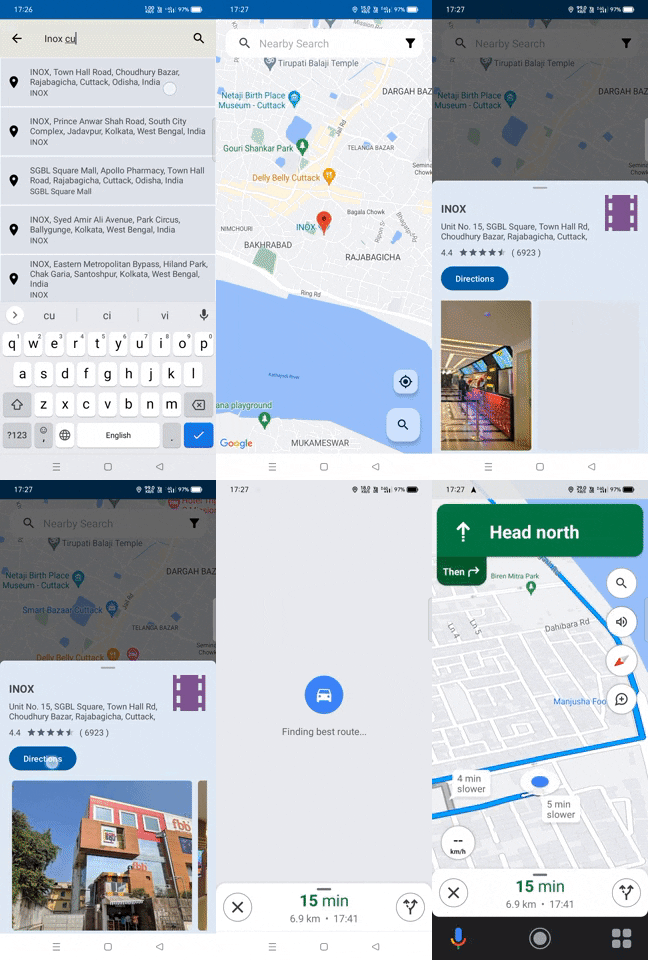
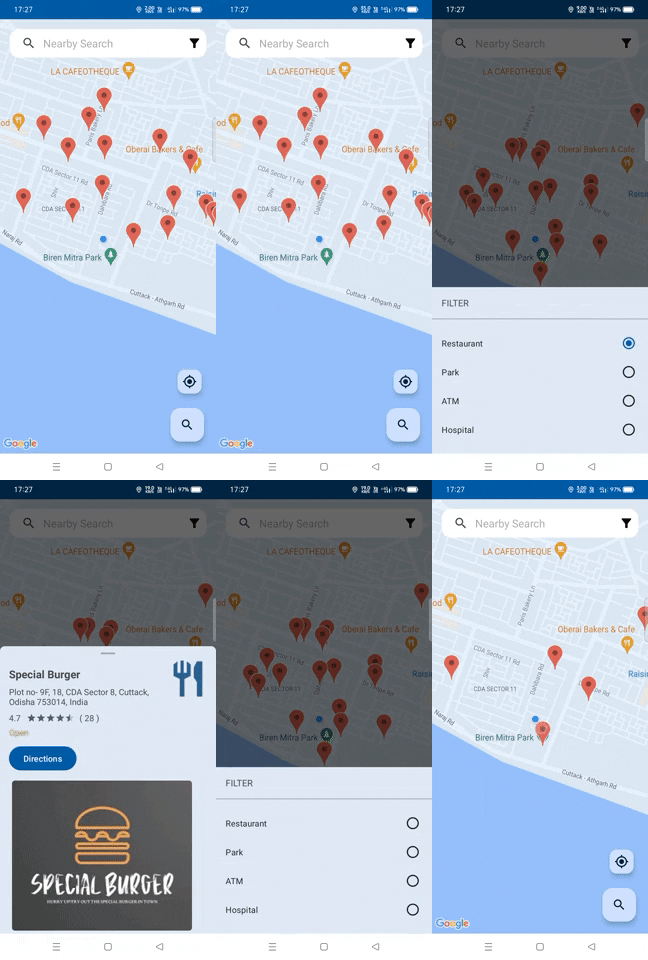
- Search for nearby locations based on keywords.
- View details of a specific place.
- Provide location services prompts and settings.

You can Install and test the app from below 👇

- Clone the repository to your local machine using the following command:
git clone git@github.com:Satyajit-350/Map-Explore.git
-
Open the project in Android Studio.
-
Add the Google Maps API KEY in Manifest file and Constants.kt file
api_key = "YOUR API KEY"
-
Build the project
-
Run the app on an Android emulator or a physical device by selecting the target device and clicking on the Run
- The app uses the Google Maps Android API to display the map and interact with location-related services.
- Location services are checked and enabled/disabled prompts are shown to the user if necessary.
- The app incorporates a search feature to find nearby locations based on user-provided keywords.
- Place details are retrieved using the Google Places API and displayed to the user.
- Bottom sheets are used for filtering and displaying location details.
- The app uses the Model-View-ViewModel (MVVM) architecture for separation of concerns and easier testing.
- Permissions for accessing user location are requested at runtime when necessary.


