Welcome to the Browser Use Controller project! This tool uses LangChain, Gemini, and asyncio to automate browser tasks. It can simulate human-like actions, like searching YouTube and gathering information, all powered by Google's Gemini API.


- Powered by LangChain and Google Gemini Flash Model
- Automates tasks in the browser using a custom Agent
- Fast and efficient with asyncio (asynchronous execution)
- Easy to customize for different tasks
- Python 3.8+
- Git
- Google Gemini API Key (you’ll need to add it to a
.envfile)
-
Clone the repository:
git clone https://github.com/SARAMALI15792/browser_use_controller.git cd browser_use_controller -
Set up a virtual environment:
python -m venv browser-agent
browser-agent\Scripts\activate         # On Windows
# or
source browser-agent/bin/activate     # On Mac/Linux
-
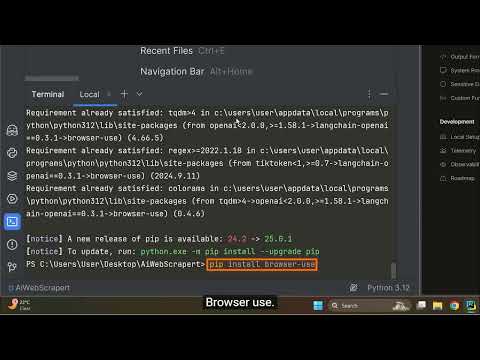
Install the necessary libraries:
pip install -r requirements.txt
-
Add your API Key:
Create a
.envfile in the main folder and add your Gemini API key like this:GEMINI_API_KEY=your_gemini_api_key_here
- The Gemini API Key is loaded from the environment.
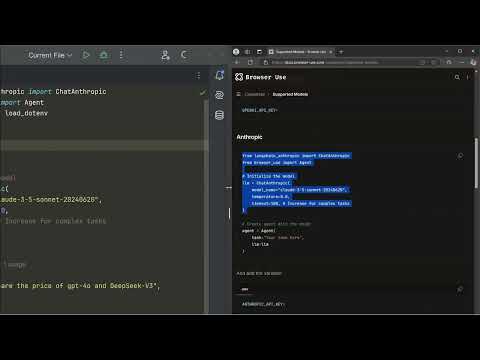
- A ChatGoogleGenerativeAI model is created using Google's Gemini Flash.
- The Agent executes tasks based on the prompt you provide. For example, you can tell the agent to search for a specific YouTube channel and gather information about it.
- It runs asynchronously using asyncio for smooth performance.
Once set up, run the following command:
uv run main.pyThe agent will:
- Open a browser window
- Search YouTube for CampusX (or any prompt you set)
- Play the LangChain video
- Show insights about the channel and person
To change what the agent does, edit the task in the main.py file:
task="your new task here"For example:
task="search for the latest AI news on Google"In your case, you can set the task to search for a specific YouTube channel, like this:
task="search for the CampusX YouTube channel, play a video, and return the channel information"This project is licensed under the MIT License, which means you can use, modify, and share it freely.