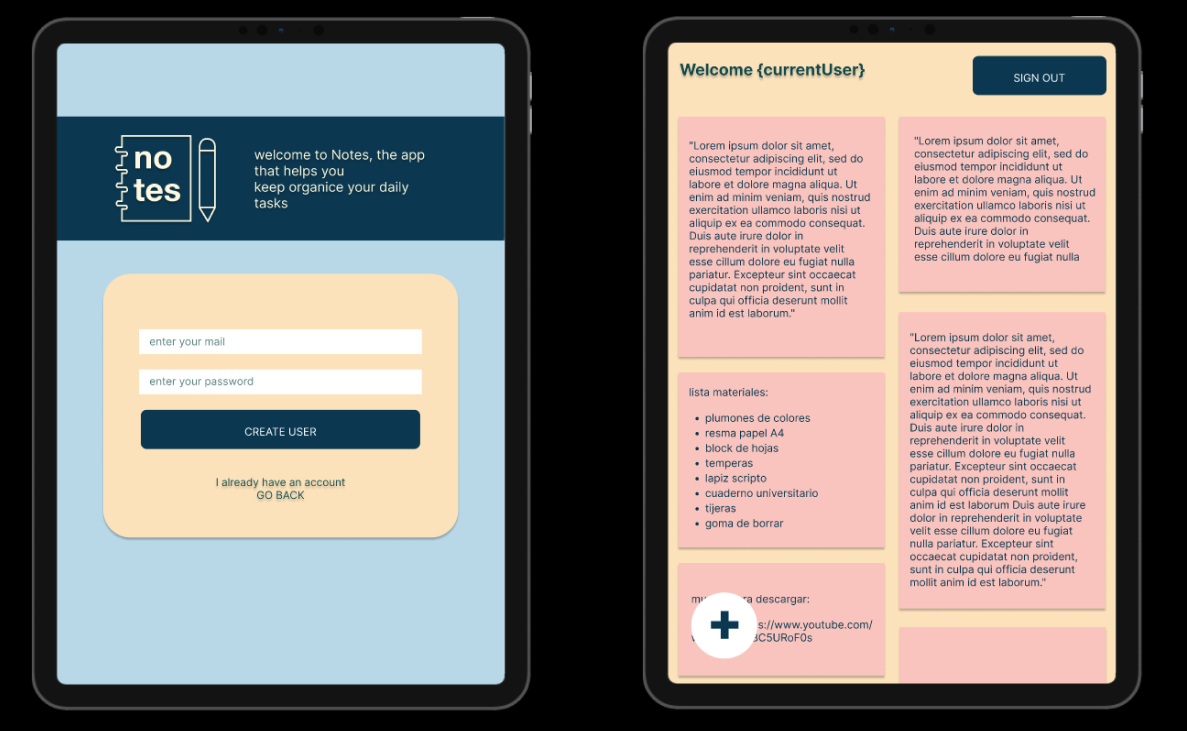
For this project, the challenge was to build a web application for taking notes that allows us to create, edit, delete, and consult them at any time. I used HTML, CSS, Javascript, Firebase and React to create a Single Page App that is also responsive, using a Mobile First approach.
Our application's users seek a simple and user-friendly interface to store and manage their daily notes. For this purpose, I chose a mainly pastel color palette, contrasted with a dark color to provide contrast and visibility to key details. I also prioritized a clean view and an intuitive layout that facilitates its use for as many users as possible.

For the first user story, users need to access the Notes section by authenticating their account. In this first version of the project, I facilitated the authentication option with a Google account, using Firebase's "sign in with popup" function and hoping to expand to more options in the future.
Screenshot of the page viewed on local host, responsive views of tablet and mobile phone.
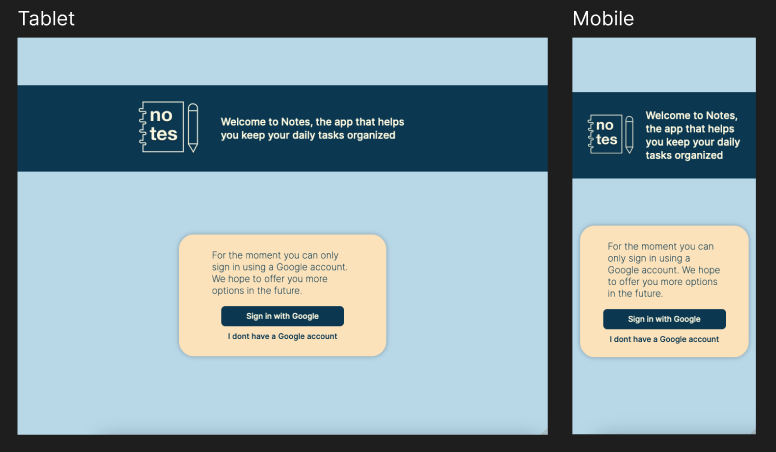
When clicking on the "I don't have an account" text under the button, the user is redirected to the Google authentication page to create a Google account
In this second user story, we need to be able to create notes, save them, and display them on the interface. I used the Firestore database, which receives both the data from the form to create notes, as well as the time, date, and user ID. The notes associated with the logged-in user will be rendered on the interface, with synchronization between the interface and the state.
Screenshot of the page viewed on local host, responsive views of tablet and mobile phone.
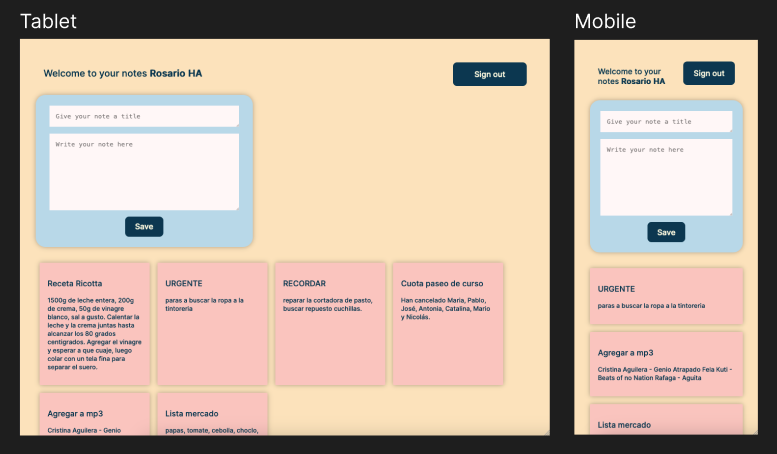
Adjustments were made to the way notes are rendered, so that line breaks entered by the user are respected.
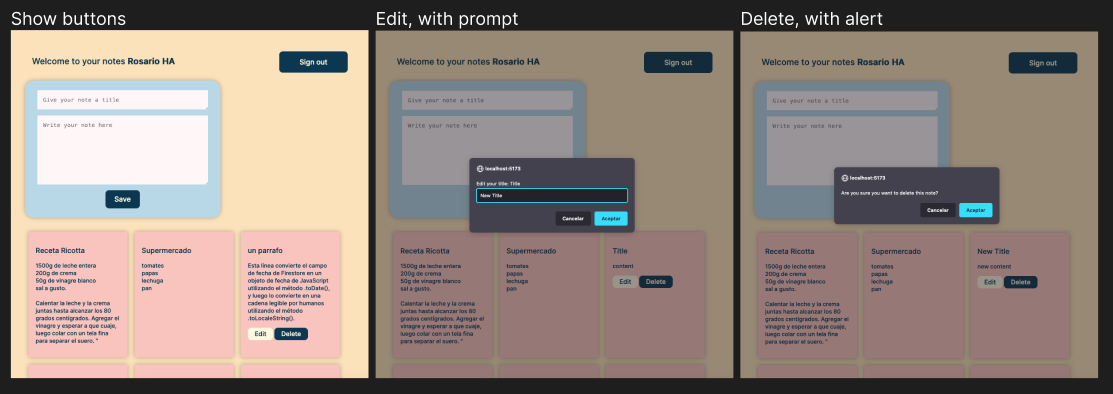
For the third user story, I aimed to also allow users to edit or delete the notes created (completing the CRUD operations for this proyect). For this purpose, edit and delete buttons were created - and will only be displayed when clicking on each note, maintaining a more streamlined visual style -. Currently, both functions are performed through a confirmation alert and prompts, respectively; in the future, I would like to implement a more appropriate modal for the overall aesthetic of the project.
Screenshot of the page viewed on local host, responsive view of tablet showing the buttons, with the edit prompt and the delete note alert.
If you want to see the project's deployment, you can acces it through the following link https://6424d0598bd61a5c86f6bed2--merry-youtiao-af12d5.netlify.app/