Localization Guide
Help us to translate the game Since we developed the functionality to upload language files, we are pleased to invite you to participate in the localization process!
How to participate
-
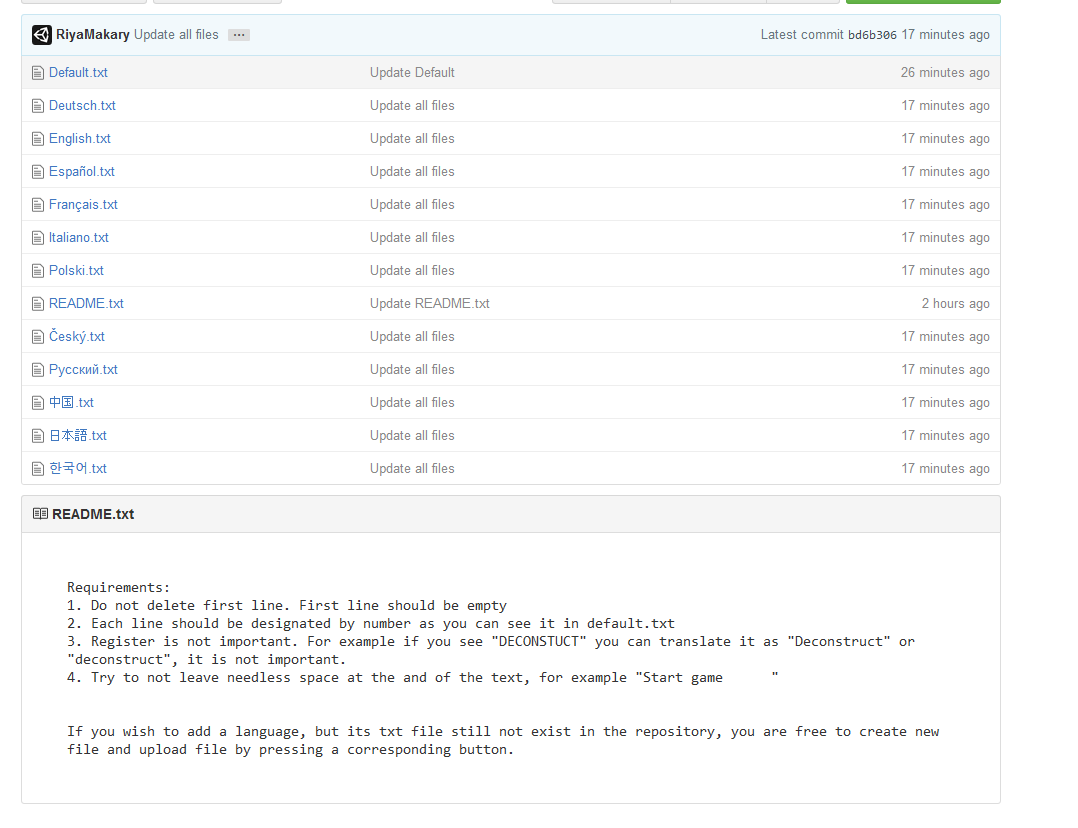
Check the readme at the bottom
-
Click on the file with the desired language
-
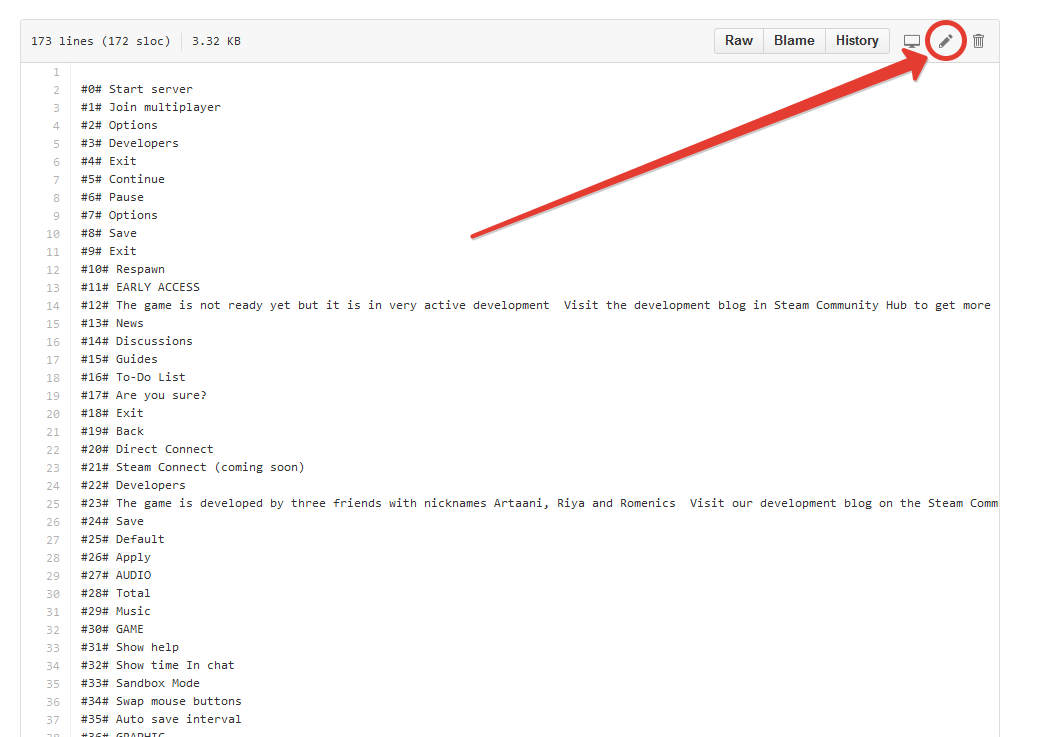
Press the edit button and start editing! (Parallel open another file, Default.txt and compare your file with Default.txt file. Periodically during development we will add new lines in Default.txt file which should be translated to other languages)
-
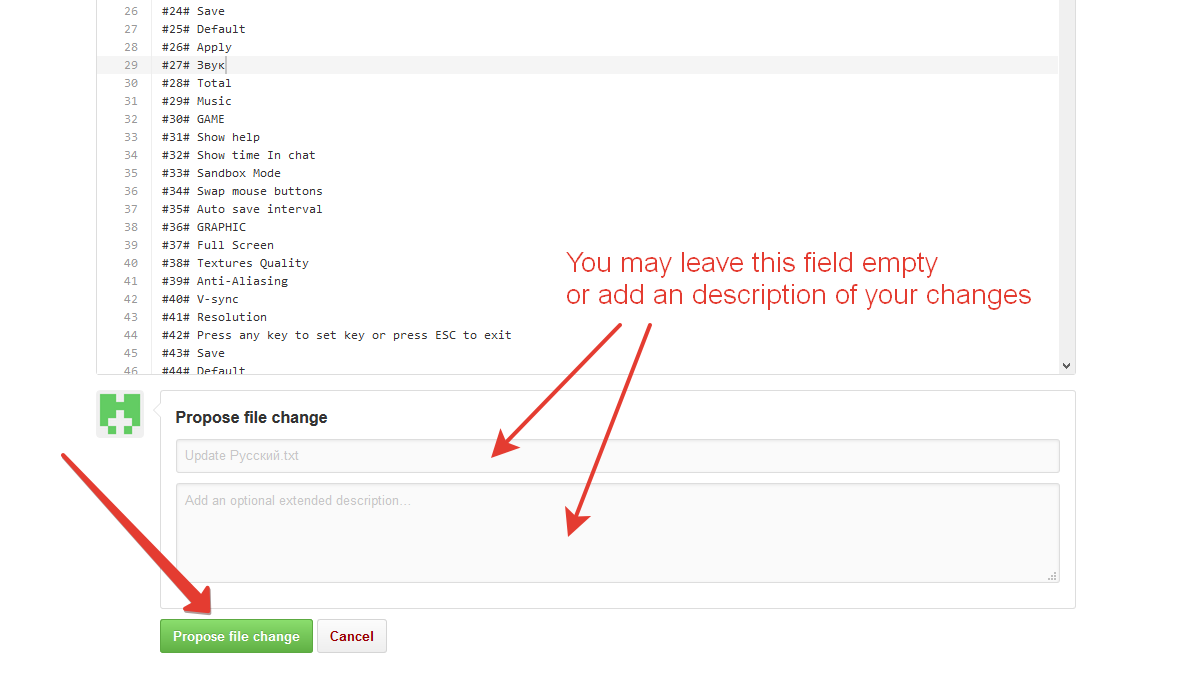
Once you're done, scroll down and press the "Propose file change" button
-
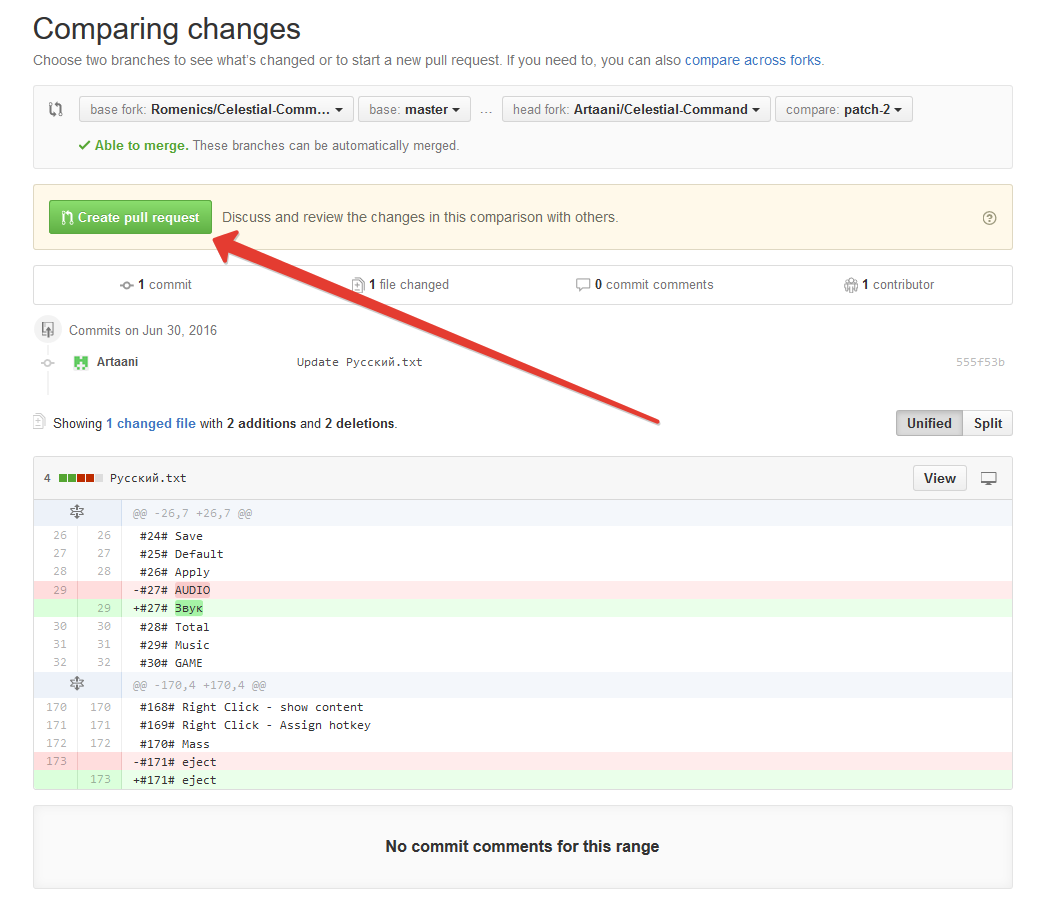
On the next page, press the "Create pull request" button
-
And on the next page press the "Create pull request" button again
-
We will receive your changes and will approve it. Once your changes are approved, you will receive a notification as seen on the picture below, and another notification on your email. Now you can click on the language file and see your changes!
-
(Optional) If you wish to add a language, but its txt file does not yet exist in the repository, you are free to create or upload a new file by pressing the corresponding button.
What's next
Periodically, during updates we will add these language files to the game, so the translations will be available to all users.
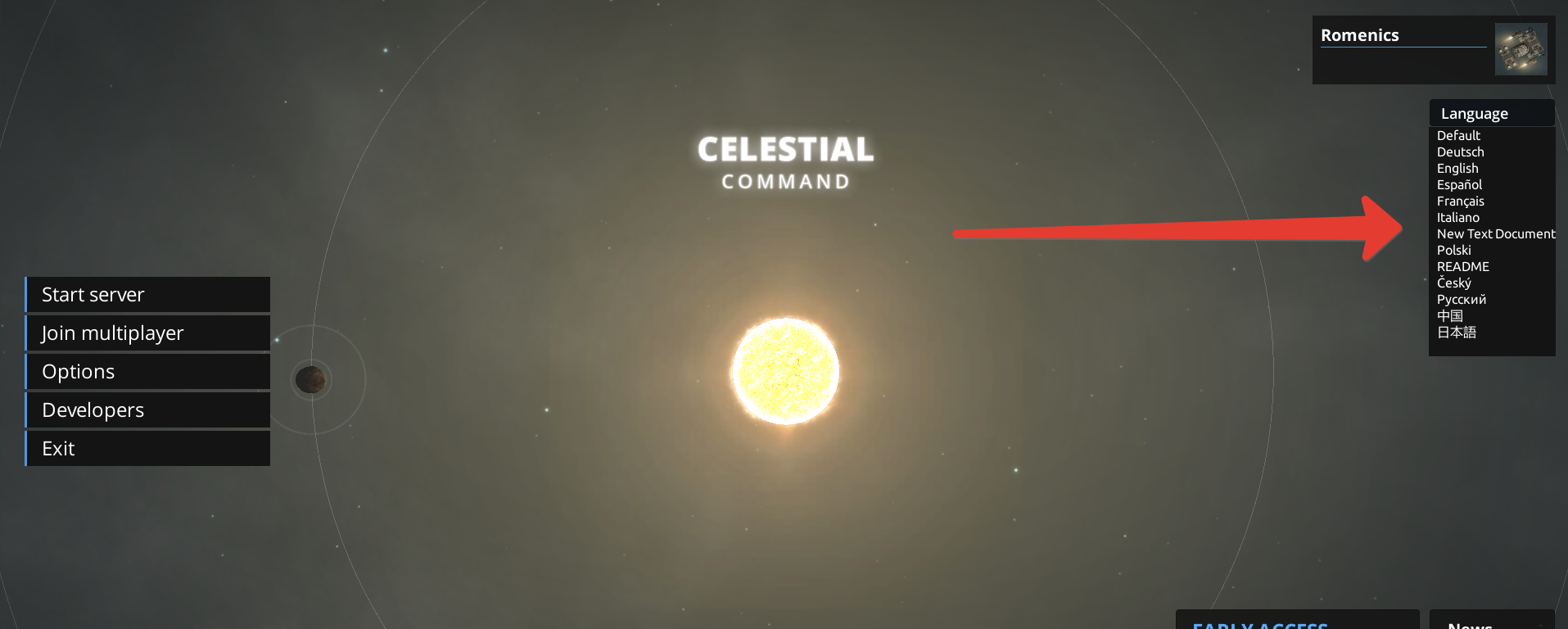
However, you may also manually add language files to your game. Just download the desired txt files and place them in the "Localization" folder in the game's directory.
Thank you for your contributions!