We developed a heuristic approach for the motion planning problem of assembling structures with magnetic modular cubes in the 2-dimensional special Euclidean group. Magnetic modular cubes are cube-shaped bodies with embedded permanent magnets uniformly controlled by a global time-varying magnetic field surrounding the workspace.
A 2D physics simulator is used to simulate global control and the resulting continuous movement of magnetic modular cube structures as well as magnetic attraction and repulsion, while detecting and resolving collisions. The simulator allows closed-loop control algorithms for planning the connection of two structures at desired faces. These developed sequences of movements, called local plans, will be used on a global scale to plan the assembly of specified target structures in a rectangular workspace with no internal obstacles. The assembly is done by generating a building instruction graph for a target structure that we traverse in a depth-first-search approach by applying local plans to current states of the workspace.
Our ICRA 2024 conference paper can also be found in this repository. For the full thesis head to thesis/.
A video showcasing our work can be found here.
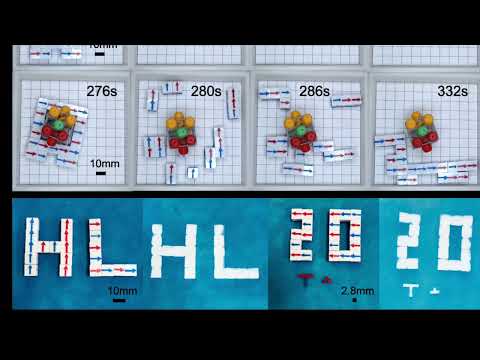
The simulator can be found in mmc_simulator/.
- python 3.x
- pygame 2.1.2
- pymunk 6.4.0
In the sandbox mode you can interact with mmc's via keyboard inputs. Keybindings will be printed in the console. You can also find them in mmc_simulator/sim/simulation.py.
This file contains documented examples on how to use the framework to write your own control programs using local and global planner. For all the top-level interfaces you will also find documentation in the code.
Call the example you like to run in the main() method.
This file contains the experiments that were conducted with our global planner. You can setup a desired experiment with its parameters in the main() method.
When executing this script you can define an output folder with:
python3 experiment.py -o yourOutputFolder
The experiment data will be stored in results/yourOutputFolder. If the output folder already exists, new instances will be added and existing ones will be skipped.