This project was done to detect if the driver of the vehicle is drowsy and alert the driver using an alarm.
  -Raspberry Pi

  -Packages required must be installed

  -Traffic Hat(optional)

  -python

  -usb camera
  -config.json
  -conf.py
  -detect_drowsiness.py
  -haarcascade_frontalface_default.xml
  -shape_predictor_68_face_landmarks.dat
   -from imutils.video import VideoStream
  -import numpy as np
  -import argparse
  -import imutils
  -import time
  -import cv2
  -import dlib-import argparse
  -import webbrowser
Using a camera we capture images of the driver in real time and process these image ,
we detect the eyes and mouth of the driver to determine if they are open or closed .
If the eyes are closed for sometime or if the person yawns for sometime then the alarm is sound to wake up the driver.
Its used to get the configuration inputs from the user.
Its used to access the config.json file.
Its a haarcascade based classifier used to detect human face.
Its used to extract data points for the eyes and mouth to calculate EAR and MAR.
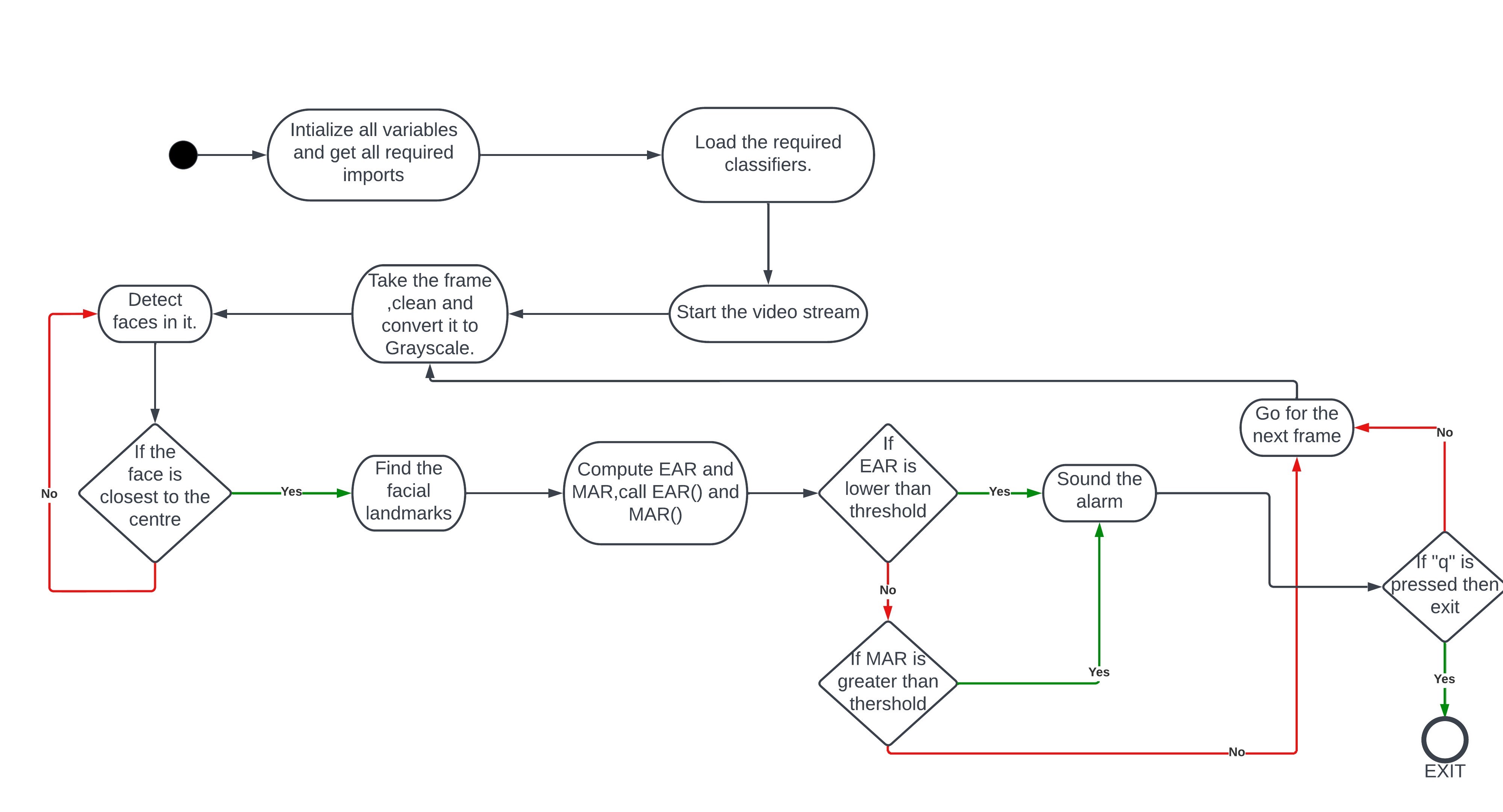
-We get all the required imports(packages).And intialize all the counter variables.

-Load the haar cascade for  face detection.

-Create the facial landmarks predictor.

-Grab the indexes of the facial landmarks for left, right eye.

-Start the camera stream.

-We start looping over the frames from the video stream.

-Clean these frames and convert it to grayscale.

-Detect faces in the grayscale, and draw a bounding box surrounding the face.

-Take the face thats closest to  the center as we dont need the passengers face.


-Find the facial landmarks for the face region, then convert the facial landmarks (x,y) coordinate to a numpy array.

-Using the numpy array calculate EAR and MAR by calling the respective functions.

-Compare the EAR to the threshold value, and if greater then increment blinkcounter by 1.

-If blink counter is greater than its threshold value then sound the alarm if not reset blink counter.

-Using MAR we decide if the person is yawning.If the person is yawning and  if the number of times he yawns is  greater
 than the threshhold sound the alarm otherwisne reset the yawn counter.
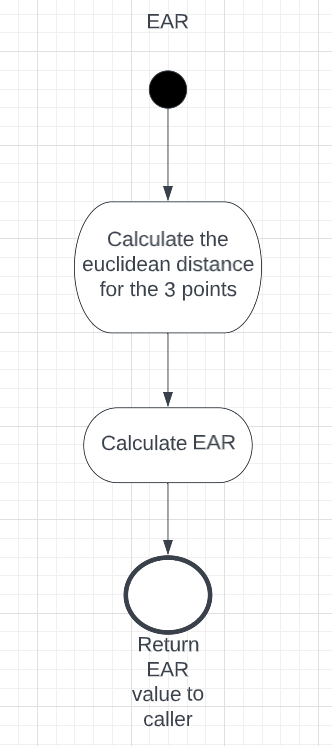
 -def EAR(eye)
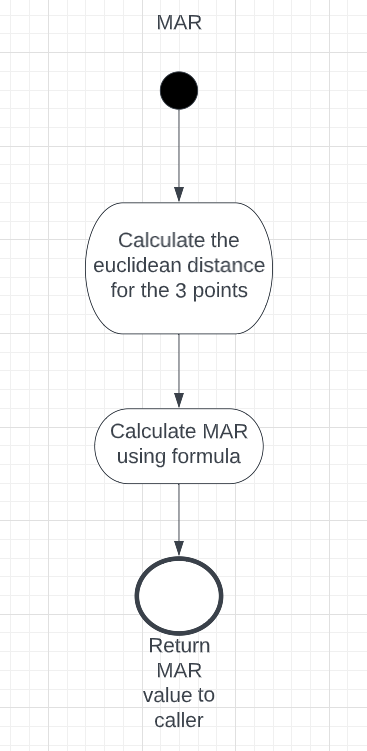
 -def MAR(mouth)
 -def euclidean_dist(ptA,ptB)
 -We take 2 sets of points for vertical markers, and set of points for horizontal mmarker.
 -Calculate the euclidean distance between these points.
 -Then compute EAR using the obtained euclidean distances and the formula.
 -Return the EAR value.
  -Compute the euclidean distance between 3 sets of vertical mouth landmarks a,b,c.
  -Commpute the euclidean distance between 2 sets of horizontal mouth landmarks.
  -MAR=(a+b+c)/2*d
  Return the MAR value.
  -Download and extract the zip file from Git.
  -Install python,OpenCv,numpy,imutils.
  -Ensure you have a working camera connected to your Raspberry Pi
  -Open the detect_drowsiness.py in a integrated terminal or open command prompt from that location
  -Run the program in command line or terminal and give the required inputs
  -Use this line in the command line:
   python detect_drowsiness.py --conf config/config.json
  -https://www.geeksforgeeks.org/
  -https://opencv.org/
  -https://pyimagesearch.com/
  -https://www.google.co.in/