


A modern, feature-rich terminal emulator built in Python, featuring a sleek web interface and integrated AI for natural language command execution.
A live demo of this project is hosted on Render. Try it out here!
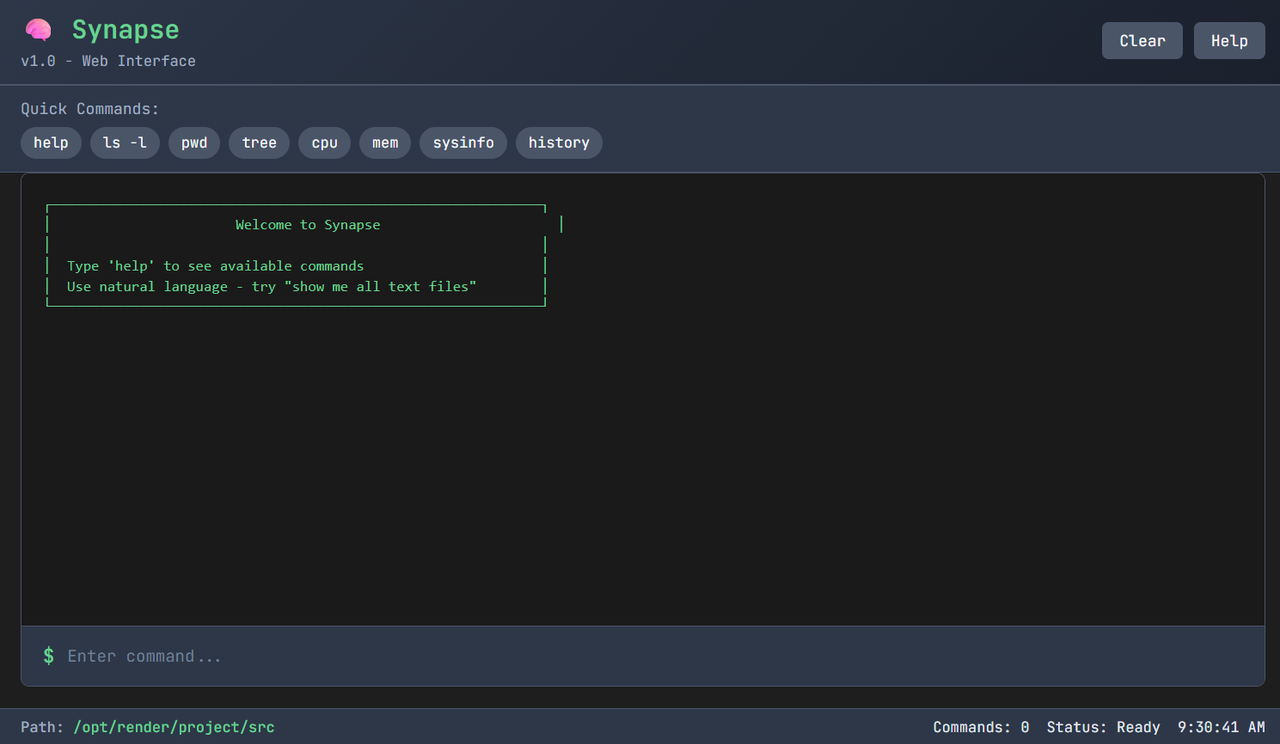
Synapse provides a fully functional terminal environment that runs in two modes: a classic Command-Line Interface (CLI) and a modern Web Interface accessible from your browser. The standout feature is its AI integration with Google's Gemini, allowing you to execute commands by typing in plain English.
- Dual Interface: Seamlessly switch between a traditional CLI and a user-friendly web UI.
- Core Commands: All the essential terminal commands are built-in, including
ls,cd,cat,mkdir,rm,echo, and more. - AI Command Parsing: Type what you want to do in natural language (e.g., "show me all python files") and the AI will translate it into the correct command.
- System Monitoring: Get real-time stats on your system's CPU, memory, and running processes with the
cpu,mem, andpscommands. - Python Execution: Write and run Python scripts directly from the terminal.
- Advanced Utilities: Includes powerful tools like a directory
treeview and a filesearchcommand with wildcard support. - Web UI Enhancements: The web interface features clickable command suggestions, a clean design, and real-time status updates.
Follow these steps to get the project running on your local machine.
- Python 3.8+
pip(Python package installer)
-
Clone the repository:
git clone [https://github.com/PrShivashish/Synapse.git](https://github.com/PrShivashish/Synapse.git) cd Synapse -
Install the required dependencies:
pip install -r requirements.txt
-
Set up the AI (Optional but Recommended):
- Get a free API key from Google AI Studio.
- Create a file named
.envin the root of the project. - Add your API key to the
.envfile:GEMINI_API_KEY=your_key_here
You can run the application in two different modes.
This is the recommended way to use the terminal.
- Start the server:
python main.py --mode web
- Open your browser and navigate to
http://localhost:5000.
For a classic terminal experience.
- Run the CLI:
python main.py --mode cli
You can easily deploy this application to the cloud to create a shareable live demo.
-
Render (Recommended):
- Connect your GitHub repository to Render.
- Use the following settings:
- Build Command:
pip install -r requirements.txt - Start Command:
gunicorn main:app
- Build Command:
- Add your
GEMINI_API_KEYas an environment variable in the Render dashboard.
-
Heroku:
- Create a
Procfilein your root directory with the content:web: gunicorn main:app. - Push to Heroku and set the
GEMINI_API_KEYin the "Config Vars" section.
- Create a
Contributions are what make the open-source community such an amazing place to learn, inspire, and create. Any contributions you make are greatly appreciated.
- Fork the Project
- Create your Feature Branch (
git checkout -b feature/AmazingFeature) - Commit your Changes (
git commit -m 'Add some AmazingFeature') - Push to the Branch (
git push origin feature/AmazingFeature) - Open a Pull Request
This project is distributed under the MIT License. See LICENSE for more information.
I took on this project to dive deep into how terminals work under the hood. It has been a fantastic learning experience—from setting up the environment and fixing bugs to exploring the power of a web-based interface and AI integration. I'm excited to continue building on this foundation and adding new features!
Hope you find it useful or at least interesting! 🚀