Conversation


| import Input from '../Input/Input'; | ||
| import { StyledForm } from './Form.styled'; | ||
|
|
||
| const Form: React.FC = () => ( |

There was a problem hiding this comment.
React.FC is not recommended actual, so please remove it.
More information about it you can find here: facebook/create-react-app#8177
| errorMessage: string; | ||
| } | ||
|
|
||
| const Input: React.FC<Props> = ({ |
There was a problem hiding this comment.
React.FC like upper. You can change this to;
const Input = (props: TypeOfProps): JSX:Element => {...}
| errorMessage, | ||
| }) => { | ||
|
|
||
| const [inputValue, setInputValue] = useState('') |
There was a problem hiding this comment.
please add type to useState, like eg const [state, setState] = useState<string>('');
There was a problem hiding this comment.
Added type into useState.
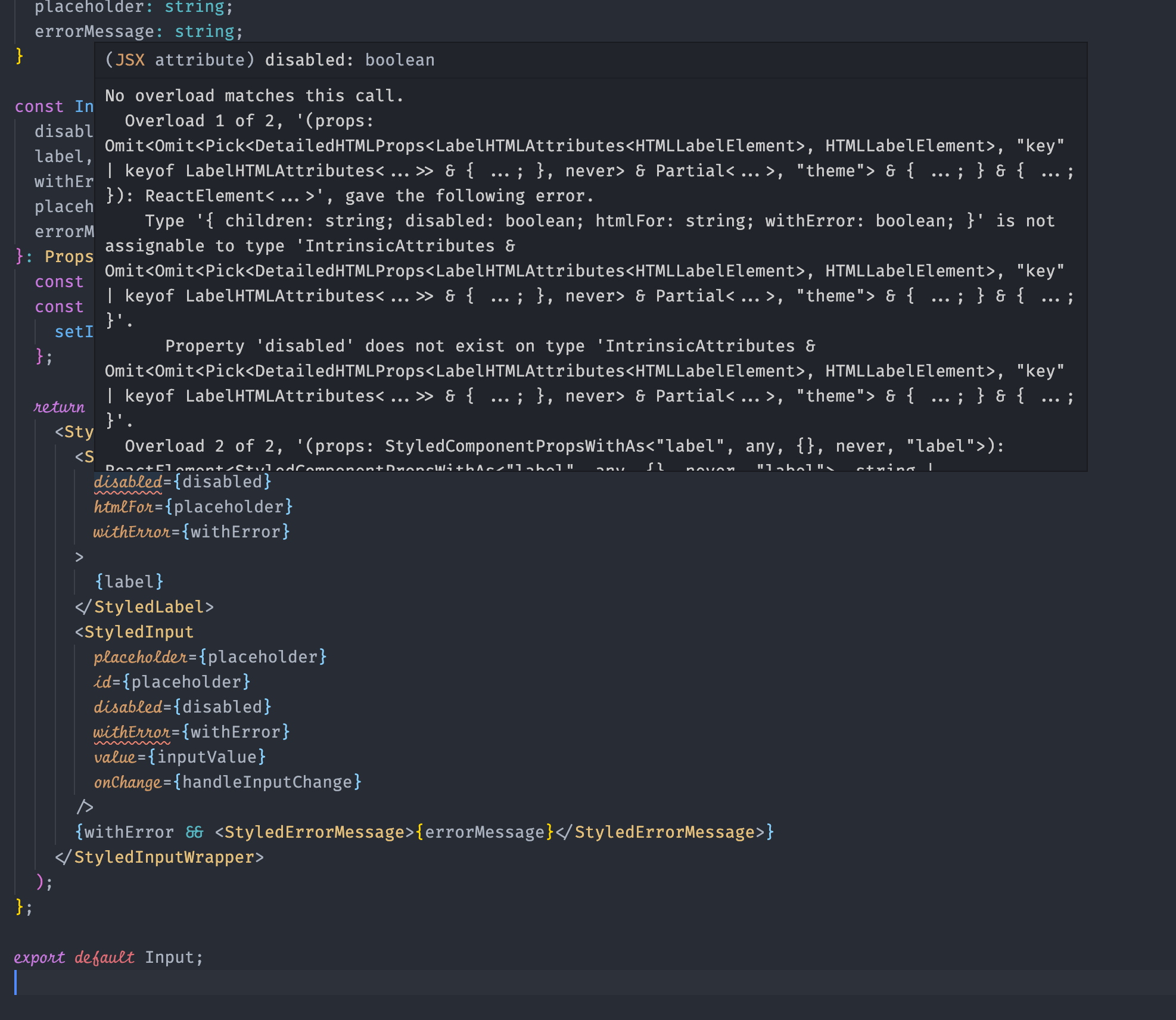
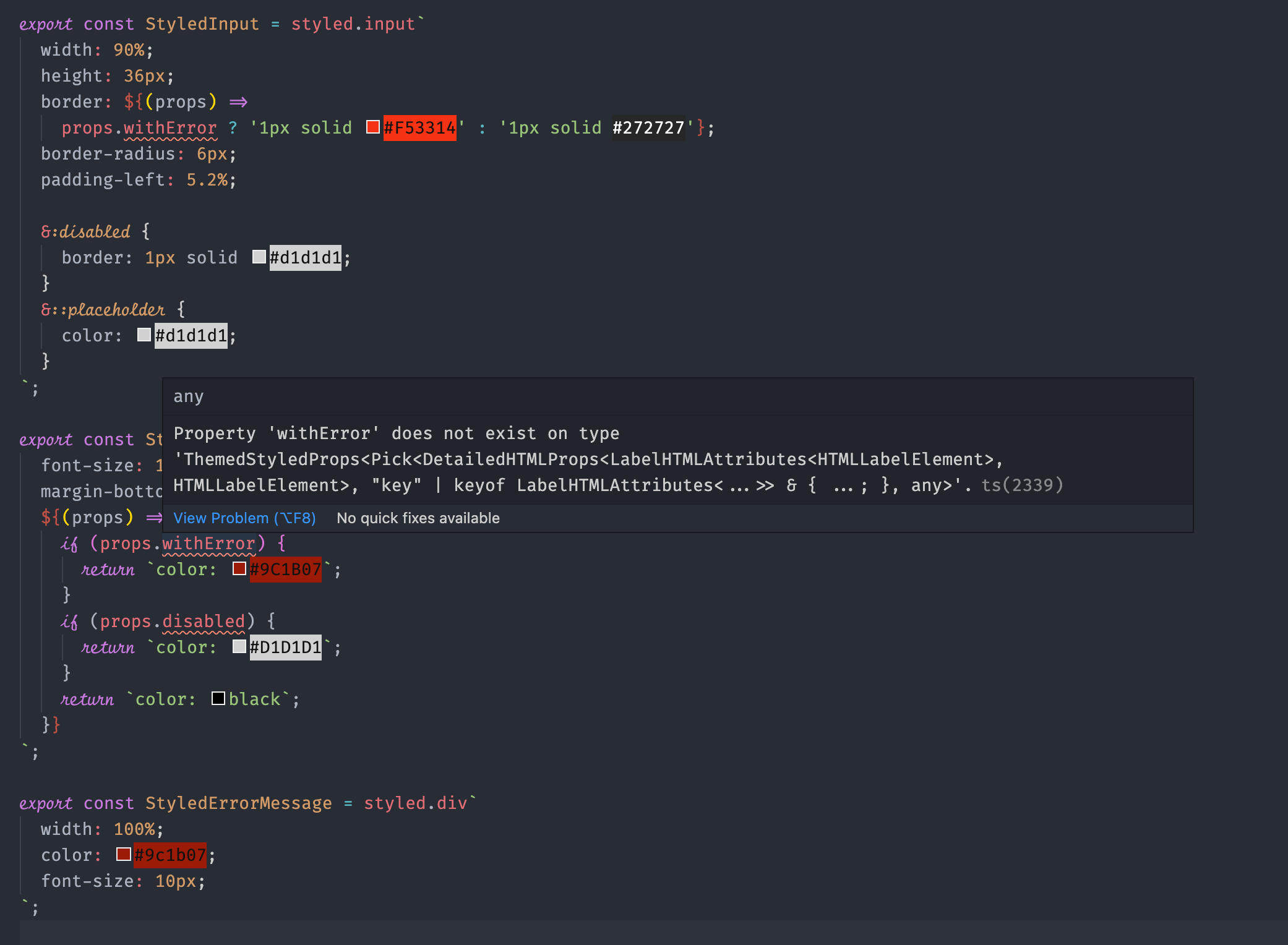
But still have some errors with props in Input Component and also in Input.styled.tsc. I do not uderstand what is the problem :/

There was a problem hiding this comment.
please add type to useState, like eg const [state, setState] = useState('');
TS is not that dumb, it can infer type of state by value used as initial value 😄
Could you please remove that type? It's not needed
There was a problem hiding this comment.
This issue exists because you didn't tell TypeScript that e.g. StyledInput could take additional props, like withError. disabled attribute is not supported by label element, here's the reference https://developer.mozilla.org/en-US/docs/Web/HTML/Attributes/disabled
The disabled attribute is supported by , , , , , , , <textarea> and .
To resolve this issue you'd have to specify type of additional props. To give you an example:
interface StyledLabelProps {
  withError: boolean;
  disabled: boolean;
}

export const StyledLabel = styled.label<StyledLabelProps>`
  font-size: 10px;
  margin-bottom: 2%;
  ${(props) => {
    // Now we can use `withError` and `disabled` since we've
    // explicitly said that this component have additional properties
    // both of type `boolean`: `withError` and `disabled`
    if (props.withError) {
      return `color: #9C1B07`;
    }

    if (props.disabled) {
      return `color: #D1D1D1`;
    }

    return `color: black`;
  }}
`;
If you don't understand what's that strange symbols after styled.label, don't worry, you'll get it 😄
To clear some confusion: function styled.label can take some generic types. You pass those types to styled.label by using < > syntax - it's similar to JSX or HTML. Between those sharp brackets you can pass any type. In TypeScript or just in programming world 🌎 this concept is called generics. You can read more about it here https://www.typescriptlang.org/docs/handbook/2/generics.html
Reference for specifying additional props on styled components: https://styled-components.com/docs/api#using-custom-props

|
Nice work @staszekz 🎉 Do you have Prettier and ESLint installed in VSCode? Please make sure you do, it'll be so much easier for writing cleaner-looking code. Prettier: https://marketplace.visualstudio.com/items?itemName=esbenp.prettier-vscode |
3 participants


Added Form with Inputs. All done with styled-components.