
Until MAC/Linux support can be integrated into this repository,
Please see this branch for MAC/Linux support.
https://github.com/tahesse/CyKITv2
Last Updated: [ December 27, 2018 - 1:00pm ]
 Supported Python 3 Versions
¯¯¯¯¯¯¯¯¯¯¯¯¯¯¯¯¯¯¯¯¯¯¯¯¯¯¯¯¯¯

Python 3.4.x  (32-bit or 64-bit)
Python 3.6.x  (32-bit or 64-bit)
Python 3.7.x  (32-bit or 64-bit)
Python 3.8.x  (32-bit or 64-bit)
Python 3.9.x  (32-bit or 64-bit)

Latest Python Build: Python 3.9.5

Python 2.7.6 support will now be limited.
Python 3+ will be the focus. (Please upgrade accordingly.)
Does not currently work with Epoc-X
See Discord for details about Flex.
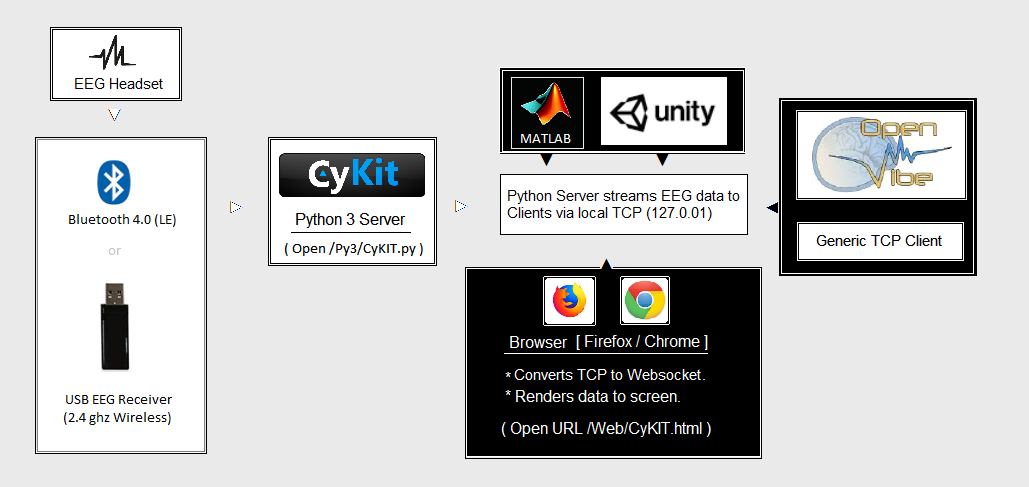
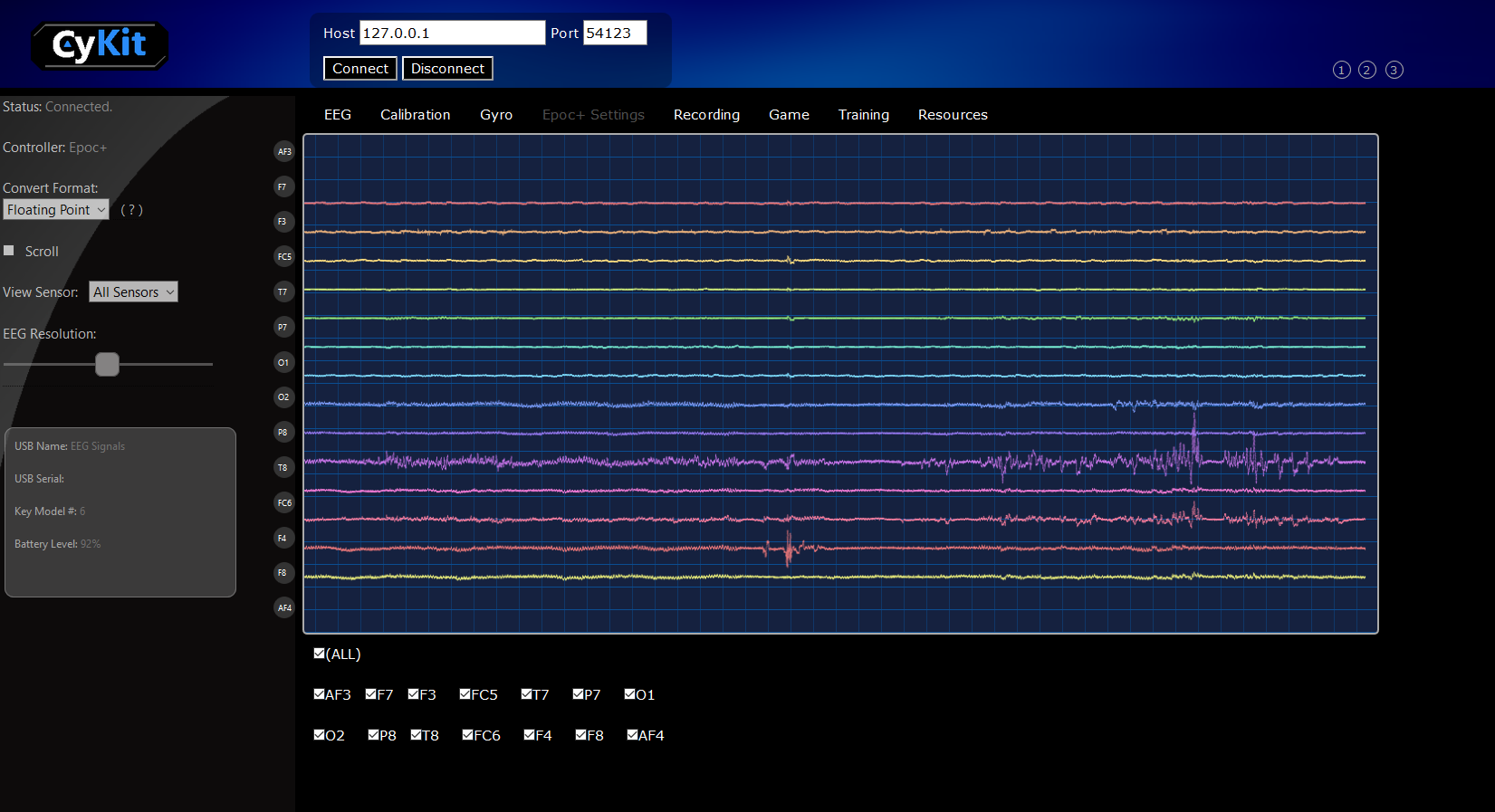
Introduction
Software (How To)
- How to Install CyKIT
- How to Stream Data to OpenViBE
- How to Pair USB device
- How to Change EPOC+ hertz modes
Chat Discussion: https://discordapp.com/invite/gTYNWc7
(Do not need discord app, just click for browser chat)
Deprecated CyKIT versions can be found here:
(CyKIT Version History)
CyKIT v1.0 python 2.7.6 (2014)
CyKIT v1.0 python 3.3.x (2015)
CyKIT v2.0 Python 2.7.6 (2018.Jan.29)
Bluetooth Development Documentation
(C:\Users\pho\Anaconda2\envs\nintendoSwitch) C:\Users\pho>conda list -n CyKit-AnacondaPython36
astroid 1.5.3 py36_0 certifi 2016.2.28 py36_0 isort 4.2.15 py36_0 lazy-object-proxy 1.3.1 py36_0 pip 9.0.1 py36_1 pylint 1.7.2 py36_0 python 3.6.2 0 setuptools 36.4.0 py36_1 singledispatch 3.4.0.3 py36_0 six 1.10.0 py36_0 vc 14 0 vs2015_runtime 14.0.25420 0 wheel 0.29.0 py36_0 wincertstore 0.2 py36_0 wrapt 1.10.11 py36_0
(NeuroPy) C:\Users\pho\repos\EmotivEpoc\CyKit\Py3>python CyKIT.py 127.0.0.1 5555 2
USB Device (No Additional Information) USB Device (No Additional Information) USB Device (No Additional Information) USB Device (No Additional Information)
Found EEG Device [Emotiv RAW DATA]
USB Device (No Additional Information) USB Device (No Additional Information) USB Device (No Additional Information) ══════════════════════════════════════════════════
Listening on 127.0.0.1 : 5555 Trying Key Model #: 2 (-) Connecting . . . (+) Connected.
KeyError: Exception in line: 185, message: 'Sec-WebSocket-Key' Traceback (most recent call last): File "C:\Users\pho\repos\EmotivEpoc\CyKit\Py3\CyWebSocket.py", line 185, in run secKey = header['Sec-WebSocket-Key'] KeyError: 'Sec-WebSocket-Key'
127.0.0.1:5555
Added MAMBA_ROOT_PREFIX using Rapid Environment Editor for both User Variables and System Variables
cd ~/Downloads
Invoke-Webrequest -URI https://micro.mamba.pm/api/micromamba/win-64/latest -OutFile micromamba.tar.bz2
tar xf micromamba.tar.bz2

MOVE -Force Library\bin\micromamba.exe micromamba.exe
.\micromamba.exe --help

# You can use e.g. $HOME\micromambaenv as your base prefix
$Env:MAMBA_ROOT_PREFIX="K:\FastSwap\Environments\micromamba"

# Invoke the hook
.\micromamba.exe shell hook -s powershell | Out-String | Invoke-Expression

# ... or initialize the shell
.\micromamba.exe shell init -s powershell -r K:\FastSwap\Environments\micromamba
# and use micromamba directly
micromamba create -f ./test/env_win.yaml -y
micromamba activate yourenv
PS C:\Users\pho> cd .\bin\
PS C:\Users\pho\bin> .\micromamba.exe shell init -s powershell -r K:\FastSwap\Environments\micromamba
Init powershell profile at 'C:\Users\pho\Documents\WindowsPowerShell\profile.ps1'
The following has been added in your "C:\\Users\\pho\\Documents\\WindowsPowerShell\\profile.ps1" file

#region mamba initialize
# !! Contents within this block are managed by 'mamba shell init' !!
$Env:MAMBA_ROOT_PREFIX = "K:\FastSwap\Environments\micromamba"
$Env:MAMBA_EXE = "C:\Users\pho\bin\micromamba.exe"
(& $Env:MAMBA_EXE 'shell' 'hook' -s 'powershell' -r $Env:MAMBA_ROOT_PREFIX) | Out-String | Invoke-Expression
#endregion

Init pwsh profile at 'C:\Users\pho\Documents\PowerShell\profile.ps1'
The following has been added in your "C:\\Users\\pho\\Documents\\PowerShell\\profile.ps1" file

#region mamba initialize
# !! Contents within this block are managed by 'mamba shell init' !!
$Env:MAMBA_ROOT_PREFIX = "K:\FastSwap\Environments\micromamba"
$Env:MAMBA_EXE = "C:\Users\pho\bin\micromamba.exe"
(& $Env:MAMBA_EXE 'shell' 'hook' -s 'powershell' -r $Env:MAMBA_ROOT_PREFIX) | Out-String | Invoke-Expression
#endregion
cd "C:\Users\pho\repos\EmotivEpoc\CyKit\EXTERNAL\Environments\ALIENBOOK"


micromamba config set ssl_verify false
micromamba create -f cykit_environment.yml

micromamba create -p K:\FastSwap\Environments\micromamba\envs\cykit python=3.6

$Env:MAMBA_ROOT_PREFIX="C:\Users\pho\micromamba"
micromamba create -p C:\Users\pho\micromamba\envs\cykit python=3.
Note: Using the external SSD (I think it's ExFAT formatted) did not work, failing at the linking steps. Had to use the C:/ drive
$Env:MAMBA_ROOT_PREFIX="C:\Users\pho\micromamba"
micromamba create -f .\cykit_environment_minimal.yml
micromamba activate cykitpip freeze > requirements.txt