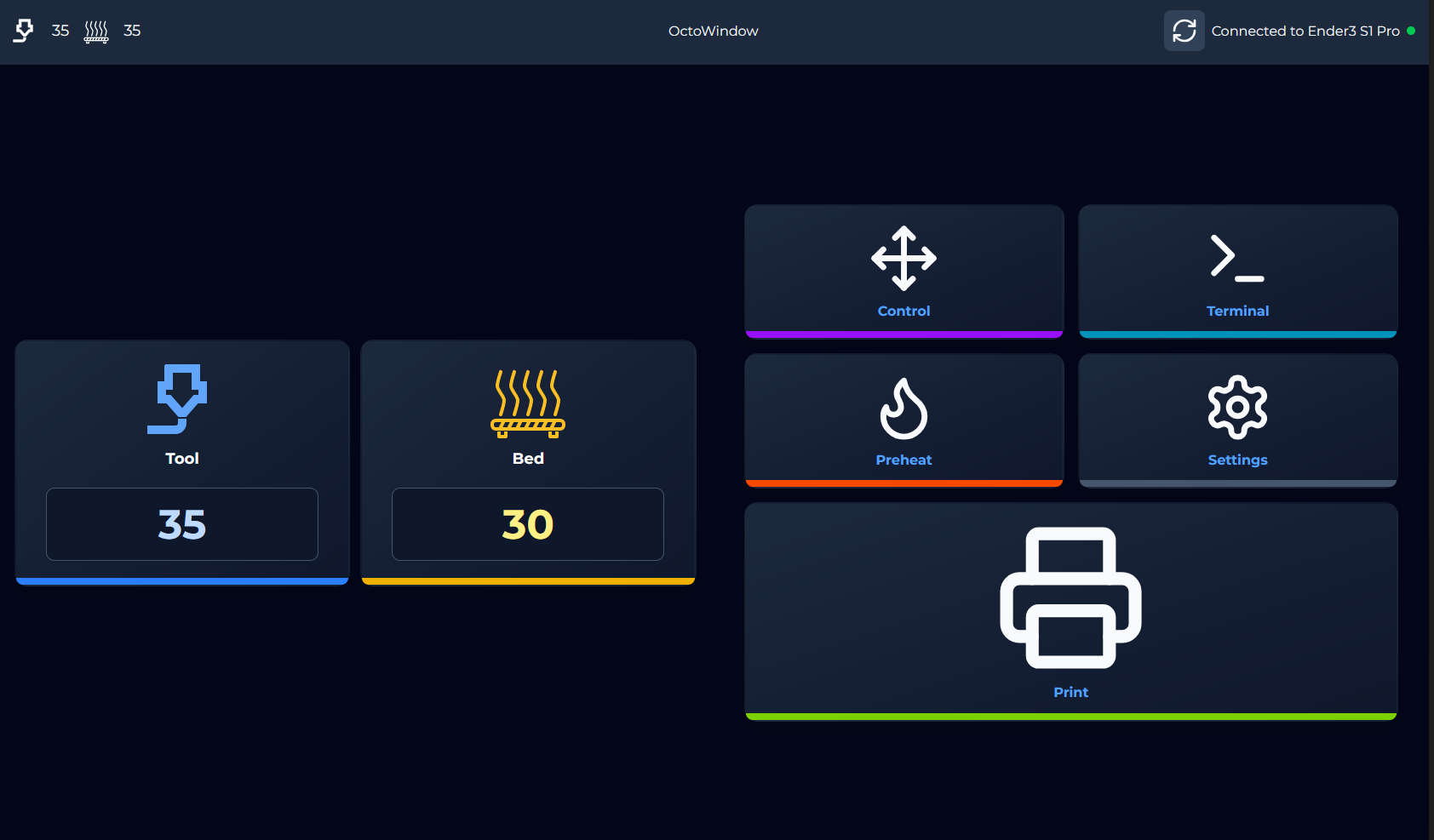
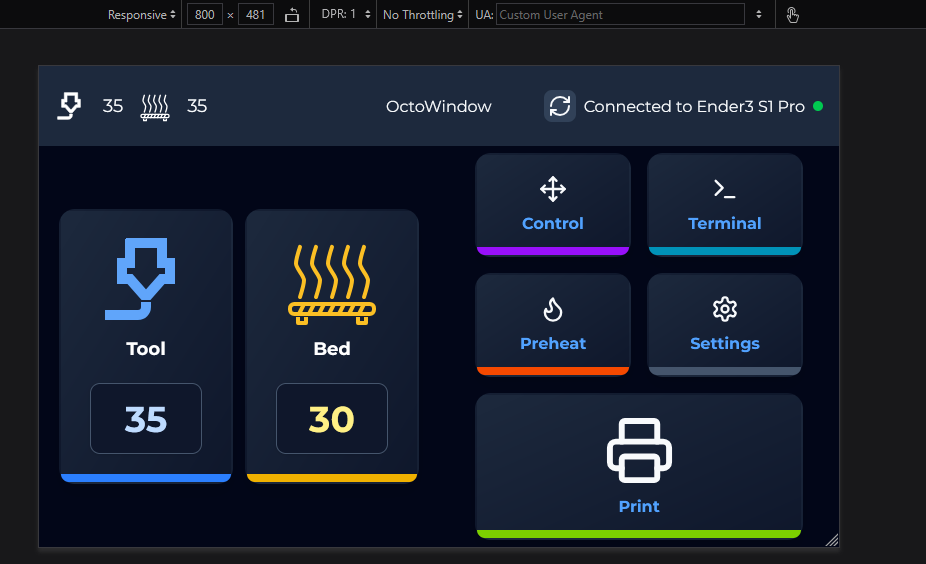
- 📱Responsive: Optimized for small screens like a 5" one.
- 🪶Lightweight: Optimized for limited performance devices like Raspberry Pi.
- ✅User-friendly: Intuitive interface for easy navigation.
- 📂File explorer: Start 3D prints directly from the file explorer.
- 🔥Preheat presets: Quickly preheat your printer with custom presets.
- 🧵Filament Spool Selector: Select if you have SpoolManager installed a filament spool to print with.
This script will install the frontend & backend
bash <(wget -qO- https://github.com/PastaLaPate/Octowindow/raw/master/scripts/install.sh)Note
If you choose a custom install dir, note it for later
Then you will need an X Server to display the frontend if you haven't already one do this.
sudo apt install xserver-xorg ratpoison x11-xserver-utils xinit libgtk
Important
Don't forget to install ratpoison even if you already have an x-server
You will also need chromium sudo apt install chromium-browser
You need to add this to ~/.xinitrc
#!/bin/sh

xset s off
xset s noblank
xset -dpms
cd {YOUR_INSTALL_DIR}/backend
ratpoison &
npm start &
chromium \
  --kiosk http://127.0.0.1:3000 \
  --force-dark-mode \
  --disable pinch
The default install dir is /opt/octowindow/
Add this to your ~/.bashrc
if [ -z "\$SSH_CLIENT" ] || [ -z "\$SSH_TTY" ]; then
    xinit -- -nocursor
fi
And this to your ~/.ratpoisonrc
startup_message off
You may also follow a guide for setuping the auto login
sudo chmod +x ~/.xinitrc
sudo chmod ug+s /usr/lib/xorg/Xorg
You now need to reboot
- Frontend: Vite, React.js, ShadCN, Tailwind CSS
- Backend: Node.js, Express.js
bash <(wget -qO- https://github.com/PastaLaPate/Octowindow/raw/master/scripts/uninstall.sh)