


A tool to extract meaningful health information from large accelerometer datasets. The software generates time-series and summary metrics useful for answering key questions such as how much time is spent in sleep, sedentary behaviour, or doing physical activity.
Minimum requirements: Python 3.7 to 3.10, Java 8 (1.8)
The following instructions make use of Anaconda to meet the minimum requirements:
- Download & install Miniconda (light-weight version of Anaconda).
- (Windows) Once installed, launch the Anaconda Prompt.
- Create a virtual environment:
This creates a virtual environment called
$ conda create -n accelerometer python=3.9 openjdk pipaccelerometerwith Python version 3.9, OpenJDK, and Pip. - Activate the environment:
You should now see
$ conda activate accelerometer(accelerometer)written in front of your prompt. - Install
accelerometer:$ pip install accelerometer
You are all set! The next time that you want to use accelerometer, open the Anaconda Prompt and activate the environment (step 4). If you see (accelerometer) in front of your prompt, you are ready to go!
To extract summary movement statistics from an Axivity file (.cwa):
$ accProcess data/sample.cwa.gz

 <output written to outputs/sample/sample-summary.json>
 <time series output written to outputs/sample/sample-timeSeries.csv.gz>
Movement statistics will be stored in a JSON file:
{
    "file-name": "sample.cwa.gz",
    "file-startTime": "2014-05-07 13:29:50",
    "file-endTime": "2014-05-13 09:49:50",
    "acc-overall-avg(mg)": 32.78149,
    "wearTime-overall(days)": 5.8,
    "nonWearTime-overall(days)": 0.04,
    "quality-goodWearTime": 1
}
See Data Dictionary for the list of output variables.
Actigraph and GENEActiv files are also supported, as well as custom CSV files. See Usage for more details.
To process multiple files in a folder, you must specify which file extensions to process:
$ accProcess data/folder_with_cwa_files/ --fileExtensions cwa

 <outputs written to outputs/file1/, outputs/file2/, etc.>
You can specify multiple extensions (comma-separated):
$ accProcess data/my_data/ --fileExtensions cwa,bin,csvThe tool automatically includes compressed versions (.gz, .zip, .bz2, .xz), so --fileExtensions cwa will match both .cwa and .cwa.gz files.
To search subdirectories recursively:
$ accProcess data/my_data/ --fileExtensions cwa --recursive TrueThe batch processor will:
- Automatically discover matching files
- Process them serially with full error handling
- Continue processing even if individual files fail
- Provide a detailed summary of successful and failed files
To plot the activity profile:
$ accPlot data/sample-timeSeries.csv.gz
 <output plot written to data/sample-timeSeries-plot.png>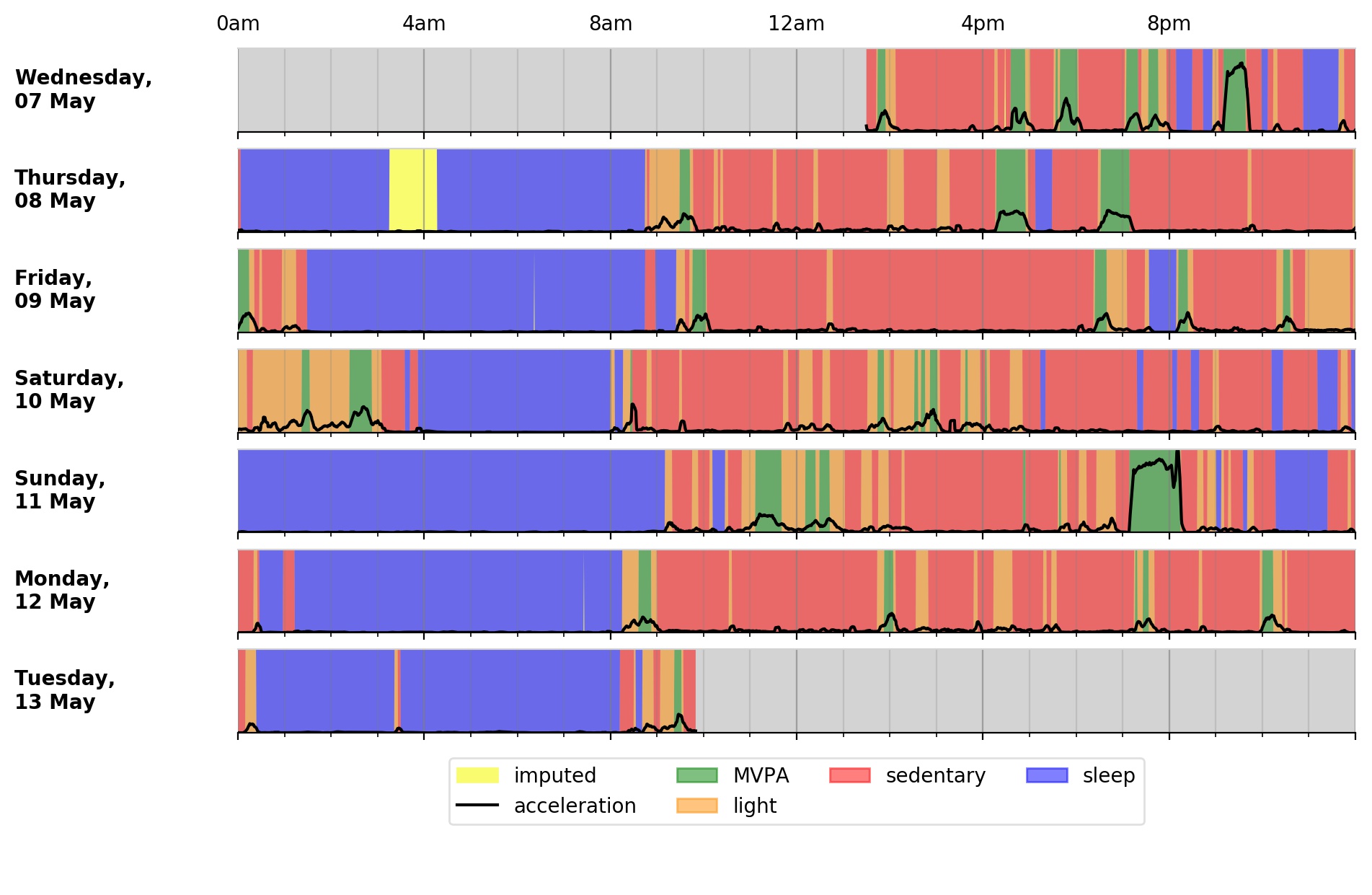
Some systems may face issues with Java when running the script. If this is your case, try fixing OpenJDK to version 8:
$ conda install -n accelerometer openjdk=8Interpreted levels of physical activity can vary, as many approaches can be taken to extract summary physical activity information from raw accelerometer data. To minimise error and bias, our tool uses published methods to calibrate, resample, and summarise the accelerometer data.
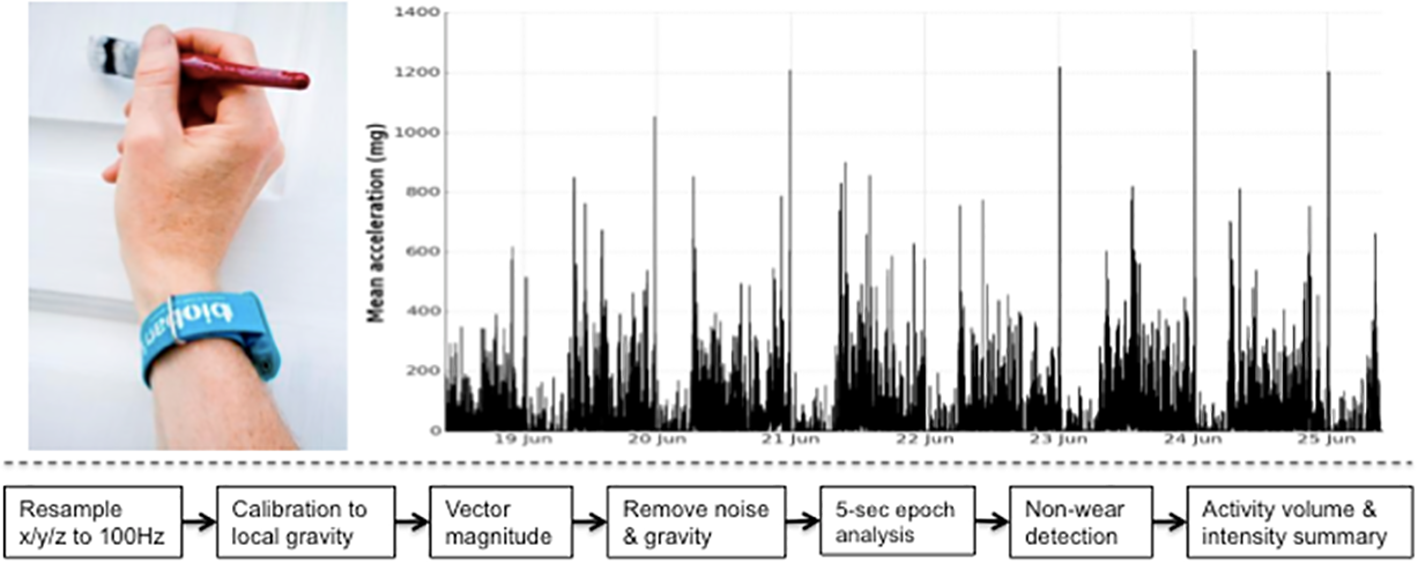
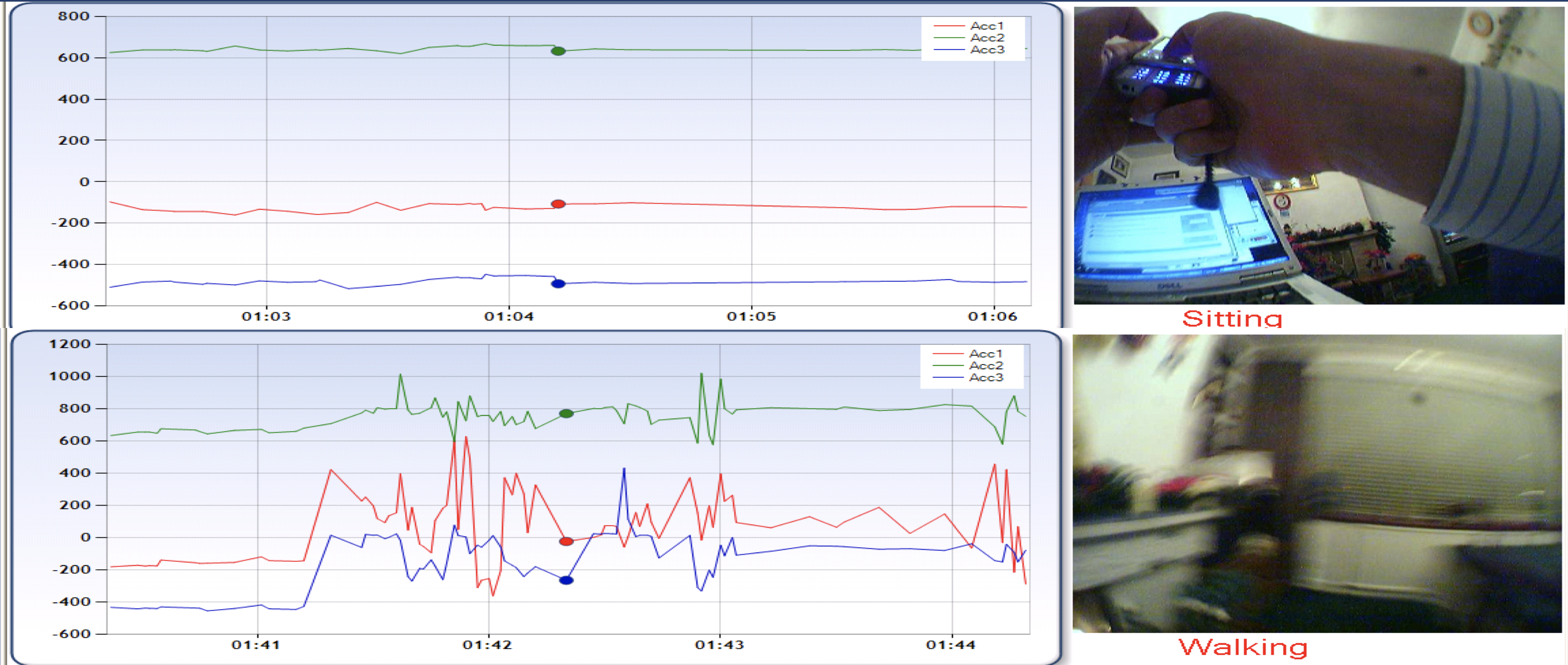
See Methods for more details.
When using this tool, please consider the works listed in CITATION.md.
See LICENSE.md.
We would like to thank all our code contributors and manuscript co-authors.