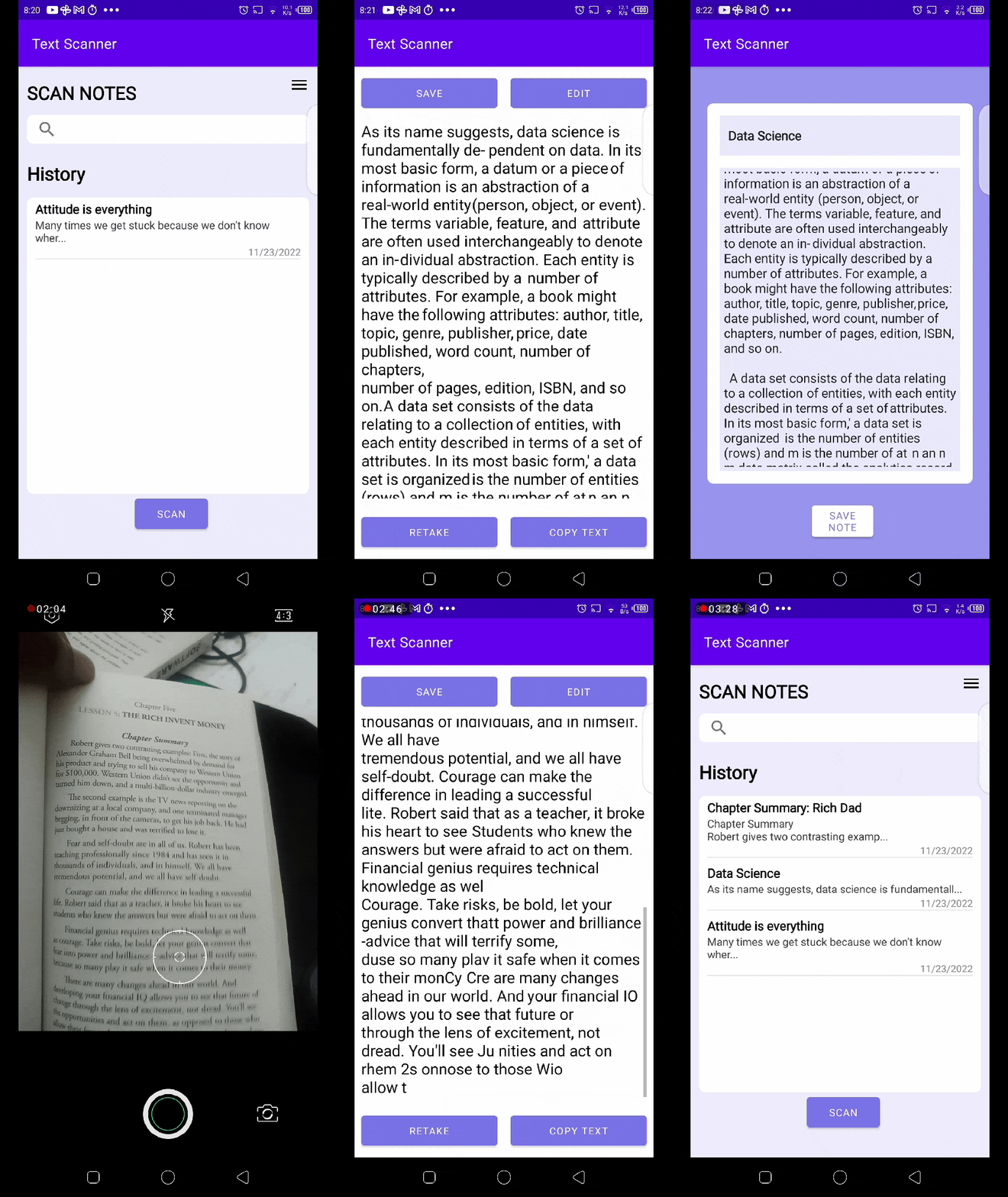
The goal of this project is to design a mobile application that can take an image (either snapped within the app or uploaded) and the text within that image will be extracted and saved as a note (editable digital file). The extracted text can be save as note within the app.
A spell checker will be used to flag any misspelled words, and also options will be provided to the user on how to correct misspelled words.The text will be saved in the app as notes.
#Project description
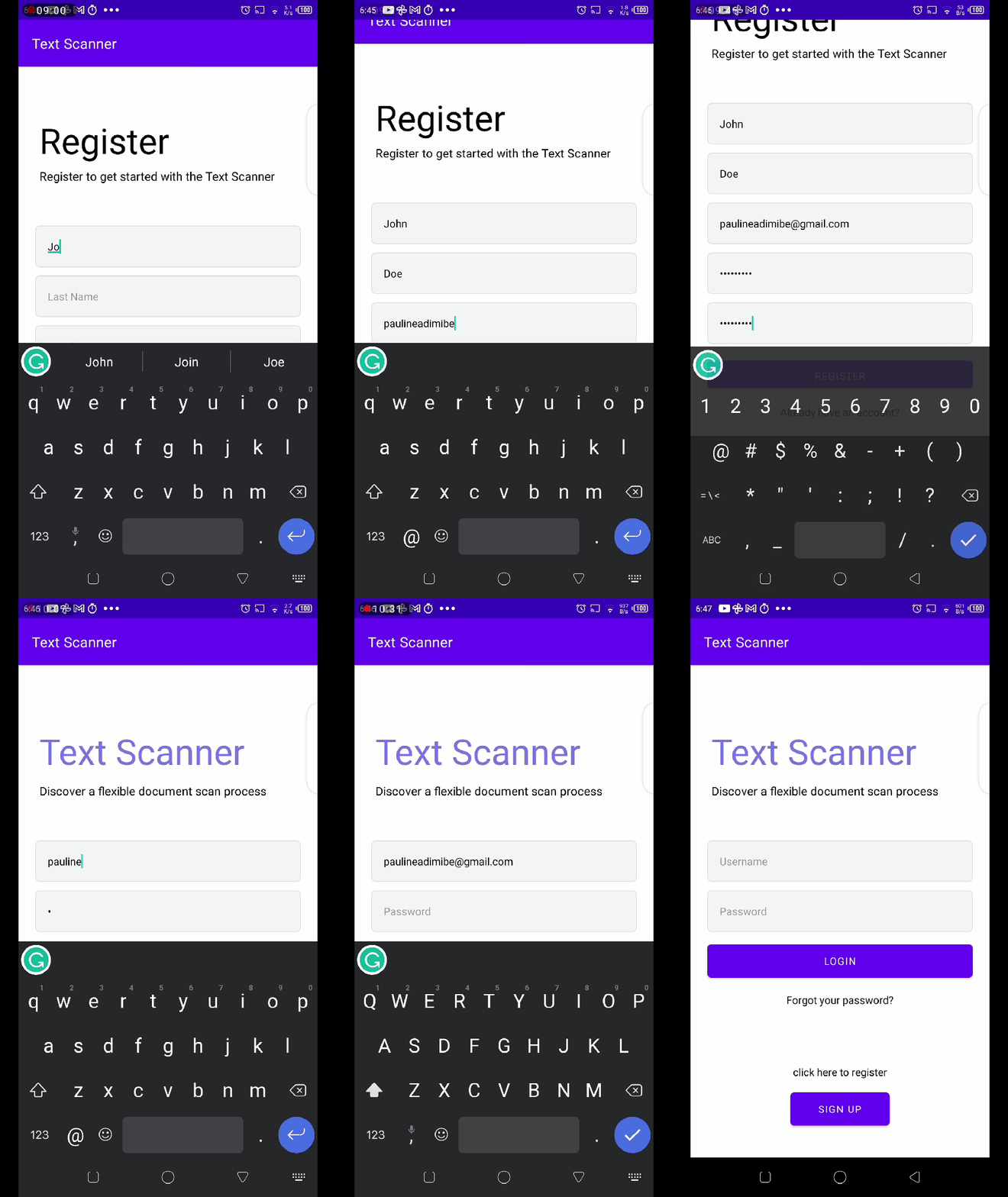
Login and sign up page
- The application design would allow users to either sign in with their username and password or sign in with Gmail or Facebook.
- First users can sign up by creating an account or with a google account or Facebook. Also, a forgotten password would a llow the user to enter their email (used to sign up) and they will receive a link to change their password
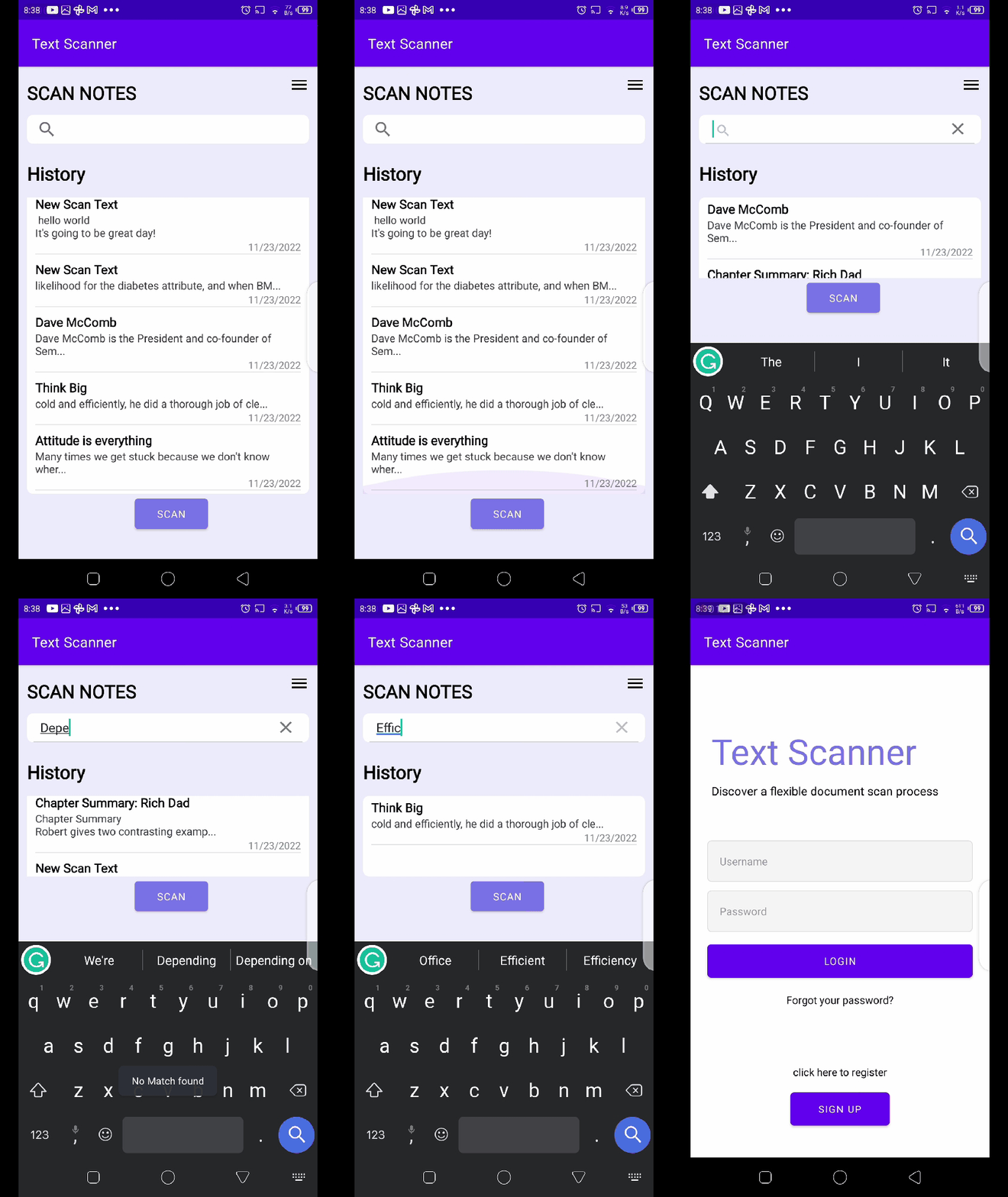
Home page and the text view page
- For first-time users, the home page would have a default empty space with a top bar section that would contain some functionality to make the app easy to use. Also, they get to see the camera button and upload file button that would be located at the bottom left, they can choose to take a picture of the image or make an upload.
- When an image has been uploaded, the image would be sent to the backend where Google Cloud Vision would be used to extract the text in the image, after that a note would be created in the text view, if the user is satisfied with the outcome they can save the note or download it, else they can make edition.
- Spell check would make the edition process easier for the user as they can see the possible inaccurate conversion and fix them.
OCR and Spell Checker
- Google Cloud Vision will be used in extracting the text, and the android studio spell checker will be implemented to check if there is any wrongly spelled work that might have resulted from the inaccurate extraction of the text from the image.