                          __  __      __         ______
                         / / / /___  / /_  __   / ____/___ _      __  (__)
                        / /_/ / __ \/ / / / /  / /   / __ \ | /| / /--(oo)
                       / __  / /_/ / / /_/ /  / /___/ /_/ / |/ |/ /   (__)
                      /_/ /_/\____/_/\__, /   \____/\____/|__/|__/---||
                                    /____/
Welcome to Holy Cow, a console-based adventure game built with C++20. Navigate through a maze of rooms, solve riddles, avoid bombs, and help the cows find their way!
We didn't just write code; we meticulously crafted an experience. Massive effort was poured into the Game Design and User Experience to push the boundaries of what a console game can be. Our goal was simple: to create a project so polished and detailed that your first reaction upon seeing the world map is literally: "Holy Cow!"
To achieve this level of precision, the game world wasn't randomly typed out. Every room, puzzle, and hidden passage was first drafted using visual design tools before being converted into the final .screen ASCII format.

This "blueprint approach" allowed us to construct complex multi-room structures and ensure perfect alignment of game mechanics across the entire map. Here is a glimpse of the "Master Blueprint" used to orchestrate the world:

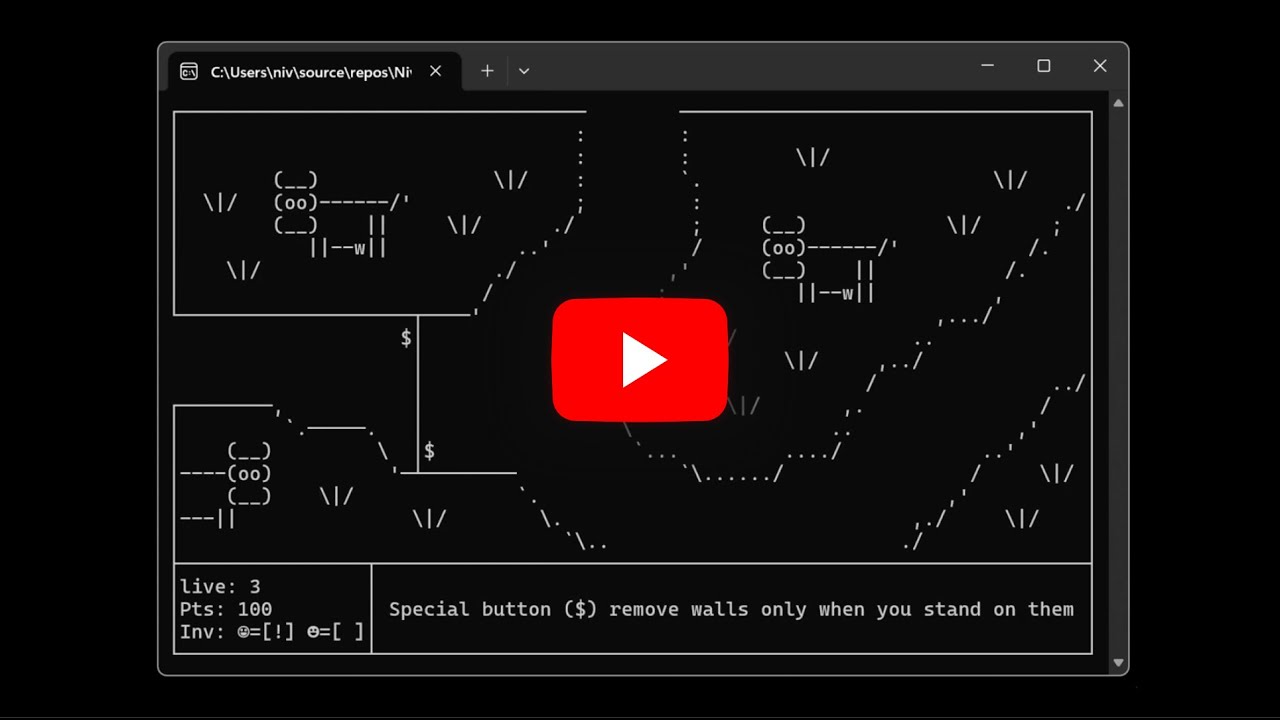
Want to see how a C++ console game comes to life? Check out this gameplay walkthrough demonstrating the smooth room transitions and puzzle mechanics.
- Players (
☺☻): You! Move around and interact with the world. - Walls (
┌┐└┘─│├┤┬┴┼): Solid obstacles you cannot pass through. - Keys (
a-z): Collect these to open matching doors. - Doors (
A-Z): Locked barriers. Require the corresponding lowercase key to open. - Special Doors (
■): Advanced doors that may require multiple keys or specific switch configurations. - Switches (
01): Toggle these to activate mechanisms or open special doors. - Springs (
#): Step on these to get launched in a specific direction! - Pressure Buttons (
$): Stand on these to temporarily remove specific walls. - Bombs (
@): Dangerous explosives! They tick down and explode, destroying weak walls and hurting players. - Dark Zones (
█▓▒░): Areas shrouded in darkness. You might need a light source (Torch!) to see. - Riddles (
?): Encounter question marks that challenge your knowledge. Answer correctly to gain points!
The game uses a custom file format for defining the world:
- .screen files: Visual representation of the level using ASCII characters.
- Metadata: Appended to the end of
.screenfiles, defining logic like:CONNECT: Room transitions (e.g.,CONNECT RIGHT 1).DOOR: Special door definitions with key/switch requirements.DARKZONES: Areas that require a torch.PBUTTON: Pressure button logic.
The game includes a deterministic recording system:
- adv-world.steps: Records every input (cycle + keycode).
- adv-world.result: Records expected game events (transitions, riddles, game end) for verification.
You can run the game in different modes using command line flags:
-
Normal Mode:
cpp-project.exe- Standard gameplay.
-
Record Mode:
cpp-project.exe -save- Records your session to
.stepsand.resultfiles.
- Records your session to
-
Playback Mode:
cpp-project.exe -load- Replays the recorded session visually.
-
Silent Test Mode:
cpp-project.exe -load -silent- Runs the recording without graphics and verifies that the actual game events match the expected results.
- Outputs
TEST PASSEDorTEST FAILED.