fcd is a small utility to bookmark directories, then quickly jump to them. Selecting a bookmark is done by fuzzy matching.
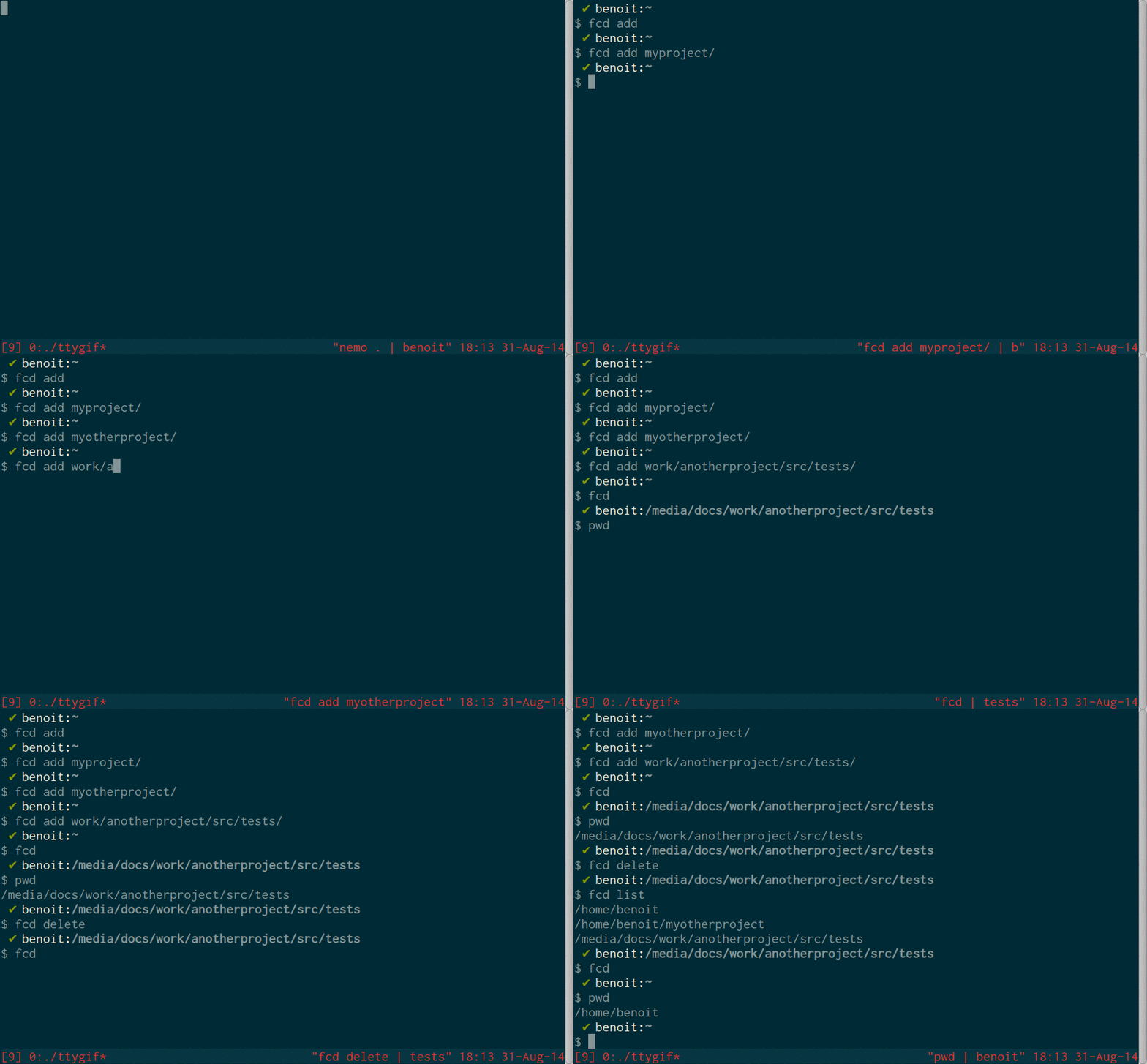
The full list of commands is available with fcd help.
# add the current directory to your bookmark list
fcd add

# add the provided directory to bookmarks
fcd add ~/mydirectory

# select a bookmark via fuzzy matching and jump to it
# (will display a prompt)
# Use <C-h> and <C-l> to navigate the entries, or type something
# to refine the search
fcd

# select a bookmark via fuzzy matching and delete it
fcd delete

# additional arguments will be used to prepopulate the prompt
fcd select myproject

# list bookmarks
fcd list
All commands can be abbreviated to their first letter: fcd a, fcd d, and so on.
To install fcd, you have to build the executable from source and add a small helper function to your .bashrc (adapt this if you are using another shell).
You need a Haskell compiler and the cabal build tool.
On a Debian-like system, you can install them with
sudo apt-get update
sudo apt-get install haskell-platform
You can then use cabal to fetch the sources from Hackage, then build and install fcd.
cabal update
cabal install fcd
Depending on your Cabal configuration, you may have to add the compiled executable to your $PATH (not required on Debian/Ubuntu).
fcd is not a shell builtin and thus can not change the current working directory of your shell. Instead, it writes the selected bookmark to the file ~/.fcdresult. You have to define a shell function to read this file and cd.
To be able to use fcd as intended, add the following function to the file ~/.bashrc (if you are using another shell, change as needed):
function fcd () {
  if [ $# -ge 1 -a \( "$1" = "s" -o "$1" = "select" \) ]; then
    command fcd s ${@:2} && cd "`cat "$HOME/.fcdresult"`" && rm "$HOME/.fcdresult";
  elif [ $# -ne 0 ]; then
    command fcd $@;
  else
    command fcd && cd "`cat "$HOME/.fcdresult"`" && rm "$HOME/.fcdresult";
  fi
}
When calling fcd in your shell, the above function is executed (instead of the actual fcd executable). It will check the arguments you provided to fcd:
- if you provided no arguments, or used the
selectcommand, it will execute the actualfcd, then read the bookmark stored in~/.fcdresultandcdto it. - otherwise, it just makes a plain call to
fcd.
Do not forget to reload your shell.
You can also manually clone this repository and build fcd from the latest source. Example for Ubuntu:
sudo apt-get update
# Install a Haskell compiler and the Cabal build system
sudo apt-get install haskell-platform
# Update Cabal
cabal install cabal-install
# Other dependencies
sudo apt-get install git build-essential

# Retrieve the latest source
git clone git@github.com:Neki/fcd.git
cd fcd

# Set up the build environment
cabal sandbox init # not mandatory, but recommended to avoid "Cabal hell"
cabal update

# Build the project
cabal build
The compiled executable can then be found in dist/build/fcd. Add this to your $PATH or copy it to a directory on your $PATH.
Do not forget to add the fcd function to your shell as described above.
Use Github issues.
cdargs is a similar tool, but I do not really like its interface (granted, I have not taken the time to understand it :-) ).
I needed a small project (a couple of hours) to put into practice what I had learned of Haskell, so I built my own tool instead.