Steps to make it work:
1 for the docker compose assigment first you need to a mkdir named jenkins --The command is mkdir jenkins
2 and then make another dir for jenkins_home in order to preserve the data it is the path of the volume --with mkdir ~/jenkins_home
3 you need to move to the jenkins dir with cd jenkins
4 you need to create a file for the docker-compose and docker compose can only read ceritan kind of syntax so we will be useing yaml
5 the command is // vim docker-compose.yaml
6 last step is to copy and paste the syntax i created for the yaml inside the docker-compose file
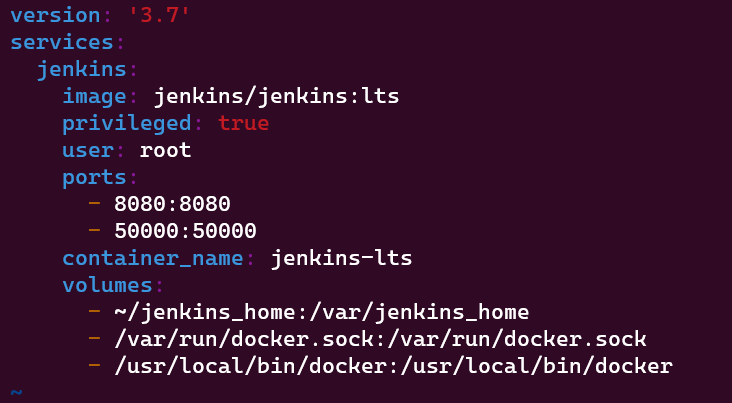
after that that Administrator password is requierd for the ui in order to acceses so we need to check the log and take only the Administrator pass with that command is easier
7 docker exec jenkins-lts cat /var/jenkins_home/secrets/initialAdminPassword
8 then just get in the web write localhost:8080 and start with install pluging and etc..
i know the mfa is possible with freeRadius service and they got a few options with aws or with docker but im not at that level yet.. its alot of presetting but i could find ldap server with an Php ui to authorize accses within your network Steps to Make it Work
1 Make a new dir with mkdir command
2 the next step is to move to the new dir with cd command
3 a new docker-compose file is needed so we will use the vim editor and open a new docker-compose file The command is // vim docker-compose.yaml
4 copy and paste the syntax of the yaml i created in the github repo of the ldap server there is two files named docker-file so notice the ldap server has more syntax
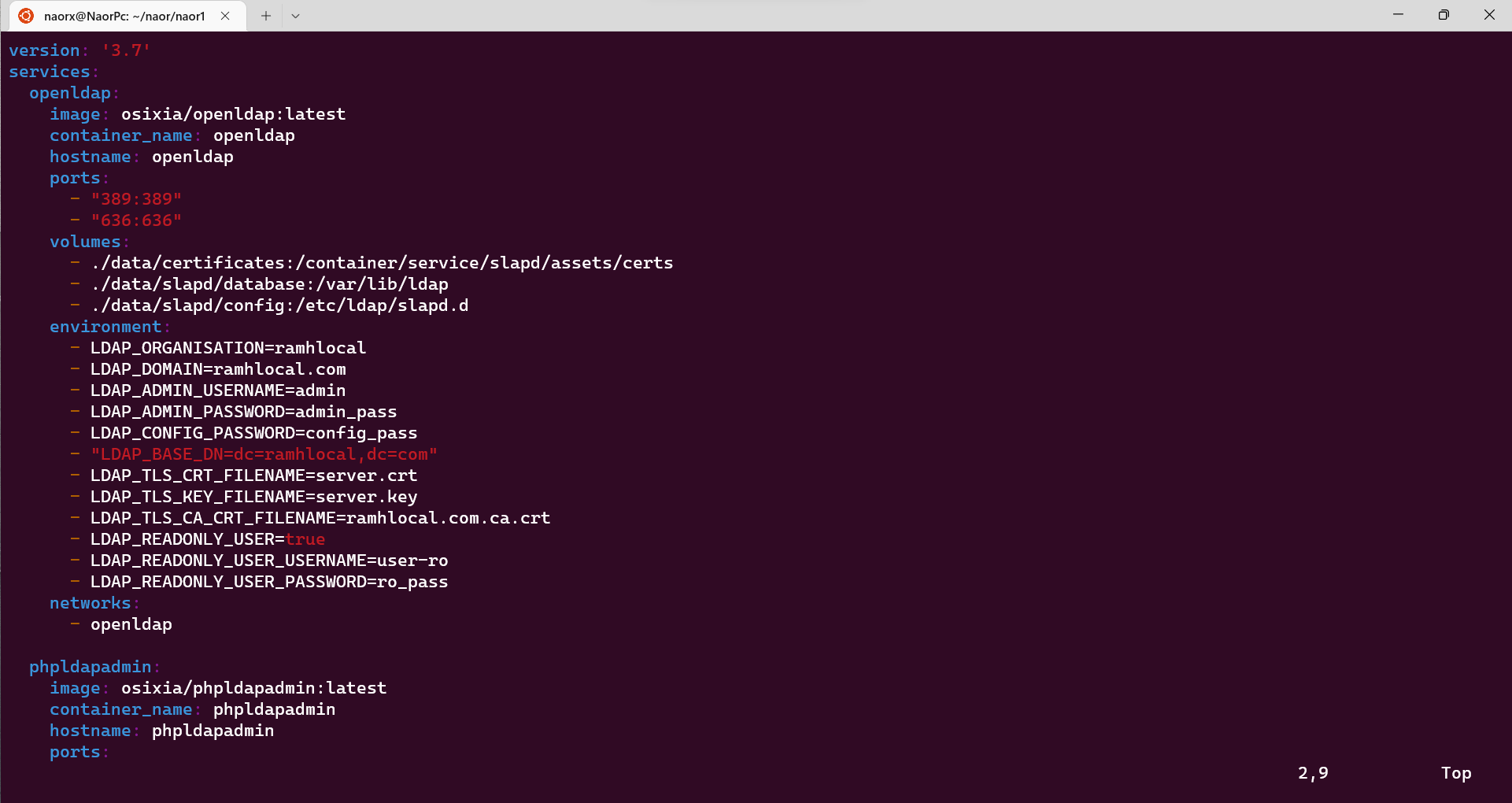
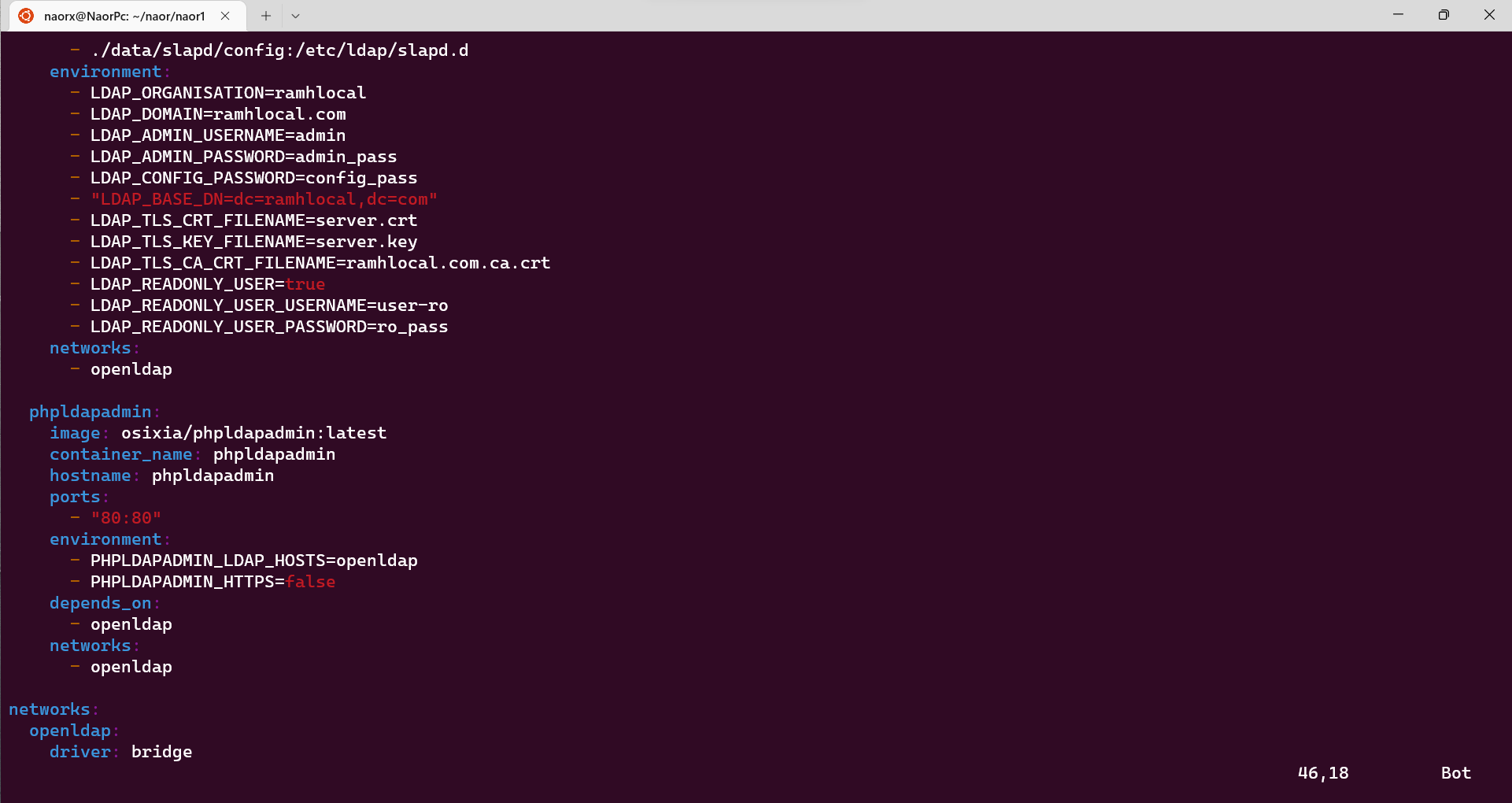
5 run the command docker compose up -d in order to run the docker-compose file
6 open the browser and search for localhost:80
User name to access the Ldap Server is cn=admin,dc=ramhlocal,dc=com
Password to access the Ldap Server is admin_pass
again the web is based Php the only normal doco i could find to go with it and build it