Basic GUI launcher for FFmpeg, based on WinForms and .NET Core. Windows OS only.
Made this utility for personal use a while ago, and it's been serving me well for several years now. Decided to polish it up and upload for public use, that said don't expect much support. You can do whatever you want with it though.
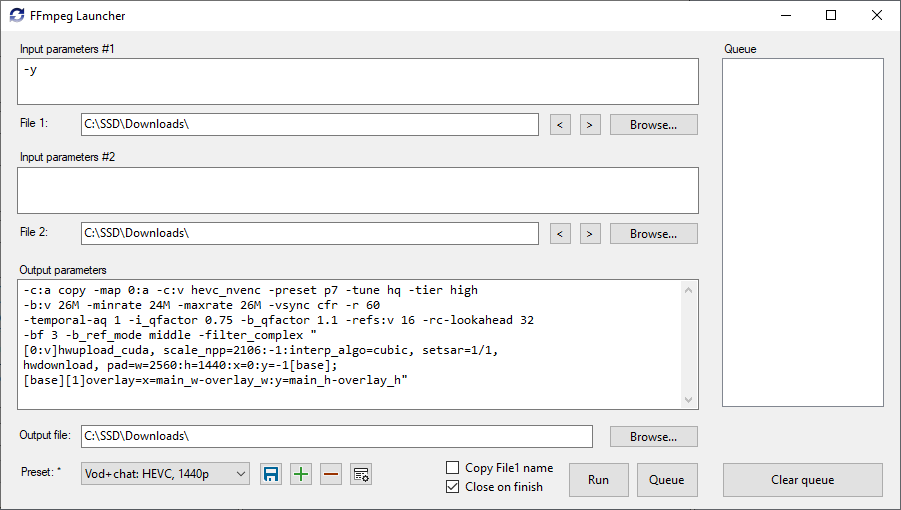 Click on image to enlarge.
Download FFmpeg, download latest launcher's release. You may optionally download a set of presets as well.
Extract everything into same directory.
The workflow is identical to using command prompt, except without adding "-i" prefix, file paths are added automatically when they're set.
Several macros are available. Download presets for examples.
{file1name=Path},{file2name=Path},{outputname=Path}-- Save predetermined paths in preset, which will automatically be filled in when switching presets.{file1name},{file2name},{outputname}-- Insert path to file in place of macro.{noffmpeg}-- Skip starting FFmpeg executable, while still applying all the arguments in command prompt. Can be used to chain different scripts and programs. For example: prepare a list of files, save them to %temp%\list.txt, and afterwards concatenate all videos in list using ffmpeg without re-encoding.{ignore_i}-- Skip adding "-i" argument before input files' paths.{no_output}-- Skip adding output file path. When you're too lazy to clear output file's path for certain presets.{preferred_format}-- Automatically picks the correct filter in "Browse output file" dialog. When using with "Copy File1 name" option, automatically replaces input file's extension to preferred.