A Radio Buttons field for Laravel Nova.



composer require norman-huth/nova-radio-field
use NormanHuth\NovaRadioField\Radio;

//..
Radio::make(__('Radio'), 'select')
    ->options([
        'S' => __('Small'),
        'M' => __('Medium'),
        'L' => __('Large'),
])If you would like to place "help" text beneath a field, you may invoke the
helpmethod when defining your field:
Radio::make(__('Radio'), 'select')
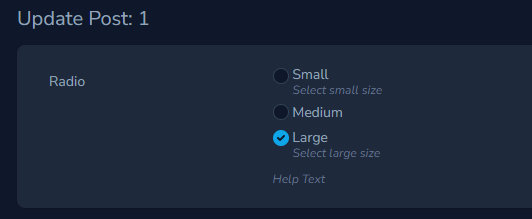
->help(__('Help Text'))If you would like to place "help" text beneath a radio label, you may invoke the radioHelpTexts method when defining
your field:
Radio::make(__('Radio'), 'select')
    ->radioHelpTexts([
        'S' => __('Select small size'),
        'L' => __('Select large size'),
])By default, this field use the first array item as default. You can set another default value via the default method,
which accepts a value or
callback.
Radio::make(__('Radio'), 'select')
    ->default('M')

Radio::make(__('Radio'), 'select')
    ->default(function (NovaRequest $request) {
        return $request->user()->group_id;
}))If you would like to place the radios inline instead in columns use the inline method:
Radio::make(__('Radio'), 'select')
->inline()If you would like change the gap between radio buttons use the gap method:
Default: 1 (0.25rem)
| Method | Gap |
|---|---|
->gap(0.5) |
0.125rem |
->gap(1.5) |
0.375rem |
->gap(2) |
0.5rem |
->gap(2.5) |
0.625rem |
->gap(3) |
0.75rem |
->gap(3.5) |
0.875rem |
->gap(4) |
1rem |
->gap(5) |
1.25rem |
->gap(6) |
1.5rem |
->gap(8) |
2rem |
Radio::make(__('Radio'), 'select')
->gap(3)You can add classes to the field class attribute by invoking the addClasses method when defining the field:
Radio::make(__('Radio'), 'select')
->addClasses(['text-center']), You can remove default field classes and set new classes of the field class attribute by invoking the setClasses method when defining the field:
Radio::make(__('Radio'), 'select')
->setClasses(['flex', 'flex-wrap', 'justify-between']), You can add styles to the field style attribute by invoking the addStyles method when defining the field:
Radio::make(__('Radio'), 'select')
->addStyles(['max-width' => '25rem']), You can add classes to the field label's class attribute by invoking the addClasses method when defining the field:
Radio::make(__('Radio'), 'select')
->addLabelClasses(['truncate']),You can add styles to the field label's style attribute by invoking the addStyles method when defining the field:
Radio::make(__('Radio'), 'select')
->addLabelStyles(['max-width' => '10rem']),Radio::make(__('Radio'), 'select')
->options([
'S' => __('Small'),
'M' => __('Medium'),
'L' => __('Large'),
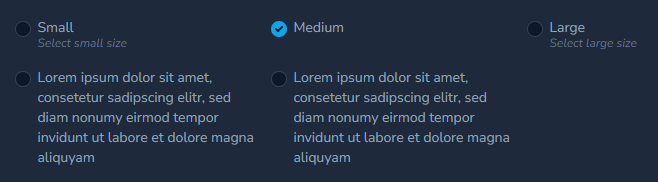
'E' => __('Lorem ipsum dolor sit amet, consetetur sadipscing elitr, sed diam nonumy eirmod tempor invidunt ut labore et dolore magna aliquyam'),
'G' => __('Lorem ipsum dolor sit amet, consetetur sadipscing elitr, sed diam nonumy eirmod tempor invidunt ut labore et dolore magna aliquyam'),
])
->radioHelpTexts([
'S' => __('Select small size'),
'L' => __('Select large size'),
])
->gap(4)
->inline()
->addLabelStyles(['width' => '15rem']),Radio::make(__('Radio'), 'select')
->withoutLabel()
->addClasses(['py-4'])Radio::make(__('Radio'), 'select')
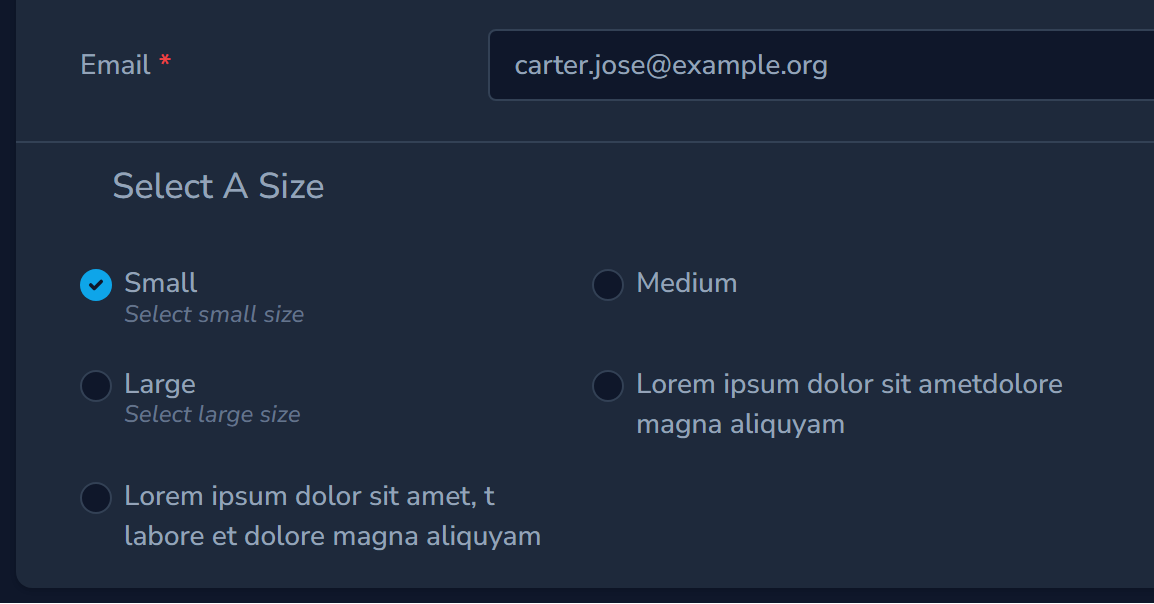
->title('Select A Size')Radio::make(__('Radio'), 'select')
->addTitleClasses(['pt-2'])Or remove default classes and set own:
Radio::make(__('Radio'), 'select')
->setTitleClasses([])Radio::make(__('Radio'), 'select')
->addTitleStyles(['padding-left: 1rem'])If you would like to display the values instead the label, you may invoke the displayUsingValues method when defining
the field 😉 :
Radio::make(__('Radio'), 'select')
    ->displayUsingValues()