Requirements
Médecins Sans Frontières and other agencies operating in disaster regions bring with them a great deal of relief materials and expertise but often find it difficult to discover where to deploy this relief most urgently. Typically expensive resources like helicopters and word-of-mouth are used. This app:
- consolidates information in a Geographic Information System that can be shared by multiple users on a LAN or wider area network with or without Internet connection
- automatically archives video and associated geographical information from drones or helicopter flights
- allows rapid triage of video from drones or helicopter flights pinpointing urgency of relief needs
- automatically mosaics video into an up-to-date aerial-view map layer
- GIS database underpins everything with a HTTP API
- Multiple front-end apps (eg Javascript web-apps) talk to the GIS database via LAN, WAN or Internet:
- Drone flight data uploader
- Air Triage of a flight
- Clinic front-end
- Image mapper
3.0.1. A reliable GIS database shall be selected that:
3.0.1.1. - can work with an Open Street Map layer
3.0.1.2. - can maintain a layer of satellite, drone, helicopter and other aerial imagery
3.1.1. Load all the still images in a directory into the database.
3.1.2. Load all the videos in a directory into the database.
3.1.3. Load the .KMZ (zipped .KML) file from AdruPilot from the directory into the database.
3.1.4. Allow the user to input the following metadata:
3.1.4.1. - a time offset between the Ardrino clock and the camera clock
3.1.4.1.1. (The time offset is best determined by finding the drone's take-off point in the AdruPilot flight data and the video frames and comparing those timestamps. The application should assist the operator finding that point in the video frames and then calculate the offset for the operator.)
3.1.4.2. - the angle from nadir that the camera points
3.1.4.3. - the heading that the camera points
3.1.4.4. - the camera lens type (eg GoPro Hero3 fish-eye).
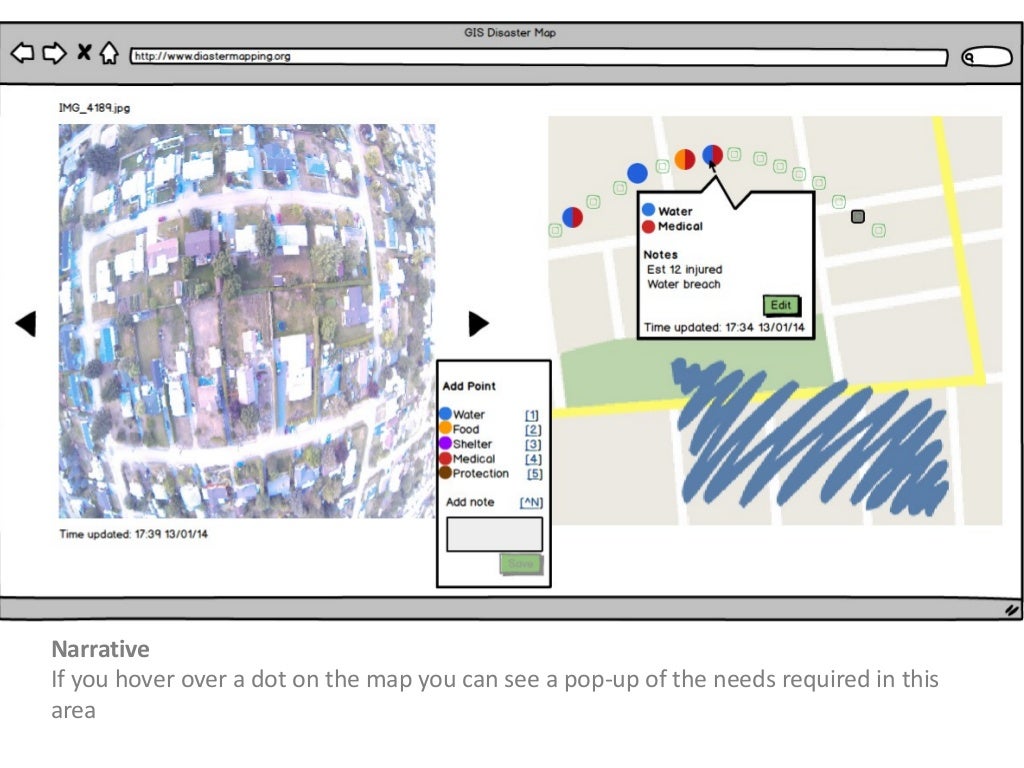
3.2.1. Side-by-side show:
- the flight pictures or video with video controls (Play/Pause, Forward/Rewind and progress bar)
- map showing relief needs layer pins and reconnoissance flight path

3.2.2. Clicking on the video (or touching on a tablet) pauses the video and allows the operator to select one or more of these needs, each marked with different colour pins:
- water
- food
- shelter
- medical
- protection
3.2.3. Additional textual information can be noted before saving the pin.
3.2.4. Clicking on a pin on the map pops-up a description of the relief needs at that location.
Mosaicing aerial images onto map layer tiles is an intensive process, for example this part of Tacloban took a person several days to mosaic together after the 2012 hurricane:
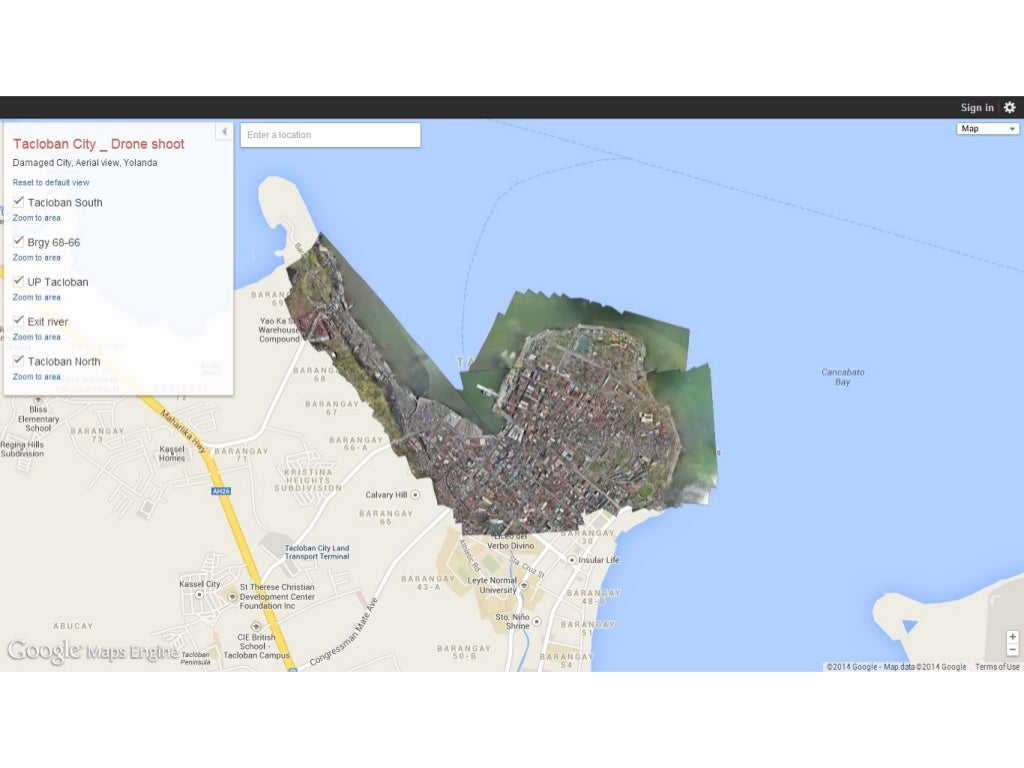
3.3.1. Automatically, or with minimum necessary human assistance, mosaic photos and video frames onto an aerial-view map layer tiles in the GIS.