

drpl.co is a free, open-source file sharing solution that works across all platforms without requiring apps, accounts, or device-specific limitations. Share files instantly between any devices on the same network.
Visit the live site: https://drpl.co
Desktop Interface
Mobile Interface
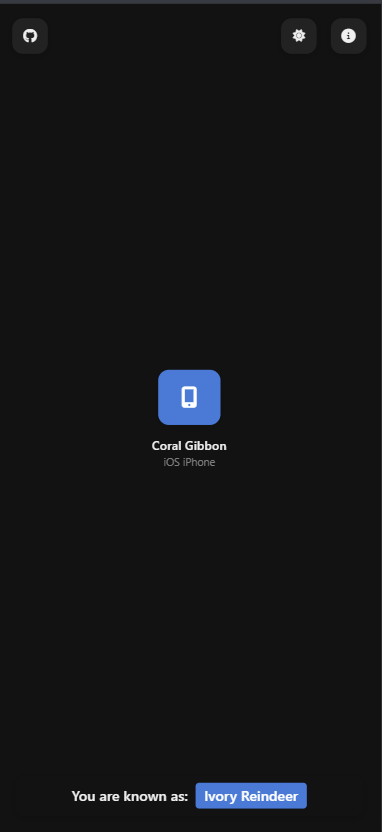
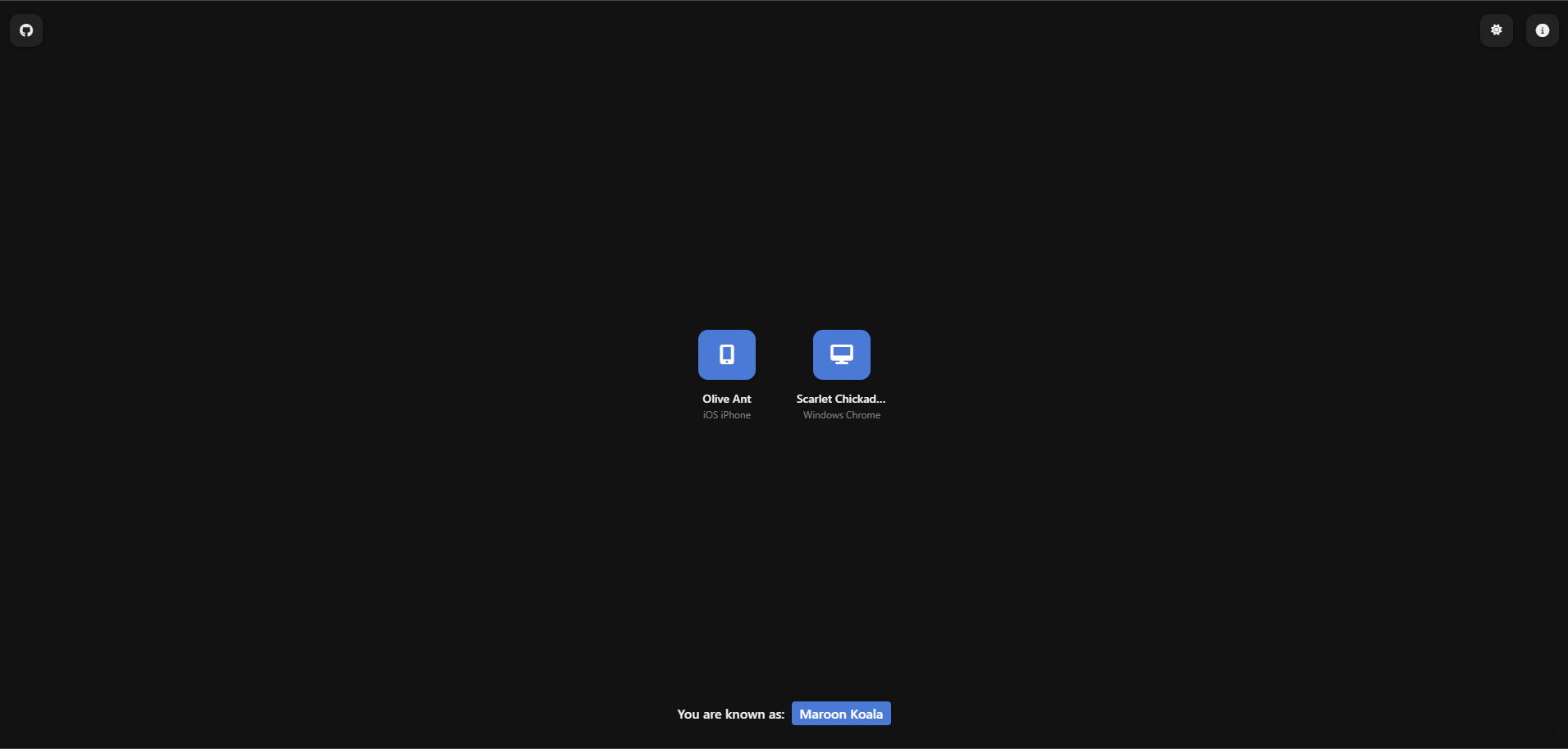
- Cross-Platform Compatibility: Works on all major operating systems and devices
- No Installation Required: Just open the website in your browser
- No Account Needed: No sign-ups, no tracking
- Local Network Only: Files transfer directly between devices on the same network
- End-to-End Privacy: Files are never uploaded to external servers
- No File Size Limits: Send any file type of any size
- Text Messaging: Send quick text messages along with files
- Simplified Interface: Clean, intuitive design that works on mobile and desktop
drpl.co uses WebRTC (with WebSocket fallback) to establish direct connections between devices on the same network. When you open drpl.co in your browser, the server assigns you a unique identifier and a friendly display name. Other devices on your network running drpl.co will automatically appear, allowing direct file transfers.
- Server Component: Lightweight Node.js server provides signaling to establish peer connections
- WebRTC Data Channels: Used for peer-to-peer data transfer when supported by the browser
- WebSocket Fallback: Ensures compatibility with all browsers
- Progressive Web App: Can be installed on mobile devices
- Responsive Design: Adapts to all screen sizes
- Local Discovery: Devices find each other through the signaling server
drpl.co is designed with privacy as a core principle:
- Files transfer directly between devices, never passing through our servers
- No analytics or tracking scripts
- No data collection
- No accounts or login requirements
- All code is open source and can be self-hosted
- Open https://drpl.co on two or more devices connected to the same network
- You'll see other devices appear automatically in the interface
- Click on a device to connect and choose to send files or messages
- Select files or type your message
- The recipient will receive a notification and can download the files or view messages
To run drpl.co locally:
-
Clone the repository:
git clone https://github.com/MohdYahyaMahmodi/drpl.co.git cd drpl.co -
Install dependencies:
npm install
-
Start the server:
node server.js
-
Open
http://localhost:3002in your browser -
For local testing with multiple devices, make sure they can reach your development machine via your local IP address (e.g.,
http://192.168.1.100:3002)
drpl.co can be easily self-hosted on your own server:
- Clone the repository to your server
- Install dependencies with
npm install - Configure your web server (nginx, Apache, etc.) to proxy requests to the Node.js application
- Start the server with PM2 or a similar process manager:
pm2 start server.js --name drpl
For a production environment, it's recommended to set up HTTPS:
- Obtain SSL certificates (e.g., using Let's Encrypt)
- Configure your web server to use these certificates
- Set up a reverse proxy to your Node.js application
Example nginx configuration:
server {
    listen 443 ssl;
    server_name your-domain.com;

    ssl_certificate /path/to/fullchain.pem;
    ssl_certificate_key /path/to/privkey.pem;

    location / {
        proxy_pass http://localhost:3002;
        proxy_http_version 1.1;
        proxy_set_header Upgrade $http_upgrade;
        proxy_set_header Connection 'upgrade';
        proxy_set_header Host $host;
        proxy_cache_bypass $http_upgrade;
    }
}index.html- Main application HTMLstyles.css- CSS styling for the applicationserver.js- WebSocket signaling servernetwork.js- Handles WebRTC connections and file transfersui.js- User interface interactions and event handlingtheme.js- Theme switching functionalitybackground-animation.js- Canvas animation for the backgroundnotifications.js- Browser notification handling
The signaling server (server.js) facilitates the discovery of peers on the local network. Key components:
- WebSocket server for real-time communication
- Room management based on IP addresses
- Peer tracking and event propagation
- Keep-alive mechanism to maintain connections
The network.js file implements the WebRTC peer connections:
- ICE candidate exchange
- SDP offer/answer exchange
- Data channel establishment
- Chunked file transfer with progress tracking
- Fallback to WebSocket when WebRTC is unavailable
The ui.js file manages the interface and user experience:
- Device discovery and representation
- Dialog management for file transfers
- File carousel for viewing received files
- Progress indicators during transfers
- Theme switching and responsive design
drpl.co works on all modern browsers, including:
- Chrome / Edge / Brave (desktop and mobile)
- Firefox (desktop and mobile)
- Safari (desktop and mobile)
- Opera
Contributions are welcome! Please feel free to submit a Pull Request.
- Fork the repository
- Create your feature branch (
git checkout -b feature/amazing-feature) - Commit your changes (
git commit -m 'Add some amazing feature') - Push to the branch (
git push origin feature/amazing-feature) - Open a Pull Request
- Maintain the existing code style
- Add JSDoc comments for new functions
- Test across multiple devices and browsers
- Ensure responsive design works on all screen sizes
This project is licensed under the MIT License - see the LICENSE file for details.
- Inspired by projects like SnapDrop
- Uses WebRTC for peer-to-peer communication
- Built with Node.js and Express
Mohd Yahya Mahmodi
- Website: mohdmahmodi.com
- Twitter: @mohdmahmodi
- Email: mohdmahmodi@pm.me
If you find drpl.co useful, please consider:
- ⭐ Starring the repository on GitHub
- 🔄 Sharing the project with friends and colleagues
- 🐛 Reporting bugs and suggesting features
- 💻 Contributing code or documentation