Human Resources Management System Java Spring Boot Project.
- This project is a Java Spring Boot project developed for kodlama.io Bootcamp homework.


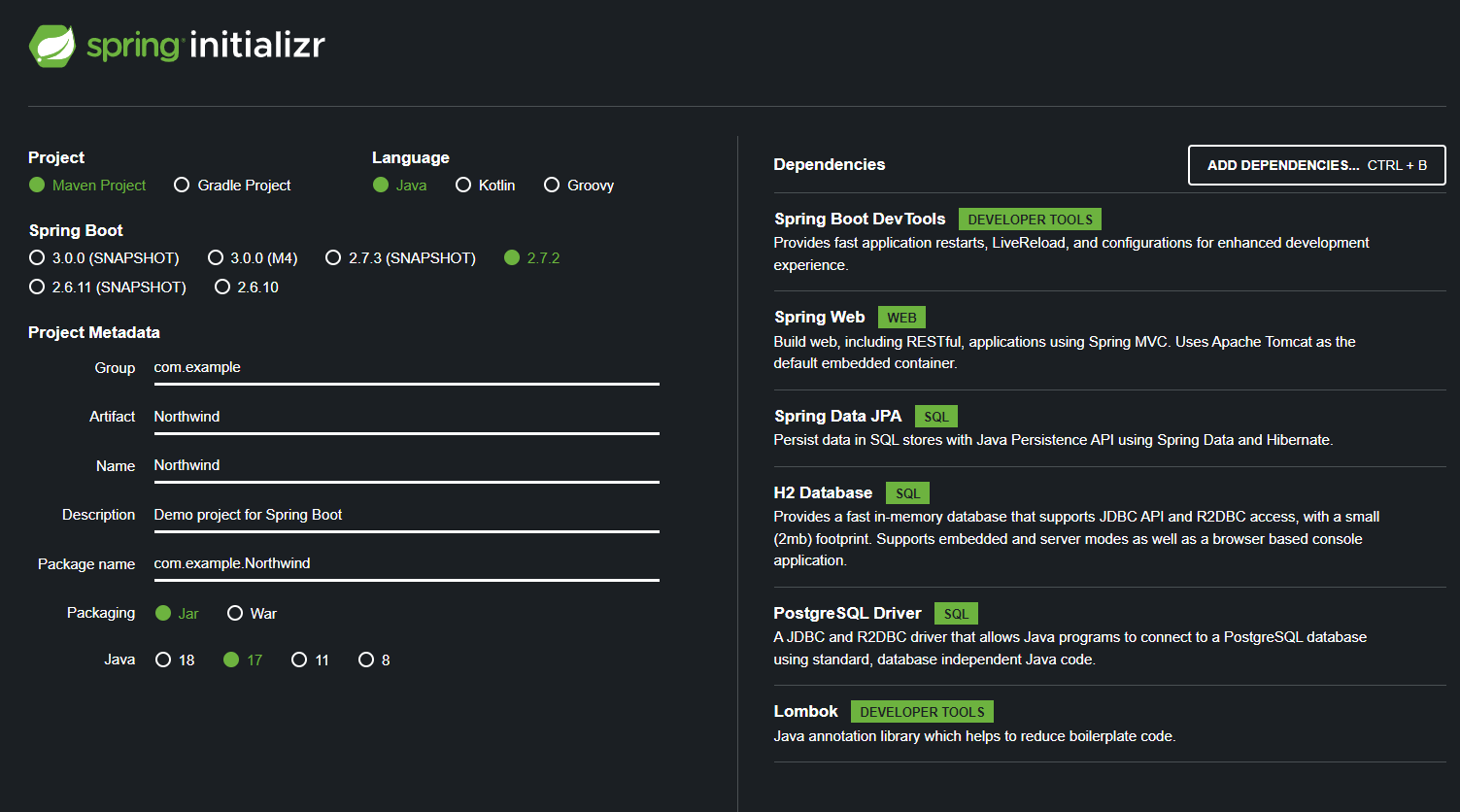
Go To Spring Initializr
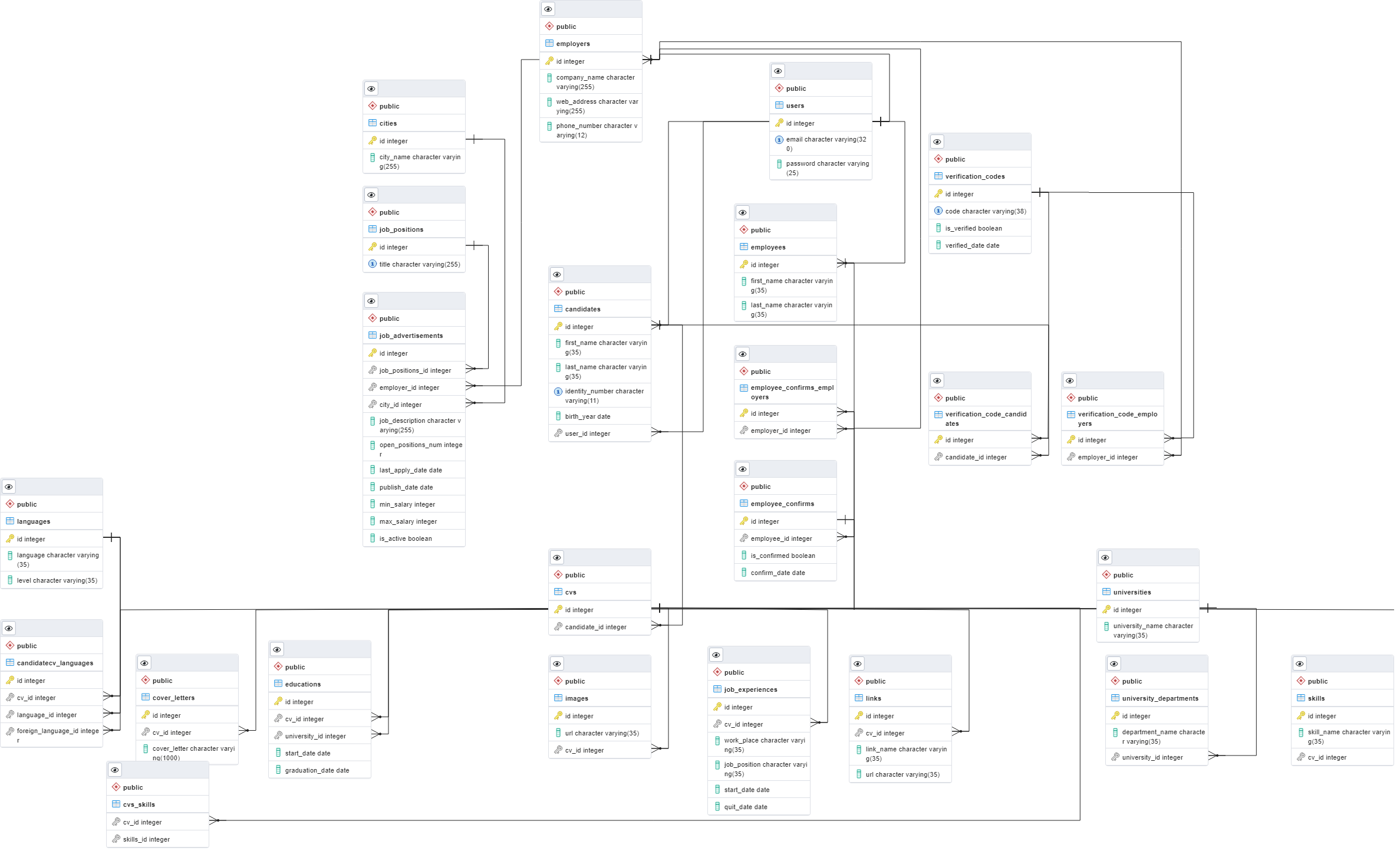
Our system has three basic types of users. System Staff, Candidates and Employers. Based on these requirements, I created my User, Employer and Candidate entities in my Entity Package for my project. Then I continued to create my classes according to the necessary requirements.
Let's talking about Data Access Layer! This layer is responsible for interacting with databases to save and restore application data. Our basic Job entity class is simple and looks like below:
public class Job {
@Id
@Column(name="id")
private int id;

@Column(name="title")
private String jobTitle;

@OneToMany(mappedBy="jobPos")
private List<JobAdvertisement> jobAdvertisements;
}
It's a simple JPA entity with id field as identifier. Now comes the best part, we ofcourse need some code to store and retrieve products from database. Good news is Spring has got us covered. All you need to do is define a repository as below
public interface JobDao extends JpaRepository<Job,Integer> {
}
What Spring data jpa provides is
- No-code repository: It is the most popular persistence-related pattern. It enables us to implement our business code on a higher abstraction level.
- Reduced boilerplate code: It provides the default implementation for each method by its repository interfaces. It means that there is no longer need to implement read and write operations.
- Generated Queries: Another feature of Spring Data JPA is the generation of database queries based on the method name. If the query is not too complex, we need to define a method on our repository interface with the name that starts with findBy.
The business layer handles all the business logic. It consists of service classes and uses services provided by data access layers. It also performs authorization and validation. Example create a service class that name JobManager with the following content into it:
@Service
public class JobManager implements JobService {

private JobDao jobDao;

@Autowired
public JobManager(JobDao jobDao){
super();
this.jobDao = jobDao;
}

@Override
public DataResult<List<Job>> getAll() {
return new SuccessDataResult<List<Job>>(this.jobDao.findAll(),"Jobs are listed.")
}

@Override
public Result add(Job job) {
this.jobDao.save(job);
return new SuccessResult("Job position is added.");
}
}
After this, let's build the Spring REST Controller class to display the service to the client or end-user and evaluate input validation for the application: The resource has representations like XML, HTML, and JSON. The current state capture by representational resource. When we request a resource, we provide the representation of the resource. The important methods of HTTP are:
- GET: It reads a resource.
- PUT: It updates an existing resource.
- POST: It creates a new resource.
- DELETE: It deletes the resource.
HTTP also defines the following standard status code:
- 404: RESOURCE NOT FOUND
- 200: SUCCESS
- 201: CREATED
- 401: UNAUTHORIZED
- 500: SERVER ERROR
In the previous few steps, we have created simple RESTful services. In this section, we will use the POST method to post the user resource for the specific URI "/api/jobs." Here we are using two annotations, @RequestBody and @PostMapping.
@RequestBody
The @RequestBody annotation maps body of the web request to the method parameter. The body of the request is passed through an HttpMessageConverter. Optionally, automatic validation can be applied by annotating the argument with @Valid.
    @RestController
    @RequestMapping("/api/jobs")
    public class JobsController {

    private JobService jobService;

    @Autowired
    public JobsController(JobService jobService){this.jobService = jobService;}

    @GetMapping("/getAll")
    public DataResult<List<Job>> getAll(){return this.jobService.getAll();}

    @PostMapping("/addJob")
    public Result add(@RequestBody Job job) {
    return this.jobService.add(job);
    }
   }

GET METHOD
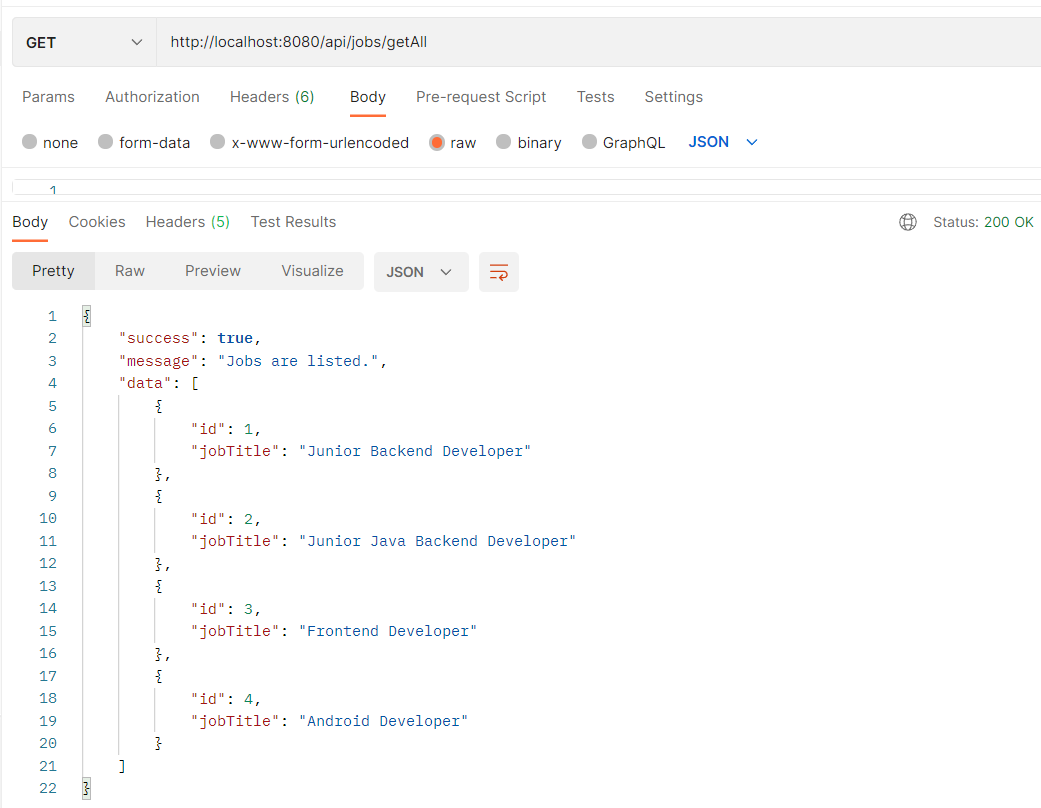
http://localhost:8080/api/jobs/getAll

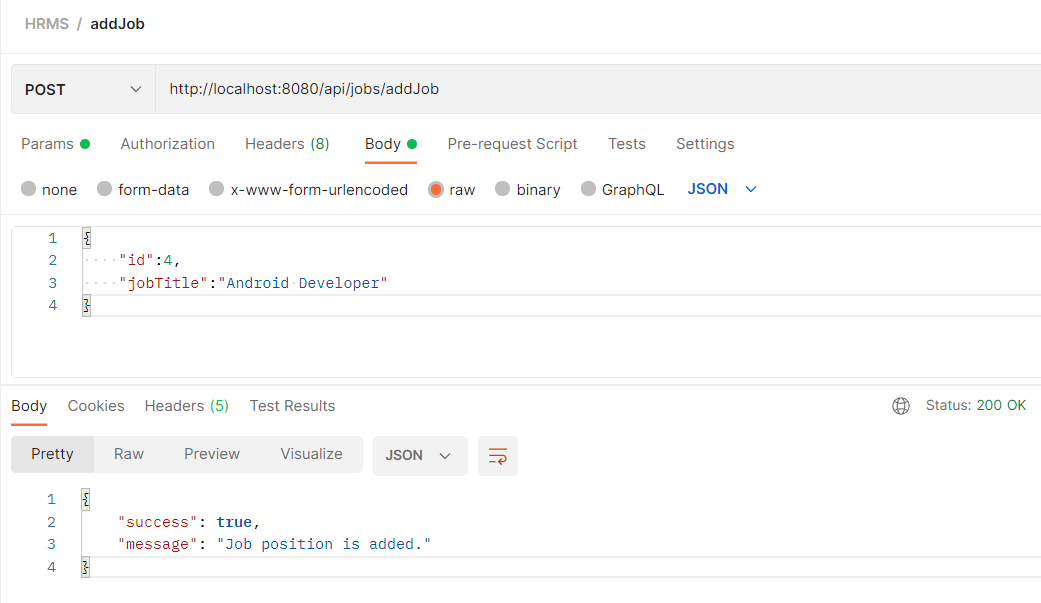
POST METHOD
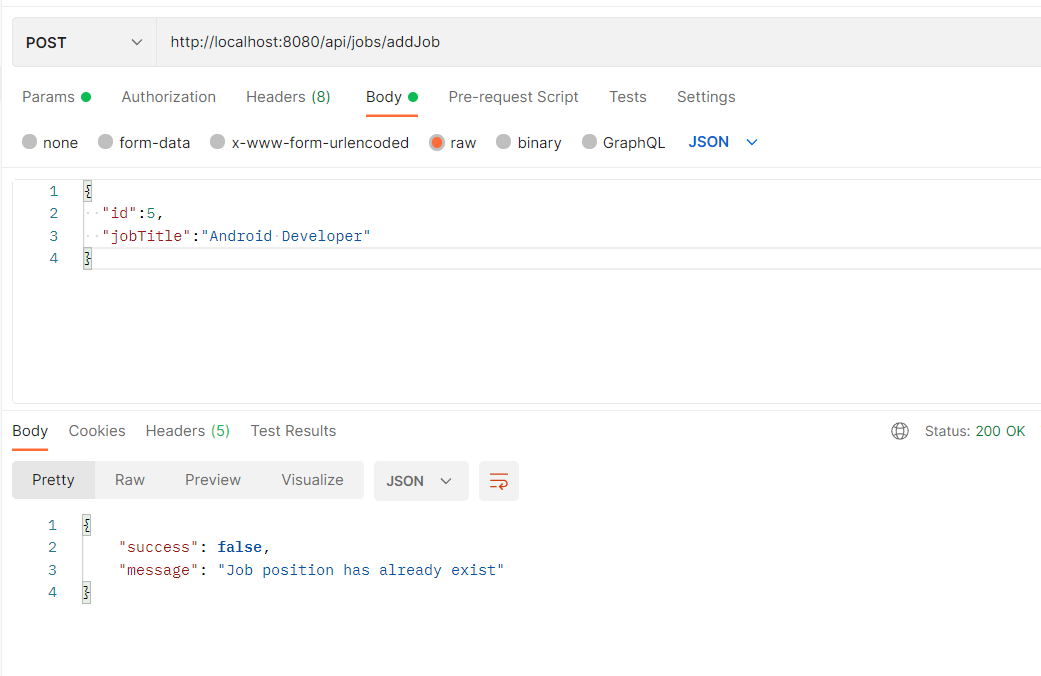
http://localhost:8080/api/jobs/addJob
CLICK TO LIST REQUIREMENTS
Req-1
Req 1: Canidadates should be able to register in the system.
Accept conditions:
-
During registration, the user is asked for name, surname, tcno, year of birth, e-mail, password, password repeat information.
-
All fields are required. The user is informed.
-
Mernis verification is done and the system is registered.
-
If the validation is not valid, the user is notified.
-
If there is a previously registered e-mail or tcno, the registration will not take place. The user is informed.
-
Email verification is required for registration to occur.
Test
- All Fields are Required
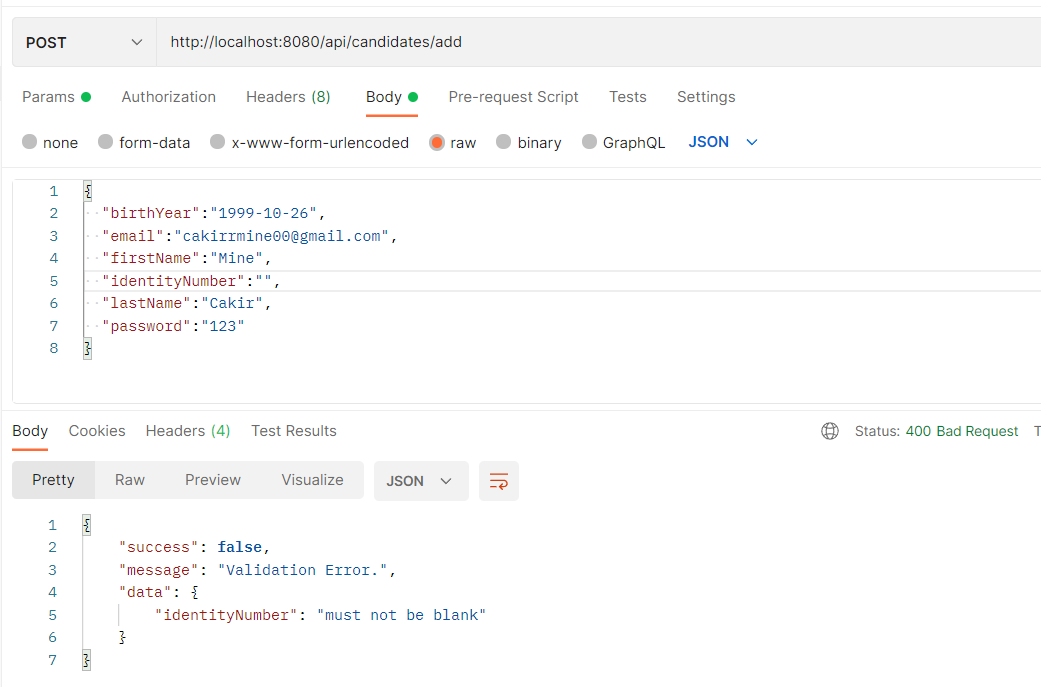
- Add Candidate with name, surname, tcno, year of birth, e-mail, password
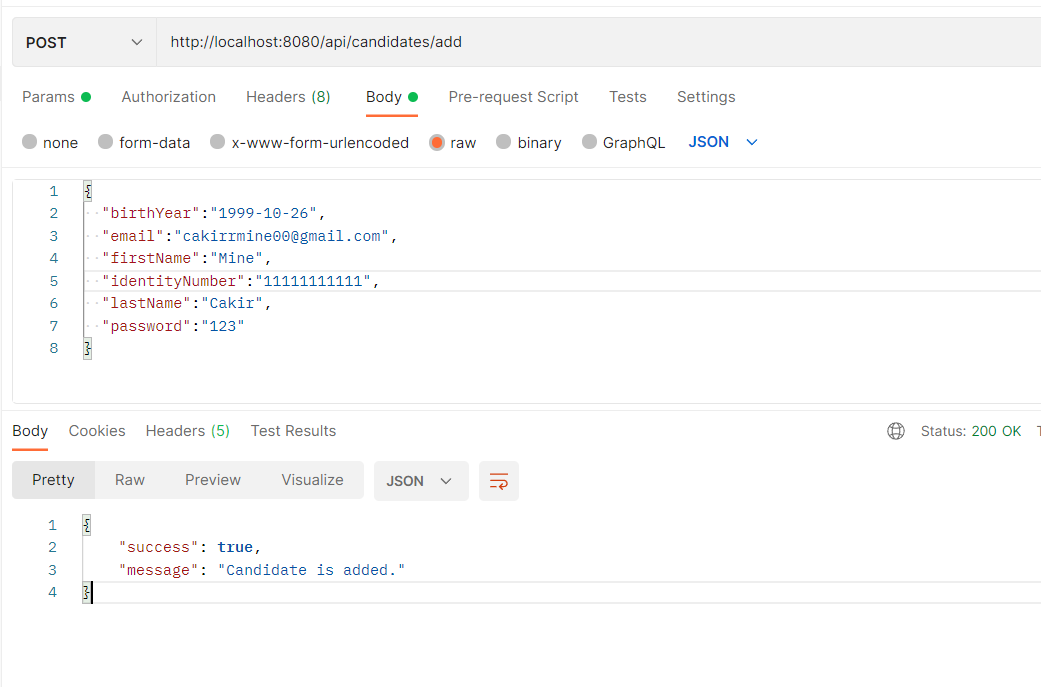
- Previously Registered

Req-2
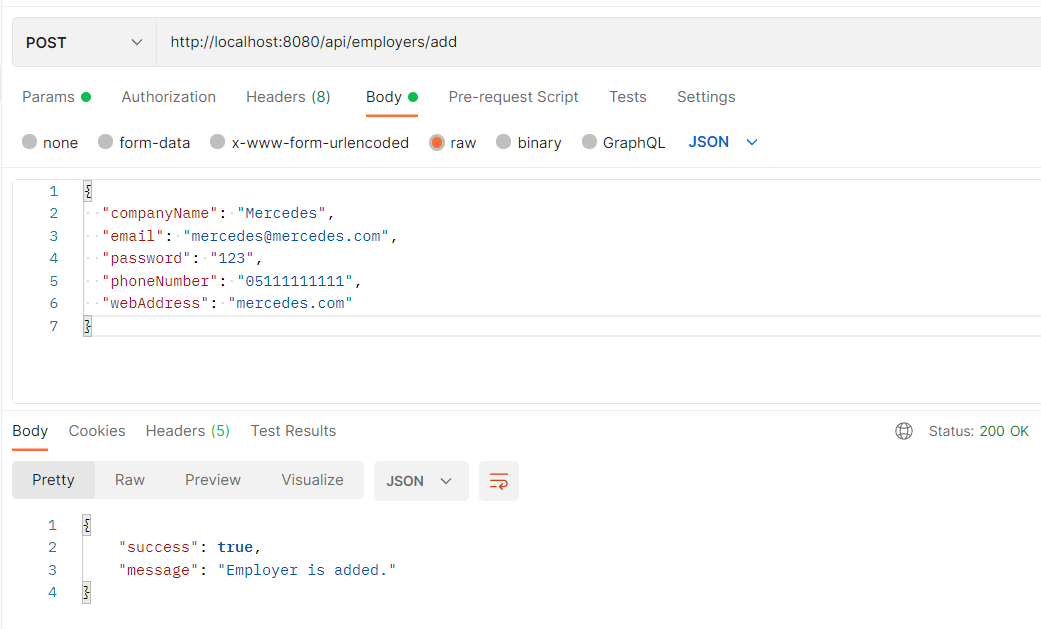
Req 2: Employers should be able to register in the system.
Accept conditions:
-
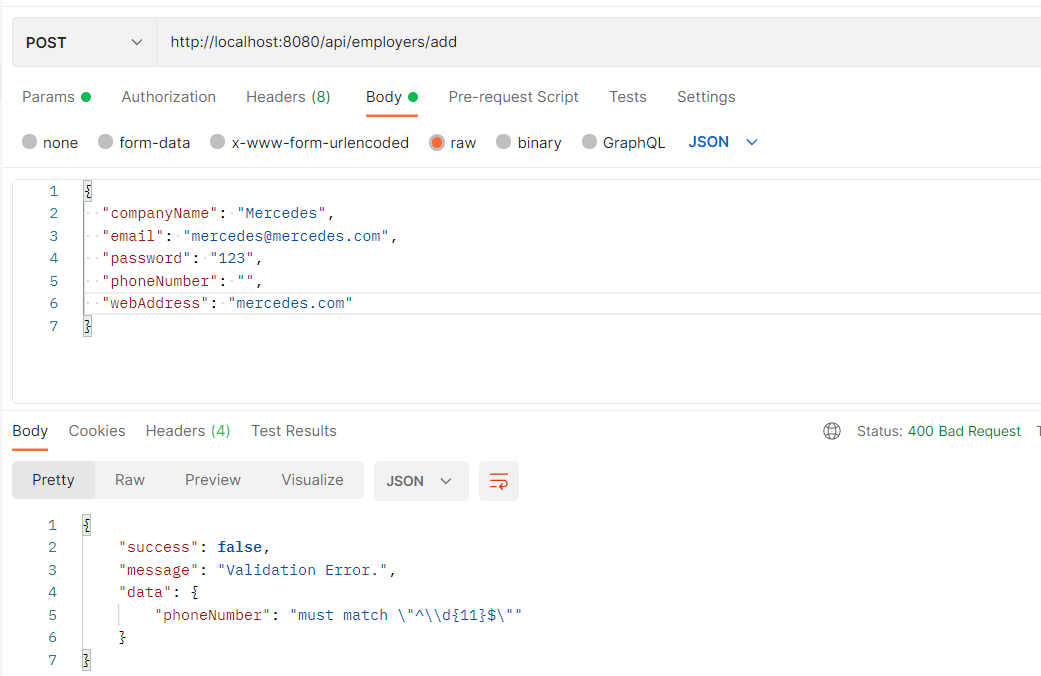
During registration, the user is asked for company name, website, e-mail with the same domain as the website, phone, password, password repeat information. The purpose here is to prevent non-companies from joining the system.
-
All fields are required. The user is informed.
-
Company records are verified in two ways. Email verification is required for registration to occur. Approval from HRMS staff (our :)) is required.
-
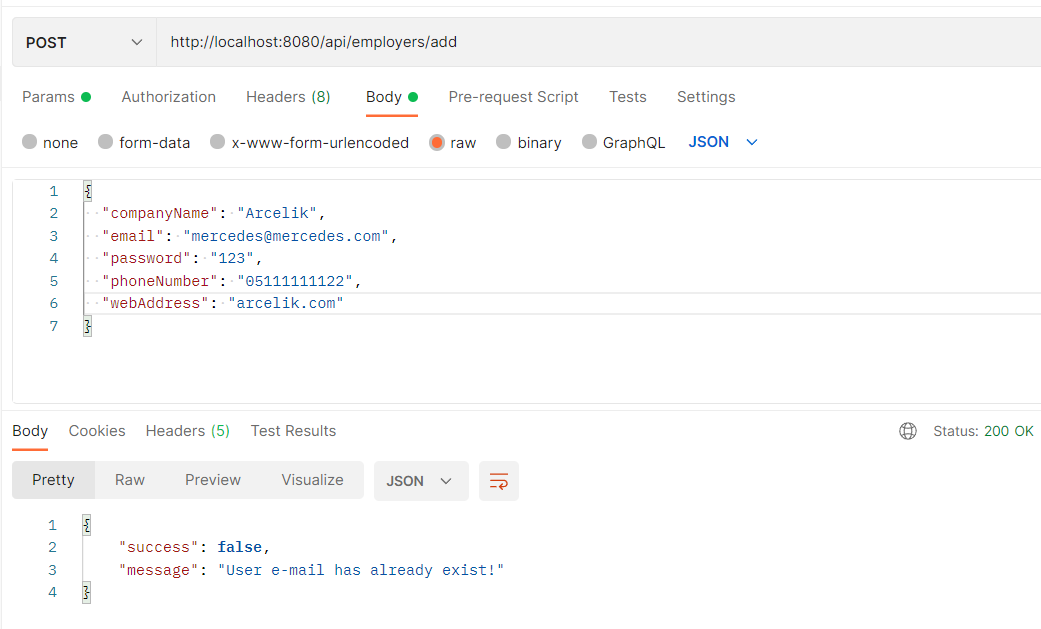
If there is a previously registered e-mail, the registration will not take place. The user is informed.
Test
- All Fields are Required
- Add Employer with company name, website, e-mail
- Previously Registered E-mail
Req-3
Req 3: General job position names should be added to the system. For example Software Developer, Software Architect.
Accept conditions:
-
These positions cannot be repeated. The user is warned.
Test
- Add Job Position
- Positions Cannot Be Repeated
Req-4
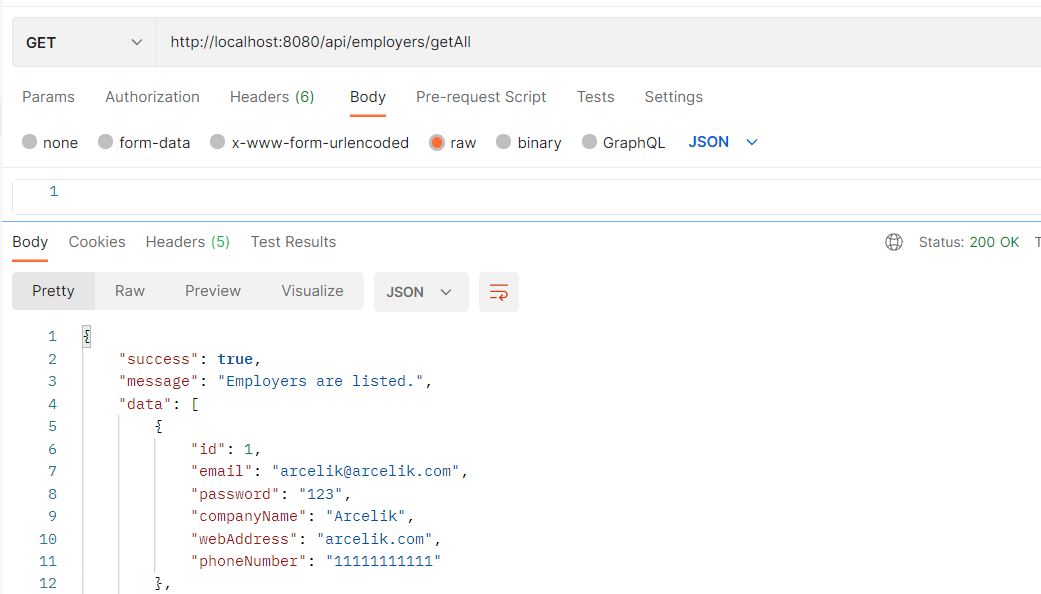
Req 4: Employers should be able to be listed. (Whole list only)
Test
Req-5
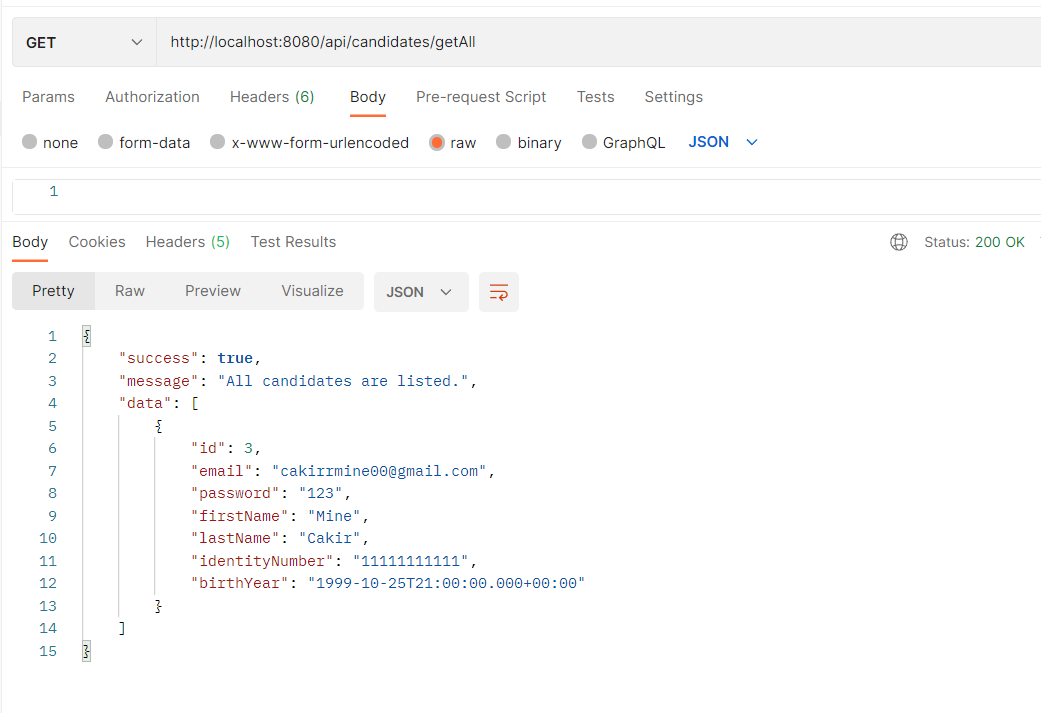
Req 5: Candidates should be able to be listed. (Whole list only)
Test
Req-6
Req 6 : Job positions should be listed. (Whole list only)
Test
Req-7
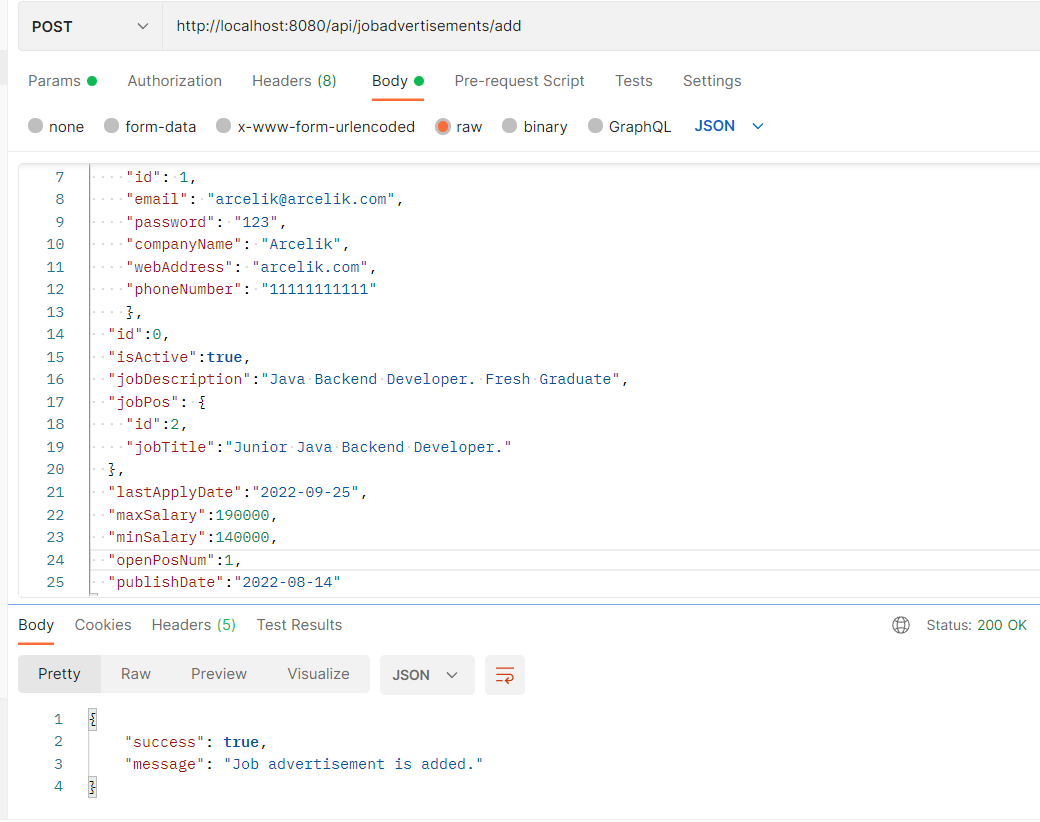
Req 7: Employers should be able to add job advertisement to the system.
In the job posting form;
- General job position can be selected from the dropdown list. (For example, Java Developer) (Required)
- Job description entry should be possible. (For example; For our company, he is proficient in languages such as JAVA, C #, etc....)(Required)
- City information should be able to be selected from the drop-down list. (Compulsory)
- It should be possible to enter min-max for the salary scale. (Optional)
- It should be possible to enter the number of open positions. (Compulsory)
- The application deadline must be entered.
Test
Req-8
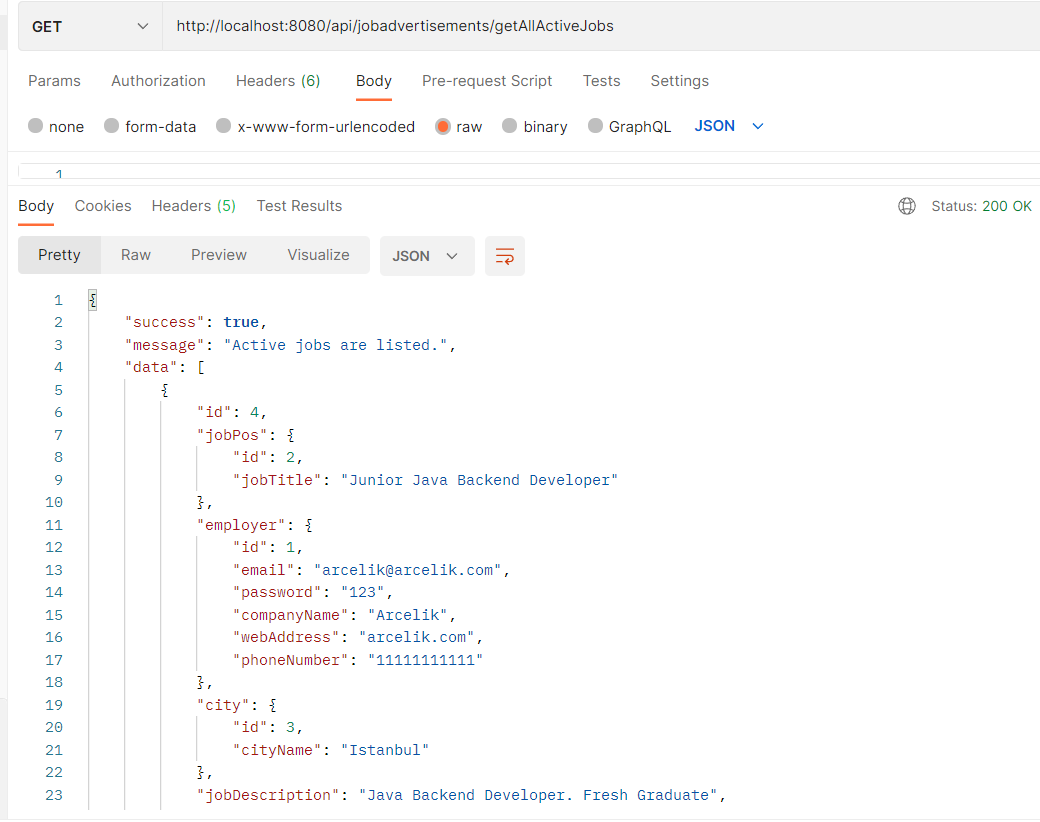
Req 8 : All active job postings in the system should be listed.
- The list should come in tabular form.
- Company name, general job position name, number of open positions, publication date, deadline should be in the list.
Test
Req-9
Req 9 : All active job postings in the system should be listed by date.
- The list should come in tabular form.
- Company name, general job position name, number of open positions, publication date, deadline should be in the list.
Test

Req-10
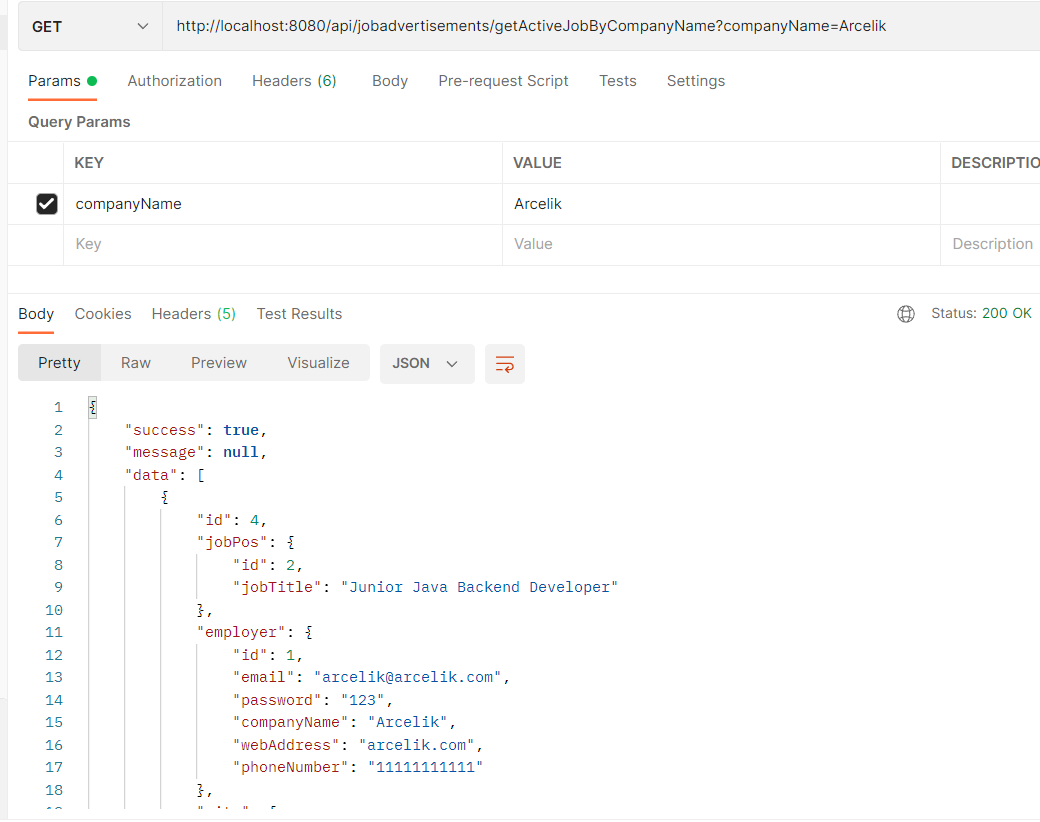
Req 10: All active job postings of a company should be listed in the system.
- The list should come in tabular form.
- Company name, general job position name, number of open positions, publication date, deadline should be in the list.
Test
Req-11
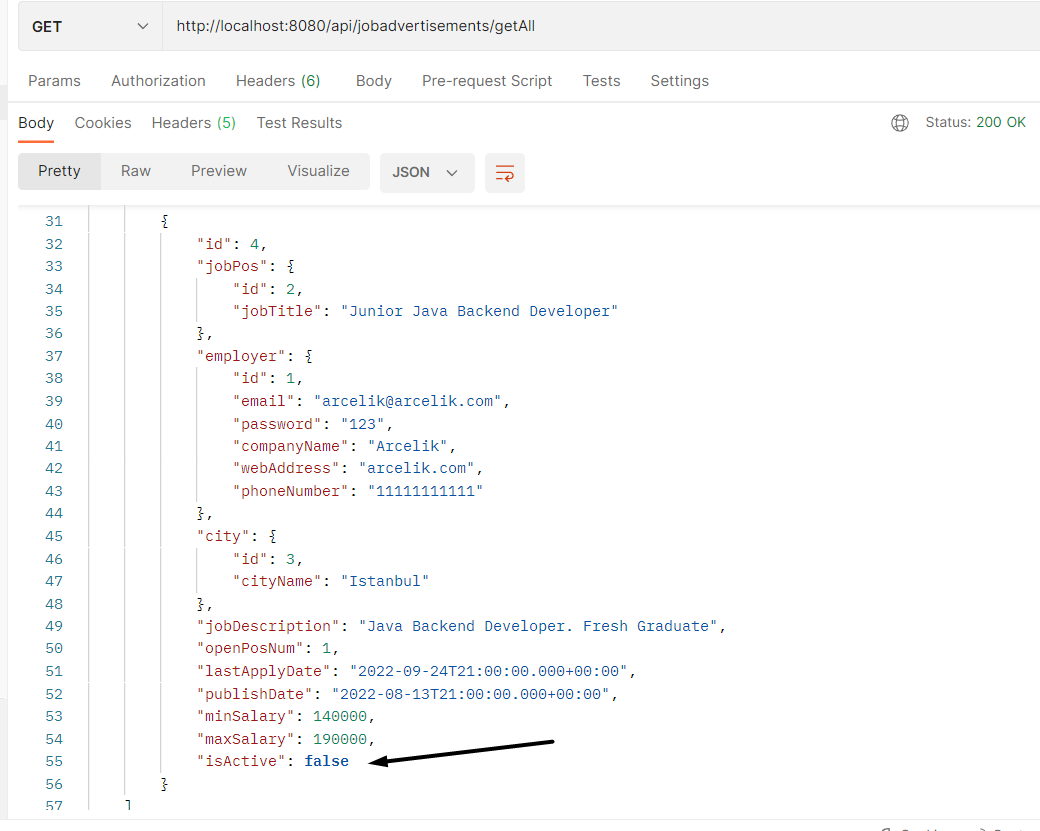
Req 11 : Employers should be able to close a posting in the system. (Passive posting)
Test
- Deactivate job adveritsement with job id
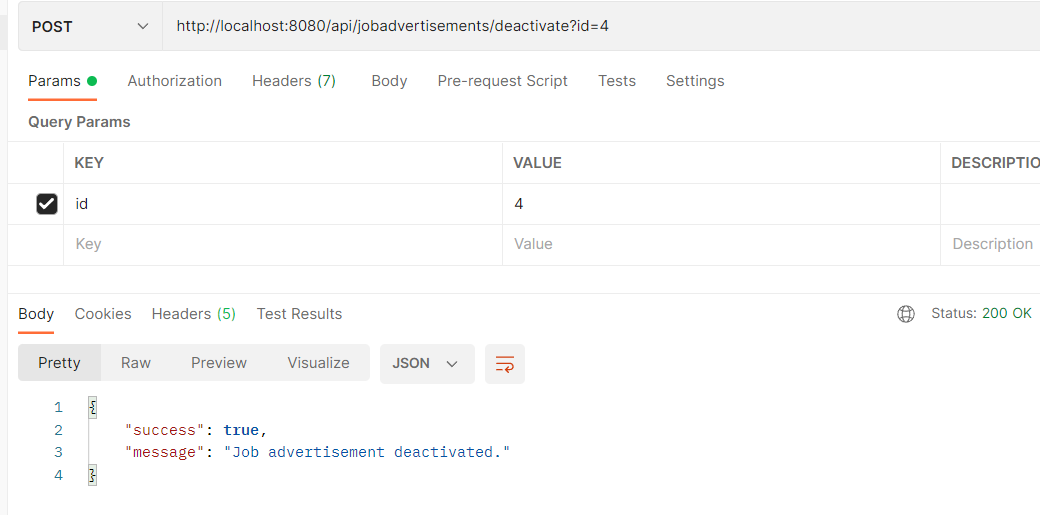
- Job advertisement is deactivated
Req-12
Req 12: Candidates should be able to enter their CV into the system.
- Candidates should be able to add their schools to the system. (School name, department)
- These schools should be able to enter the years they studied in the system.
- If he has not graduated, the graduation year should be blank.
- The schools attended by the candidates should be in reverse order according to the graduation year. If not graduated, this school should be displayed at the top and as "in progress".
- Candidates should be able to enter their work experience. (Business name, position)
- They should be able to enter into the system in which years they have done this experience.
- If he is still working, the year of leaving should be blank.
- Candidates' experience should be in reverse order by year. If it is still running, this experience should still be displayed at the top and "in progress".
- Candidates should be able to enter the foreign languages they know into the system. ( Language, Level -> 1-5)
- Candidates must be able to enter photos into the system. The photo of the candidate will be kept in the https://cloudinary.com/pricing system. (External service integration) Use the free account.
- Candidates should be able to enter their github addresses into the system.
- Candidates should be able to enter their linkedin addresses into the system.
- Candidates should be able to enter the programming languages or technologies they know into the system. (Programming/Technology name) For example; React
- Candidates should be able to add a cover letter to the system. (For example: I like working very much....)