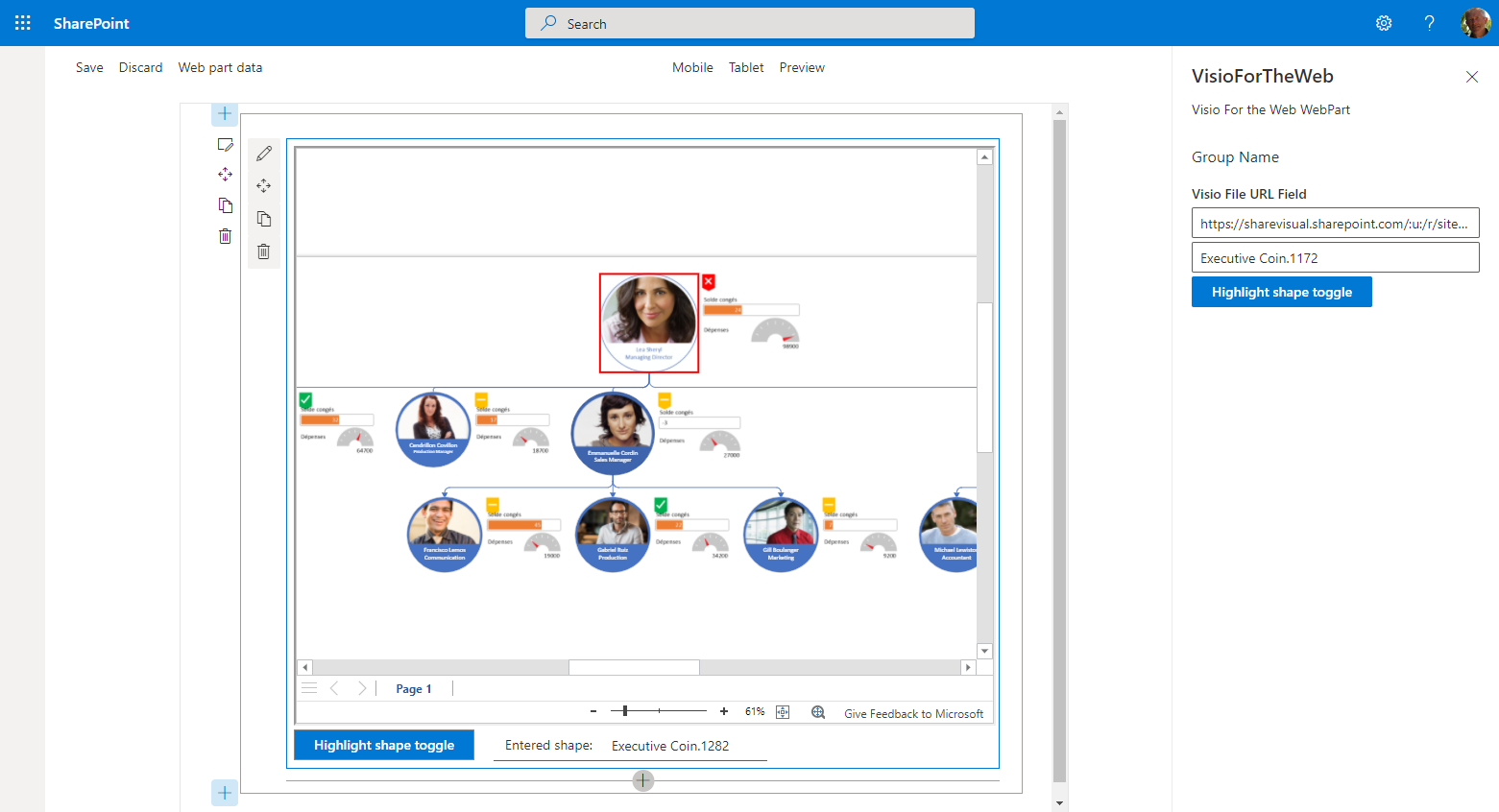
- PlaceHolder function for adding your Visio JS Api command.
- PlaceHolder function for adding your Visio JS Api Event management.


Get your own free development tenant by subscribing to Microsoft 365 developer program
- Visual Studio Code
- Node.js
- Gulp
- Yeoman
| Solution | Author(s) |
|---|---|
| https://github.com/MichelLaplane/VisioForTheWeb | Michel Laplane - ShareVisual - Microsoft MVP (Office App & Services) |
| Version | Date | Comments |
|---|---|---|
| 0.5.1 | May 7, 2021 | cleaning and improve highlight feature |
| 0.5.0 | May 6, 2021 | Initial release |
THIS CODE IS PROVIDED AS IS WITHOUT WARRANTY OF ANY KIND, EITHER EXPRESS OR IMPLIED, INCLUDING ANY IMPLIED WARRANTIES OF FITNESS FOR A PARTICULAR PURPOSE, MERCHANTABILITY, OR NON-INFRINGEMENT.
- Clone this repository
- Ensure that you are at the solution folder
- in the command-line run:
- npm install
- gulp serve
Include any additional steps as needed.
This extension help to create a Visio for the web Web Part.
This extension illustrates the following concepts:
- Creation of an SPFx Web Part
- Usage of Visio JS Api
- Provide Highlight function of a shape and event mouse management!
- Getting started with SharePoint Framework
- Building for Microsoft teams
- Use Microsoft Graph in your solution
- Publish SharePoint Framework applications to the Marketplace
- Microsoft 365 Patterns and Practices - Guidance, tooling, samples and open-source controls for your Microsoft 365 development