This project is a Memory Card Matching Game built as part of a recruitment task. The game allows players to reveal pairs of identical image tiles while tracking their game statistics (attempts, time elapsed, etc.) and supporting multiple difficulty levels. The game is built using React with Vite for setup, and uses Zustand or MobX for state management. The entire project is written in TypeScript and styled using SCSS.
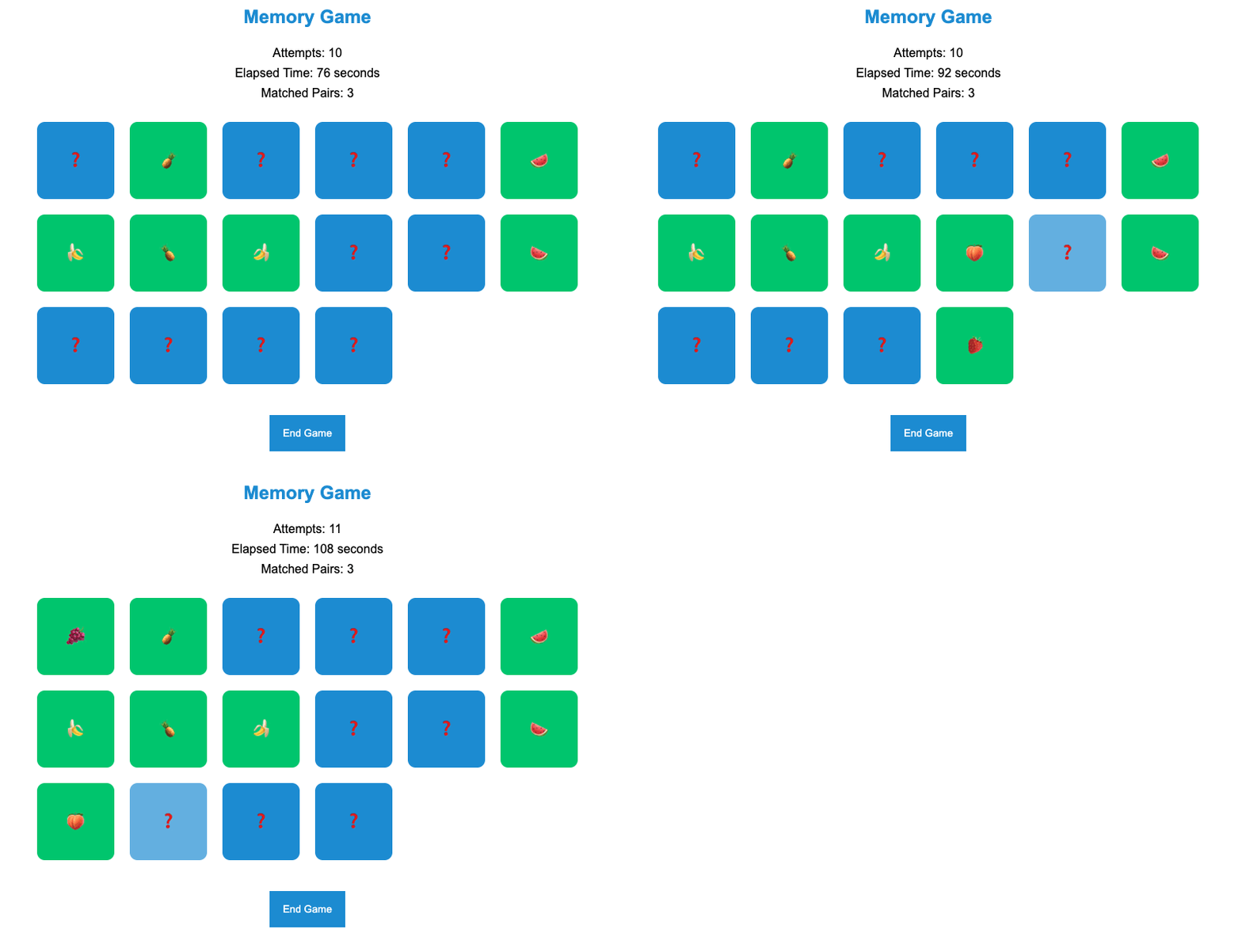
- The game involves flipping pairs of image tiles to find matching pairs.
- The tiles are implemented using regular HTML elements such as div or button, and are styled to look visually appealing using CSS.
- The images on the tiles can either be predefined or selected randomly from a customizable set.
- The tiles include visual effects like gradient backgrounds to enhance the game aesthetics.
- The game tracks the number of attempts made by the player.
- The game also tracks and displays the time elapsed since the game started.
- Game statistics (number of attempts, game duration, date of game) are stored locally using localStorage.
- The game supports different difficulty levels, with varying numbers of tiles for each level.
- The project uses SCSS for styling. Inline styles are avoided, and the styles are defined in separate .scss files, which are then imported into the TypeScript components.
- The game uses CSS variables and custom data- attributes to manage dynamic styles efficiently.
- Special visual effects such as gradients are used to make the game visually appealing.
- The game state is managed using either Zustand or MobX (depending on preference).
- The state management system tracks the following:
- Revealed tiles and matched pairs.
- Number of attempts.
- Game timer (time elapsed since the game started).
- Zustand/MobX ensures that the game state is cleanly separated from the UI components, ensuring modularity and maintainability.
- The game code is split into well-structured, reusable components, making it easy to extend or maintain.
- The entire application is written in TypeScript, ensuring type safety and better code readability.
- The application is fully responsive, ensuring it works well on different devices, including desktops, tablets, and mobiles.
- Node.js (version 14.x or higher) should be installed.
- A package manager such as npm or yarn.
-
Clone this repository:
git clone https://github.com/terabajt/memory-game.git
-
Navigate to the project directory:
cd memory-game -
Install dependencies:
npm install or yarn install
-
Run the application in development mode:
npm run dev or yarn dev
-
Open the application in your browser:
http://localhost:5173
To build the project for production, run:
npm run build or yarn buildThis will create a dist folder with the optimized production build.
- Correctness & Functionality: The memory game should function as expected, including flipping tiles, matching pairs, and tracking statistics.
- State Management: Efficient use of Zustand or MobX for managing the game state and its different aspects.
- Responsiveness & Performance: The application should perform well across different devices, ensuring responsiveness and quick loading times.
- Code Quality: The code should be well-structured, with a clean separation of concerns between components, and should make proper use of TypeScript types.
- Visual Effects & UI: The implementation of the specified visual effects (e.g., gradients, parallax) is essential to meet the design expectations.
- React: A JavaScript library for building user interfaces.
- Vite: A fast development build tool for modern web applications.
- Zustand / MobX: For managing application state.
- TypeScript: Superset of JavaScript for adding static types.
- SCSS: A CSS preprocessor for better styling management.
- Add more complex animations and transitions between game states.
- Allow users to upload their own images to customize the tile set.
- Implement multiplayer modes where multiple players can compete to find pairs.
This project serves as a demonstration of my skills in front-end development, state management, and building responsive, dynamic user interfaces with React and TypeScript. To contact me or discuss this project further, please feel free to reach out via email at michalpasynek@gmail.com.