
The idea - binding shortcuts like ⌥-1, ⌥-2 to windows you need.
Press ⌥-1 to open Safari, ⌥-2 to open Calendar. Customize it.
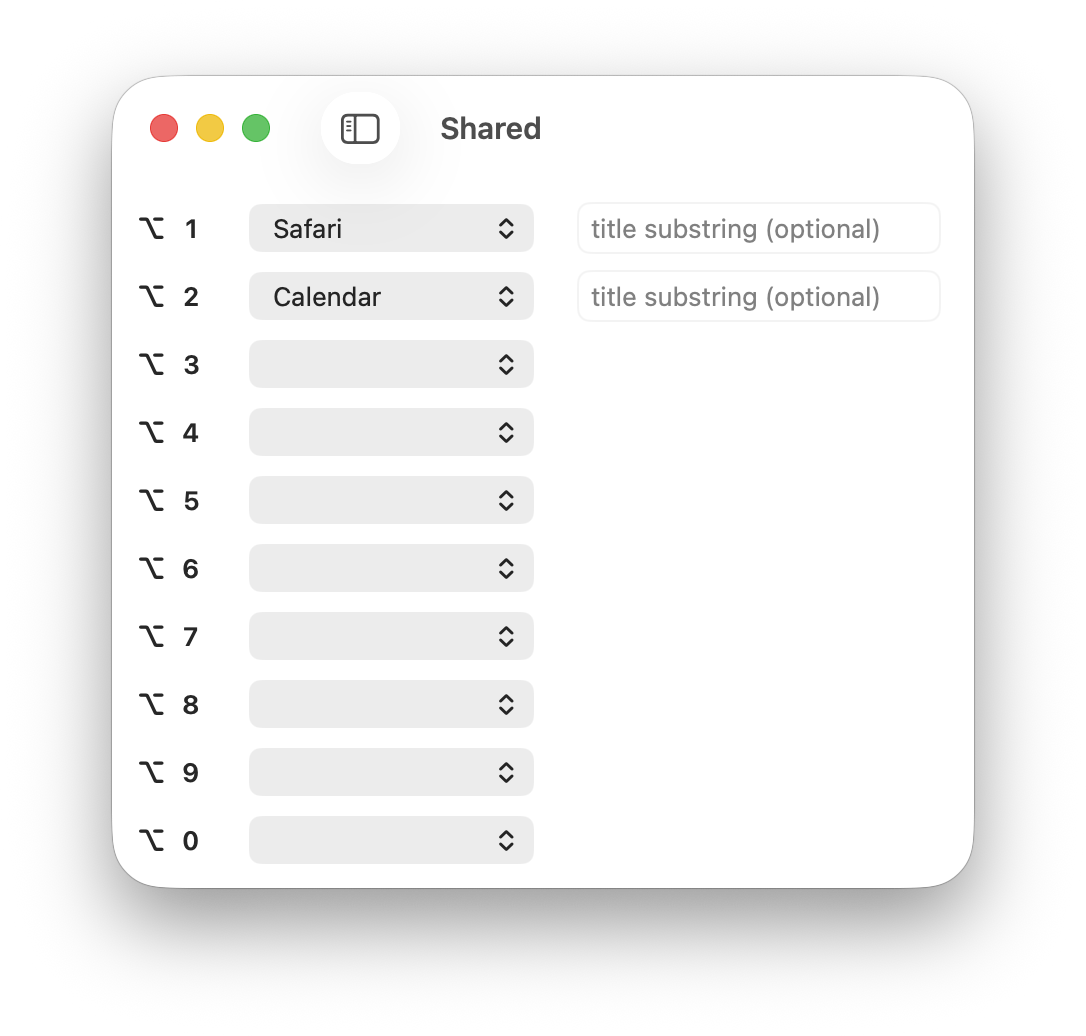
Feature to manage apps with multiple open windows. Like multiple open Word documents or Xcode projects.
Let's say we have two windows for one app, like two Xcode projects. We cannot open the window we need with built-in ⌘-Tab because macOS opens apps, not windows. Let's solve this with Option1.
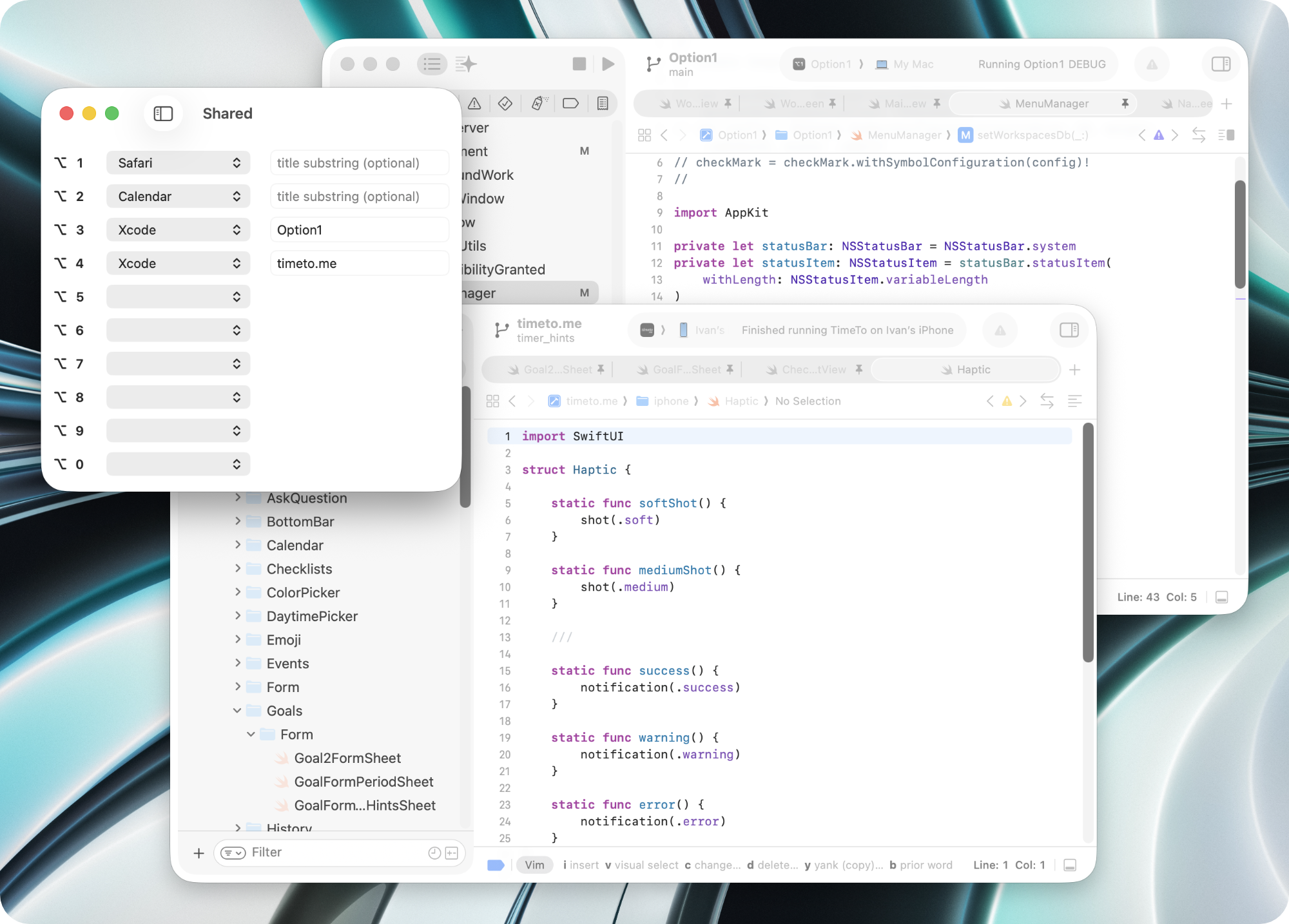
Look at the screenshot:
- for
⌥-3I bindXcodewithOption1title substring, - for
⌥-4I bindXcodewithtimeto.metitle substring.
This means ⌥-3 opens Xcode window with Option1 in the title, and ⌥-4 with timeto.me. Solved!
Feature to setup sets of shortcuts for different projects.
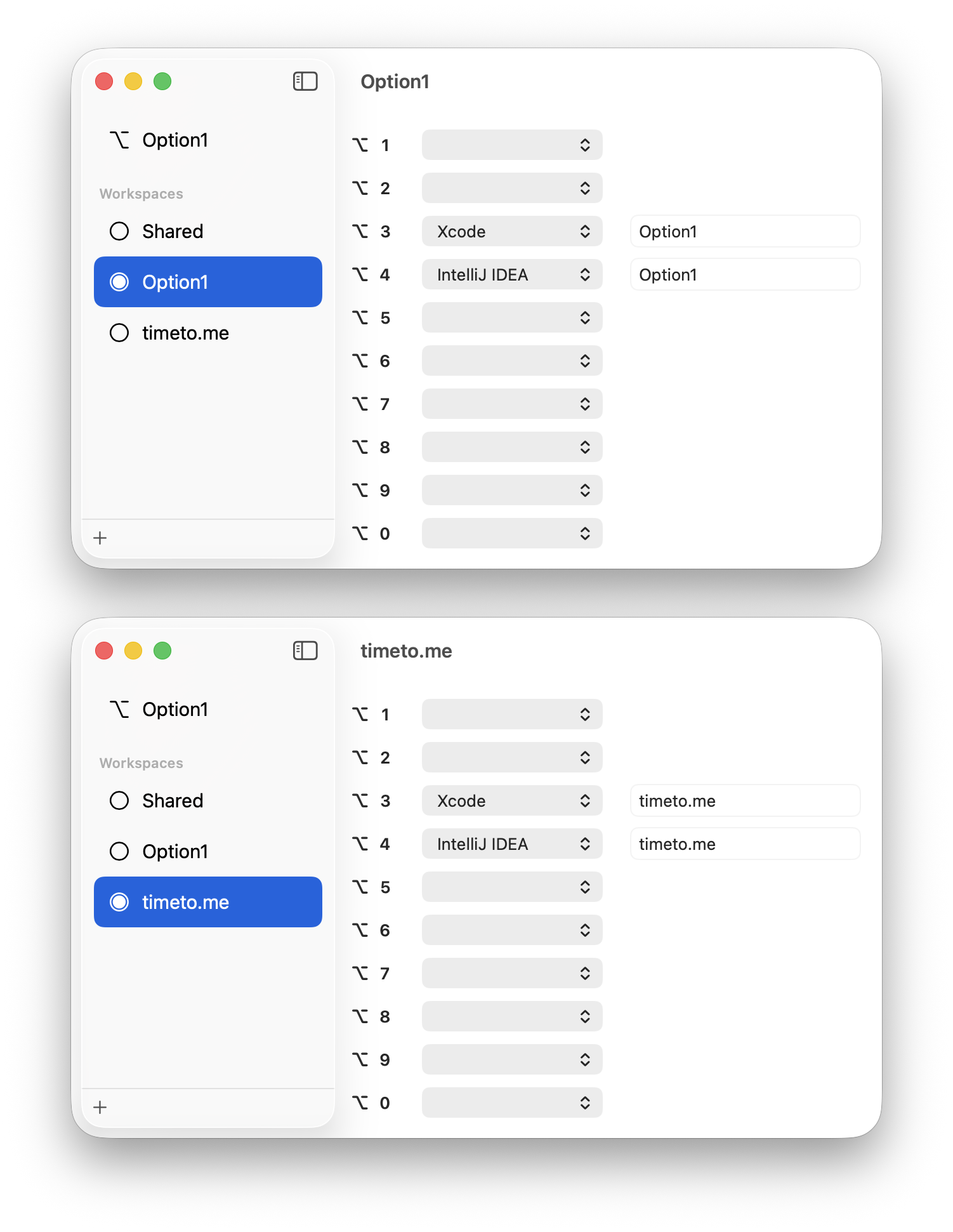
I work on two projects: Option1 and timeto.me. I got used to press ⌥-3 to open Xcode. It means when I work on Option1 I want ⌥-3 opens Xcode - Option1, but when I work on timeto.me the same ⌥-3 should open Xcode - timeto.me.
The same way, depending on the project I'm working on, ⌥-4 should open the right IntelliJ IDEA window.
This is how I setup two workspaces:
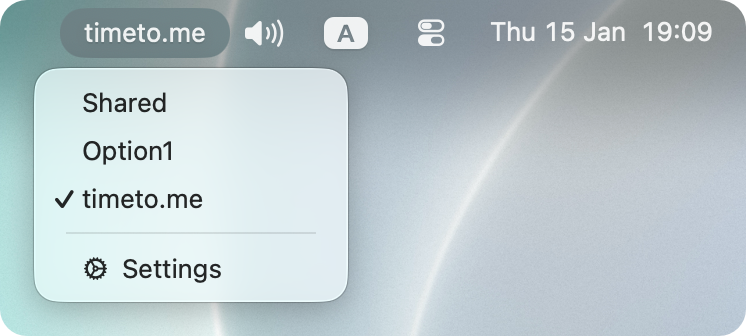
To switch between workspaces, use menu bar.
I call it pragmatic because I focus on the features I miss in macOS. It is not a replacement but an addition to the built-in macOS window management:
- supports multiple displays ✅
- supports built-in macOS desktops ✅
- supports full-screen windows ✅
https://option1.io/Option1.dmg
https://github.com/Medvedev91/Option1/releases
https://github.com/lwouis/alt-tab-macos
https://github.com/soffes/HotKey
https://github.com/sparkle-project/Sparkle