TECH STACK







1.1 Overview -Image gallery --Images
-Product Information --Data about products, including pricing, possible sales, availability, etc. ---star rating (reviews rounded to x.25) ---product category ---product title ---price (updates according to current style of item selected) (every item will have a default style) ---product overview ---share on social media buttons
-Style Selector --allows user to select the style of the product that they want ---styles will be represented as a thumbnail ---no limit to number of styles a product has, should be displayed in rows of 4
-Add To Cart --allows users to add a product to their cart ---size selector dropdown (should only display sizes currently in stock) (if no sizes are available the dropdown should become inactive and read "OUT OF STOCK") (when collapsed, the dropdown should show the currently selected size) (by default the dropdown should display "select size") ---quantity selector dropdown (integer will be however much the item has in stock but will be <=15) (if size has not yet been selected, this dropdown will say "-" and be disabled) (once a size is selected, the dropdown should display "1") ---add to cart (if size has not been selected, this button will display a dropdown stating “Please select size”.) (if there is no stock, the button should be hidden) (if both a size and quantity are selected, the button will add items to the users cart)
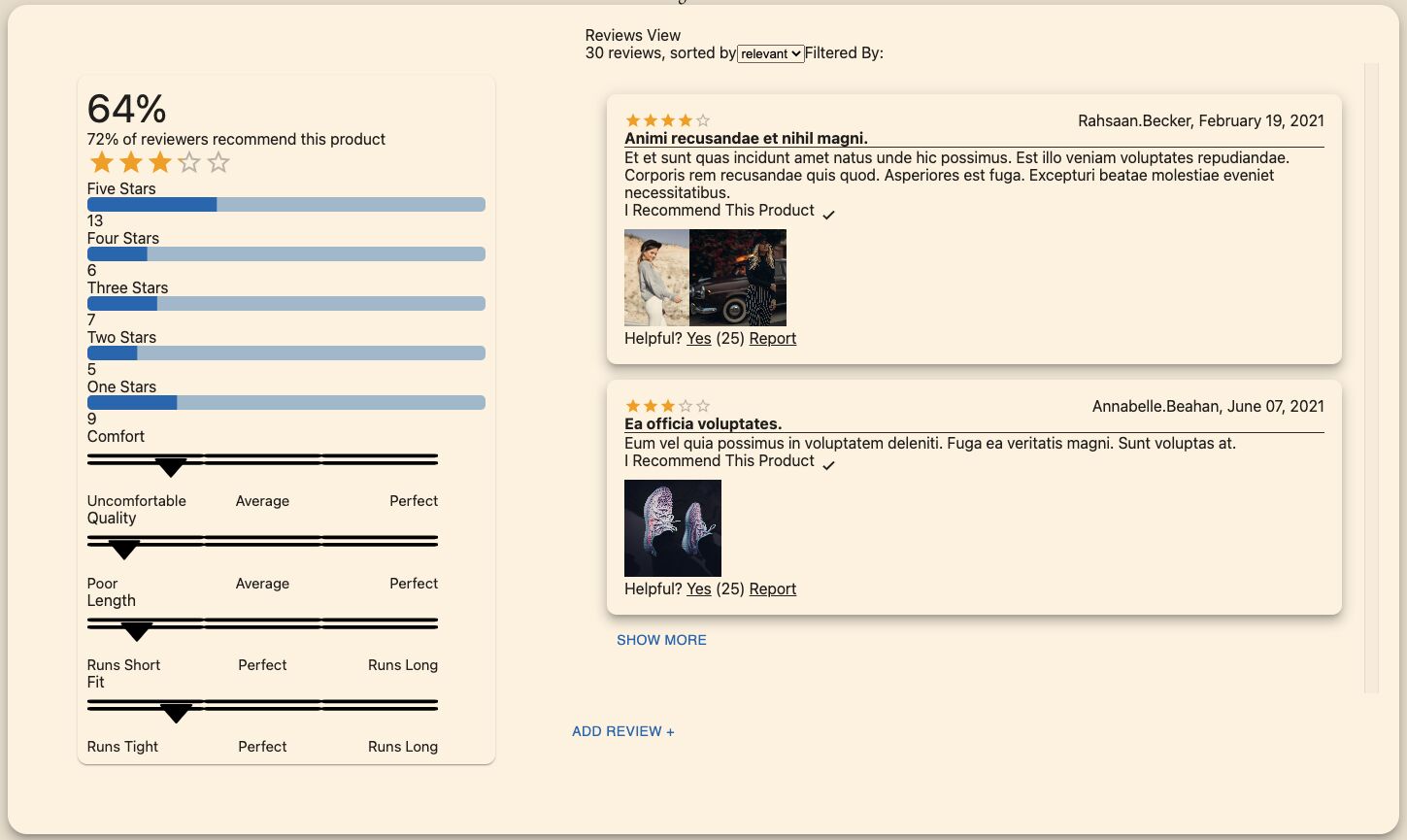
Ratings and Reviews: Overall Component
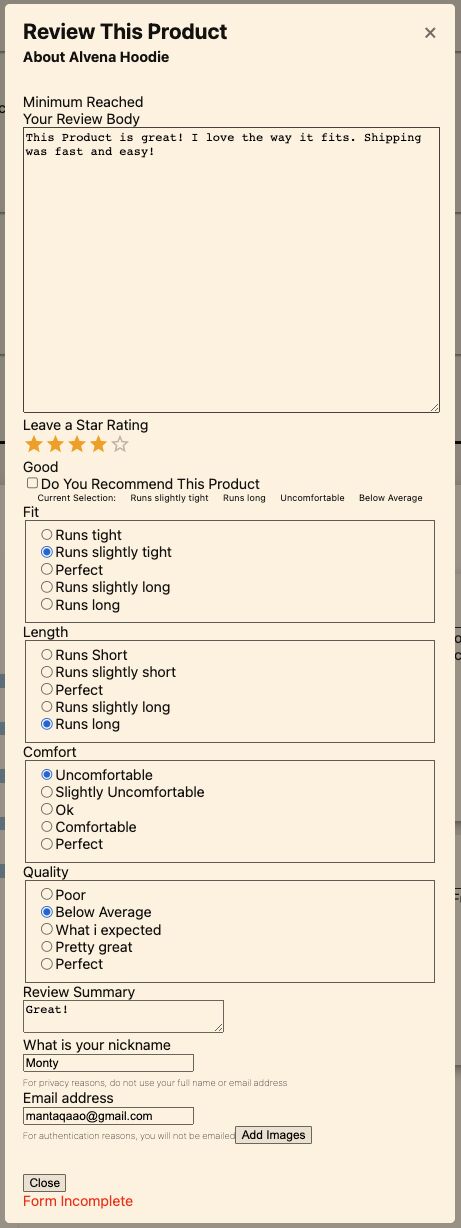
Adding Reviews Component
1.3 Q & A
Does changes here get pulled to main or fork?
To manage our dependencies we will be using a package manager called 🧶 Yarn. You can learn more about it here.
npm i -g yarnTo begin (after installing yarn); Type ( yarn install ) into the terminal and hit enter; This will install all the dependenices.
Afterwards to begin devlopment run (yarn start) then run (yarn dev) to see in the output in local host 300.
run "npx jest --init" typescript: no choose test environment: jsdom coverage reports: yes provider: babel auto clear mock calls: no