DCS mission briefing construction
Requires .NET 7.0 Desktop Runtime and ASP.NET Core Runtime 7.0 https://dotnet.microsoft.com/en-us/download/dotnet/7.0
Thanks to Sharko and Tripack for testing. Thanks to Jed the for speed computation algorithm.
DcsBriefop is a tool to help DCS mission makers to efficiently create and maintain the kneeboard pages that document their missions. The program allows the user to combine and organise the mission data in kneeboard folders. Target coordinates, weather information, waypoint altitudes, radio and radionav frequencies and more are read directly from the mission file and used to build the kneeboard, then inject it back in the mission file.
In addition to the data available in the mission, DcsBriefop manages additional custom informations such as comments, map markers, custom radio or tacans, etc.
DcsBriefop works with the static data of a DCS miz file, and as such cannot intepret and use dynamically scripted informations.
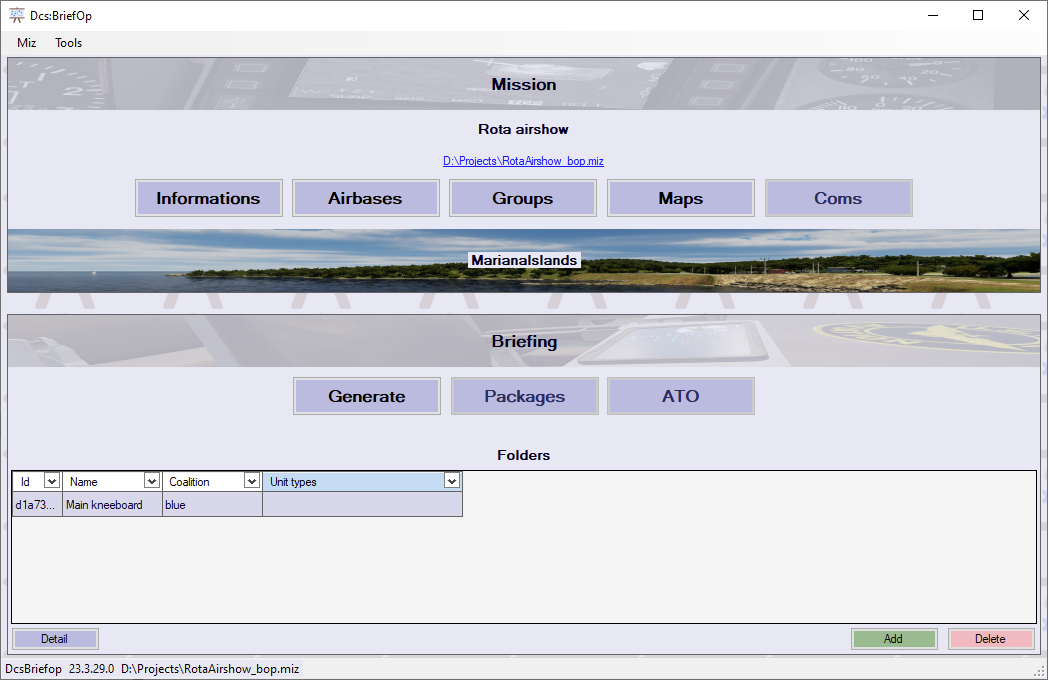
DcsBriefop is split into two main parts. The mission configuration part allows to consult, modify and enrich the data present in the DCS mission file. The briefing construction part is where the briefing pages will be built and organised based on the mission data.
Here you will find general mission informations. Some can be directly modified in DcsBriefop such as the date, the mission name and description, the coalitions tasks. The user will also be able to choose if a Bullseye waypoint will be generated by DcsBriefop for the playable flights.
Here you will find a list of all airbases in the mission. Airbases can be airdromes, carriers, FARPs. For these it is possible to define custom radionav data to be used in the briefing (TACAN and radios).
Here you will find a list of all the groups in the mission. Flights, vehicles, ships, statics. Depending on the group, DcsBriefop will list the units, the waypoints, the tasks of the waypoints. It will also extract and normalize radionav data from the various sources in the mission file.
Here you will be able to see the map overlays for the mission and for the coalitions. The map provider for this mission can be selected here.
WIP
The briefing is built in three levels. The folder, which contains a series of pages, which are composed of parts.
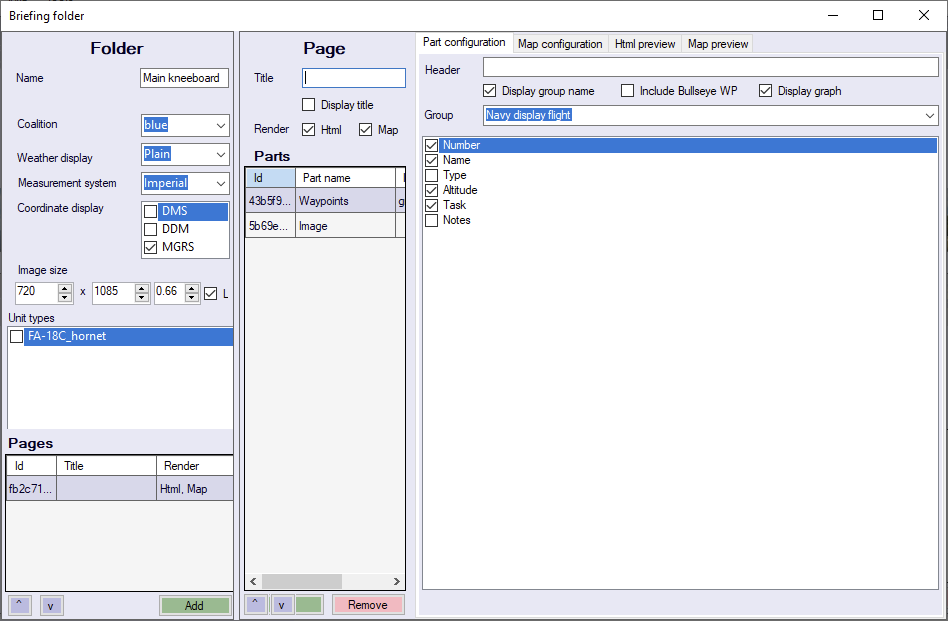
The briefing folder is a grouping entity that defines some global parameters to be used for the pages it contains, and can be affected to one or more kneeboard aircraft types. A mission can have any number of folders.
A page is a unique image to be included in the kneeboard.
A part is a semi-configurable object that can be included in a page. The parts are :
- Airbases (table of airbases)
- Groups (table of groups or units)
- Waypoints (waypoints of a flight)
- Sortie (title of the mission)
- Bullseye (bullseye coordinates and description)
- Weather
- Description (mission desciption text)
- Task (coalition task)
- Paragrah (free paragraph)
- Image (free image)