This repository contains code to enable replication of the neuroimaging pre-processing methods used in Wood, David A., et al. "Accurate brain-age models for routine clinical MRI examinations." NeuroImage (2022): 118871. and Wood, David A., et al. "Deep learning models for triaging hospital head MRI examinations". Medical Image Analysis. 2022. (in press). The code requires the data to be in Nifti file format and makes heavy use of the Project Monai library.
Our axial MRI scan pre-processing pipeline is as follows:
First, following conversion from DICOM to Nifti format (e.g., using dcm2niix), we load each Nifti file.
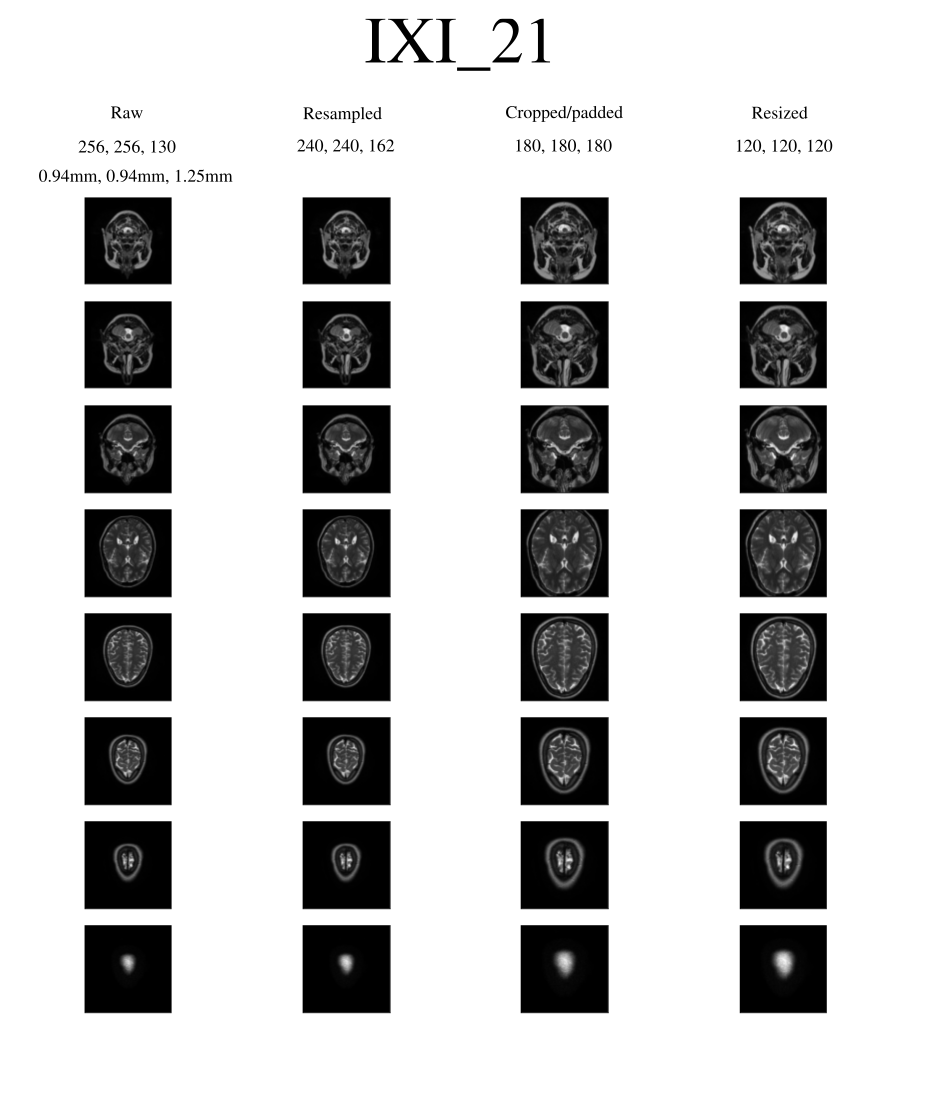
Next, because our raw axial scans come with a variety of slice thicknesses and spacings, we resample each scan to 1 mm^3 using bilinear interpolation.
Next, because CNNs require a fixed-size array as input, whereas the field of view of our scans could vary, we crop or pad our resampled scans to 180 mm x 180 mm x 180 mm (this size was chosen to ensure that no part of the head was cropped). Note that because scans can appear significantly ‘off-centre’ in the x and y directions, we first determine approximately where the middle of the head is in the x and y directions using a simple ‘mask + argmax’ procedure, and then use this point as the centre around which we cropped/padded to 180 mm x 180 mm x 180 mm.
Finally, we down-sample this 3D array of shape 180 x 180 x 180 to a final 3D array of shape 120 x 120 x 120 for deep learning, primarily to facilitate larger training batch sizes and reduce training times.
The output for subject 21 in the open-source Information eXtraction from Images (IXI) is shown below (note to reproduce this figure requires that the user downloads the relevant Nifti files available here):
To run our pre-processing pipeline on a locally stored Nifti file, simply run the following command:
python run.py input_path save_path
This will load a raw scan located at 'input_path' and save a resampled, resized Nifti file at 'save_path', optionally saving a png image similar to the one shown above.
This repository is compatible with python 3.6. See requirements.txt for all prerequisites; you can also install them using the following command:
pip install -r requirements.txt