The project was created using Marvel API.

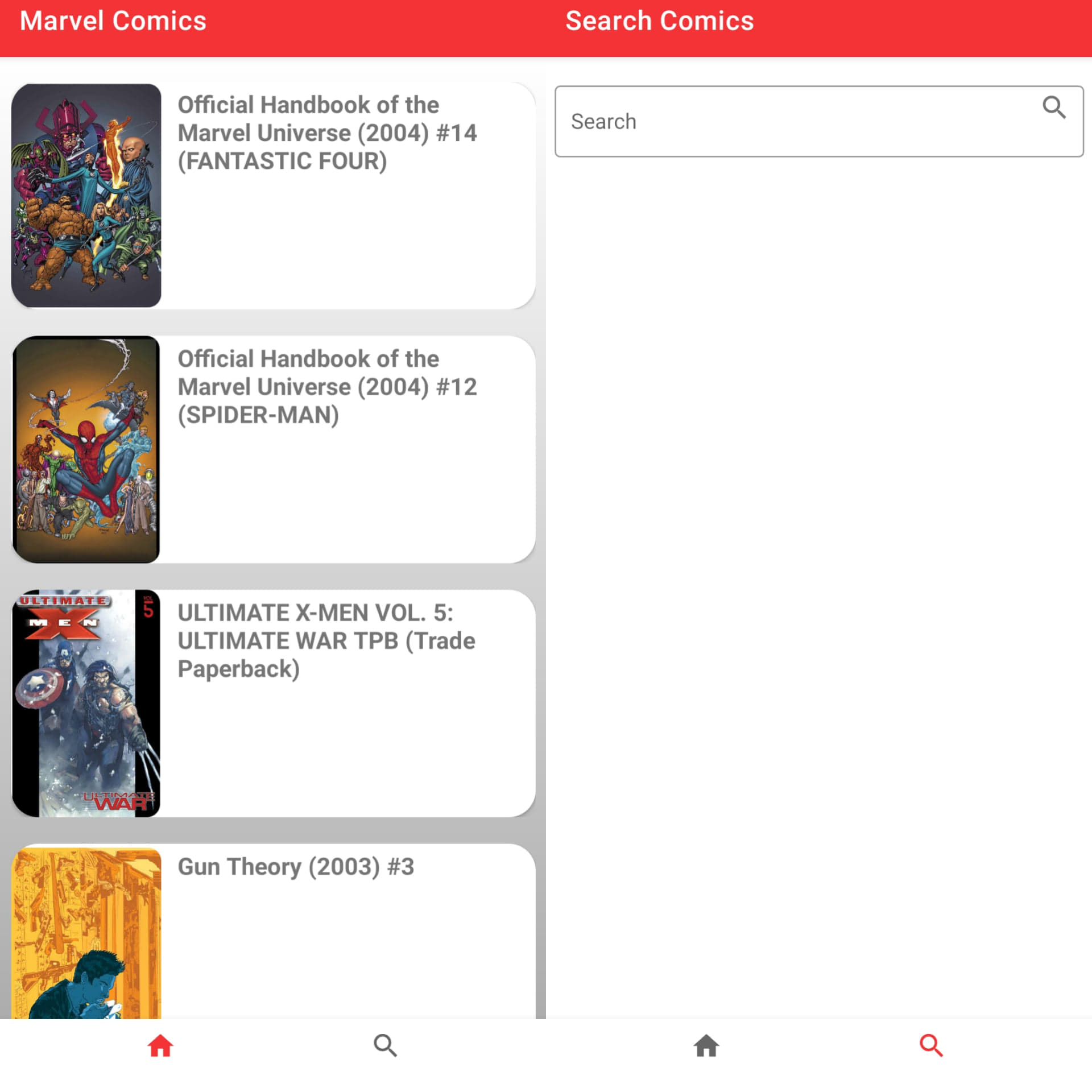
The first view is responsible for displaying the comic list (thumbnail and name). To correctly download photos from Picasso , I change http to https.
 fun bind(result: Result, listener: ListComicsAdapter.ComicsListener?) {
     with(binding) {
         titleComics.text = result.title
         val url =
             "${result.thumbnail.path}.${result.thumbnail.extension}".replace("http", "https")
         Picasso.get().load(url).into(thumbNailComic)
         root.setOnClickListener { listener?.onClickComics(result) }
     }
 }
Search for comic books by title
fun getCharacterByTitle(title: String) {
     viewModelScope.launch {
         try {
             delay(2000)
             resultsMutable.postValue(ViewState.Loading)
             val response = useCases.getSearchAllComics(title)
             if (response.isSuccessful && !response.body()?.data?.results.isNullOrEmpty() ) {
                 resultsMutable.postValue(ViewState.Success(response.body()?.data?.results))
                 }else{
                 resultsMutable.postValue(ViewState.NotFound)
             }
         } catch (e: Exception) {
             resultsMutable.postValue(ViewState.Error)
         }
     }
 }
binding.etQuery.addTextChangedListener {
if (it.toString().isNotEmpty()) {
viewModel.getCharacterByTitle(it.toString())
}
}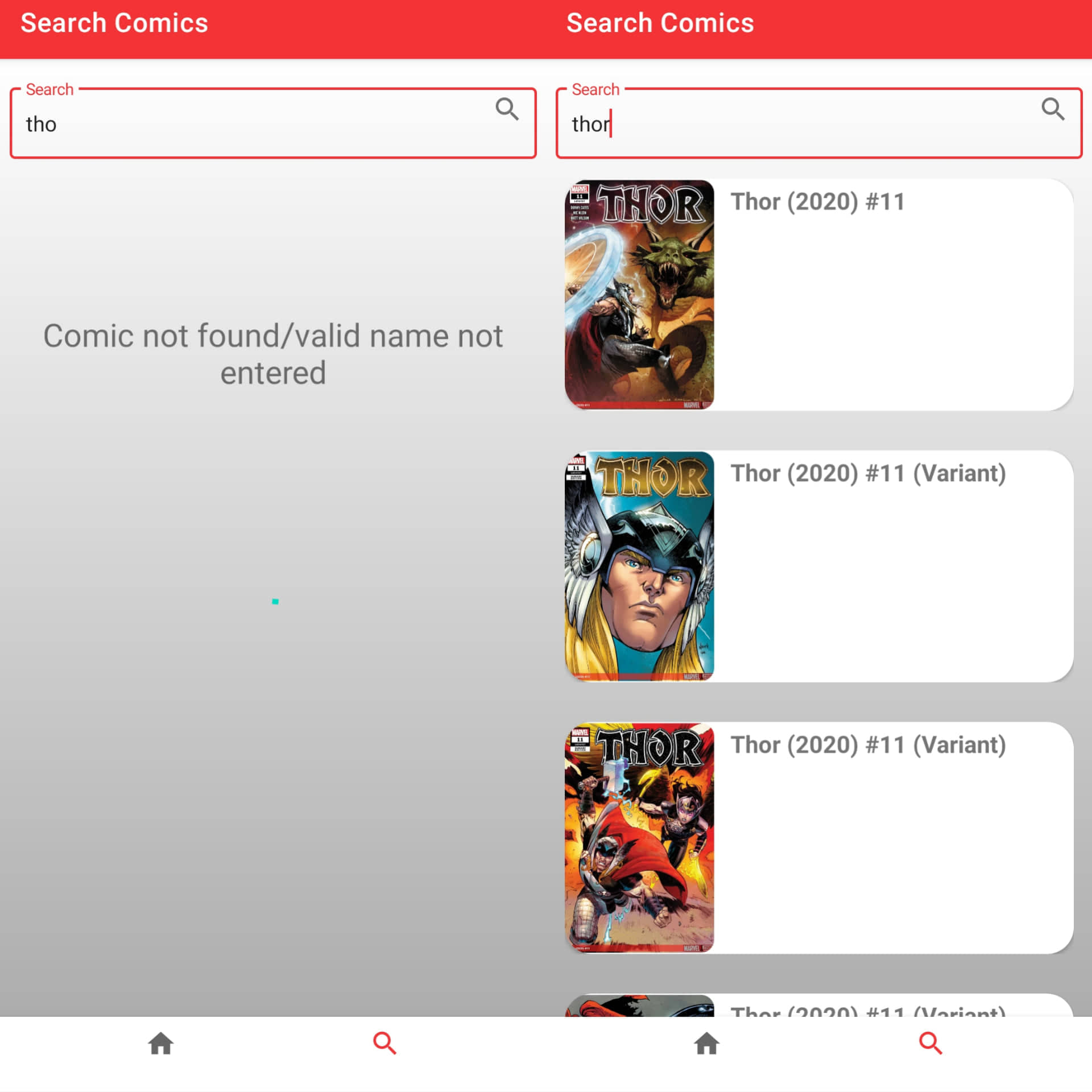
if you enter an incorrect title, "Comic not found/valid name not entered" will be displayed after 2 seconds. A correct name will display a comic list. the code below reply to the display -> Success, Error, Loading and not found
 sealed class ViewState {
     object Loading : ViewState()
     data class Success(val results: List<Result>?) : ViewState()
     object Error : ViewState()
     object NotFound : ViewState()
 }
viewModel.observeResults.observe(viewLifecycleOwner, Observer {
when (it) {
Loading -> binding.progressbar.visibility = View.VISIBLE
is Success -> {
binding.listOfHeroesRV.visibility = View.VISIBLE
binding.notFound.visibility = View.GONE
binding.progressbar.visibility = View.GONE
adapter.submitList(it.results)
}
Error -> {
binding.progressbar.visibility = View.GONE
binding.notFound.visibility = View.GONE
Timber.d("api")
}
NotFound -> {
binding.listOfHeroesRV.visibility = View.GONE
binding.progressbar.visibility = View.GONE
binding.notFound.visibility = View.VISIBLE
Timber.d("not found")
}
}
})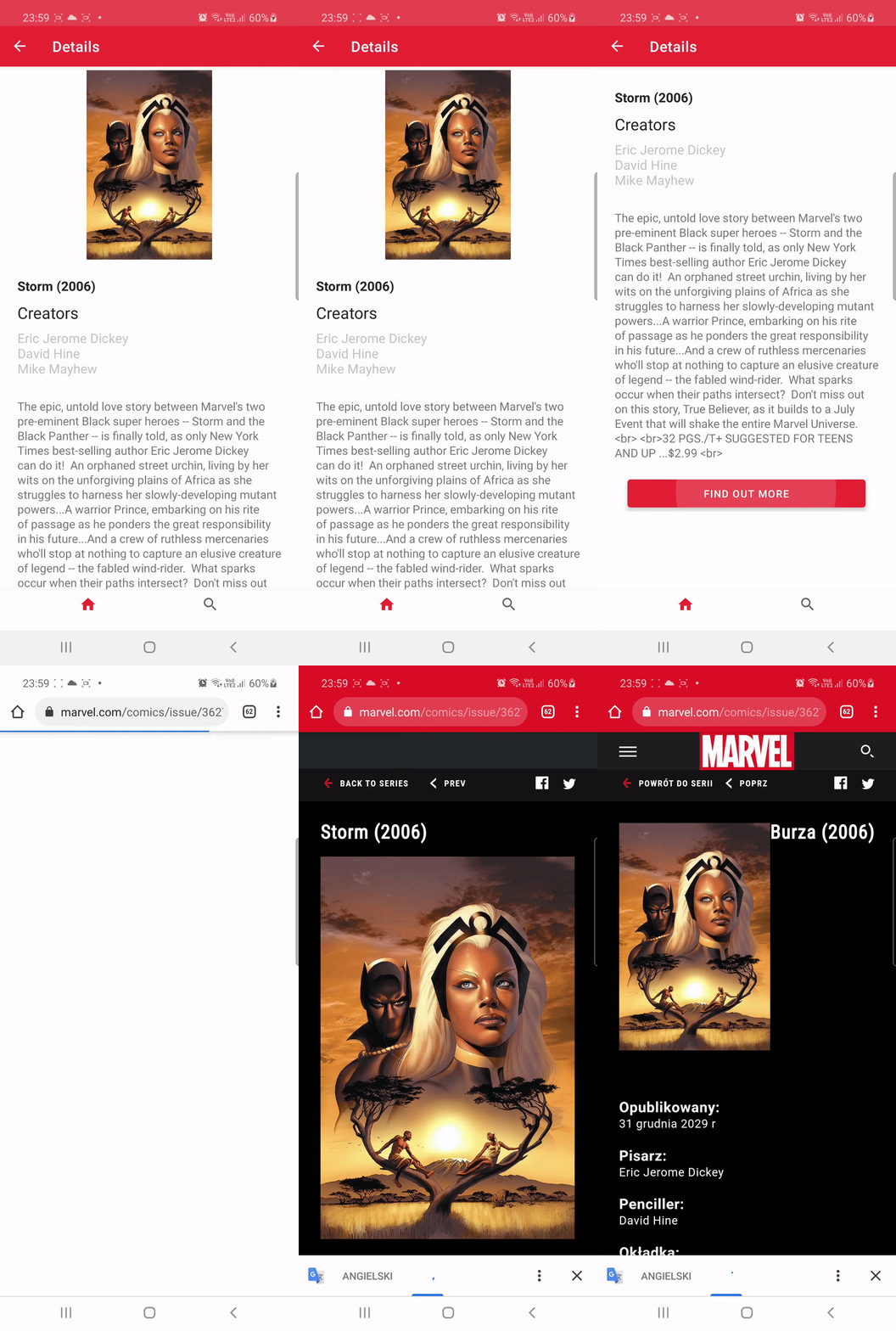
view was made with MotionLayout. The thumbnail disappears when you move it up. At the bottom there is a button that takes you to a specific page with a comic book.
Button "Find Out More"
     binding.btnLink.setOnClickListener {
         val website = result?.urls?.firstOrNull()
         val intent = Intent(Intent.ACTION_VIEW)
         intent.data = Uri.parse(website?.url)
         startActivity(intent)
     }
forEach are used to perform action on each and very elements of list
     result?.creators?.items?.forEach {
         creators += "${it.name}\n"
     }
     binding.comicsBookAuthors.text = creators

     result?.textObjects?.forEach {
         description += "${it.text}\n"
     }
binding.descriptionTxt.text = descriptionFirst step -> Adding in ListComicsAdapter
 interface ComicsListener {
     fun onClickComics(result: Result?)
 }
[...]
class ListComicsAdapter(private val listener: ComicsListener) :
 ListAdapter<Result, ComicsViewHolder>(DiffCallback) {...}
[...]
override fun onBindViewHolder(holder: ComicsViewHolder, position: Int) {
     val currentItem = getItem(position)
     if (currentItem != null) {
         holder.bind(currentItem, listener)
     }
 }
Second step -> Adding in ComicsViewHolder
 fun bind(result: Result, listener: ListComicsAdapter.ComicsListener?) {
 .
 .
 .
 root.setOnClickListener { listener?.onClickComics(result) }
Third step ->
Before that, add "@Parcelize" and "Parcelable" to each data class to set an argument in the navigation fragment
Adding in ComicsFragment
 private val adapter =
     ListComicsAdapter(object :
         ListComicsAdapter.ComicsListener {
         override fun onClickComics(result: Result?) {
             findNavController().navigate(
                 R.id.action_nav_comics_to_detailsFragment, bundleOf("person_data" to result))
         }
     })