Joaking95/FlixterPart1
Folders and files
| Name | Name | Last commit date | ||
|---|---|---|---|---|
Repository files navigation
# Flix
Flix is an app that allows users to browse movies from the [The Movie Database API](http://docs.themoviedb.apiary.io/#).

📝 `NOTE` Paste this template at the top of your existing `README.md` file from part 1 of this assignment. (🚫 Remove this paragraph after after checking off completed user stories)

## Flix Part 2

### User Stories

#### REQUIRED (10pts)

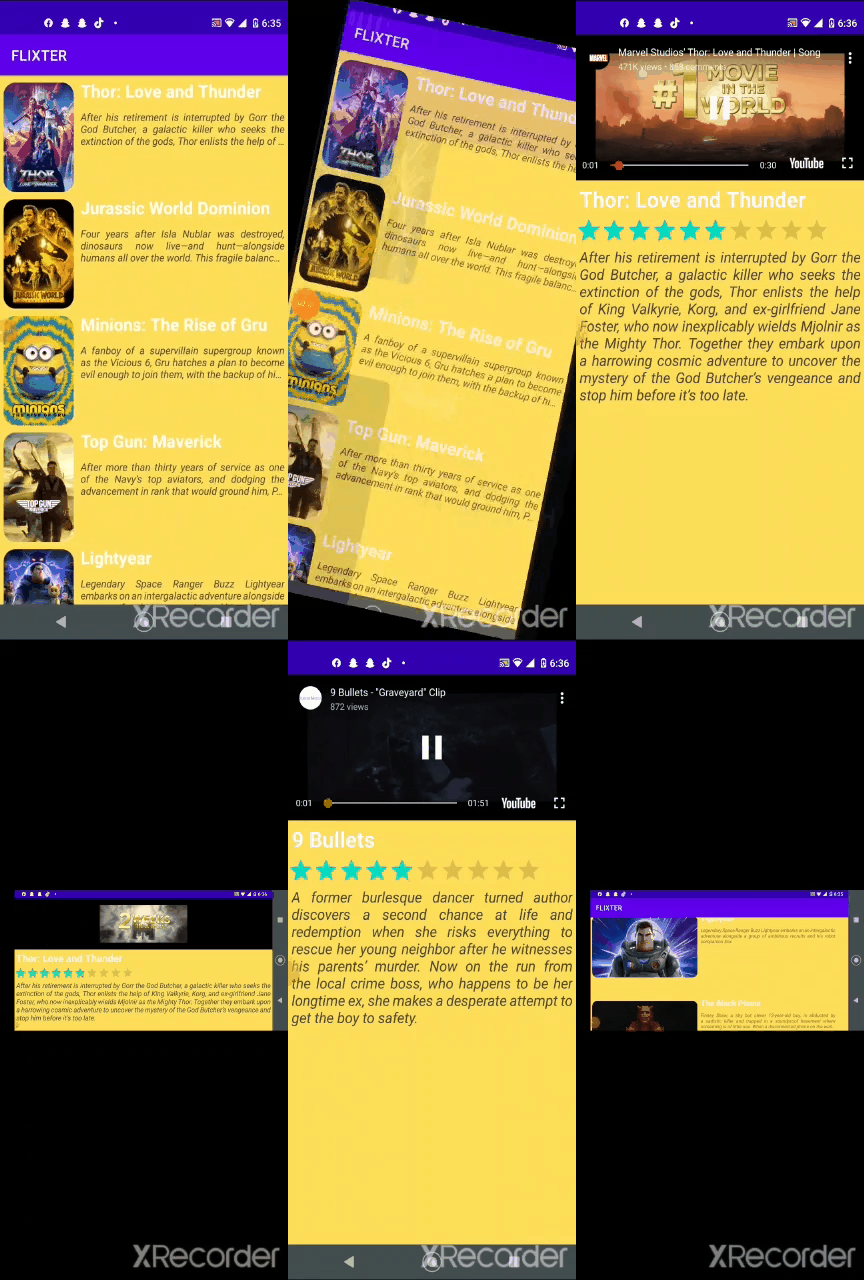
- [x] (8pts) Expose details of movie (ratings using RatingBar, popularity, and synopsis) in a separate activity.
- [x] (2pts) Allow video posts to be played in full-screen using the YouTubePlayerView.

#### BONUS

- [ ] Implement a shared element transition when user clicks into the details of a movie (1 point).
- [x ] Trailers for popular movies are played automatically when the movie is selected (1 point).
  - [x ] When clicking on a popular movie (i.e. a movie voted for more than 5 stars) the video should be played immediately.
  - [x ] Less popular videos rely on the detailed page should show an image preview that can initiate playing a YouTube video.
- [ ] Add a play icon overlay to popular movies to indicate that the movie can be played (1 point).
- [ ] Apply data binding for views to help remove boilerplate code. (1 point)
- [ x] Add a rounded corners for the images using the Glide transformations. (1 point)

### App Walkthough GIF


<img src=https://submissions.us-east-1.linodeobjects.com/android_university/S4Z4SULZ.gif width=250><br>

### Notes

Describe any challenges encountered while building the app.

## Open-source libraries used
- [Android Async HTTP](https://github.com/codepath/CPAsyncHttpClient) - Simple asynchronous HTTP requests with JSON parsing
- [Glide](https://github.com/bumptech/glide) - Image loading and caching library for Android
- [Parceler] (https://guides.codepath.org/android/Using-Parceler) -


---

## Flix Part 1

### User Stories


#### REQUIRED (10pts)
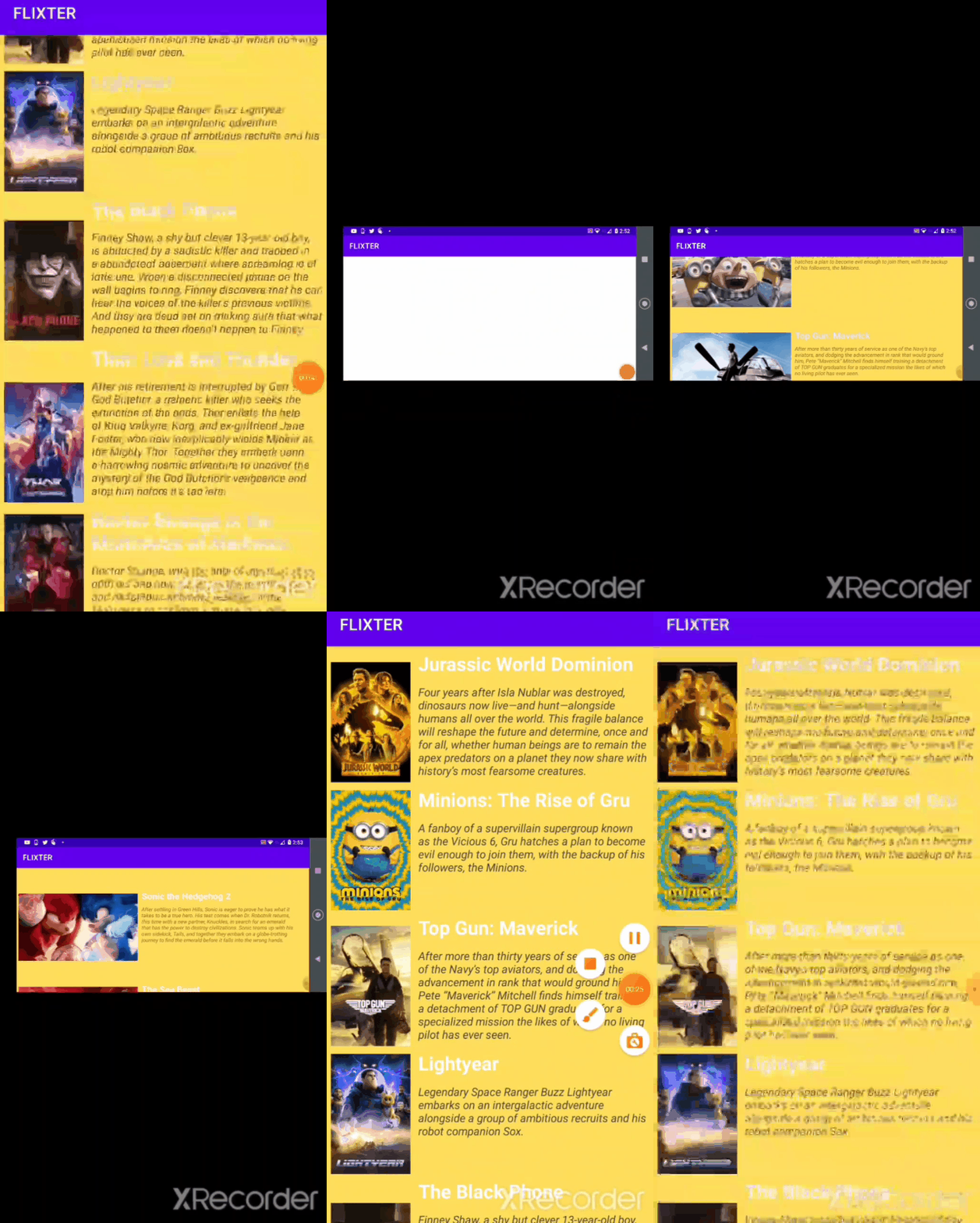
- [x ] (10pts) User can view a list of movies (title, poster image, and overview) currently playing in theaters from the Movie Database API.

#### BONUS
- [x ] (2pts) Views should be responsive for both landscape/portrait mode.
   - [ x] (1pt) In portrait mode, the poster image, title, and movie overview is shown.
   - [ x] (1pt) In landscape mode, the rotated alternate layout should use the backdrop image instead and show the title and movie overview to the right of it.

- [x ] (2pts) Display a nice default [placeholder graphic](https://guides.codepath.org/android/Displaying-Images-with-the-Glide-Library#advanced-usage) for each image during loading
- [x ] (2pts) Improved the user interface by experimenting with styling and coloring.
- [ ] (2pts) For popular movies (i.e. a movie voted for more than 5 stars), the full backdrop image is displayed. Otherwise, a poster image, the movie title, and overview is listed. Use Heterogenous RecyclerViews and use different ViewHolder layout files for popular movies and less popular ones.

### App Walkthough GIF

<img src="https://submissions.us-east-1.linodeobjects.com/android_university/-GSGt6qE.gif" width=250><br>

### Notes
Describe any challenges encountered while building the app.


### Open-source libraries used

- [Android Async HTTP](https://github.com/codepath/CPAsyncHttpClient) - Simple asynchronous HTTP requests with JSON parsing
- [Glide](https://github.com/bumptech/glide) - Image loading and caching library for Androids
- [RecyclerView] https://developer.android.com/jetpack/androidx/releases/recyclerview