Creating a CutScene
There are a set of prebuilt scripts that you can find in the 'CutScene' folder. Using those scripts, you can create a system to execute the scripts to create a scene. (Optional arguments in each script will have an '*' next to them)
- scrCutSceneMove(Object, Speed, XDest, YDest, Relative) - Move selected object to position
- scrCutScenePath(Object, Path, Speed) - Have selected object follow path
- scrCutSceneEnd() - Internal use only
- scrCutSceneWait(Time) - Wait a set time (seconds)
- scrCutSceneTextBox(TextArray, *TextInitStruct = new TextInit(), *TextExtStruct = []) - Create a textbox message
- scrCutSceneBattle(Enemy) - Start a battle with the selected enemy
- scrCutSceneFinish() - End the cutscene
- scrCutSceneEmote(Object, Sprite) - Have the selected object spawn an emote
- scrCutSceneCamera(Target) - Change the current focus of the camera
- scrCutSceneMoveToObject(Object, Speed, ObjectFollow, *FinishDistance = 0) - Move the selected object to another object
First, create an array that will hold the sections of the scene
    CutScene =
    [
    ];
Next, fill in the array with the scripts in the order you want. Make sure to include the required arguments
[ScriptName, Argument0, Argument1, Argument2, etc]
var Text = "", TextInitial, TextExt = [], Line = 0;

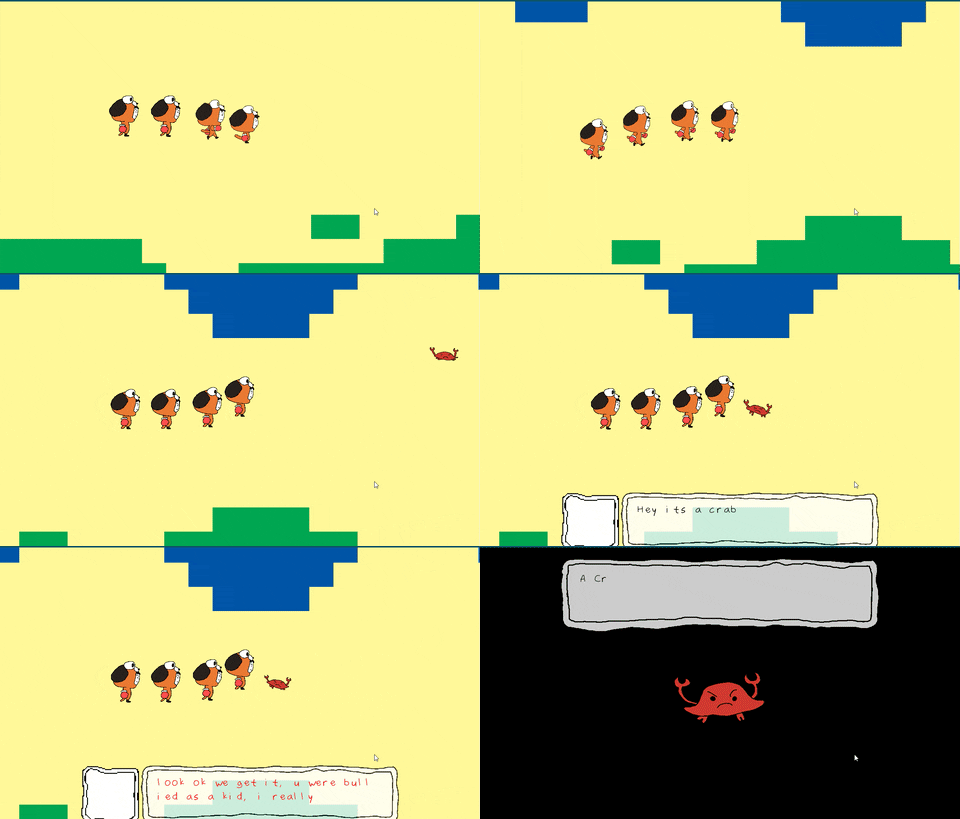
Text[Line] = "Hey its a crab";
TextInitial[Line] = new TextInit(0.05, c_black, 0, oDog);
TextExt[Line] = [];

Line++;
Text[Line] = "%slook ok we get it, u were bullied as a kid, %fi really dont %ccare";
TextInitial[Line] = new TextInit(0.05, c_red, 0, oCrab);
TextExt[Line] = [[show_debug_message, "test!"],0.1, c_green];

CutScene = //A group of scenes
[
    [scrCutSceneMove, instance_find(oDog,0), 3, 2440, 1152, false],
    [scrCutSceneWait, 1],
    [scrCutSceneMove, instance_find(oCrab,0), 3, 2540, 1152, false],
    [scrCutSceneTextBox, Text, TextInitial, TextExt],
    [scrCutSceneWait, 0.5],
    [scrCutSceneBattle, oCrab],
    [scrCutSceneFinish]
];
Note: Make sure to include the 'scrCutSceneFinish' to finish the cutscene. If you don't, the cutscene will never end.
That is it! To execute the cutscene, run the 'scrCreateCutScene' script and enter the cutscene array as one of the arguments.
scrCreateCutScene(CutScene); // "CutScene" will be replaced with whatever you called the cutscene