TedBooks is a modern, full-stack e-commerce application designed for selling digital books. Built with the Next.js App Router, it features a complete user authentication system, a powerful admin dashboard for managing content (now supercharged with AI to automatically generate book descriptions and synopses), a seamless payment integration with PayHero, and an automated employee payout system.
- Google Authentication: Secure and easy sign-in/sign-up using NextAuth.js.
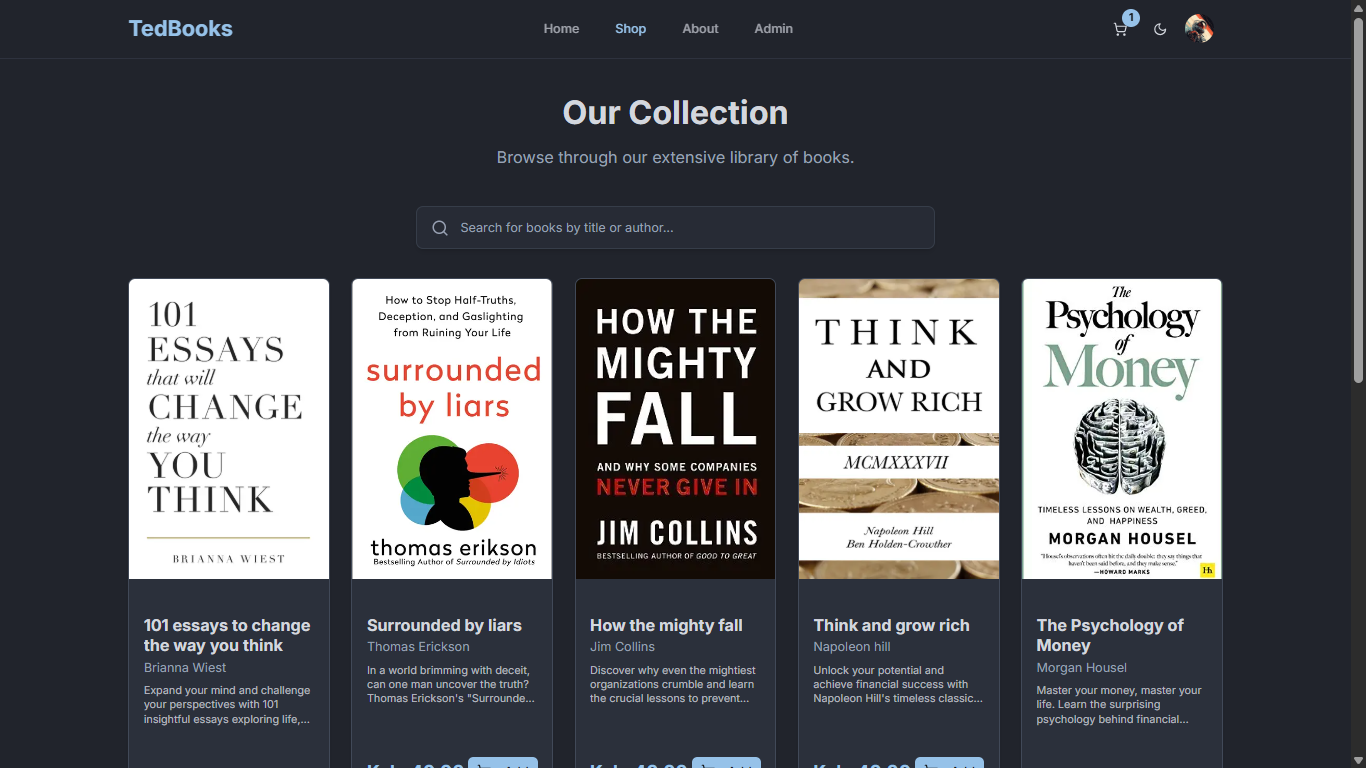
- Book Catalog: Browse and search for books by title or author.
- Featured Books Section: A dedicated section on the homepage for highlighted books.
- Hybrid Shopping Cart:
- For guests, the cart is saved in
localStorage. - For authenticated users, the cart is synced and persisted in the database.
- Automatically merges the guest cart with the user's account upon login.
- For guests, the cart is saved in
- Dynamic Content Pages: "About Us," "Privacy Policy," and "Terms" pages with content managed from the admin panel.
- Secure Checkout:
- "Create-Then-Pay" flow: An order is first created with a
Pendingstatus. - Integration with the PayHero Payment Button SDK for handling payments.
- Webhook support for server-to-server payment confirmation.
- "Create-Then-Pay" flow: An order is first created with a
- User Account Dashboard:
- View and edit profile information.
- Access order history.
- Download purchased digital books.
- Role-Based Access Control (RBAC): The entire
/adminroute is protected and accessible only to users with an "admin" role. - Comprehensive Dashboard:
- At-a-glance statistics from the internal database (total books, revenue, users, etc.).
- Real-time wallet balances fetched securely from the PayHero API.
- Service wallet top-up functionality via M-Pesa STK push.
- A table of recent PayHero transactions.
- Book Management (CRUD):
- Add, view, edit, and delete books.
- Signed Direct Uploads: Upload book covers and digital book files (PDFs, EPUBs) directly to Cloudinary, bypassing server payload limits.
- AI-Powered Content Generation: With the click of a button, admins can use Google's Gemini API to automatically generate compelling book descriptions and synopses directly from the book's title and author, saving significant time on content creation.
- Order Management: View all customer orders and update their status (e.g., from 'Pending' to 'Completed').
- Site Content Management: Dynamically edit the content of static pages like "About Us" without needing to redeploy.
- Automated & Manual Payouts:
- Configure employee/contractor payouts with specific percentages and frequencies (weekly/monthly).
- Automated Payouts: A secure Vercel Cron Job runs daily to automatically process scheduled payouts based on the current wallet balance.
- Manual Payouts: An admin can trigger an immediate "Pay Now" for any configured employee, providing flexibility for off-cycle payments and testing.
- All payouts are dispatched securely via the PayHero B2C API, with transaction fees calculated server-side.
- Framework: Next.js (App Router)
- Styling: Tailwind CSS with shadcn/ui
- Database: MongoDB with Mongoose
- Authentication: NextAuth.js (Auth.js v5) with Google Provider
- AI Content Generation: Google Gemini API
- File Storage: Cloudinary (for robust, scalable file storage)
- Payments: PayHero (Button SDK & Server-side API)
- Scheduled Jobs: Vercel Cron Jobs
- State Management: React Context API (
useContext) for cart state - UI/UX: Framer Motion for animations,
sonnerfor toast notifications
Before you begin, ensure you have the following set up:
- Node.js (v18 or later)
npm,yarn, orpnpm- A MongoDB database instance (e.g., a free cluster on MongoDB Atlas)
- A Google Cloud project with OAuth 2.0 credentials enabled.
- A Google AI Studio account to get a Gemini API key.
- A Cloudinary account with API credentials.
- A PayHero account with API credentials and a Lipwa link.
- A Vercel account (for deploying with Cron Jobs).
Follow these steps to get your local development environment running.
git clone https://github.com/JhnOkall/tedbooks.git
cd tedbooksnpm installCreate a .env.local file in the root of your project by copying the example below. Fill in the values with your own credentials.
# .env.local

# --- CORE ---
AUTH_SECRET='your_auth_secret_here'
NEXT_PUBLIC_BASE_URL='http://localhost:3000'

# --- DATABASE ---
MONGODB_URI='your_mongodb_connection_string'

# --- AUTHENTICATION ---
AUTH_GOOGLE_ID='your_google_client_id'
AUTH_GOOGLE_SECRET='your_google_client_secret'

# --- AI & FILE STORAGE ---
GEMINI_API_KEY='your_gemini_api_key_here'
CLOUDINARY_CLOUD_NAME='your_cloudinary_cloud_name'
CLOUDINARY_API_KEY='your_cloudinary_api_key'
CLOUDINARY_API_SECRET='your_cloudinary_api_secret'

# --- PAYMENTS (PAYHERO) ---
PAYHERO_API_USERNAME='your_payhero_api_username'
PAYHERO_API_PASSWORD='your_payhero_api_password'
PAYHERO_WALLET_CHANNEL_ID='your_payhero_wallet_channel_id'
NEXT_PUBLIC_PAYHERO_LIPWA_URL='your_payhero_lipwa_url'
NEXT_PUBLIC_PAYHERO_CHANNEL_ID='your_payhero_sdk_channel_id'

# --- CRON JOBS ---
CRON_SECRET='generate_a_strong_random_secret_string'
Note: To get the
AUTH_SECRET, runnpx auth secretin your terminal. TheCRON_SECRETis used to secure your cron job endpoint and should be a long, random string, runopenssl rand -base64 32.
To enable the automated payout system, add the following configuration to a vercel.json file in the root of your project:
// vercel.json
{
  "crons": [
    {
      "path": "/api/cron/process-payouts",
      "schedule": "0 5 * * *"
    }
  ]
}
This schedule runs the job every day at 5:00 AM UTC.
npm run devYour application should now be running at http://localhost:3000.
.
├── app/
│   ├── admin/                    # Protected admin panel pages
│   ├── api/                      # Backend API routes
│   │   ├── admin/
│   │   │   ├── stats/
│   │   │   ├── payhero/
│   │   │   └── payouts/          # Manage payout configs
│   │   │       └── [id]/
│   │   │           └── payout-now/ # Trigger manual payout
│   │   ├── cron/                 # Cron job handler
│   │   └── ...
│   └── ...
├── components/
│   └── ...
├── lib/
│   ├── payout-utils.ts           # Reusable payout logic
│   └── ...
├── models/
│   ├── Book.ts
│   ├── Order.ts
│   ├── PayoutConfig.ts           # Model for payouts
│   └── ...
├── vercel.json                   # Vercel configuration including crons
└── ...