


J-AI is a chat platform developed by JadaDev! The AI models here are powered by Google's Gemini. J-AI is open source, making it accessible to everyone.
This project currently utilizes the Google Gemini API. Future development may include reworking the system to allow integration with other AI models and APIs.
- AI-Powered Chat: Utilizes the Google Gemini API for intelligent chat interactions.
- Open Source: Freely available and modifiable.
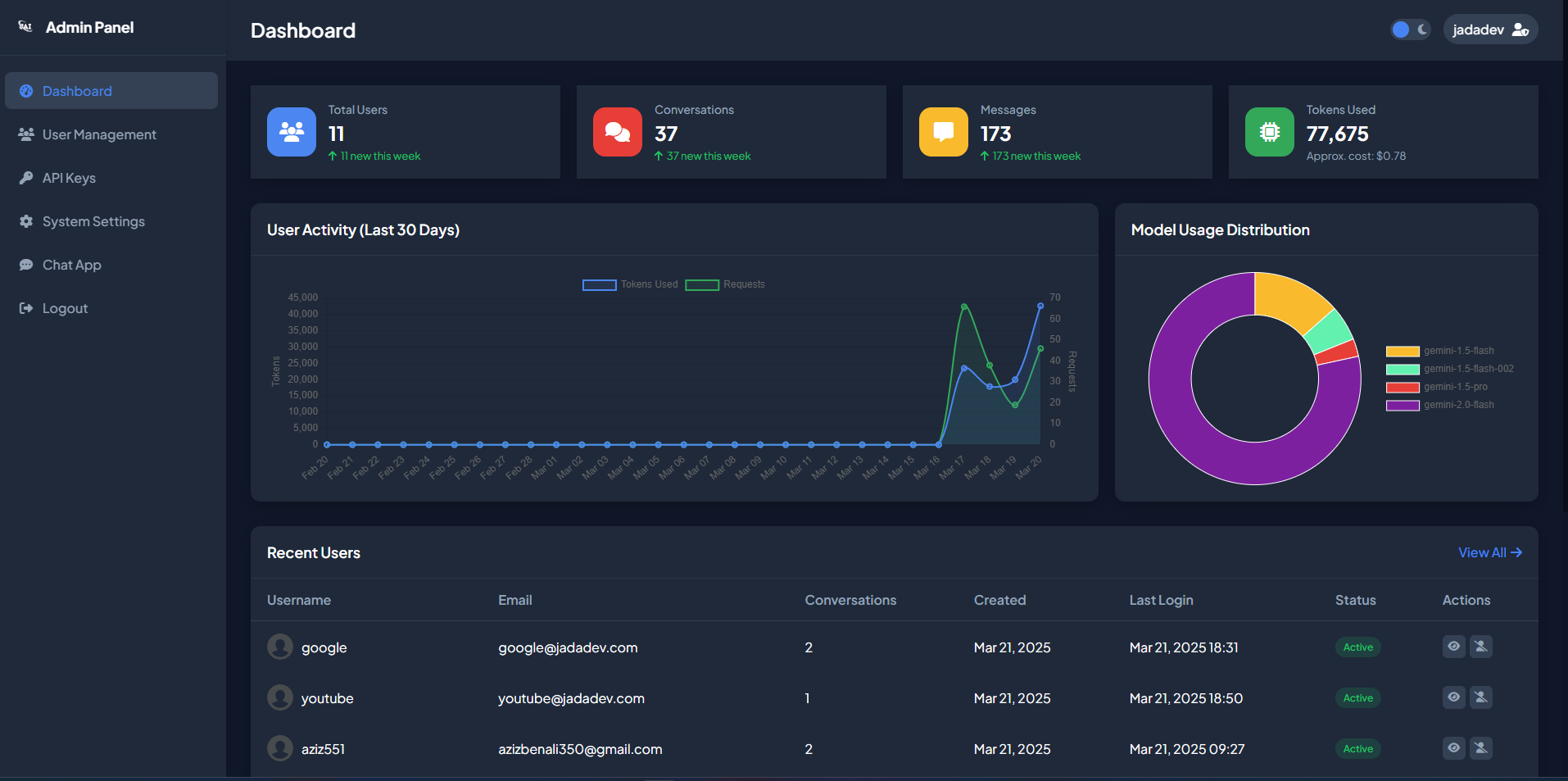
- Admin Panel: Manage API keys and user roles.
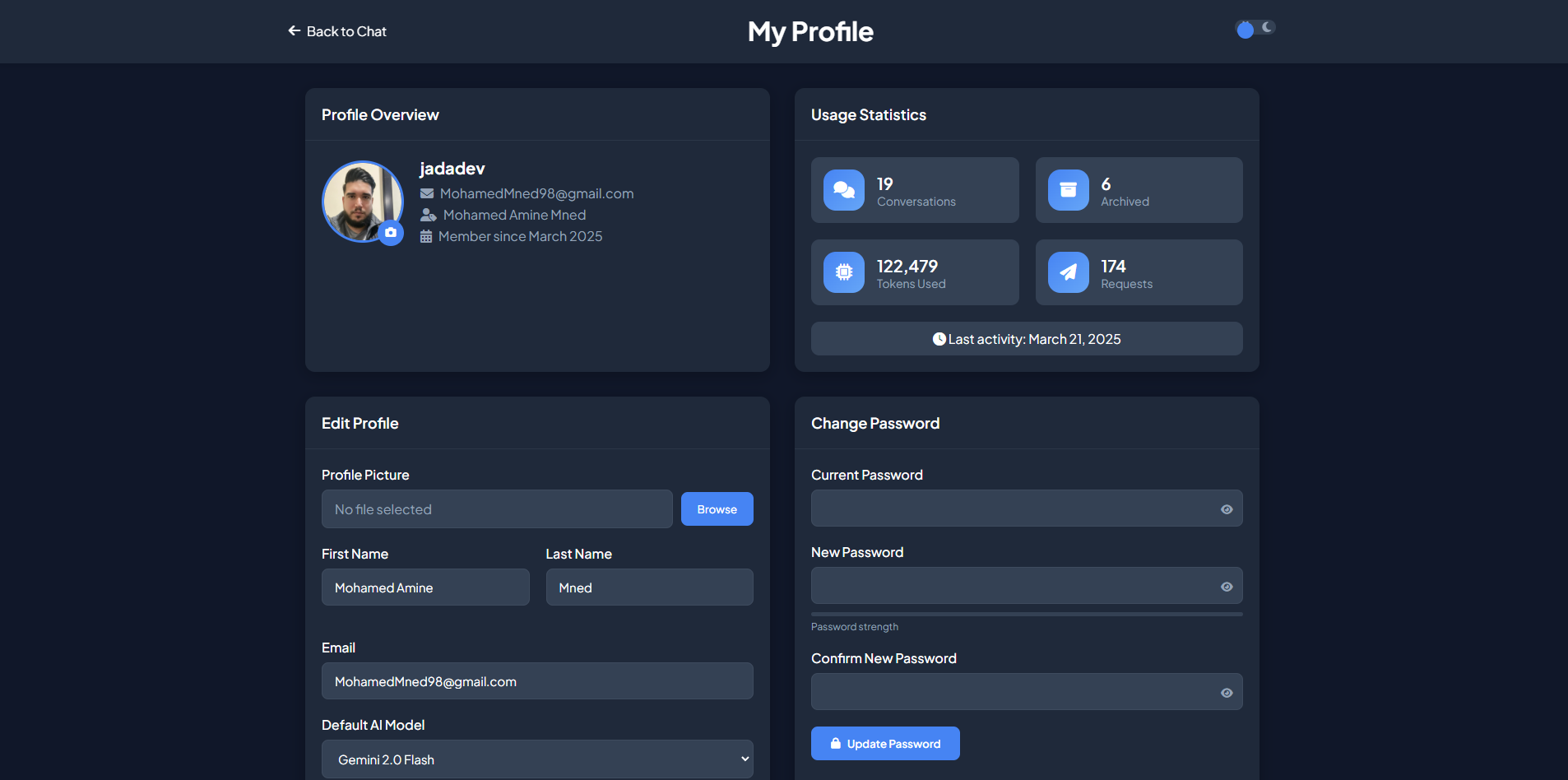
- User Profile: Users can manage their profile information (currently basic).

-
Requirements:
- PHP 7.x or higher
- MariaDB 10.x or MySQL 5.7 or higher
- XAMPP (recommended for local development) or a similar web server environment.
-
Configuration:
- Configure
config.php: Edit theconfig.phpfile with your database connection details (host, username, password, database name). - Create Database: Create a new database in MariaDB or MySQL.
- Import SQL: Import the
J-AI Chat Platform.sqlfile into the database. This will create the necessary tables.
- Configure
-
Setup:
- Place the J-AI Chat Platform files in your web server's document root (e.g.,
htdocsin XAMPP).
- Place the J-AI Chat Platform files in your web server's document root (e.g.,
-
Admin Setup:
- Create User Account: Create a new user account through the registration page.
- Set Admin Role: Access your database (e.g., using phpMyAdmin). In the
userstable, find the newly created user and change theuser_rolefield toadmin. - Login: Log in to the platform with the newly created admin account.
4.1 SQL:
This SQL statement inserts a new user record into the users table. The user is an administrator with predefined credentials and default configuration settings.
- Username:
admin - Password:
admin123
(Note: In the SQL, the password is stored as a hashed string using bcrypt.) - Email:
admin@example.com
INSERT INTO `users`
(`user_id`, `username`, `email`, `password`, `first_name`, `last_name`, `profile_picture`, `user_role`, `preferred_model`, `created_at`, `last_login`, `is_active`, `token_reset`, `token_expiry`, `usage_count`)
VALUES
('12', 'admin', 'admin@example.com', '$2y$10$G1s588zTN4od8eRzDiVS5eOKB6Fuu7TaaG3b7OAMrzXuUYKF52bFS', '', '', 'default-avatar.png', 'admin', 'gemini-2.0-flash', '2025-04-29 15:42:52', '2025-04-29 15:42:58', '1', NULL, NULL, '1');- API Key Configuration:
- Access the Admin Panel.
- Add your Google Gemini API key in the designated field.
- Chat Panel: Users can start chatting with the AI by typing their messages in the chat panel.
- Admin Panel: Administrators can manage API keys and user roles. More features will be added to the admin panel in future updates.
- Profile Panel: Users can view and edit (currently limited) their profile information.
J-AI is an open-source project, and contributions are welcome! Please feel free to fork the repository, make changes, and submit pull requests.
Developed by JadaDev. Feel free to reach out with any questions or suggestions.