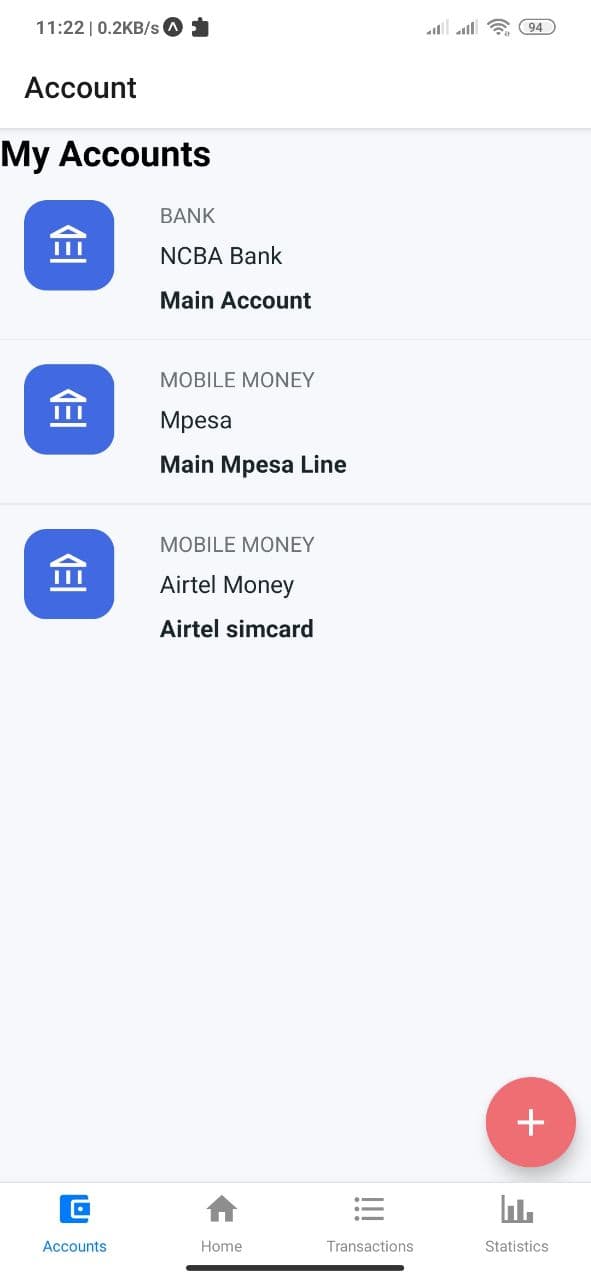
This is a beautifully designed MObile Application that is geared towards managing your finances. This is done by allowing you to keep track of your monthly income and expenses cash flow and displaying elegant reports and charts to keep you informed about your finances
| On Launch | After Selection |
|---|---|
 |
 |
The app is built in React Native and uses Expo for faster development workflow
What things you need to install the software and how to install them
Preferred IDE e.g. Visual Studio

A working Android Emulator/Physical Device

Node Version 12 LTS or later
Use the following steps to get up and running as fast as possible and get back to building cool content.
Use the following command to setup expo in your machine
npm install -g expo-cli
If you prefer yarn then use the command:
yarn global add expo-cli
First navigate to the project root folder. Next steo is to download all the dependencies used in the project by type this in the terminal window
yarn
To run the app simply type yarn start and it will launch a window in your browser. This starts the Metro server and is now accessible to whichever platform we would like to run the app on.
For Physical Android Device, download the Expo app from play store, open it and use the QR scanner functionality to launch the app.
For Emulator, the process is easier. Simply click the Run on Android Device/Emulator option from the browser window and Expo will automatically detected an already running emulator and run the app on it.
- Ubuntu 20.04 - Operating System Used
- Visual Studio - Development Environment
- Expo - Development Tool
- Love - Key ingredient
Please read CONTRIBUTING.md for details on our code of conduct, and the process for submitting pull requests to us.
Jack Kiarie - Initial work - Other Works
See also the list of contributors who participated in this project.
This project is licensed under the MIT License - see the LICENSE.md file for details