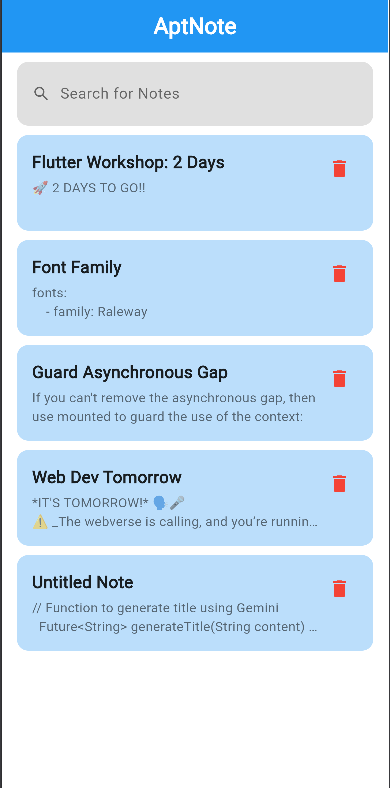
- 📝 Create, Read, Update, & Delete: Seamlessly manage your notes with full CRUD functionality.
- ✨ Intuitive & Easy-to-Use UI: Enjoy a smooth and effortless note-taking experience with our clean design.
- 🚀 Fast & Responsive: Built with Flutter for optimal performance.
-
- 🤖 AI-Powered Title Generation: Let our AI suggest titles for your notes when you're feeling uninspired.
- 📱 Cross-Platform: Works seamlessly on Android, Web, macOS and iOS
- 💡 Splash Screen: A polished launch experience.
Get AptNote up and running in a few simple steps:
- Clone the Repository:
git clone https://github.com/GDG-KJSCE/flutter_workshop.git-
Navigate to your project directory
cd flutter_workshop -
Install dependencies
flutter pub get
-
Setup FireBase (You might have to enable developer mode on your devices)
Create a project on Firebase with firestore
Requirements : Nodejs
i. Install firebase-tools
npm install -g firebase-toolsii. Login to Firebase account
firebase loginiii. Setup flutterfire (Execute line by line)
flutter pub global activate flutterfire_cliflutterfire configureThis will generate your firebase_options.dart and firebase.json
-
Get api key from Google Ai Studio
-
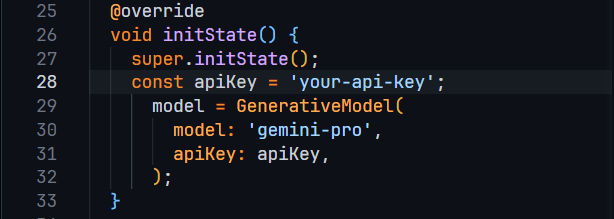
Add your Api Key here
lib/inner_note_description_screen.dart
-
Run the project
flutter run