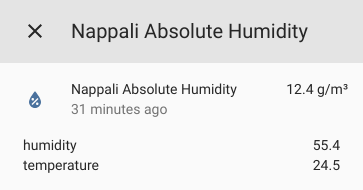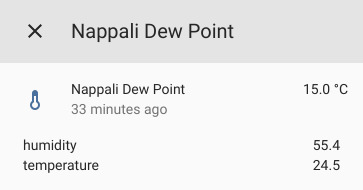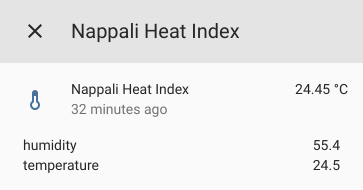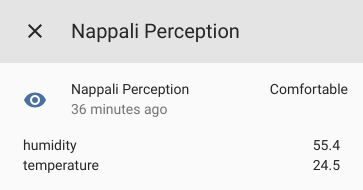

Thermal Comfort provides the following calculated sensors for Home Assistant:
- Absolute Humidity
absolutehumidity - Heat Index
heatindex - Dew Point
dewpoint - Thermal Perception
perception
To use, add the following to your configuration.yaml file:
sensor:
  - platform: thermal_comfort
    sensors:
      livingroom:
        friendly_name: Living Room
        temperature_sensor: sensor.temperature_livingroom
        humidity_sensor: sensor.humidity_livingroom
      bathroom:
        temperature_sensor: sensor.temperature_bathroom
        humidity_sensor: sensor.humidity_bathroom
        sensor_types:
          - absolutehumidity
          - heatindex
      bedroom:
…- temperature_sensor
stringREQUIRED - ID of temperature sensor entity to be used for calculations.
- humidity_sensor
stringREQUIRED - ID of humidity sensor entity to be used for calculations..
- friendly_name
string(optional) - Name to use in the frontend.
- icon_template
template(optional) - Defines a template for the icon of the sensor.
- entity_picture_template
template(optional) - Defines a template for the entity picture of the sensor.
- unique_id
string(optional) - An ID that uniquely identifies the sensors. Set this to a unique value to allow customization through the UI.
- sensor_types
list(optional) - A list of sensors to create. If omitted all will be created. Available sensors:
absolutehumidity,heatindex,dewpoint,perception
Using HACS (recommended)
This integration can be installed using HACS. To do it search for Thermal Comfort in the integrations section.
To install this integration manually you can either
- Use git:
git clone https://github.com/dolezsa/thermal_comfort.git
cd thermal_comfort
# if you want a specific version checkout its tag
# e.g. git checkout 1.0.0

# replace $hacs_config_folder with your home assistant config folder path
cp -r custom_components $hacs_config_folder- Download the source release and extract the custom_components folder into your home assistant config folder.
Finally you need to restart home assistant before you can use it.