demo.mp4
- Link - this version is slightly adjusted for default PC build settings. Original project was made with Android build settings
Whole component structure of this project is heavily tied to events, both Unity and C#.
The greatest advantage of UnityEvents is the visualization in Editor - you can simply drag and drop desired listeners with no need of writing the code, which is very flexible if you don't know how many observers you want to have.
But at the same time relations between components become more and more unobvious as the number of those dragged listeners increases, whereas with C# events you can track every listener directly in the code. Because of that, i tried to use C# events where there's no need in visualisation and number of observers is meant to be fixed.
Though there is a very popular opinion that clean code doesn't need to be commented, i tend to believe that a short summary over a class or method, or even few lines of comments can speed up reading the code a lot, especially when this code is far from being perfect.
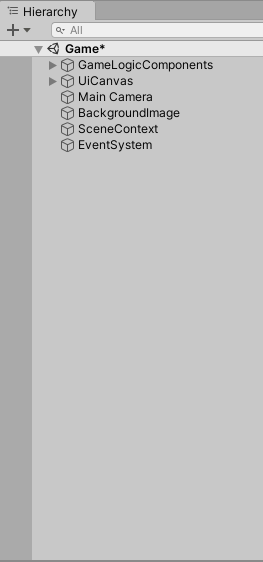

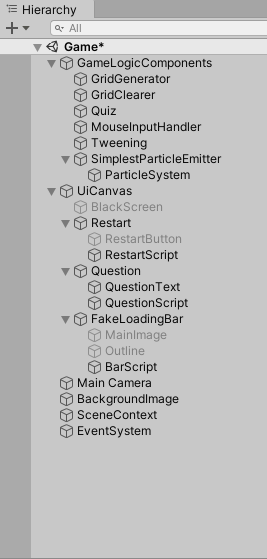
In order to keep my project structure as clean as possible, i broke vast majority of GameObjects into two logical groups: UI Canvas and Game logic components.
In my code structure i've made an attempt to minimize cross-component dependencies and make classes that only do one particular thing. If it's a quiz class, it manages quiz flow, notifies all observers about how the quiz is going and it does not care what other classes are doing at the moment (except for the events that the Quiz class is subscribed on). If the class is responsible for some kind of tweening, it only does this particular thing - it tweens.
And in the scene hierarchy i've tried to keep this mentality of separating things up so the workflow with this project's structure could be as convenient and intuitive as possible.