中文 | English
This open-source demo shows how to use some APIs of the TRTC SDK to help you better understand the APIs and use them to implement some basic TRTC features.
This demo covers the following features (click to view the details of a feature):
- Basic Features
- Advanced Features
- String-type Room IDs
- Video Quality Setting
- Audio Quality Setting
- Rendering Control
- Network Speed Testing
- CDN Publishing
- Custom Video Capturing & Rendering
- Audio Effect Setting
- Background Music Setting
- Local Video Sharing
- Local Video Recording
- Multiple Room Entry
- SEI Message Receiving/Sending
- Room Switching
- Cross-Room Competition
- Third-Party Beauty Filters
- Xcode 11.0 and above
- Please make sure that your project has set a valid developer signature
You have signed up for a Tencent Cloud account and completed identity verification.
- Log in to the TRTC console and select Application Management > Create application.
- Enter an application name such as
TestTRTC, and click Next.
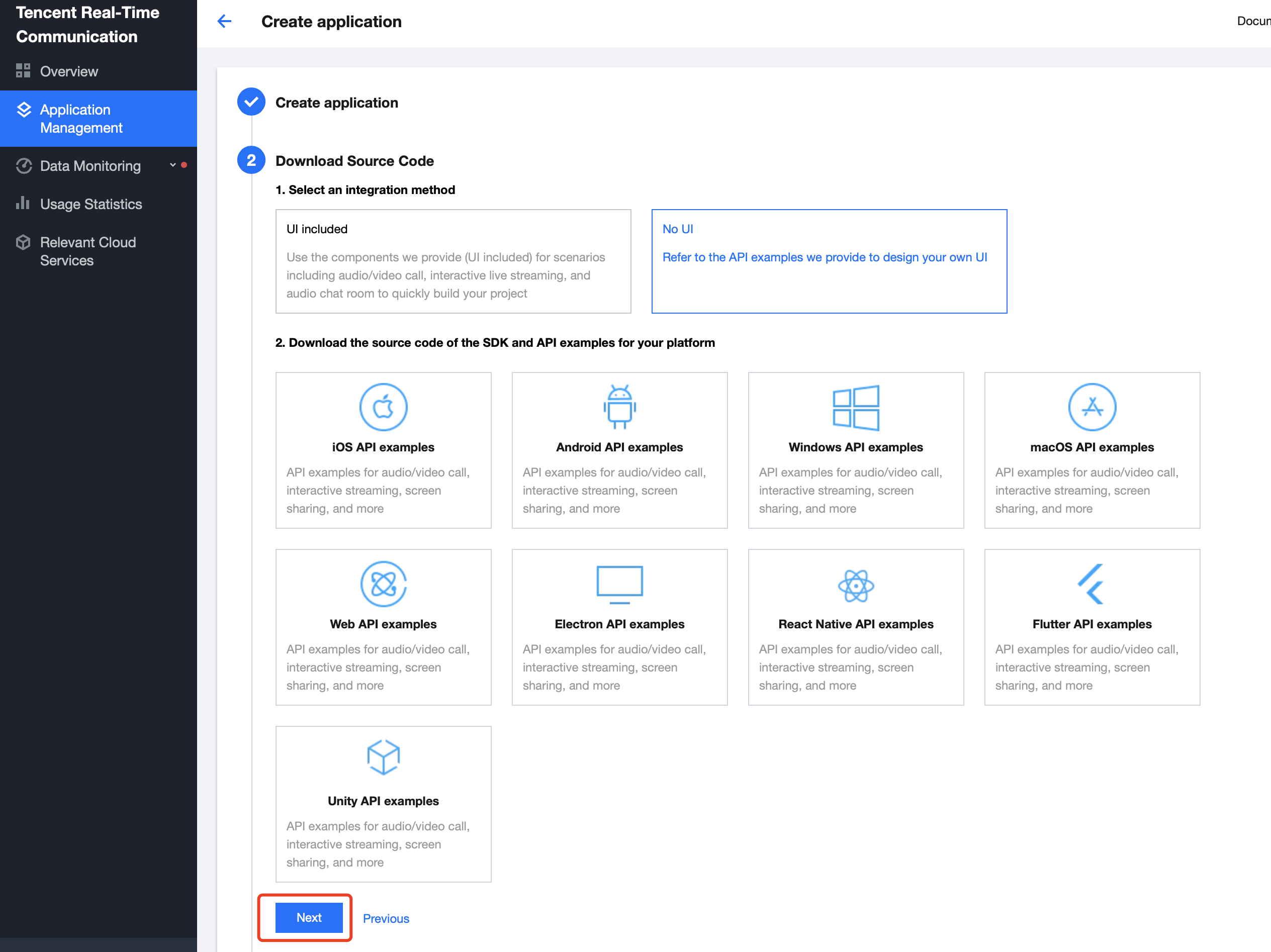
SDKAppID and key.
- Open the GenerateTestUserSig.h file in the Debug directory.
- Configure two parameters in the
GenerateTestUserSig.hfile:
SDKAPPID:PLACEHOLDERby default. Set it to the actualSDKAppID.SDKSECRETKEY: left empty by default. Set it to the actual key.
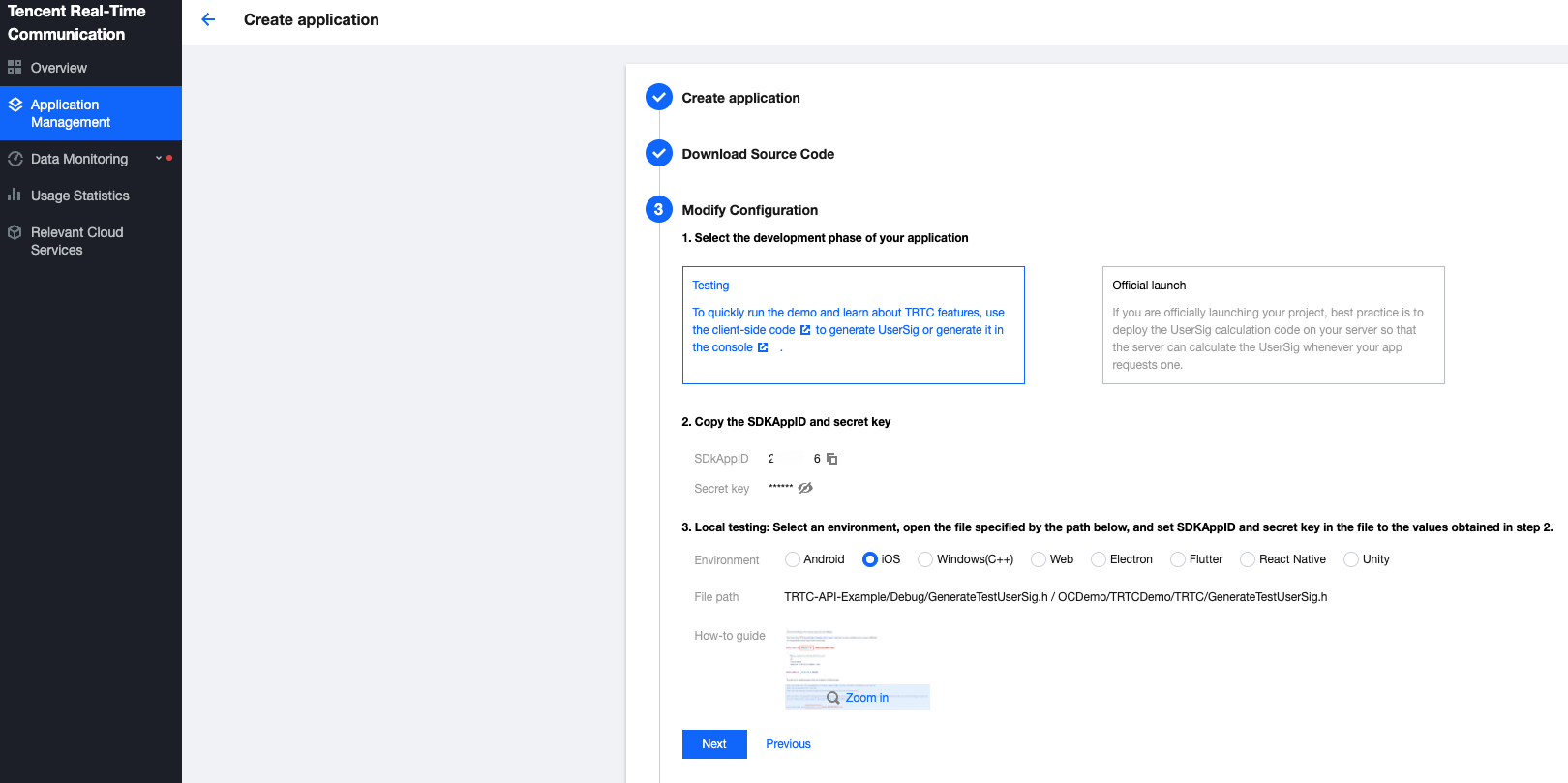
- Return to the TRTC console and click Next.
- Click Return to Overview Page.
!The method for generating
UserSigdescribed in this document involves configuringSDKSECRETKEYin client code. In this method,SDKSECRETKEYmay be easily decompiled and reversed, and if your key is disclosed, attackers can steal your Tencent Cloud traffic. Therefore, this method is suitable only for the local execution and debugging of the demo. The correctUserSigdistribution method is to integrate the calculation code ofUserSiginto your server and provide an application-oriented API. WhenUserSigis needed, your application can make a request to the business server for dynamicUserSig. For more information, please see How to Calculate UserSig.
To use CDN services, which are needed for co-anchoring, CDN playback, etc., you need to configure three live streaming parameters.
For detailed instructions, see CDN Relayed Live Streaming.
Use XCode (11.0 and above) to open TRTC-API-Example-OC.xcodeproj in the source directory
-
If you have questions, see FAQs.
-
To learn about how the TRTC SDK can be used in different scenarios, see Sample Code.
-
For complete API documentation, see SDK API Documentation.
-
Communication & Feedback
Welcome to join our Telegram Group to communicate with our professional engineers! We are more than happy to hear from you~ Click to join: https://t.me/+EPk6TMZEZMM5OGY1
Or scan the QR code