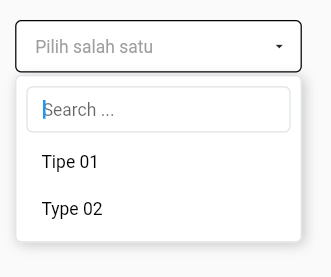
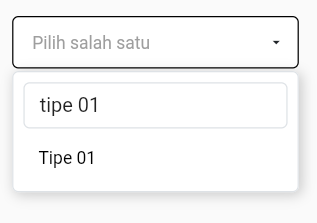
Web HTML select option with serverside
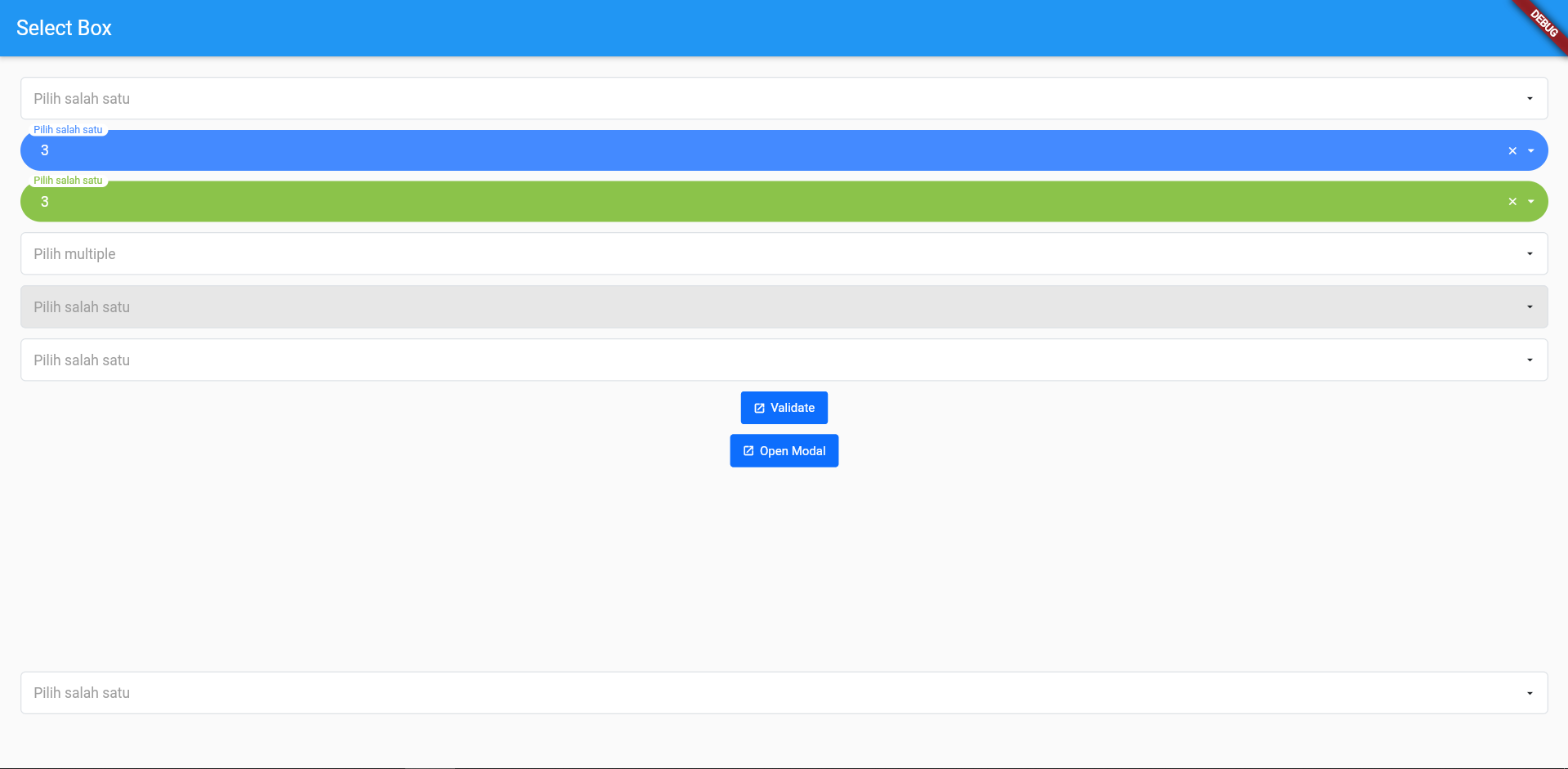
Feature:
- Select option with server side data
- Searchable select option
- Multiple select option
- Select label
This plugin is the best alternative for select2 library
Add the dependency in pubspec.yaml:
dependencies:
  ...
bs_flutter: anyExample: main.dart
To create a select box you need to import:
import 'package:bs_flutter_selectbox/bs_flutter_selectbox.dart';After create controller:
// ...
  BsSelectBoxController _select1 = BsSelectBoxController(
    options: [
      BsSelectBoxOption(value: 1, text: Text('1')),
      BsSelectBoxOption(value: 2, text: Text('2')),
      BsSelectBoxOption(value: 3, text: Text('3')),
    ]
  );
// ...
After all is done copy the code below:
// ...
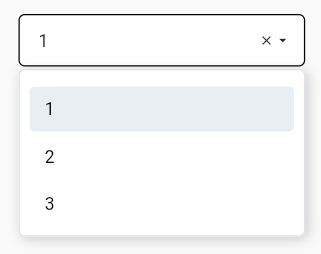
  BsSelectBox(
    hintText: 'Pilih salah satu',
    selectBoxController: _select1,
  ),
// ...
If you need to customize size and style, use properties style and size. And create your custom size with class BsSelectBoxSize or BsSelectBoxStyle to custom style
  static const BsSelectBoxSize customSize = BsSelectBoxSize(
    fontSize: 14.0,
    optionFontSize: 14.0,
    searchInputFontSize: 14.0,
    labelX: 15.0,
    labelY: 13.0,
    transitionLabelX: -15.0,
    transitionLabelY: 5.0,
    padding: EdgeInsets.only(left: 15.0, right: 15.0, top: 12.0, bottom: 12.0)
  );
static const BsSelectBoxStyle outline = BsSelectBoxStyle(
borderRadius: BorderRadius.all(Radius.circular(5.0))
);labelXandlabelYis used to set label position if usinghintTextLabeltransitionLabelXandtransitionLabelYis used to set label position if usinghintTextLabelwhen have selected valueBsSelectBoxStylehave propertiesborderRadius,color,placeholderColor,selectedBackgroundColor,selectedColor,disabledBackgroundColor,backgroundColor,borderColor,fontSize,arrowIcon
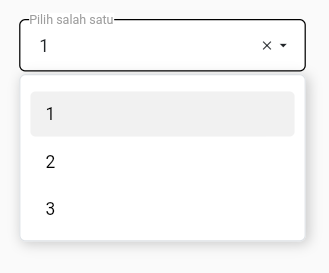
Select box using hintTextLabel
// ...
  BsSelectBox(
    hintTextLabel: 'Pilih salah satu',
    selectBoxController: _select1,
  ),
// ...
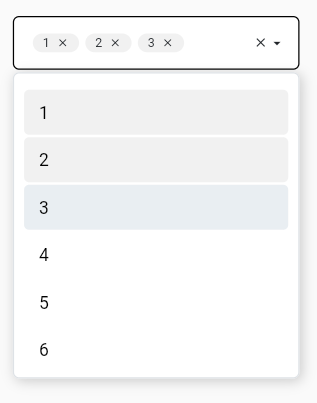
To create a select box with multiple allowed set multiple properties in BsSelectBoxController to true:
// ...
  BsSelectBoxController _select2 = BsSelectBoxController(
    multiple: true,
    options: [
      BsSelectBoxOption(value: 1, text: Text('1')),
      BsSelectBoxOption(value: 2, text: Text('2')),
      BsSelectBoxOption(value: 3, text: Text('3')),
      BsSelectBoxOption(value: 4, text: Text('4')),
      BsSelectBoxOption(value: 5, text: Text('5')),
      BsSelectBoxOption(value: 6, text: Text('6')),
    ]
  );
// ...- To get selected value use
getSelectedorgetSelectedAll - If you need returned string use
getSelectedAsString, it will be returned string value with,separator - To set selected value use
setSelectedorsetSelectedAll
To create a select box with server side data, use serverSide property
  BsSelectBox(
    hintText: 'Pilih salah satu',
    searchable: true,
    selectBoxController: _select3,
    serverSide: selectApi,
)- To enable searchable option, set
searchablepropertytrue serverSideproperty need returnedFuture<BsSelectBoxResponse>
selectApi function
// ...
  Future<BsSelectBoxResponse> selectApi(Map<String, String> params) async {
    Uri url = Uri.http('localhost', 'api-json.php', params);
    Response response = await http.get(url);
    if(response.statusCode == 200) {
      List json = convert.jsonDecode(response.body);
      return BsSelectBoxResponse.createFromJson(json);
    }

    return BsSelectBoxResponse(options: []);
  }
// ...
Json response data
[
  {
    "value":"1",
    "text":"Tipe 01",
    "typecd":"TP01"},
  {
    "value":"2",
    "text":"Type 02",
    "typecd":"TP02"
  }
]createFromJsonis automatically put response datavalue, but you cant change it with define manual- If you want to make
typecdasvalueof option, usevalueparameters ofcreateFromJson
/// ...
    if(response.statusCode == 200) {
      List json = convert.jsonDecode(response.body);
      return BsSelectBoxResponse.createFromJson(json,
        value: (data) => data['typecd'],
      );
    }
/// ...- If you want to make
typecdastextof option, userenderTextparameters ofcreateFromJson renderTextfunction need returnedWidget
/// ...
    if(response.statusCode == 200) {
      List json = convert.jsonDecode(response.body);
      return BsSelectBoxResponse.createFromJson(json,
        value: (data) => data['typecd'],
        renderText: (data) => Text(data['typecd'])
      );
    }
/// ...