
A modular, secure Go-based tool for database backup, encryption, and compression with easy restore and cloud upload options.
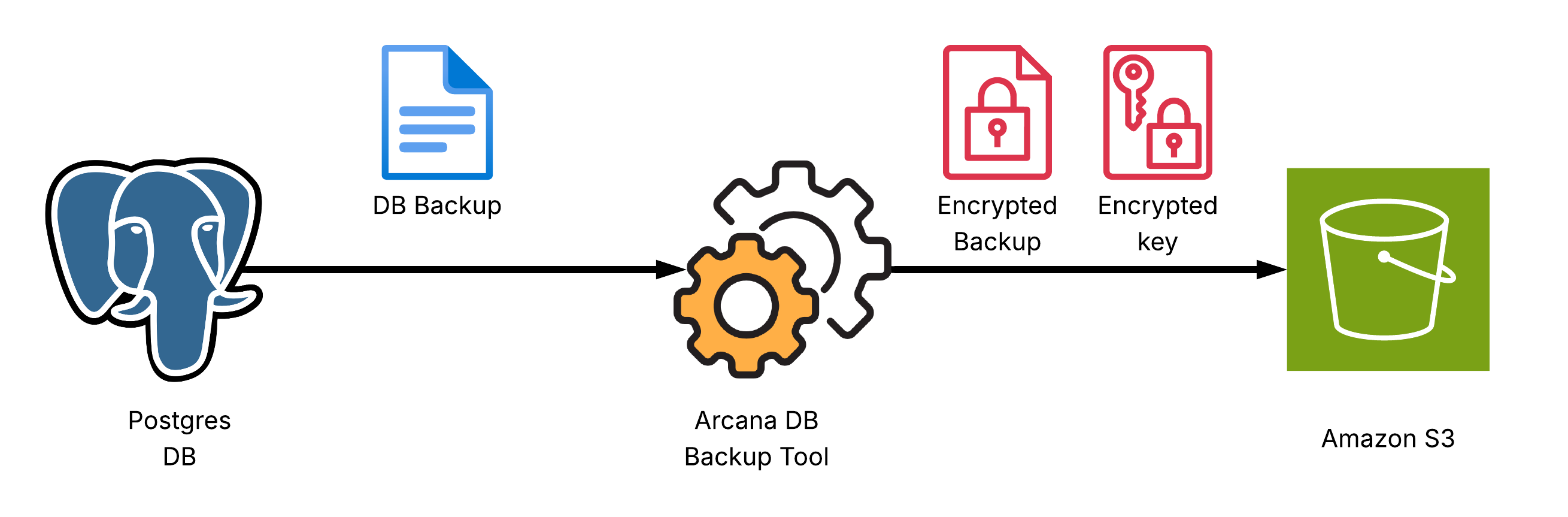
- Database backup: Dumps your database to a file
- Currently supports: PostgreSQL (via
pg_dump) - Encryption: AES-256 (symmetric) + RSA (asymmetric hybrid)
- Compression: gzip for efficient storage
- Easy restore: Decrypt and decompress backups using your RSA private key
- Go 1.24+
- OpenSSL for key generation
pg_dump(PostgreSQL backup utility)- A PostgreSQL database you want to back up
Download the latest release from GitHub Releases or build it from source by following the steps below.
git clone https://github.com/nsavinda/database-backup-tool.git
cd database-backup-toolGenerate a 4096-bit RSA keypair for encryption:
make keygen
# Produces: private.pem (private key), public.pem (public key)
or manually using OpenSSL:
openssl genpkey -algorithm RSA -out private.pem -pkeyopt rsa_keygen_bits:4096
openssl rsa -in private.pem -pubout -out public.pem
Keep your private.pem safe!
Your public key (public.pem) is used for encryption.
Edit /etc/arcanadbbackup/config.yaml or create a custom config file:
database:
  host: localhost
  port: 5432
  user: postgres
  password: postgres
  dbname: postgres

backup_config:
  public_key: ~/.ssh/public.pem
  destination: ./backup
  keep_local: false

storage:
  provider: s3
  bucket: my-bucket
  region: us-east-1
  access_key:
  secret_key:
endpoint: https://nyc3.digitaloceanspaces.com # Use S3 endpoint or DigitalOcean Spaces endpointBuild:
make buildOr run directly:
make runThis will:
- Dump your PostgreSQL database to a file
- Compress and encrypt the dump (
.sql.gz→.enc) - Encrypt the AES key (
.enc.key) - Output the names of the resulting files
To decrypt a backup:
./backup-service decrypt -i private.pem <backupfile.sql.gz.enc>This produces <backupfile.sql.gz.decrypted.sql>.
To restore to PostgreSQL:
psql -U youruser -d yourdb -f <backupfile.sql>- Never share your private key (
private.pem). - Store your backups and keys in secure, access-controlled storage.
- Backups are encrypted—only holders of your private key can restore them.
- Rotate keys and credentials regularly.
-
The codebase is modular:
config– loads configurationdatabase– handles PostgreSQL backupencryption– handles hybrid encryption and compressionstorage– (optional) handles S3/Spaces uploads
-
You can extend it to support other databases or storage providers.