



A powerful, GUI-based cheat tool for RPG Maker MV and MZ games, featuring Real-time Machine Translation support.
Check out our Documentation for detailed guides on:
- Optional Price, Effects, and Params columns for inventory tables
- Compact two-line previews with tooltips for long inventory text
- Better numeric sorting for Effects and Params columns
- Keeps the larger v1.3.0 architecture and stability improvements
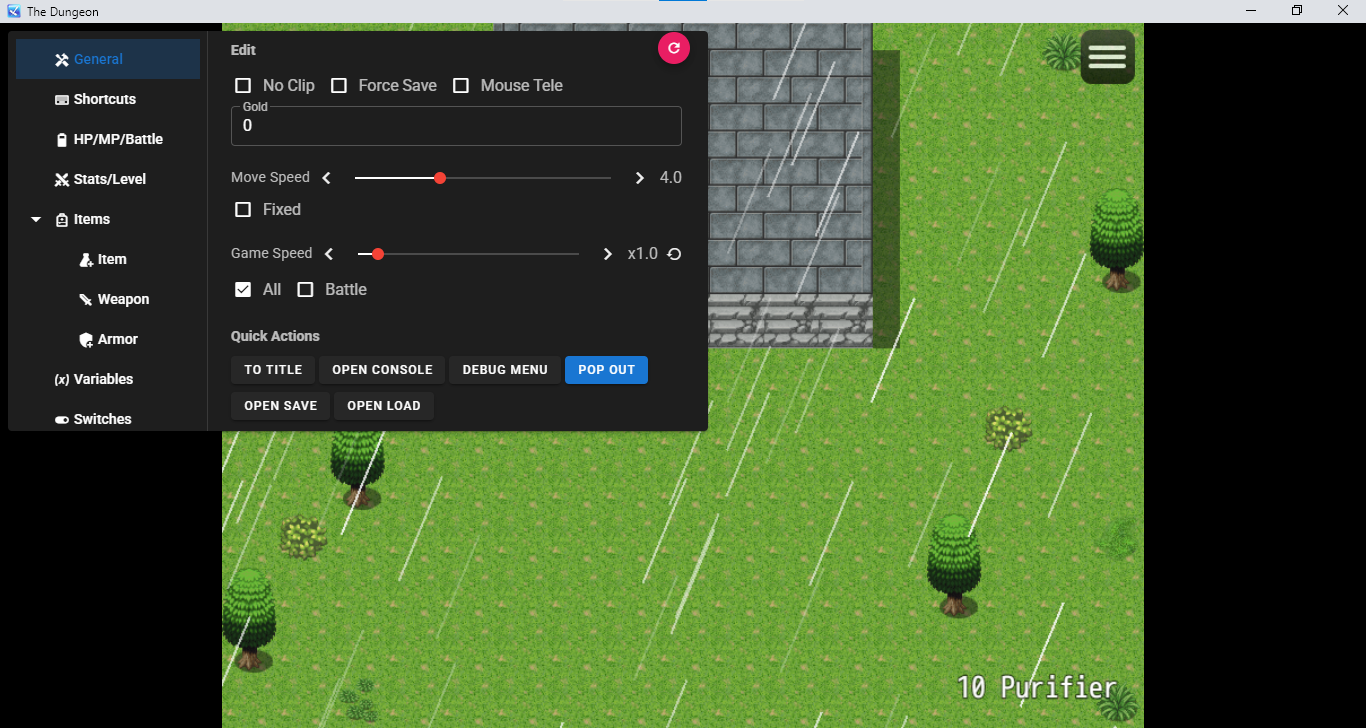
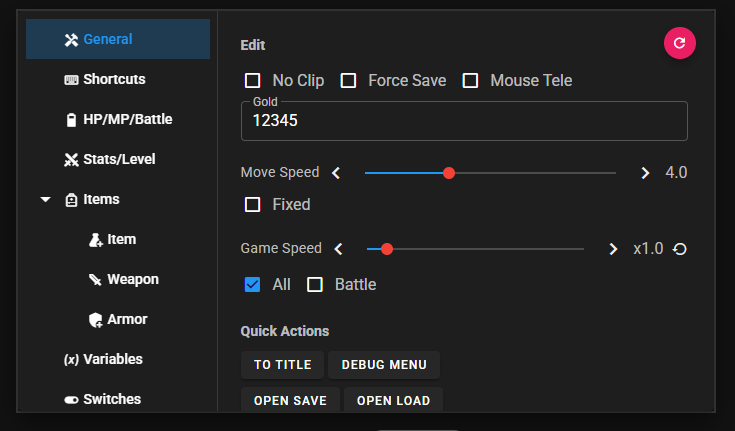
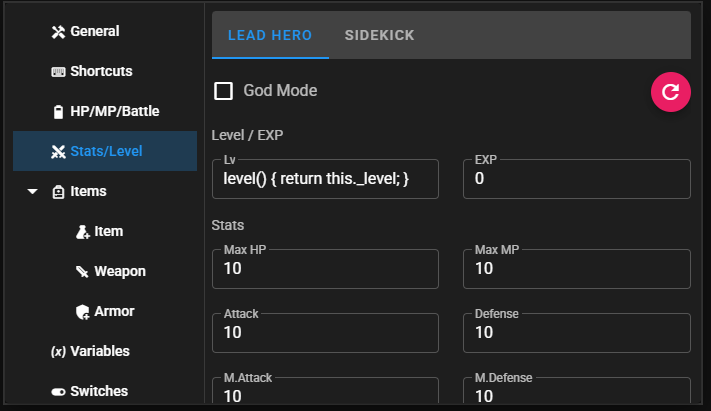
- Cheat Panel: Gold, Stats, Speed, Items, Weapons, Armors, Skills, and more.
- World Hacks: Wall-through (Noclip), God Mode, Disable Encounters.
- New Utilities:
- Force Save: Overrides game-level save restrictions.
- Debug Access: Instant access to NW.js Console and RPG Maker Debug (F9) Menu.
- Map Events Panel: Interactive map overlay with real-time tracking of player, events, enemies, and treasures.
- Mouse Teleport: Move your player instantly with map clicks or
Alt + M(toggle). - Toast Notifications: Interactive feedback for No Clip, Force Save, and Encounter toggles.
- Pop Out Window: Launch the Cheat UI in a separate standalone window for better multitasking.
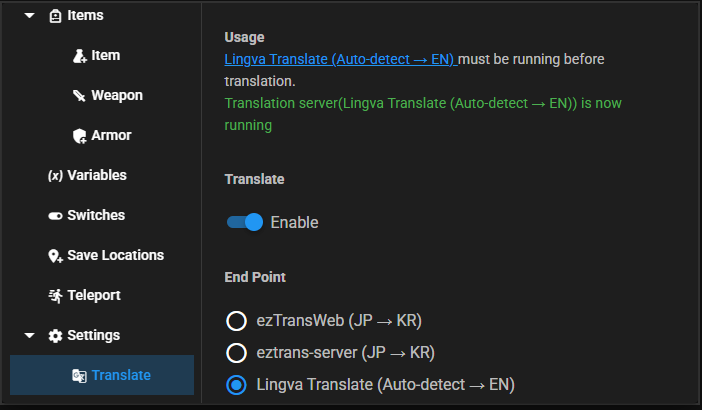
- Smart Translation: Real-time translation for Variables, Switches, Maps, and Items.
- Supports Lingva Translate (Free/Private Google Translate alternative).
- Translation Bank: Caches results for instant loading.
- Batch Processing: Translates hundreds of items in seconds.
- Customizable Shortcuts: Full control over key bindings.
Get the latest -core.tar.gz package for your engine from the Releases page.
Extract the archive and copy the js/ and cheat/ folders into your game directory:
| Engine | Copy To | File to Backup/Replace |
|---|---|---|
| RPG Maker MV | {game_folder}/www/ |
www/js/main.js |
| RPG Maker MZ | {game_folder}/ |
js/main.js |
Caution
Backup your original main.js first! This plugin must replace the game's entry point to inject the cheat UI.
Launch the game and press Ctrl + C to toggle the menu. It starts semi-transparent in the top-right corner.
For maximum speed and 100% privacy, you can run Lingva locally on your computer.
docker run -d -p 3000:3000 thedaviddelta/lingva-translate- In plugin settings, select: "Local Lingva Docker (Port 3000)".
We provide a docker-compose.yml in this repository to run a 3-instance cluster on ports 3000, 3001, and 3002.
docker-compose up -d- In plugin settings, select: "Local Lingva Docker (Ports 3000, 3001, 3002 Balanced)".
We provide professional tools to speed up UI development and game integration.
Develop your Vue/Vuetify UI directly in your browser with near-instant updates. No game restart required!
- Note: No Node dependencies are required for the previewer (it uses local libraries in
cheat/libs/).
# Run the previewer from the Python virtual environment
.venv\Scripts\python.exe start-preview.py- Open
http://localhost:8080/preview/index.htmlin your browser. - Improved Stability: The
start-preview.pyscript includes comprehensive RPG Maker engine mocks and Automatic Cache-Busting for instant UI development.
Link your development folder to a test game. Any saved changes in your IDE are instantly visible in the game (press F5).
# Setup for any game
.venv\Scripts\python.exe deploy\dev.py --game-path "C:/MyTestGame"

# Quick setup for local test folders (Includes Interactive Selection)
.venv\Scripts\python.exe deploy\dev.py --mv
.venv\Scripts\python.exe deploy\dev.py --mz

# Optional: Specify a custom version in cheat-version-description.json
.venv\Scripts\python.exe deploy\dev.py --mz --version v1.2.3-alphaWe use Prettier for consistent code styling and Husky to ensure all commits are formatted automatically.
- Manual Format:
pnpm run format - Pre-commit Hook: Any
git commitwill automatically triggerlint-stagedto format your changes.
For developers and contributors, please refer to our Architecture Overview for details on the core engine, UI hooking, and data management best practices.
Real benchmarks translating a full RPG Maker game (13,338 unique strings) — Japanese → English:
| Endpoint | Time | Throughput | Batches | Avg Latency (p50) | Errors | Success Rate |
|---|---|---|---|---|---|---|
| 3-Node Docker Balanced | 1m 23s | 161 str/s | 467 | 4,055ms | 4 timeouts | 99.3% |
| Single Docker | 3m 40s | 61 str/s | 473 | 12,517ms | 11 timeouts | 99.0% |
| Public API (lingva.ml) | 48m 33s | 4.6 str/s | 784 | 3,684ms | 3 (404 fallback) | 99.9% |
💡 Recommendation: Use the 3-Node Docker Balanced setup for bulk translation. It is 35× faster than the public API and avoids Cloudflare rate limiting.
After each translation, a detailed metrics report is printed to the developer console:
════════════════════════════════════════════════════════════
  TRANSLATION METRICS REPORT
════════════════════════════════════════════════════════════
  Total wall-clock time:   1m 23s
  Strings translated:      13,338
  Throughput:              160.9 strings/second
  ─────────────────────────────────────────
  HTTP Requests made:      471
  Total batches:           467
  Avg batch size:          29 items, 779 chars
  ─────────────────────────────────────────
  Latency (min/avg/p50/p95/max): 545/4452/4055/7401/30004 ms
  ─────────────────────────────────────────
  Requests per node:
    http://localhost:3000: 157 requests
    http://localhost:3001: 157 requests
    http://localhost:3002: 157 requests
════════════════════════════════════════════════════════════
- Open Menu (
Ctrl + C) -> Translation Tab. - Toggle Enable ON.
- Select an End Point (e.g., Lingva JA → EN).
- Check Targets (Variables, Items, etc.) and click "Start Translation".
- Original Plugin: paramonos
- Translation Idea: sieucapoccho3717
- Map Event Panel Feature: Justype
- Maintained & Enhanced by: Eduwilll