


Animated button based on Rippler using Pop.
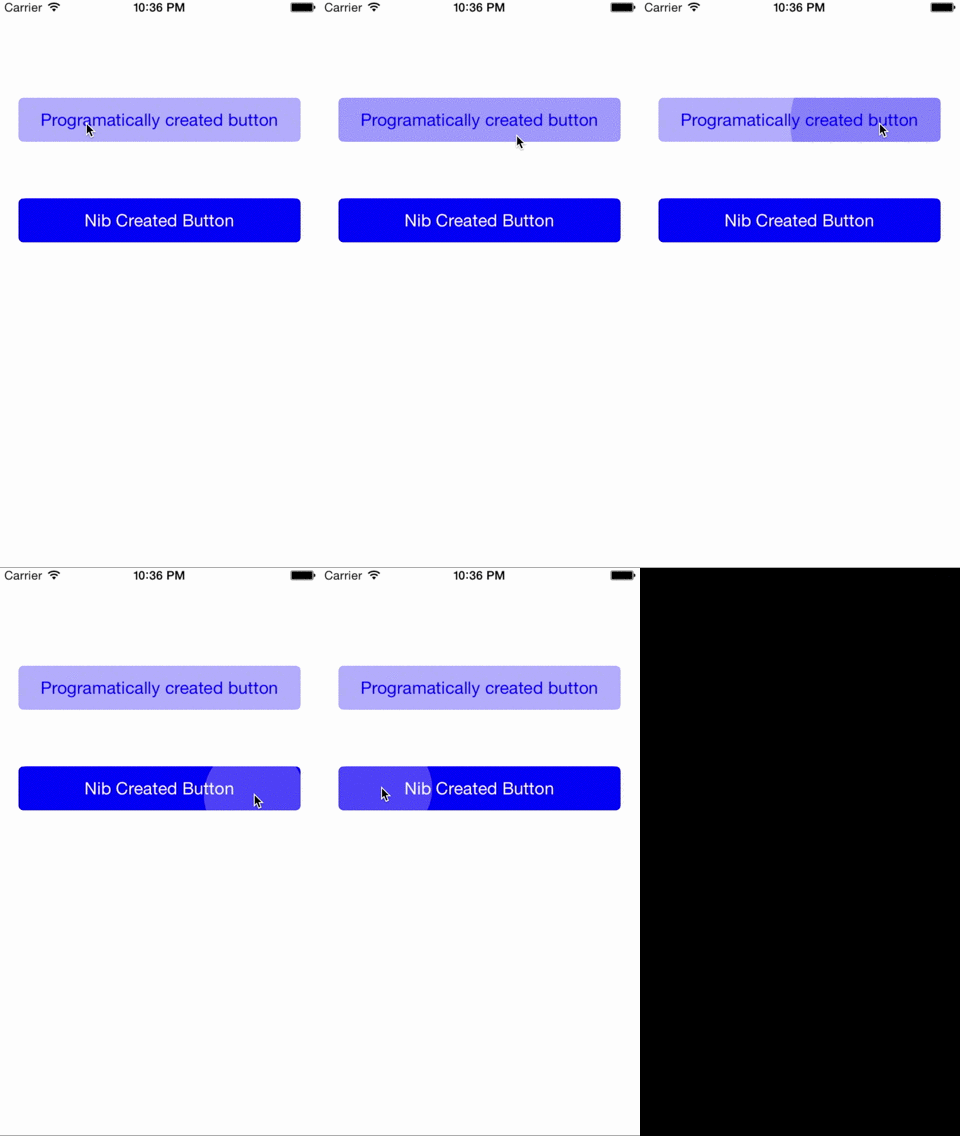
To run the example project, clone the repo, and run pod install from the Example directory first.
Another way to run the example project is running pod try EDSTouchButton in terminal.
EDSTouchButton is available through CocoaPods. To install it, simply add the following line to your Podfile:
pod "EDSTouchButton"
To use the button in your project:
EDSTouchButton *button = [[EDSTouchButton alloc] initWithFrame:CGRectMake(20, 100, CGRectGetWidth(self.view.frame) - 40, 44)
                                                    buttonType:EDSTouchButtonTypeDefault];
button.touchDiameter = 20;
button.title = @"Programatically created button";
button.titleColor = [UIColor blueColor];
button.touchColor = [[UIColor blueColor] colorWithAlphaComponent:0.5];
button.backgroundColor = [[UIColor blueColor] colorWithAlphaComponent:0.3];
button.contentEdgeInsets = UIEdgeInsetsMake(0, 0, 0, 25);
[button addTarget:self
           action:@selector(didSelectButton)
 forControlEvents:UIControlEventTouchUpInside];
[self.view addSubview:button];
You can also add it on your storyboard and edit its properties directly in the Attributes Inspector.
- Add simple tests.
- Add UIImageView to button.
- Check why importing the files directly triggers IB_DESIGNABLE but not using PODS.
Eduardo Diaz Sancha, edsancha@gmail.com
EDSTouchButton is available under the MIT license. See the LICENSE file for more info.