Releases: Dev2Forge/bridgex
The program installer v0.2.3-beta.1

Important
Warning
It is not recommended to install the program on 32-bit systems (It has not been tested on these)
The installer size increased because "VC_Resdist x64" was added, so that everything is automatic.
- In the previous version, there was no precaution if the user had "VC Redist x64" which caused the error #31
- In #32, the lack of permissions is evident, since the system denies access to some folders or to the hard drive C (where the system is installed), now both the installer and the Program itself run in administrator mode.
- The entire installation is automatic; both the program and "VC Redist x64" are installed automatically. Check out this repository if you want to know and verify the compilation process, both for the installer and the program itself: https://github.com/tutosrive/bridgex-builds-2-exe/
v0.1.0-beta.1
Bridgex is an Open Source tool that lets you convert a wide range of file formats - Office documents and others such as EPUB, HTML, PDF (plain-text), and more - into Markdown. It serves as a visual bridge between the powerful Markitdown library and anyone who prefers not to use the command line.
Install:
| From | Button |
|---|---|
Source Forge (.exe) |
|
| pip - Pypi | pip install bridgex |
Screenshots 🖼️
Example of Bridgex’s main window.
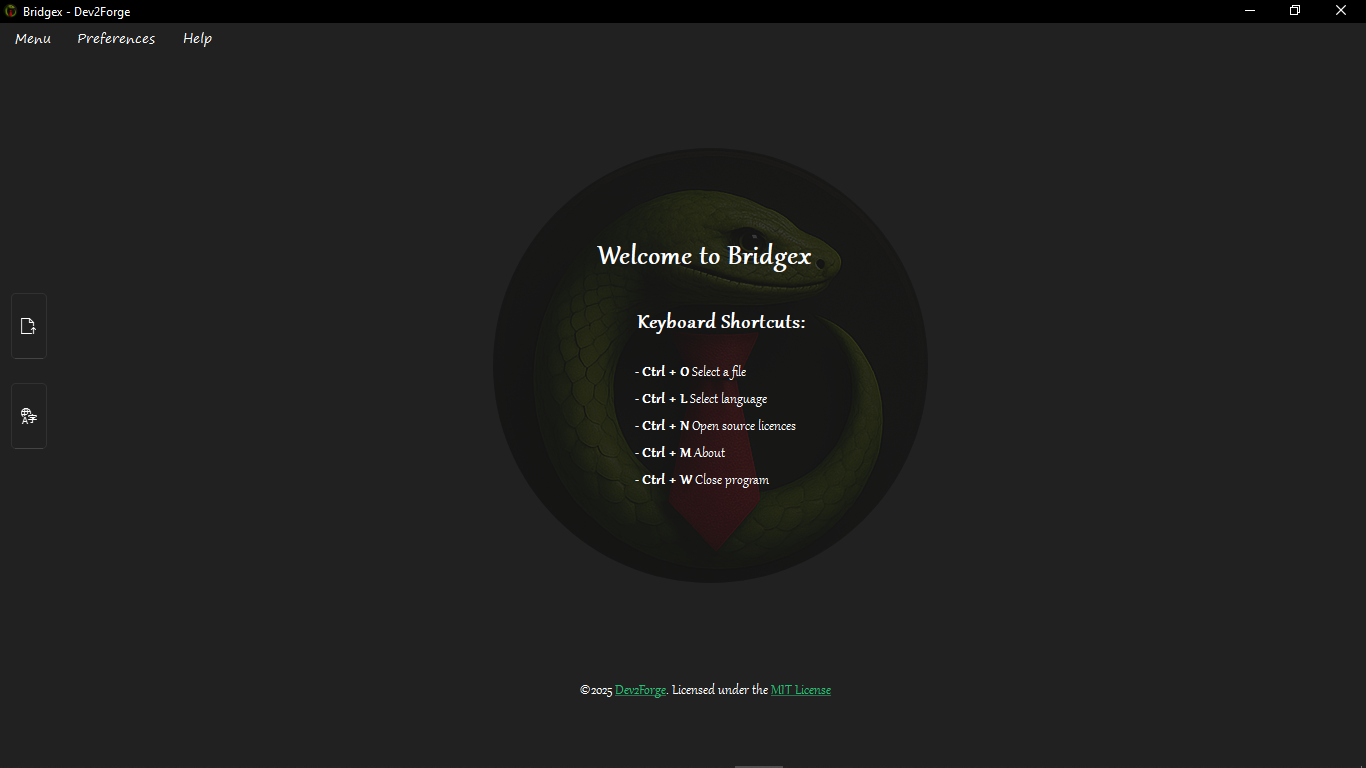
View interface previews
| Name | Preview |
|---|---|
| Open File | 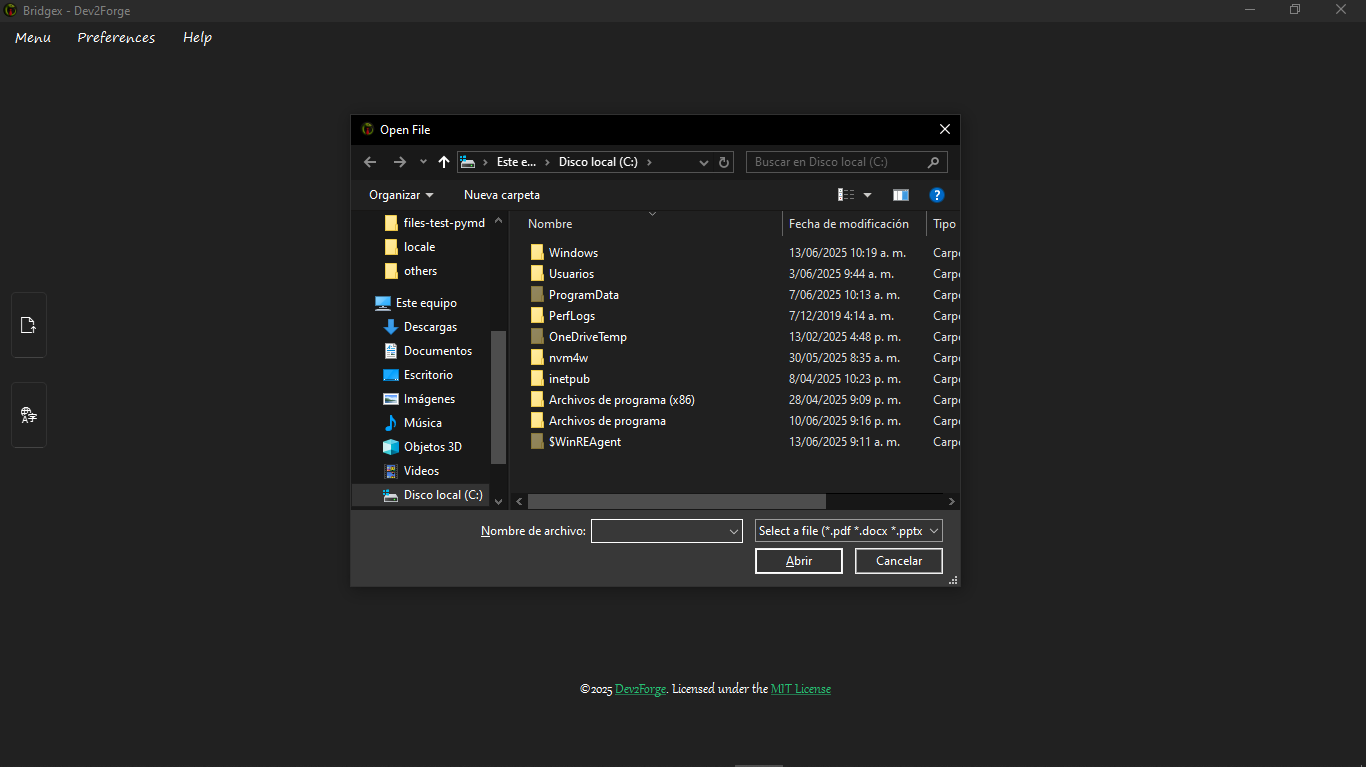 |
| Mini Editor | 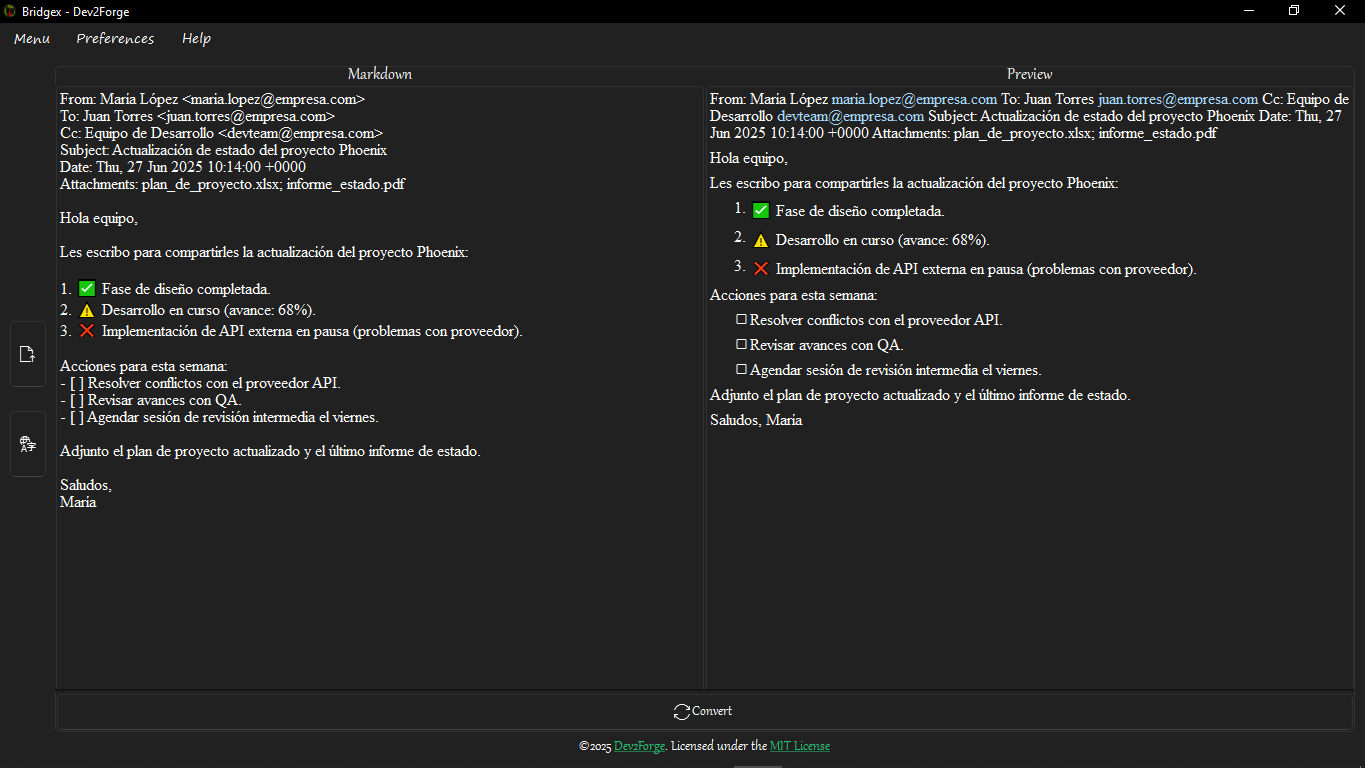 |
| Convert | 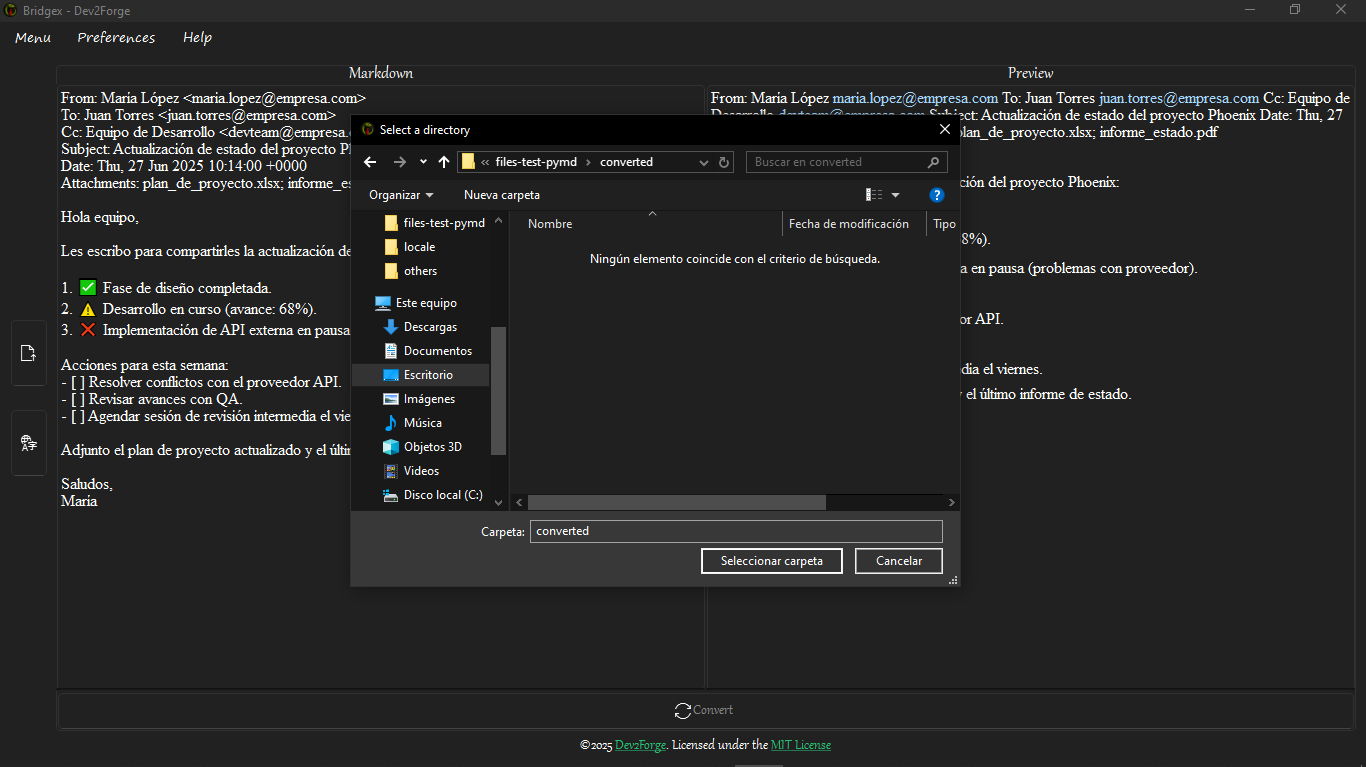 |
| Change Language | 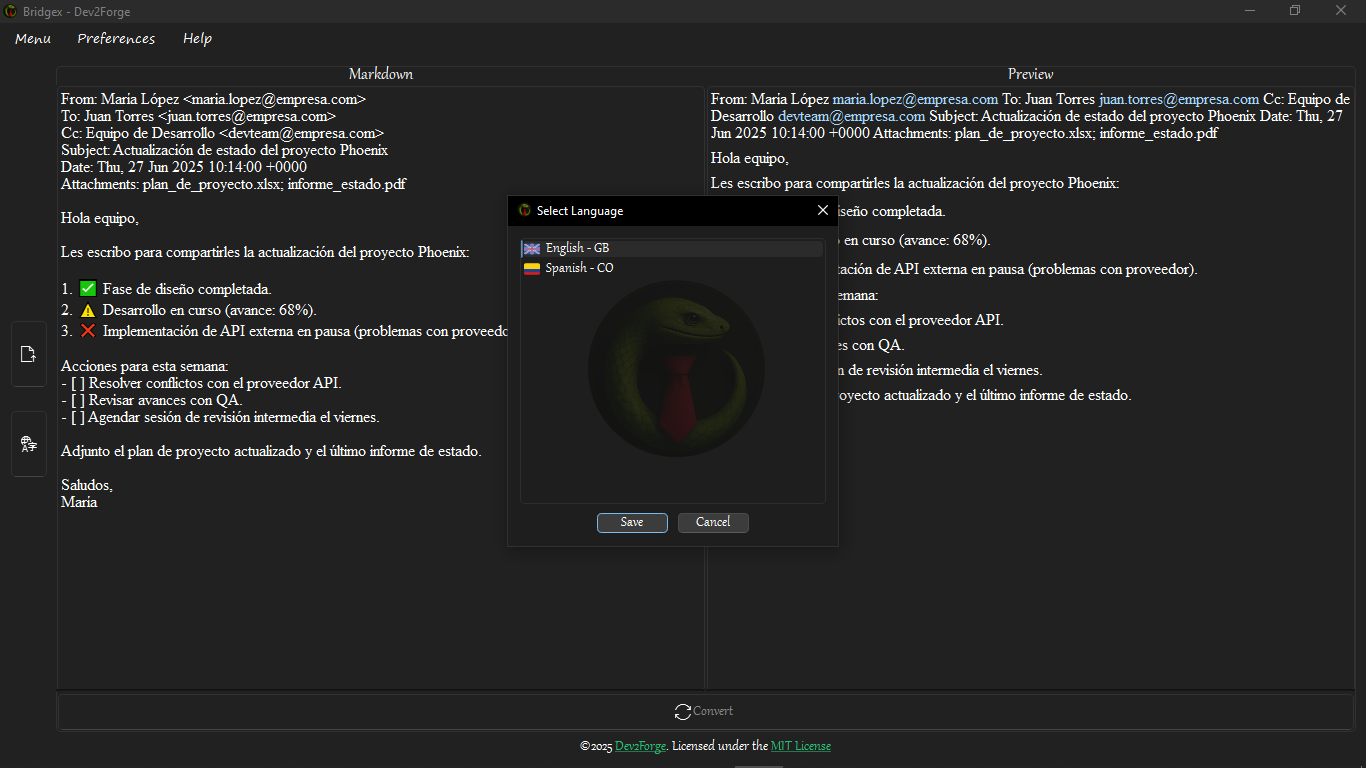 |
This program is:
- Free and Open Source: All code is available under the MIT licence, including Python code and UI files, for you to inspect, modify and redistribute.
- Quick and Simple: A modern, intuitive interface that gets straight to the point—no jargon, no fluff.
- Highly Useful: Instantly turn your documents into clean Markdown (.md) for blogs, wikis, documentation or personal notes.
- Flexible & Customisable: The entire UI is built with Qt Designer
.uifiles and translation.tsfiles—feel free to tweak every element.
Supported Formats 📂
Bridgex supports conversion of the following file formats:
- PDF (`.pdf`)
- Word (`.docx`)
- PowerPoint (`.pptx`)
- Excel (`.xlsx`, `.xls`, `.csv`)
- Outlook Messages (`.msg`)
- Text (`.txt`, `.text`)
- Markdown (`.md`, `.markdown`)
- JSON (`.json`, `.jsonl`)
- XML (`.xml`)
- RSS/Atom (`.rss`, `.atom`)
- HTML/MHTML (`.html`, `.htm`, `.mhtml`)
- ePub (`.epub`)
- Compressed files (`.zip`)
- Jupyter Notebooks (`.ipynb`)
- Other formats supported by Markitdown
Quick Start
Prerequisite: You must have Bridgex installed.
Installation instructions:
https://github.com/Dev2Forge/bridgex?tab=readme-ov-file#installation-
-
Launch Bridgex
- If installed via
pip, runbridgexin your terminal. - Or simply double-click the provided
.exe.
- If installed via
-
Open Your File
- Click the
 button.
 - Select any document containing extractable plain-text (not image-only PDFs).
- Click the
-
Automatic Conversion
- Under the hood, Markitdown parses and formats your content into Markdown where possible.
-
Preview & Edit
- A lightweight editor shows you the generated Markdown.
- Note: image previews aren’t shown yet (coming soon). Use this editor to tweak formatting if needed.
-
Save Your Markdown
- Click the
 button.
 - Choose the folder to save your
.mdfile.
- Click the
Your new Markdown file will appear in your chosen directory—ready to use in any Markdown-friendly tool.
Reporting Issues & Contributing
-
Report a bug:
https://github.com/Dev2Forge/bridgex/issues -
Contribute code or improvements:
https://github.com/Dev2Forge/bridgex/pulls
Customising the Interface
Every UI file is included for your convenience:
-
Qt Designer
.uifiles—modify or redesign your layout in Qt Creator:
Download Qt Creator: https://www.qt.io/download -
Translation
.tsfiles—add or edit language support for the GUI.
All project assets are provided so you can adapt Bridgex to your workflow under the MIT licence. Enjoy a truly Open Source, easy-to-use, highly functional document conversion experience!
What's Changed
- Add files
.uiand others, and add some docstrings by @tutosrive in #1 - Remove duplicated file requirements by @tutosrive in #2
- Add translations files by @tutosrive in #3
- Update language confirgurations, fix language dialog retranslate by @tutosrive in #4
- Update code quality, by @tutosrive in #5
- Fix import statement from absolute to relative path by @tutosrive in #6
- Update quality code, add docstrings, types and fix save file logic by @tutosrive in #7
- Update the 'About Dialog' information, add new data into. by @tutosrive in #8
- Fix and updates someone files by @tutosrive in #9
- Added new contact methods by @tutosrive in #10
- Update the EN-GB About, read the PR Ref #10 to know more by @tutosrive in #11
- Read Ref #12. Fix relative paths, this to can run as module python! by @tutosrive in #12
- Update requirements, optimize to require just the need... by @tutosrive in #13
- Renaming project from "Pymd" to "Bridge" by @tutosrive in #14
- Update files project name from
PymdtoBridgeby @tutosrive in #15 - Ref: #16 -> Finish renaming project from
PymdtoBridgeby @tutosrive in #16 - Update: Optimize imports, remove unused imports by @tutosrive in #17
- Add initial commit to REAME.md by @tutosrive in #18
- Add third-party NOTICE licenses by @tutosrive in #19
- Update readme files by @tutosrive in #20
- Ref #21 -> Rename project from bridge to bridgex by @tutosrive in #21
- Update home page URL by @tutosrive in #22
- Update Readme files and version package by @tutosrive in #23
- Update dev version in files by @tutosrive in #25
- Update to v0.1.0 Beta by @tutosrive in #27
- Update issue templates by @tutosrive in #28
- Create CONTRIBUTING.md by @tutosrive in #29
Full Changelog: V0.0.2-dev...v0.1.0-beta.1
Contributors

Assets 3
v0.0.3-dev
What's Changed
- Update dev version in files by @tutosrive in #25
Full Changelog: V0.0.2-dev...v0.0.3-dev
Contributors
Assets 2
Bridgex v0.0.2-dev
Bridgex v0.0.2-dev:
Supported files:
.pdf.csv.docx.xlsx.html
And many more...
What's Changed
- Add files
.uiand others, and add some docstrings by @tutosrive in #1 - Remove duplicated file requirements by @tutosrive in #2
- Add translations files by @tutosrive in #3
- Update language confirgurations, fix language dialog retranslate by @tutosrive in #4
- Update code quality, by @tutosrive in #5
- Fix import statement from absolute to relative path by @tutosrive in #6
- Update quality code, add docstrings, types and fix save file logic by @tutosrive in #7
- Update the 'About Dialog' information, add new data into. by @tutosrive in #8
- Fix and updates someone files by @tutosrive in #9
- Added new contact methods by @tutosrive in #10
- Update the EN-GB About, read the PR Ref #10 to know more by @tutosrive in #11
- Read Ref #12. Fix relative paths, this to can run as module python! by @tutosrive in #12
- Update requirements, optimize to require just the need... by @tutosrive in #13
- Renaming project from "Pymd" to "Bridge" by @tutosrive in #14
- Update files project name from
PymdtoBridgeby @tutosrive in #15 - Ref: #16 -> Finish renaming project from
PymdtoBridgeby @tutosrive in #16 - Update: Optimize imports, remove unused imports by @tutosrive in #17
- Add initial commit to REAME.md by @tutosrive in #18
- Add third-party NOTICE licenses by @tutosrive in #19
- Update readme files by @tutosrive in #20
- Ref #21 -> Rename project from bridge to bridgex by @tutosrive in #21
- Update home page URL by @tutosrive in #22
- Update Readme files and version package by @tutosrive in #23
New Contributors
- @tutosrive made their first contribution in #1
Full Changelog: https://github.com/Dev2Forge/bridgex/commits/V0.0.2-dev