


An online platform that caters to streamlined learning in various tracks like web dev, UI design, etc. It focuses on developing an individuals skills by providing various tasks and projects.
Table of Contents
Skill Grade is an online platform that caters to streamlined learning in various tracks like web dev, UI design, etc.
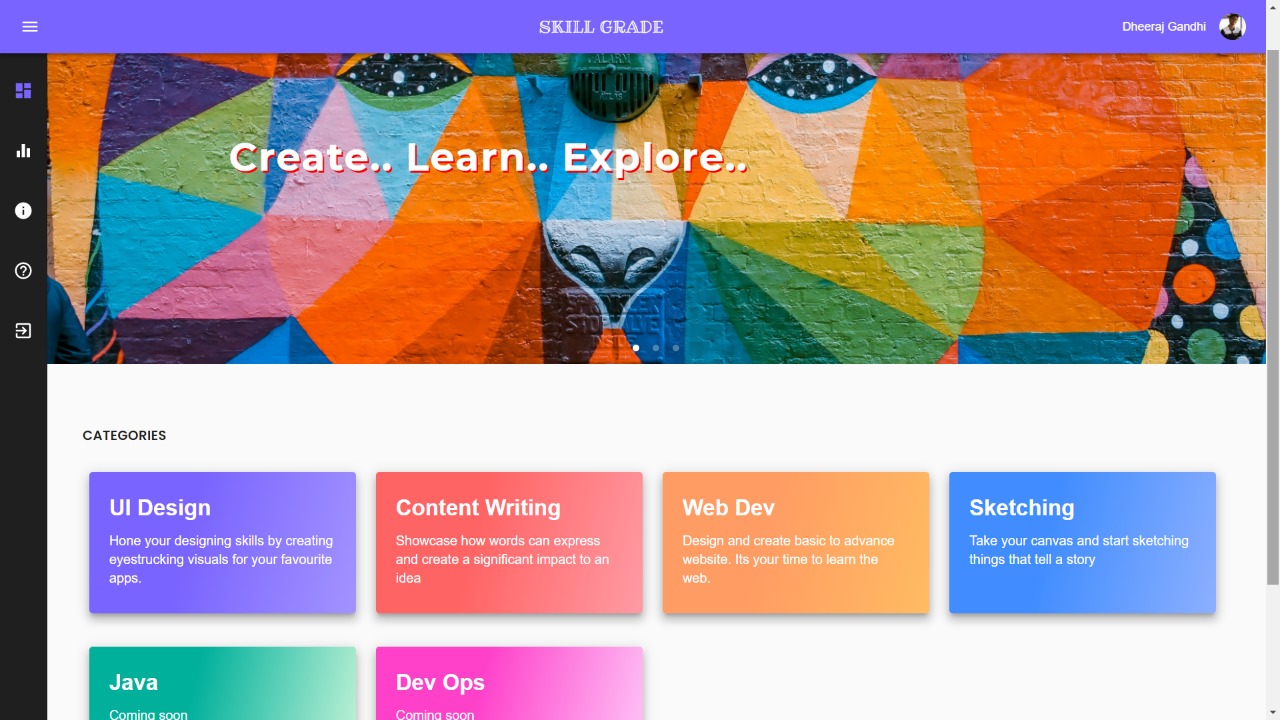
Step 1: Choose the category you want to learn and work on from the dashboard page
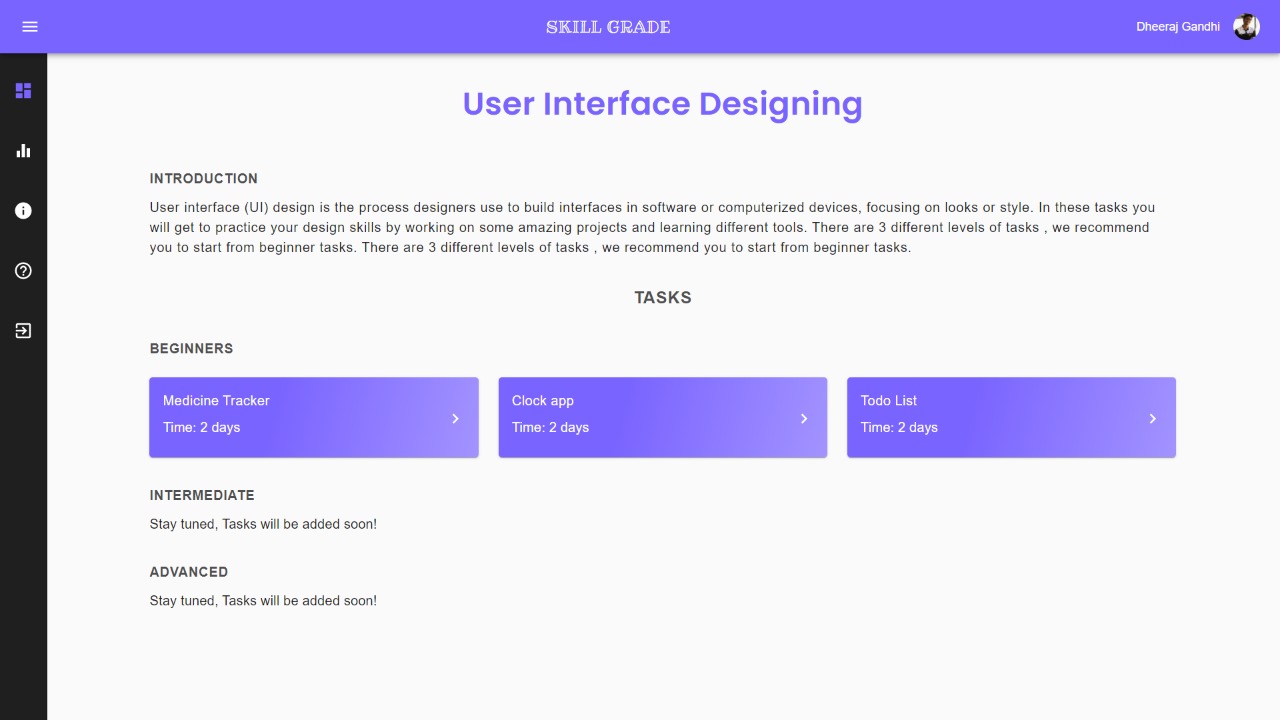
Step 2: Based on your selection it will take you to tasklist page where there are various kinds of projects divided into 3 categories namely, beginner, intermediate and advanced level. You can choose between them. It is recommended you start from the beginner tasks.
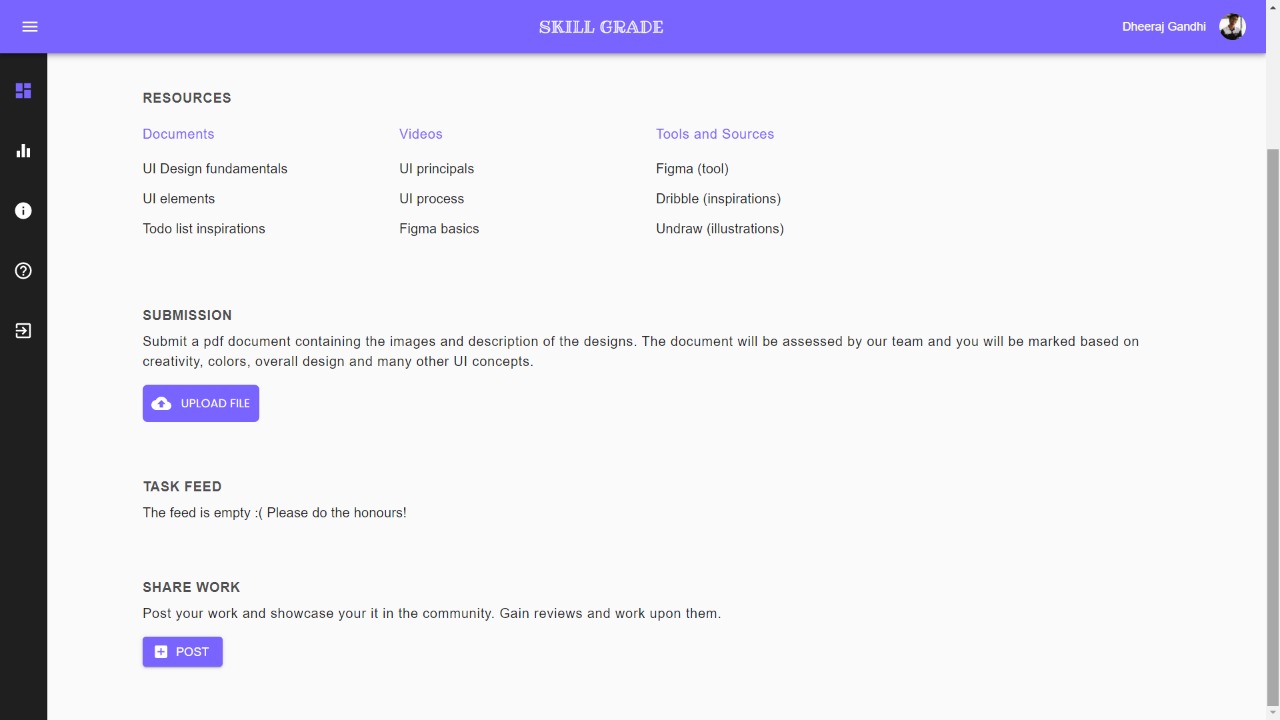
Step 3: Next you will be redirected to the selected task. This page contains all the information such as task details and resources that can be used. You can use this and start working on the task. (It is mandatory to prepare a pdf document of your work)
Step 4: After completing the task you can upload your file in the submission section. You will be scored after we review your tasks. That's it!! You've completed a task.
Step 5: We also have a feed where you can post images of your work and gain upvotes from other students. You can also use the feed to take inspiration and get ideas.
The leaderboard page shows you your current rank among all other registered students. The rank is based on points that are allocated to you on task completion. So try your best to complete maximum tasks and climb up to the top!!
"Your tasks" section contains all the tasks that have been started by you but are not yet submitted. It shows no. of days left till the due date and would alert overdue if due date has been crossed. Remember, the points of the tasks keep decreasing after the due date so hurry up and complete all pending tasks!
The working parts are as follows:
-
The dashboard page to view all available course tracks
-
The tasks page which lets you view tasks of a particular course along with your progress
-
A page to view the details of each task along with a provision to submit your work and a feed to view other peers' work
- Get free API keys to populate the .env files(an env example has been provided)
- Clone the repo
git clone https://github.com/Deb77/skillgrade
- Install NPM packages
cd client
npm install
cd backend
npm install
- Run the servers(backend and client on separate terminals)
cd client
npm start

cd backend
nodemon server.js
Contributions are what make the open source community such an amazing place to learn, inspire, and create. Any contributions you make are greatly appreciated.
- Fork the Project
- Create your Feature Branch (
git checkout -b feature/AmazingFeature) - Commit your Changes (
git commit -m 'Add some AmazingFeature') - Push to the Branch (
git push origin feature/AmazingFeature) - Open a Pull Request
Distributed under the MIT License. See LICENSE for more information.