一个基于SuperCalendar和CalendarExaple改造的日历控件,可显示农历日期,仿小米滑动列表周月切换。
<com.demon.calendar.view.CalendarView
        android:id="@+id/cv"
        android:layout_width="match_parent"
        android:layout_height="wrap_content"
        app:cv_day="Monday"
        app:cv_isLunar="true"
        app:cv_isShowToday="true"
app:cv_theme="Default" />| 属性 | 类型 | 说明 |
|---|---|---|
| cmv_day | 枚举 | Monday:一周的第一天是星期一,Sunday:一周的第一天是星期天 |
| cmv_isLunar | boolean | 是否显示农历 |
| cmv_isShowToday | boolean | 是否显示今天按钮 |
| cmv_theme | 枚举 | 日历的主题 |
calendarView = findViewById(R.id.cv);
        HashMap<String, String> markData = new HashMap<>();
        markData.put("2018-10-9", "0");
        markData.put("2018-10-19", "1");
        markData.put("2018-10-29", "0");
        markData.put("2018-10-10", "1");
        calendarView.setMarkData(markData);//绑定需要标记的日期
        calendarView.setOnDateListener(new OnDateListener() {
            @Override
            public void onDateChange(CalendarDate date) {
                //日期改变时回调
                Log.i(TAG, "onDateChange: " + date.toString());
            }
        });

        //calendarView.refreshMarkData(markData); 用于标记数据的更改和刷新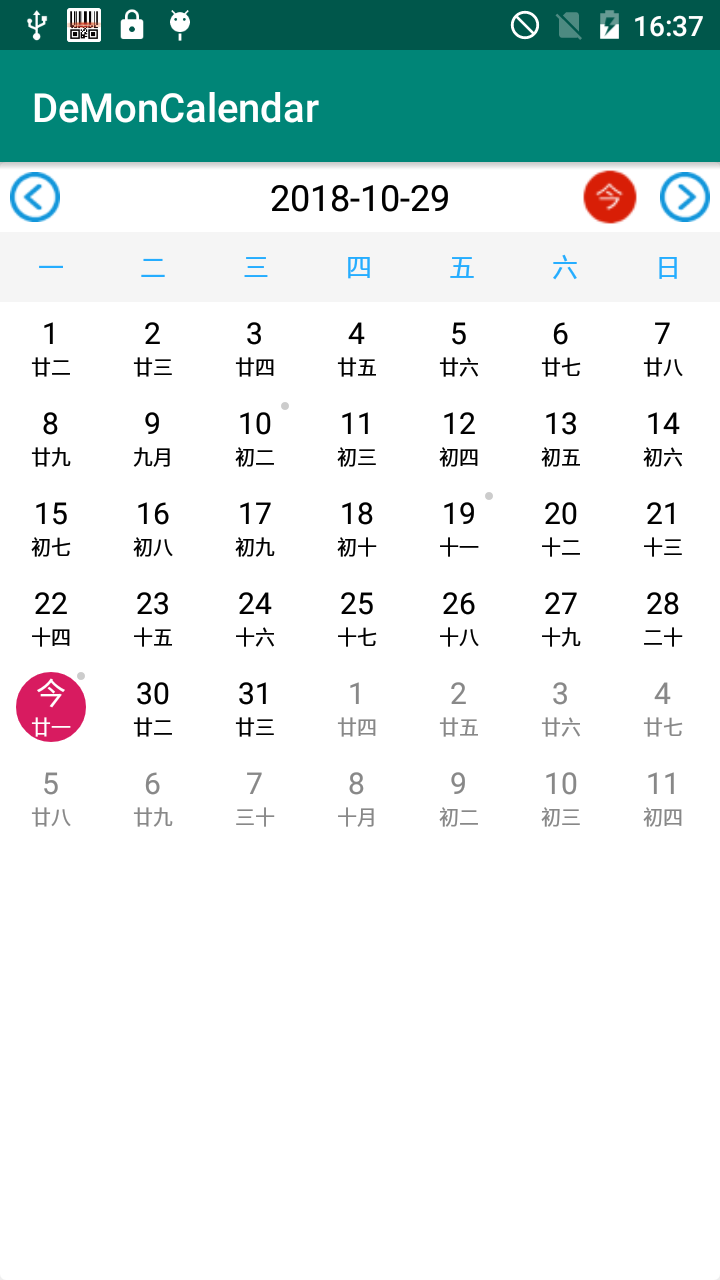
<com.demon.calendar.view.CalendarMemoView
        android:id="@+id/cv"
        android:layout_width="match_parent"
        android:layout_height="match_parent"
        app:cmv_day="Sunday"
        app:cmv_isLunar="true"
app:cmv_theme="Custom" />| 属性 | 类型 | 说明 |
|---|---|---|
| cmv_day | 枚举 | Monday:一周的第一天是星期一,Sunday:一周的第一天是星期天 |
| cmv_isLunar | boolean | 是否显示农历 |
| cmv_isShowToday | boolean | 是否显示今天按钮 |
| cmv_theme | 枚举 | 日历的主题 |
 calendarView = findViewById(R.id.cv);
        HashMap<String, String> markData = new HashMap<>();
        markData.put("2018-10-9", "班");
        markData.put("2018-10-19", "休");
        markData.put("2018-10-29", "假");
        markData.put("2018-10-10", "班");
        calendarView.setMarkData(markData);//绑定需要标记的日期
        list.addAll(Arrays.asList(getResources().getStringArray(R.array.titles)));
        calendarView.setAdapter(new ExampleAdapter(this, list));//给列表绑定适配器
        calendarView.setOnDateListener(new OnDateListener() {
            @Override
            public void onDateChange(CalendarDate date) {
                //日期改变时回调
                Log.i(TAG, "onDateChange: " + date.toString());
                list.clear();
                list.addAll(Arrays.asList(getResources().getStringArray(R.array.items)));
                calendarView.adapter.notifyDataSetChanged();
            }
        });

        //calendarView.refreshMarkData(markData); 用于标记数据的更改和刷新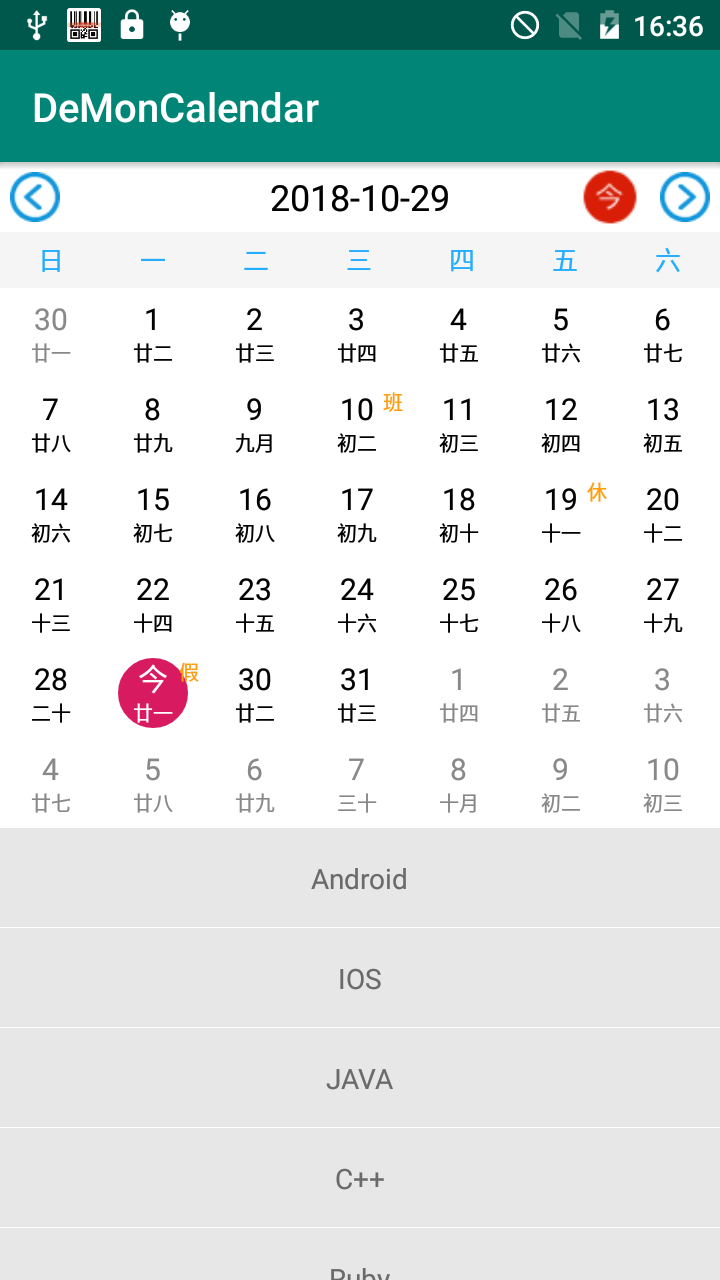
- 修改控件的日历主题,图标等,可下载源码修改。
- 编写日历主题请参考源码的
CustomDayView.java和DefaultDayView.java。 - 更多使用方法,请看源码,或者示例程序。
- v1.0初始版本。
- v1.1修复一些bug。
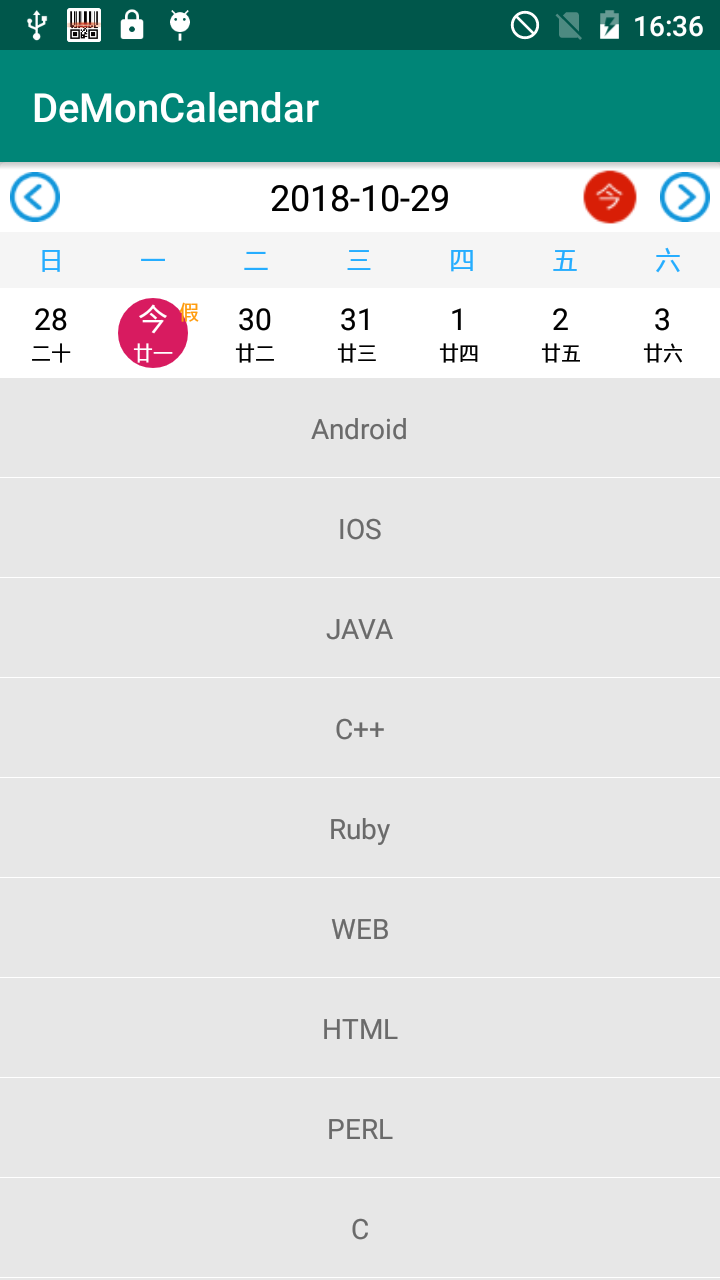
- v1.2修复周月滑动的默认日期的问题,现在日期改变只有onDateChange(CalendarDate date)回调方法。
- v1.3使用public日期适配器calendarView.calendarAdapter用于刷新日历。
- v1.4新增calendarView.refreshMarkData(markData)用于标记数据的更改和刷新
- v1.5修复标记数据数据刷新的bug
- v1.7修复选择日期的bug
请在issues留言,定期回复。
MIT License

Copyright (c) 2018 DeMon

Permission is hereby granted, free of charge, to any person obtaining a copy
of this software and associated documentation files (the "Software"), to deal
in the Software without restriction, including without limitation the rights
to use, copy, modify, merge, publish, distribute, sublicense, and/or sell
copies of the Software, and to permit persons to whom the Software is
furnished to do so, subject to the following conditions:

The above copyright notice and this permission notice shall be included in all
copies or substantial portions of the Software.

THE SOFTWARE IS PROVIDED "AS IS", WITHOUT WARRANTY OF ANY KIND, EXPRESS OR
IMPLIED, INCLUDING BUT NOT LIMITED TO THE WARRANTIES OF MERCHANTABILITY,
FITNESS FOR A PARTICULAR PURPOSE AND NONINFRINGEMENT. IN NO EVENT SHALL THE
AUTHORS OR COPYRIGHT HOLDERS BE LIABLE FOR ANY CLAIM, DAMAGES OR OTHER
LIABILITY, WHETHER IN AN ACTION OF CONTRACT, TORT OR OTHERWISE, ARISING FROM,
OUT OF OR IN CONNECTION WITH THE SOFTWARE OR THE USE OR OTHER DEALINGS IN THE
SOFTWARE.